
What changed
Airbnb calendar notes: what the calendar does today
Many hosts remember writing a short reason on a blocked date: “owner stay”, “plumber Tuesday”, “cleaning gap”. If you are looking for that box now and cannot find it, you are not missing a setting. Airbnb’s own guide to the host app, Exploring your hosting tools (dated 10 December 2025), describes the Calendar tab as the place to review and change availability and pricing, and lists exactly what it does.
- Availability
- Open dates for guests to book, and block nights you cannot host.
- Pricing settings
- Adjust settings like minimum nights and discounts.
- Price tips
- View nightly price tips, based on your listing’s location and amenities, your past bookings and recent prices nearby.
- Notes
- Not listed for the Calendar. In the same guide, notes belong to the Today tab and attach to reservations.
So the honest answer to “how do I add a note to my Airbnb calendar” in 2026 is that Airbnb’s documentation no longer offers a per-date note on the standard calendar. If your app still shows one, use it, but do not build your routine on a feature the host guide does not mention.
Where notes live now
Where to add a note on Airbnb now: the reservation
Airbnb moved the idea of a host memo onto the booking itself. Per the same guide, the Today tab is what opens first in the host app, shows current and upcoming reservations, and lets you “add notes to yourself on reservations, such as reminders about special occasions or requests.” That covers most of what hosts used date notes for when a guest is involved.
Open the Today tab
It is the first screen of the Airbnb app when you are in hosting mode, with current and upcoming reservations.
Pick the reservation
Switch between current and upcoming views to find the stay the note is about.
Add the note to yourself
Write the thing you will need on the day: the anniversary, the late arrival, the travel cot they asked for. It is a reminder for you, not a message, so anything the guest must know still goes in Messages.
Nights with no booking
Notes for blocked nights, owner stays and maintenance
A reservation note needs a reservation. The nights that most need a reason are the ones with no guest at all: the week you are using the place yourself, the day the boiler is serviced, the gap you left for a deep clean. Airbnb’s documented tools give those nights a state (blocked) but no reason, so the reason has to live somewhere you control.
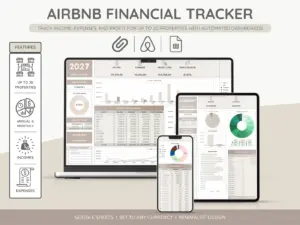
Two places work well. The first is your own calendar: Airbnb’s help article on syncing your host calendar explains that you can export your Airbnb calendar to a personal calendar like Google or Apple, so your bookings appear there and you can write the reason on your own event. The second is a host tracker, one row per night or per block, with a column for why. Either way, the rule is the same: Airbnb holds the block, you hold the reason.
Airbnb holds the block, you hold the reason.From the section above
- Owner stay
- Block the nights on Airbnb. In your tracker: who is staying, and whether the cleaner is needed after.
- Maintenance
- Block the night. In your tracker: the trade, the time window, and the number to call.
- Pricing override
- Set the price on Airbnb. In your tracker: why you set it (a local event, a festival), so the next review does not undo it.
- Booked elsewhere
- If you list on another site, a synced calendar blocks the night automatically, per Airbnb’s sync article. In your tracker: which site and which guest.


Everything you hand a guest, matched and priced to move together.
Coming this fall
The multi-listing calendar announced for fall 2026
Airbnb’s 2026 fall update, announced on 30 September, lists a multi-listing calendar among the host tools arriving “later this fall”: one place to change pricing, availability, cancellation policies or discounts across several listings at once. The announcement does not mention notes, so do not expect the old date memo to come back with it. We cover what is live and what is still announced in our Airbnb fall update guide, and we will update this page the day a notes field reappears anywhere in Airbnb’s host documentation.
Two kinds of notes
Airbnb calendar notes vs Airbnb release notes
Searches for “Airbnb notes” mix two different things. Calendar and reservation notes are private memos a host writes. Release notes are Airbnb’s own announcements of new features, published as its seasonal releases on the Airbnb Newsroom. If you came here for the second, the latest one for hosts is the fall 2026 update, and our fall update guide sorts what it changes for hosts from what it changes for guests.
FAQ
Common questions, answered briefly
Can you still add notes to the Airbnb calendar?
Where do I add a note to a reservation on Airbnb?
How do I record why a date is blocked?
Does a note stop a guest from booking a night?
Are Airbnb calendar notes the same as Airbnb release notes?
If your host app still shows a notes box on calendar dates, tell us in the comments which app version and country you are on, and we will add it here.