In one line
What the Boox Palma 2 Pro adds
The Boox Palma 2 Pro takes the phone-sized pocket reader and turns it into a tiny color Android device that can write and connect anywhere. It keeps the 6.13-inch body and the open Android library of the base model, then adds the four things the standard Palma 2 leaves out: a Kaleido 3 color screen, support for the InkSense Plus stylus, full 2G to 5G cellular through a SIM slot, and 8GB of RAM to keep it smooth. At $399.99, in stock on Boox’s US store, it costs more than the mono Palma 2 ($269.99, sold out there as of 22 October 2026), and the only reason to pay that is if one of those four additions is something you will genuinely use. If you are deciding between the two models in the first place, our Boox Palma buying guide sets them side by side; this review is about whether the Pro earns its extra cost.
Color and pen
The color screen and the stylus

The headline change is the screen. The Pro uses a Kaleido 3 panel that shows black-and-white text at a crisp 300 pixels per inch and color at a softer 150 PPI, which is how every color e-ink device works today. In practice that means text stays sharp for novels, while comics, magazine layouts, book covers, and highlighter colors come through in muted, paper-like tones rather than the vivid hues of a phone. If you read graphic novels or mark up documents in color, that is the reason to choose the Pro; if you read plain text, the mono Palma 2 is actually a touch sharper and easier on the eyes.
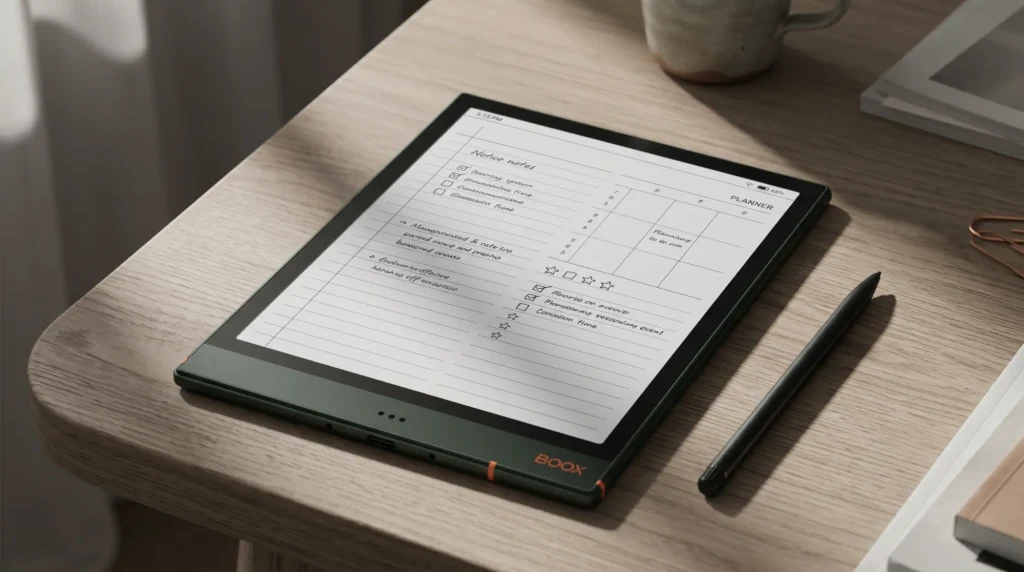
The second change is writing. The Pro supports the InkSense Plus stylus (sold separately) with 4,096 pressure levels, so you can annotate a PDF, sign a document, or jot a note on a page in a way the base Palma 2 simply cannot, since it has no pen at all. It is not a replacement for a full-size note tablet; the 6.13-inch screen is small for serious handwriting or page templates, and for that a larger Boox tablet with our Boox templates is the better tool. But for quick markups in your pocket, the pen is a real addition.
Cellular and power
5G, memory, and the rest of the spec sheet
The Pro is the only Palma that works without Wi-Fi. A hybrid SIM slot takes a 2G to 5G data SIM (or a second SIM, or a microSD card up to 2TB), so you can sync library loans, stream an audiobook, or browse on the move with no phone tether. Paired with 8GB of RAM, up from 6GB on the base model, it stays smoother across apps and handles the heavier color rendering without stalling. The rest is familiar: Android 15 with the Google Play Store, 128GB of storage, a 3,950mAh battery good for days of reading, a 16MP camera for scanning, fingerprint unlock, USB-C, and a water-repellent body. At about 175 grams it is a hair heavier than the mono model, but still pocket-sized.
None of that makes it a phone replacement, and Onyx does not sell it as one. It is a pocket reader that can also write, show color, and connect, and the cellular is the feature most people overlook and a few people will love.
Versus other color
Palma 2 Pro versus other color e-ink readers
Color e-ink is its own small market now, so the Pro is worth weighing against the other color readers people consider rather than only against its mono sibling.
| Reader | Screen | Pen | Reads any store | Price |
|---|---|---|---|---|
| Boox Palma 2 Pro | 6.13″ Kaleido 3 | Yes, InkSense Plus | Yes, Google Play | $399.99 |
| Boox Go Color 7 (Gen II) | 7″ Kaleido 3 | Yes, InkSense | Yes, Google Play | $289.99 |
| Kindle Colorsoft | 7″ Kaleido 3 | No | Amazon only | $249.99 |
The trade is size against pocketability. The 7-inch Boox Go Color 7 gives you a bigger color screen and the same open Android freedom for less money, but it will not fit a coat pocket. The Kindle Colorsoft is the simplest color reader if your books are all on Amazon, but it is locked to that store and has no pen. The Palma 2 Pro is the one you choose specifically because you want color and a pen in a device that disappears into a pocket, with cellular on top. If pocket size is not a priority, one of the larger readers is the better value.
The Pro is not a better reader than the Palma 2; it is a more capable device.On paying for the Pro
Who it is for
Who should buy the Palma 2 Pro
Buy the Palma 2 Pro if you want at least one of its three additions in a pocket device: color for comics and covers, a stylus for marking up pages, or cellular for reading away from Wi-Fi. It is the most capable pocket e-ink device on the market, and for the right person the color screen alone justifies it. Skip it, and save the money on the mono Boox Palma 2, if you mostly read plain text, since the cheaper model is a slightly sharper reader and the Pro’s color and pen would sit unused. The honest test is simple: name the feature you are buying it for. If you cannot, the base model is the smarter purchase. One catch for now: Boox’s US store shows the Palma 2 sold out as of 22 October 2026, so saving that money means a used unit or waiting for the mono Palma 3, listed at $339.99 but not yet orderable.
If you carry a Palma 2 Pro, tell us in the comments whether the color screen and the pen earned their place, or whether you would have been just as happy with the mono model. The Pro splits opinion, and real use settles it better than any spec sheet.
FAQ
Common questions, answered briefly
What is the difference between the Palma 2 and the Palma 2 Pro?
Is the Boox Palma 2 Pro worth it?
Does the Boox Palma 2 Pro have a color screen?
Can you write on the Boox Palma 2 Pro?
Does the Boox Palma 2 Pro have cellular data?
If yours isn’t above, drop the question in the comments and we’ll add it.
People also ask