In one line
The Boox Palma 2 in one line
The Boox Palma 2 is the e-reader you carry when you want to read more and stare at your phone less. It is the size of a phone, with a 6.13-inch e-ink screen instead of a glowing display, and it runs full Android with the Google Play Store, which is the part that matters: you can install Kindle, Libby, Kobo, a browser, or an audiobook app, and read all of them on one calm grey page. At $269.99 it costs more than a basic e-reader, and that price only makes sense once you understand what you are paying for, which is freedom from any single bookstore. Before you shop: Boox’s store shows every Palma 2 variant sold out as of 22 October 2026; the in-stock way into this form factor is the Palma 2 Pro at $399.99, and the mono Palma 3 is listed at $339.99 but not yet orderable. This review covers what living with the Boox Palma 2 is actually like, how it stacks up against a normal e-reader, and who should buy one. For how it compares to the color Palma 2 Pro and which model to pick, our Boox Palma buying guide covers the whole line.
Daily use
Reading on the Palma 2 day to day
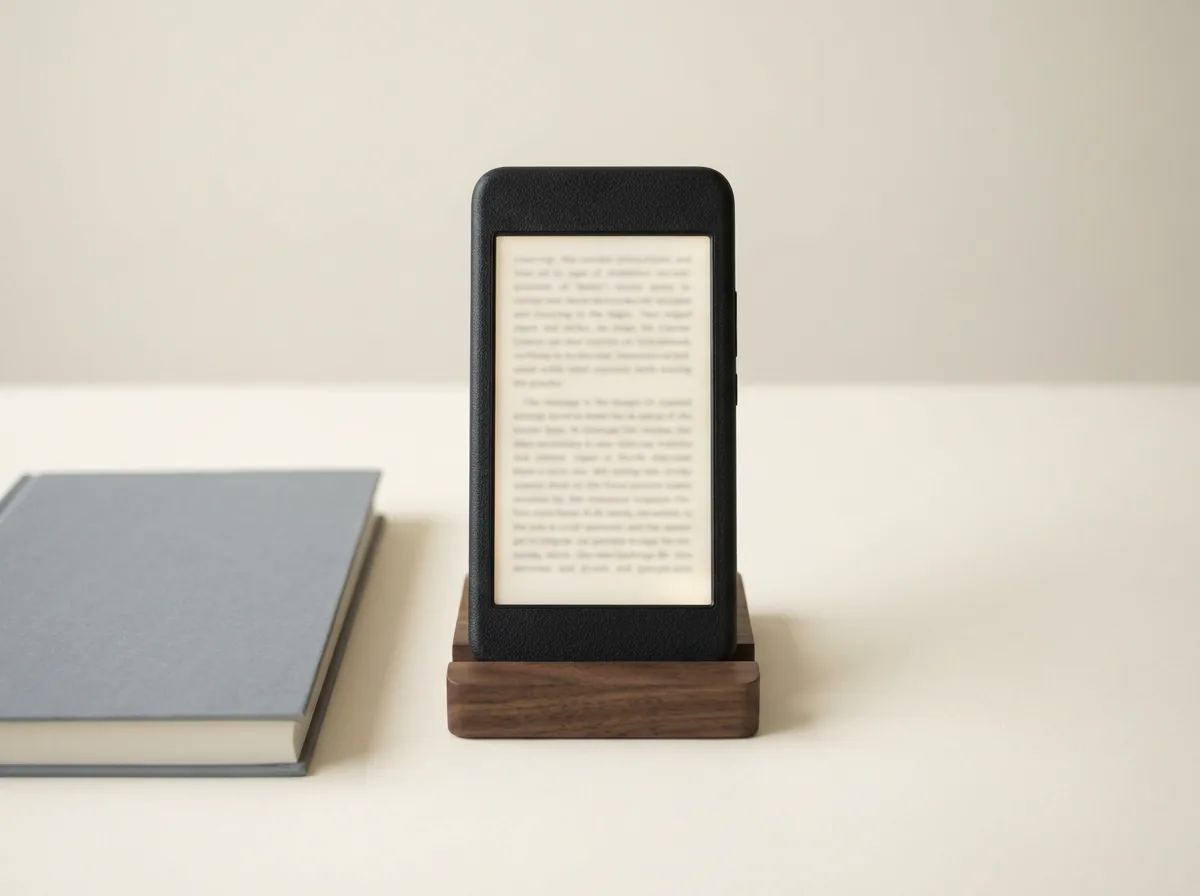
The screen is a 6.13-inch Carta 1200 panel at 300 pixels per inch, the same sharpness as a Kindle Paperwhite, now under a flat glass cover lens that makes the Palma 2 feel less plasticky than the first model. Text is crisp, the front light shifts from cold white to a warm amber for night reading, and because it is e-ink there is no glare in sunlight and no tired eyes after a long sitting. At about 170 grams and 8 millimetres thick it disappears into a coat pocket, and you can read it one-handed on a train the way you would a phone, which is the whole point.
Battery life is measured in days, not hours, because an e-ink screen only draws power when the page changes; a 3,950mAh cell comfortably covers a week of normal reading. You charge over USB-C, drop in a microSD card if 128GB is not enough, and unlock with a fingerprint reader built into the power button. The honest limit is the one every e-ink device shares: turning pages is quick, but scrolling a busy app or a web page brings the faint ghosting and slower refresh that comes with the technology. For reading it is a pleasure; for anything that moves on screen, you feel where the device draws its line.
Setup
Setting it up: Kindle, Libby, and Kobo in one place
The reason to choose the Palma 2 over a cheaper e-reader is what happens the first time you open it. Because it runs Android 13 with the Google Play Store, you install the apps your books already live in: the Kindle app for your Amazon library, Libby for free loans from your local library, Kobo for anything bought there, and a comic or audiobook app if you want them. No first-party e-reader lets you do that; a Kindle reads Amazon books and a Kobo reads Kobo books, full stop. The Palma 2 reads all of them, which turns it from a gadget into the one device that fits whatever ecosystem you are already in.
Onyx layers its own refresh controls on top, so you can nudge each app toward speed or clarity depending on whether you are reading text or flicking through a feed. It takes five minutes of fiddling to get an app feeling right, and that is the small tax for the freedom. Set it up well, load only your reading apps, and the Palma 2 becomes a deliberately quiet device that does the one thing you picked it up to do.
Versus a normal reader
Palma 2 versus a regular e-reader
The Palma 2 is not the cheapest way to read, so the fair question is what the extra money buys against a standard e-reader. The table below sets it beside the readers people usually weigh it against.
| Reader | Screen | Reads any store | Installs apps | Price |
|---|---|---|---|---|
| Boox Palma 2 | 6.13″ mono | Yes, any app | Yes, Google Play | $269.99 (sold out) |
| Kindle Paperwhite | 6.8″ mono | Amazon only | No | $199.99 |
| Kobo Clara BW | 6″ mono | Kobo and library | No | around $160 |
| Boox Go 6 (Gen II) | 6″ mono | Yes, any app | Yes, Google Play | $199.99 |
Read that table by what you value. If you only ever read from one store, a Kindle or a Kobo is cheaper and does the job. If you want one device for every store, the Palma 2 and the larger Boox Go 6 are the two that open any app; the Palma 2 trades a little screen size for the pocket form factor and the nicer build. The Paperwhite has the biggest screen for the money, but it is a walled garden. You pay more for the Palma 2 for one thing, and it is worth naming plainly.
A Kindle reads Amazon books and a Kobo reads Kobo books; the Palma 2 reads all of them.On why it costs more
The catch
What the Palma 2 is not
Honesty first, because the Palma 2 is easy to mis-buy. It has no pen, so it is a reader, not a note-taker; if you want to handwrite or run page templates, a larger Boox tablet is the right tool, and our Boox templates guide and the wider e-ink tablet roundup are better starting points. The screen is mono, so comics and illustrated books lose their color; if that matters, the color Palma 2 Pro is the one to read about. At 6.13 inches it is small for PDFs and textbooks, where you will pinch and pan more than read. And apps that animate feel sluggish, so this is not a substitute for a phone or a fast browser.
None of that is a fault; it is the shape of the trade. The Palma 2 is a focused reading device that happens to read everything, and judging it as a tiny tablet or a cheap Kindle rival misses what it is for. If you want smaller and cheaper and only read your own EPUB files, the Boox Picco is Boox’s card-sized reader without the Play Store.
What it costs
Boox Palma 2 price in 2026
Onyx lists the Boox Palma 2 at $269.99 on its own store, in a Black or a White edition, with 6GB of RAM and 128GB of storage behind a microSD slot. There is one configuration, so the only choice you are making is the colour of the back panel. Every one of those variants reads sold out on Boox’s US store as of 22 October 2026, so the listed price is not one you can pay there today.
That number is worth holding next to a plain e-reader rather than a phone. A Kindle Paperwhite is $199.99 at Amazon’s list price, so the Palma 2 asks about seventy dollars more. What the seventy dollars buys is not a better reading screen, it is the Play Store: the ability to keep Kindle, Libby and Kobo purchases on one device instead of choosing a shop and living with it. If you only ever buy from one store, that is seventy dollars for nothing.
Onyx sells direct and the store price is the one that moves, so a discount here is a real discount rather than a marked-up list price being walked back. Note that Boox no longer publishes a separate price for the original Palma; its store listing now points at the current model, so if you are comparing generations on cost, the honest comparison is the used market against this $269.99, and our Boox Palma write-up covers what actually changed between them.
Who it is for
Who should buy the Boox Palma 2
Buy the Palma 2 if you read across more than one store, or if you want the focus of an e-reader with the pocket convenience of a phone and none of its pull. It is the device for the reader who keeps meaning to read more and keeps reaching for a phone instead. Skip it if your whole library is in one store, where a Kindle or Kobo is cheaper, or if you mostly read large PDFs, want to handwrite, or want color, all of which point to a bigger tablet or the Palma 2 Pro. With the Palma 2 sold out at Boox’s US store as of 22 October 2026, buying one today means the Palma 2 Pro at $399.99, a used Palma 2, or waiting for the $339.99 Palma 3 to open for orders.
If you have carried a Palma 2 as your daily reader, tell us in the comments how the small screen held up and which apps you settled on. Real use sorts this device better than any spec sheet, and it helps the next reader decide.
FAQ
Common questions, answered briefly
Is the Boox Palma 2 worth it?
What are the Boox Palma 2 specs?
Can the Boox Palma 2 run the Kindle app?
Does the Boox Palma 2 have a pen?
Boox Palma 2 versus a Kindle: which should I buy?
If yours isn’t above, drop the question in the comments and we’ll add it.
People also ask