Frame
What “best note taking app” actually means in 2026
The best note taking app question is one of the most-searched buyer queries in productivity software, and most answers fail the same way: they pick a single winner and ignore the buyer’s actual context. The honest answer is that the best note taking app depends on three factors most reviews skip, your existing software ecosystem, the type of notes you actually take, and whether your notes need to be shared, searched, or sketched.
Six apps own most of the serious-buyer attention in 2026: Microsoft OneNote, Notion, Evernote, Apple Notes, Obsidian, and Google Keep. Each is the right answer for a specific profile and the wrong answer for the others. This guide walks the six, names the buyer each wins for, and lands on the recommendation that fits the buyer reading. We sell OneNote template packs, so we have a clear bias; we will name it openly and still tell you when another app is the right call.
What this guide is not: a feature-by-feature spec comparison that turns into a 4,000-word list nobody reads. Spec sheets rarely decide which note taking app you actually use a year from now. Use-case fit does. The decision matrix in section seven below is the working version of that filter.
Candidates
The six candidates for best note taking app in 2026
One sentence per app to set the table. Detail comes in sections four through six.
Microsoft OneNote is the Microsoft 365 note-taking app, free with any Microsoft account, deepest on hierarchical organization (notebook to section to page), strongest on Office integration. Notion is the database-meets-document tool, free for personal use, the favorite of teams and people who think in tables. Evernote is the original web-clipping note tool, still the strongest on capturing arbitrary web content with searchable OCR. Apple Notes is the default Apple ecosystem option, free, surprisingly capable for handwritten notes and quick capture. Obsidian is the local-first markdown second-brain tool, free for personal use, the favorite of writers and researchers who want their notes in plain files. Google Keep is the quick-capture sticky-note app, free with any Google account, intentionally minimal.
Three apps that occasionally show up in best note taking app lists but did not make this guide’s core six: Bear (Apple-only, narrower than Apple Notes), Roam Research (peaked around 2021, lost ground to Obsidian and Notion), and Simplenote (essentially abandoned). If you are already invested in one of these and it works for you, keep it; we are not going to make you switch.
Dimensions
The decision dimensions that actually matter
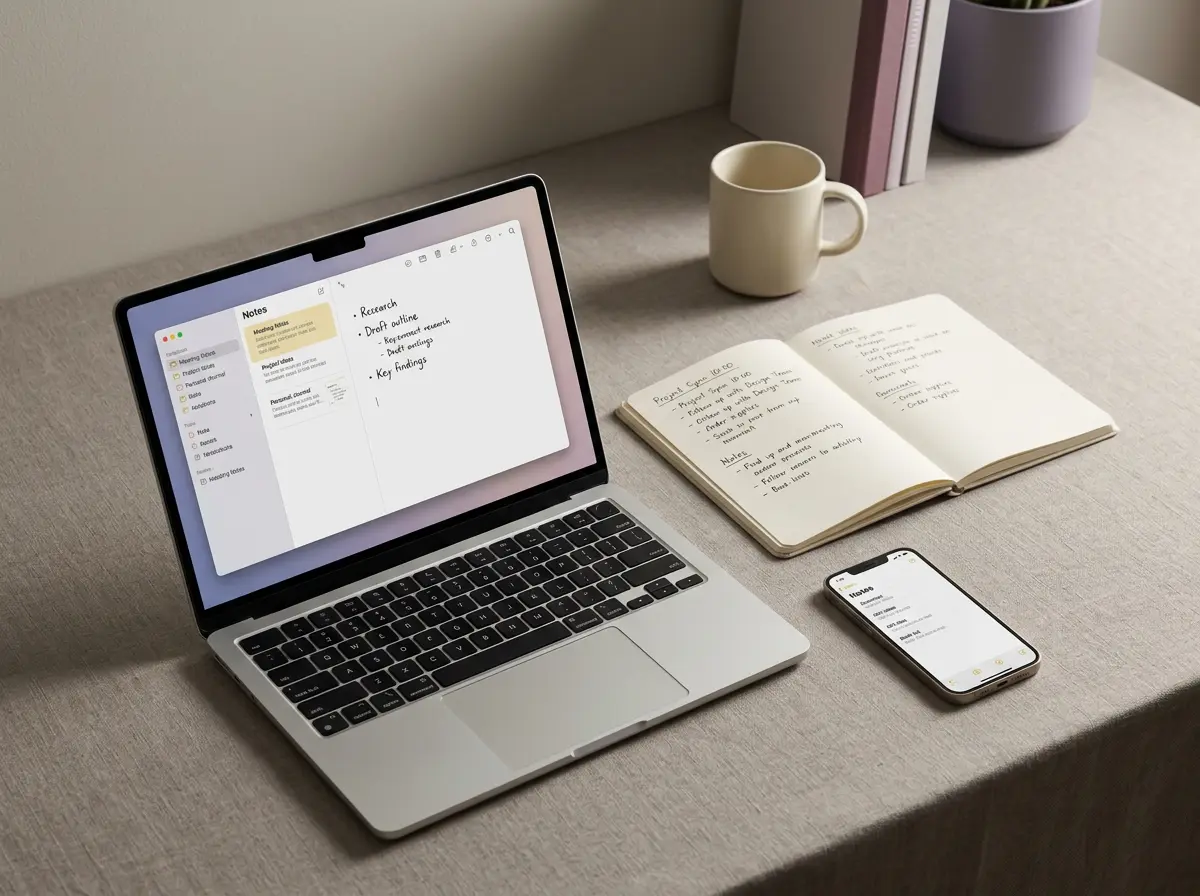
Five dimensions separate the best note taking app candidates in practice. Most reviews score on twenty; five is what actually drives long-term use.
| Dimension | How they compare |
|---|---|
| Structure vs flexibility | How rigid is the organization model? OneNote and Evernote enforce notebook hierarchies. Notion and Obsidian let you build any structure. Apple Notes and Keep are flat. Rigid suits people who get lost without scaffolding; flexible suits people who think in webs. |
| Handwriting + sketching | OneNote and Apple Notes both handle stylus input well. Notion does not. Obsidian does not natively. If you write by hand more than you type, OneNote or Apple Notes are the only serious answers in this group. On an iPad the handwriting pair worth weighing is a different one, and we cover it in Goodnotes vs Notability. |
| Search and recall | Evernote built its reputation on OCR-searchable scanned documents and remains best in class. OneNote handwriting search is surprisingly capable. Notion’s search is good for structured data, weak for fuzzy recall. |
| Collaboration + sharing | Notion is built for it from the ground up. OneNote and Apple Notes do shared notebooks adequately. Obsidian collaboration requires plugin gymnastics. If notes flow across a team, Notion or OneNote. |
| Lock-in and portability | Obsidian wins by a wide margin (plain markdown files in your own folder, no cloud required). Apple Notes locks you to Apple. Notion exports cleanly but you lose database relations. OneNote exports awkwardly. Evernote export improved but is still friction. |
OneNote
Who should pick OneNote
OneNote is the best note taking app for buyers who fit three profiles. First, anyone already running Microsoft 365, OneNote is free with the subscription, syncs through OneDrive, integrates with Teams, Outlook, and Word out of the box. Second, anyone who thinks in hierarchies, the notebook to section to page model is the deepest organizational structure in any note app. Third, anyone who writes by hand and types in the same notes, OneNote’s stylus handling is among the best, and handwriting can be searched and converted to text natively.
OneNote’s specific strengths inside the best note taking app comparison: deep template support (paid template packs from studios like Templacity ship project management, meeting notes, and dashboard layouts), free at the OneNote-only tier, available on every platform (Windows, Mac, iOS, Android, web), generous storage via OneDrive. Our OneNote template explainer walks the templates that earn daily use; the OneNote dashboard guide covers the most-asked workflow setup.
OneNote’s specific weaknesses: search is good but not Evernote-tier, the interface is dense and intimidating to new users, collaboration is functional but not as fluid as Notion, exports are awkward (no clean markdown out). If any of those three are dealbreakers for your workflow, skip to the next section.
For project management specifically, OneNote pairs the structured notebook system with Office’s task tools (Outlook tasks, Planner integration) in a way no other note app matches. Our how to use OneNote for project management guide covers the full workflow, and the task management template drops the structure in pre-built.
Notion
Who should pick Notion
Notion is the best note taking app for buyers who think in databases. The headline feature is the relational database engine sitting under every page, tables can link to other tables, properties can filter and roll up, views can switch between calendar, board, gallery, and list. For people whose notes need to also be project trackers, content calendars, or relational data, Notion is closer to a personal Airtable than a note app.
Notion’s specific strengths: collaboration is fluid (shared pages, real-time editing, comment threads, mentions), the page-builder is more flexible than OneNote’s, embedded media and database views are first-class. Free tier covers personal use; team tier is $10 per user per month.
Notion’s specific weaknesses: no stylus support (handwriting is not the workflow Notion is built for), offline access is limited (designed for cloud-first), database performance degrades on large tables, and the freedom-of-structure that is the headline strength is also why most Notion workspaces become unmaintained tangles after six months. If you need notes that follow a consistent shape, OneNote’s enforced hierarchy actually wins.
Others
Who should pick Evernote, Apple Notes, Obsidian, or Google Keep
Evernote is the best note taking app for web clippers and people whose notes are mostly captured from external sources (articles, PDFs, screenshots, photos). The OCR engine still leads the category for handwritten and scanned document search. Free tier limits monthly upload; paid tier ($14.99/month for Personal) removes them. Pick Evernote if your note workflow is heavy capture and you need to find anything you have ever clipped.
Apple Notes is the best note taking app for committed Apple ecosystem users (iPhone, iPad, Mac all-in). Free, handwriting support is surprisingly good with Apple Pencil, syncs through iCloud, integrates with the Apple shortcuts and quick-capture flows. Limited beyond Apple devices; the web version is functional but second-class. Pick Apple Notes if all your devices are Apple and you want zero-friction default.
Obsidian is the best note taking app for the second-brain crowd, markdown files in a local folder, plugin ecosystem that does anything you can code, graph view of linked notes, and you own the files forever regardless of what Obsidian as a company does in the future. Free for personal use; sync is paid ($4/month if you want their cloud, free if you bring Dropbox or iCloud). Pick Obsidian if portability and zero-lock-in are non-negotiable.
If the second-brain phrase is what brought you to Obsidian, the practice underneath it is older than any app on this list. Our guide to the zettelkasten method covers the four rules that make a linked-notes system work, and running one in Obsidian goes through folder structure, note IDs, and whether you actually need a plugin. Both rest on writing atomic notes, one idea per note, which is easier to agree with than to do.
Google Keep is the best note taking app for quick capture and nothing more. Sticky notes with color tags, photo capture, voice memos transcribed. Free with any Google account. Pick Google Keep as a supplement to one of the others, not as a primary tool, it does not scale to project workflows.
Decision
Best note taking app by use case
| Use case | Best note taking app | Why |
|---|---|---|
| Project management with team handoffs | OneNote | Notebook hierarchy + Outlook tasks + Teams integration. Our PM templates drop the structure in pre-built. |
| Database-style workflows, collab teams | Notion | Relational databases, real-time collab, page templates that go beyond text. |
| Heavy web clipping, document recall | Evernote | OCR engine still leads. Best-in-class for searching anything you ever captured. |
| Apple-only ecosystem, handwritten notes | Apple Notes | Free, native, no friction. Handwriting with Apple Pencil is surprisingly capable. |
| Second brain, plain text, no lock-in | Obsidian | Markdown files in your folder. Plugin ecosystem. You own the data. |
| Quick capture, nothing more | Google Keep | Sticky notes, color tags, voice memos. Supplement to a primary tool. |
| Handwriting on a writing-first device (no laptop) | Not an app | The answer here is a device. See our Kindle Scribe review and reMarkable vs iPad guides. |
The pattern across the matrix: every app on the list wins something. Most buyers will land between two candidates; the tiebreaker is your existing ecosystem. If your week already runs on Microsoft tools, OneNote. If your team already collaborates in Notion-like blocks, Notion. If you live in Apple, Apple Notes. The friction of switching ecosystems is almost always larger than the marginal benefit of “the best” tool.
Verdict
What we’d actually pick
The case against our own bundle, said plainly: if you are not already using OneNote, a paid template pack is the wrong first step. Start by building one plain page of your own, run it for two weeks, and see if the structure fits. Microsoft no longer publishes a OneNote template gallery, so the free starting point is a page you make rather than one you download, and the same is true of Microsoft Loop templates in its newer collaboration app. If it does and you want a tuned setup that skips the trial-and-error stage, the paid pack earns its price. If OneNote itself does not fit, no template fixes that.
Whichever app you pick, the decision worth making this month is to pick one and stick with it for sixty days. Most “best note taking app” anxiety comes from app-hopping every quarter and never building enough notes in any single tool to test whether the system actually works. Pick. Use. Evaluate at sixty days. Drop a question in the FAQ below or via the share row at the bottom.
If you are specifically leaving OneNote rather than choosing from scratch, the shortlist is shorter and the reasoning is different. We wrote that one up separately as our guide to OneNote alternatives.
FAQ
Common questions, answered briefly
What is the best note taking app in 2026?
Is OneNote really better than Notion?
Is the best note taking app free?
What note app works best with a stylus?
Can I switch note apps later?
What is the best note taking app for students?
Have a use case the FAQ misses? The share row at the bottom carries an email link. We update this guide as the app landscape shifts; flag what you’d add.
People also ask