Why this matters
What a TBR spreadsheet template actually has to do
A TBR list (To Be Read) is one of those personal data structures that everyone over-engineers. The first version has six columns. By March it has 14. By June it has fields for sub-genre, audiobook narrator, expected mood, and pages-per-day target. By August nobody has added a book to it in two months. The pattern is consistent enough that it’s the strongest signal for which TBR template will hold up: the simpler one almost always wins.
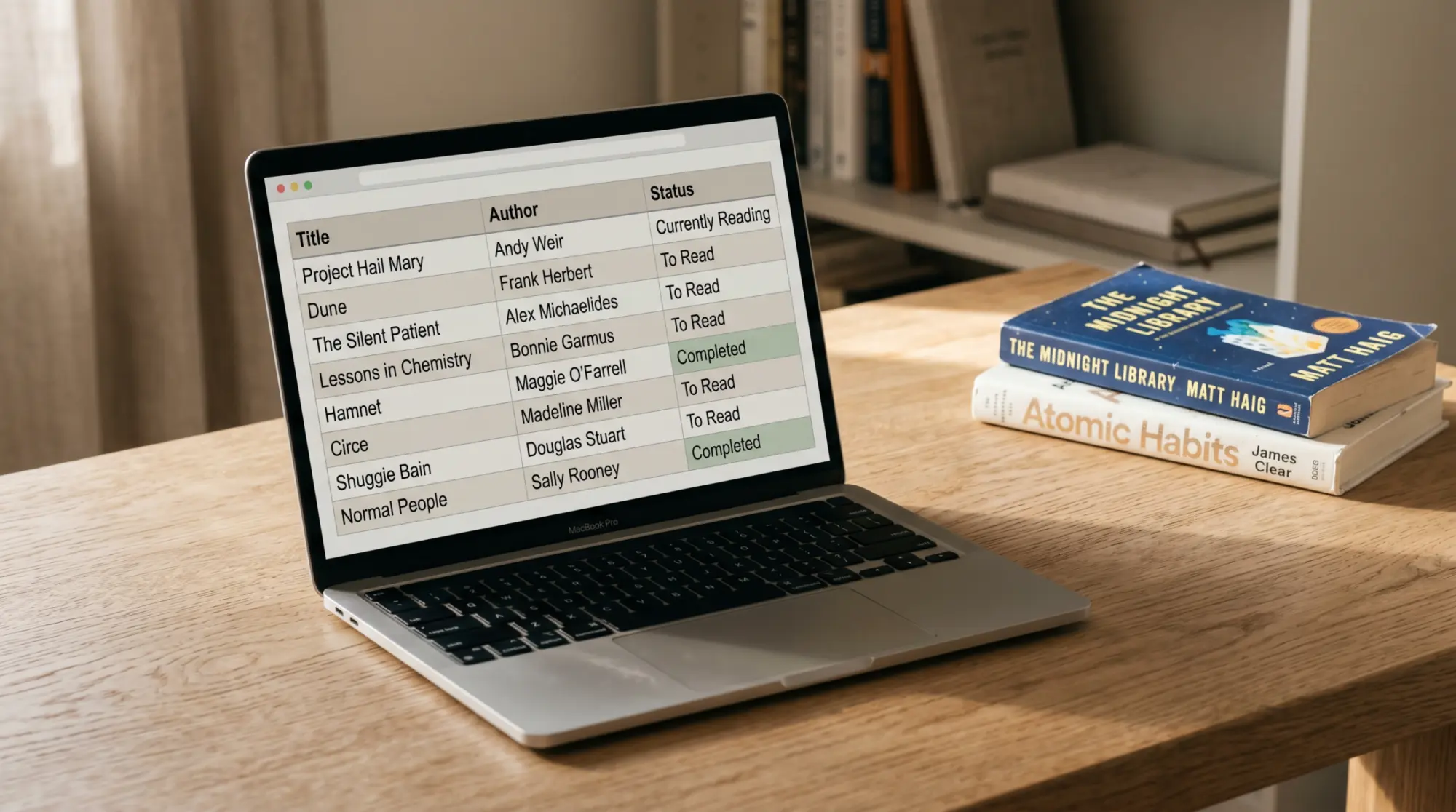
The best TBR spreadsheet template solves three problems and stops there. First, capture (you heard about a book, you can add it in 10 seconds). Second, ranking (when you’re picking the next book, you can sort by priority and pick one). Third, archive (when you finish a book, it moves out of the TBR list and into the reading log). Templates that try to do more usually fail at one of those three. Our wider reading tracker template piece covers the post-finishing side across formats; the reading tracker spreadsheet pillar is the spreadsheet-specific sibling if you want a Google Sheets walkthrough. This piece is the pre-finishing side.
Three columns
Three columns are enough for a working TBR list
| Column | Why it matters | Filling time |
|---|---|---|
| Title | The thing you’re tracking | 5 seconds |
| Source | Who recommended it or where you saw it; this is the field you’ll read most when picking what’s next | 5 seconds |
| Priority | One of three: now / soon / someday. Lets you sort. | 3 seconds |
Source is the column that surprises people. Most TBR templates skip it. But when you’re scanning a 40-book TBR list and trying to decide what to read next, “your sister recommended this in March” carries weight that “5-star Goodreads average” doesn’t. Sources you trust are how the list ranks itself in your head; capturing them at add-time means you don’t have to remember three months later.
Picks
Five TBR spreadsheet templates that earn their place

Custom three-column Google Sheet (free)
The simplest, hardest-working TBR template. Three columns (title, source, priority), data validation on priority (drop-down: now / soon / someday), one row per book. Sort by priority when picking next. Archive a row to a “Read” tab when finished. Five minutes to build, free, syncs to phone. Works for casual readers and for 200-book TBR lists alike.
Notion TBR list (free for personal use)
Notion’s database view supports TBR lists with filtering, sorting, and tag fields without breaking the simplicity rule. Best for readers who already use Notion for other personal tracking; the integration with reading notes is cleaner than crossing between Notion and a Google Sheet. The trade-off is offline access; Notion’s mobile offline mode is improving but isn’t as reliable as a synced Sheet.
StoryGraph TBR list (free, app-based)
StoryGraph handles TBR lists with priority filtering, mood tags, and pages-per-book metadata pulled automatically. Best for readers who want zero data entry beyond the title; the app fills in source metadata, cover, page count, and average ratings on its own. Trade-off: your TBR list lives in their cloud, and exporting it as a CSV is harder than from Google Sheets.
Goodreads “Want to Read” shelf (free, app-based)
Goodreads has a built-in “Want to Read” shelf that’s effectively a TBR list. Adds books via barcode scan or search, tracks reading order, exports to CSV (rare for a free app). Best for readers who want app-side simplicity and don’t mind that Amazon owns the data. The downside is interface dating; Goodreads hasn’t shipped a meaningful UI update in years and the experience reflects that.
Bullet-journal TBR page (paper)
For readers who already keep a bullet journal, a TBR page (one page per quarter, three columns by hand) works. The trade-off is no sort and no archive; you migrate or strike through manually. Best for paper-first readers; not a fit for anyone who wants to filter or sort the list.
The best TBR spreadsheet template is the one you’ll add books to past March, not the one with the prettiest dashboard.What we found
What to avoid
Three TBR template traps that lead to abandonment

Looks like a feature
- “15 fields per book” templates.
- Pre-loaded “must read” lists at the top of the template.
- Habit tracker integrated into the TBR.
Why it isn’t
- You’ll fill 4 of 15 and skip the rest; the empty fields feel like incomplete work.
- Pre-loaded lists are someone else’s reading life, and they’ll sit untouched while your real TBR builds underneath.
- Two trackers in one template split the attention; both fail.
The 15-fields trap is the abandonment cause for most pretty TBR templates on Etsy. The seller designs the template assuming a power user; the buyer fills it for one week and feels guilty about the empty fields by week three. Pick a TBR template with three columns, add a fourth only if you find yourself manually adding it in the margin. The simplest TBR template you’ll actually use beats every elaborate one you abandon.
The verdict
Decision shortcut
For most readers: a custom three-column Google Sheet, built in five minutes, syncs to phone. For Notion users: a Notion database with the same three columns. For app-first readers: StoryGraph (independent) or Goodreads (Amazon). For paper-first readers: a bullet-journal TBR page. Skip every “TBR template” with more than four columns; the data on retention is consistent enough to call it.
Update the TBR list whenever you finish a book or hear about a new one. The simplest version of this is “title, source, priority” plus a sort and an archive. Anything more is template fashion, not template function. If you’ve shipped a TBR template that survived a year, drop it in the comments. The longer the survival window, the more we trust the design.
FAQ
Common questions, answered briefly
What is the best TBR spreadsheet template?
How many columns should a TBR list have?
Is a TBR list better in a spreadsheet or an app?
What does TBR mean?
Should a TBR spreadsheet include genre or rating fields?
How often should you prune a TBR list?
People also ask