For the broader buyer’s guide on running a remarkable planner across the lineup (which device fits, native templates vs PDF imports vs paid apps, free vs paid tradeoffs, and the Kindle Scribe comparison), see the pillar.
Premise
reMarkable Planner Pro review: what’s actually in the suite
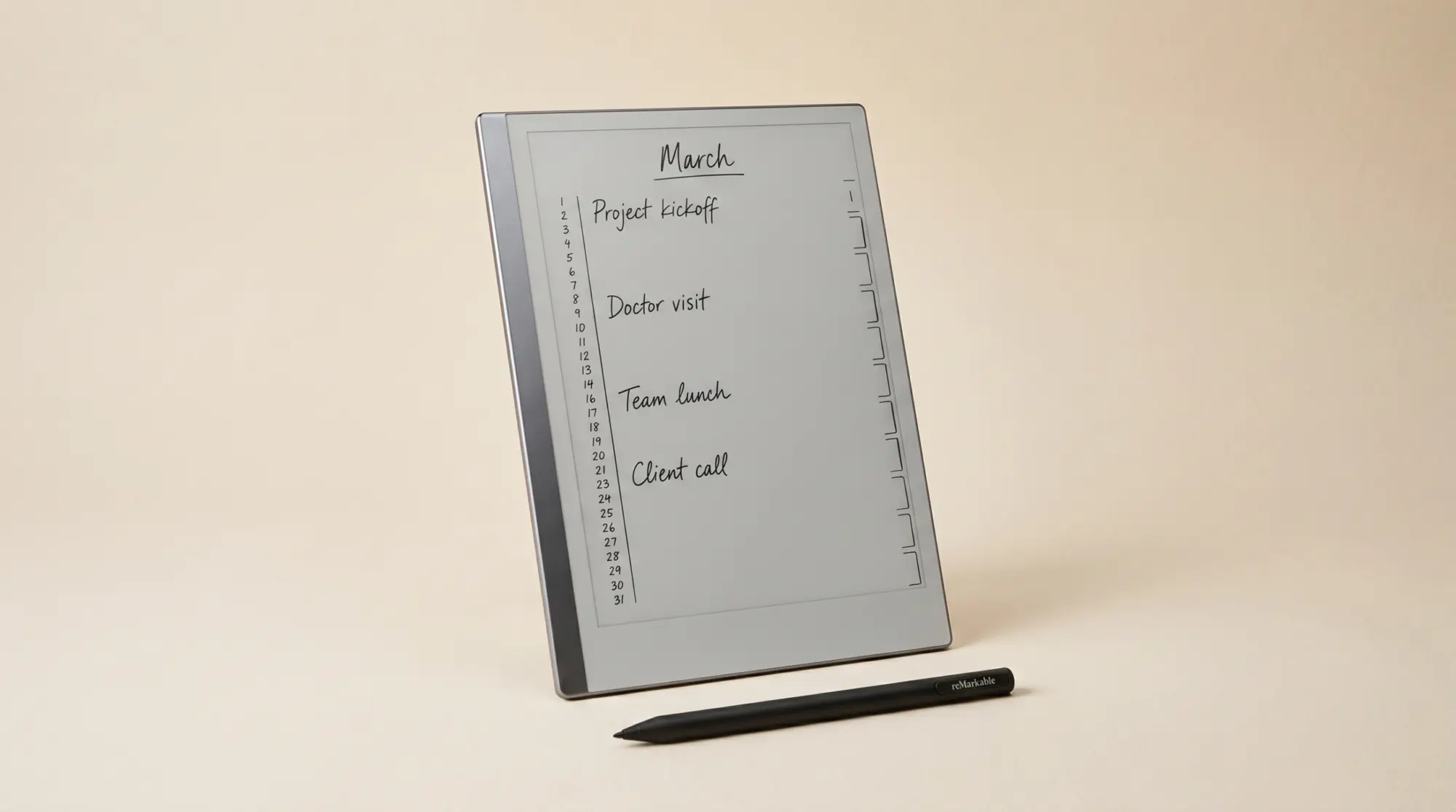
The reMarkable Planner Pro is the paid planner template suite sold through reMarkable’s official Methods store. It includes daily, weekly, monthly, and yearly templates with linked navigation between them: tap a date on the monthly and the daily for that date opens, tap a week header on the daily and the weekly opens. The cross-page linking is the suite’s main differentiator over the free templates that ship with the device, which are individual pages without navigation between them.
The Planner Pro suite is sized correctly for both reMarkable panels. The rM2 version uses 1404 x 1872 pixels at the device’s native resolution; the Paper Pro version is built for the larger 11.8-inch panel rather than upscaled from the rM2 file. The typography is restrained (light grey form lines, classic typeface, no decoration), which is the right call for a planner you’ll write on every day. The official Methods store is where reMarkable sells the suite alongside other first-party accessories.
Navigation
Linked navigation: the Planner Pro feature that justifies the price
The single feature that distinguishes the reMarkable Planner Pro from free templates is the cross-page navigation. On the monthly view, every date cell links to that day’s daily page. On the weekly view, the week header links to the parent monthly. On the daily, the date links back up to the week. The result is a planner that behaves like a digital calendar even though it’s rendered as a static template suite. Tap a date in October, land on October 17’s daily page. Tap the week-of header on October 17’s daily, land on the week-15-to-21 weekly.
This is harder to build than it sounds. Each link is a PDF anchor that has to point to the correct page across a multi-hundred-page suite, and the links have to survive sync between the device and the reMarkable cloud. The Methods version handles both. Third-party planner suites at the same price point sometimes ship without navigation links, or with links that break on certain firmware versions. The Planner Pro’s links work consistently across rM2, Paper Pro, and Paper Pro Move. That reliability is what most reviewers point to as the feature that crossed the line from “free is fine” to “the paid suite earns it”.
Scope
What the reMarkable Planner Pro review leaves out
The honest scope of the reMarkable Planner Pro review is calendar planning. The suite is daily, weekly, monthly, yearly, plus the navigation across them. What it does not include: project templates (single-page project canvases with milestones and deliverables), habit trackers (long-term tick grids), meeting-note templates (agenda + action items layouts), reading logs, or any non-calendar role. If your reMarkable workflow needs those, the Planner Pro covers maybe half your template needs and you’ll add more from elsewhere.
This is not a flaw; it’s a scope decision. reMarkable’s Methods store sells the Planner Pro as a planner suite, not a productivity system. The trade-off is that users who want a one-purchase-covers-everything bundle will find it incomplete. Third-party bundles (including the one we sell) cover the wider role set at similar price points but without the official Methods polish on the navigation. Decide by whether your workflow is calendar-centric (Planner Pro is the right answer) or role-diverse (a bundle that covers planner + project + habit + meeting roles is the right answer).
| Role | reMarkable Planner Pro | Third-party bundles |
|---|---|---|
| Daily planner | Included, linked navigation | Usually included |
| Weekly planner | Included, linked | Usually included |
| Monthly planner | Included, linked | Usually included |
| Yearly view | Included | Often missing |
| Project pages | Not included | Usually included |
| Habit trackers | Not included | Usually included |
| Meeting templates | Not included | Usually included |
The role-coverage shape: the Planner Pro is deep in calendar roles, silent on others. Third-party bundles tend to be broader and shallower. Match the choice to whether your workflow is calendar-centric or multi-role.
The reMarkable Planner Pro is well-executed inside what it covers and silent outside it. If your workflow is calendar-shape, this is the cleanest official option; if it spans projects and habits, you’ll add templates from elsewhere.Premise section
Verdict
reMarkable Planner Pro review: the verdict
The reMarkable Planner Pro review verdict is split by use case. For users whose reMarkable workflow is calendar planning (daily journaling, weekly review, monthly view, yearly anchor), the Planner Pro is the cleanest official answer in 2026. Linked navigation, correct panel sizing, restrained typography, official Methods polish. For users who need a broader template set including project pages, habit trackers, and meeting templates, the Planner Pro covers half the role space and a third-party bundle is the broader pick.
If you’ve used the Planner Pro for three months or more, drop the take in the comments. The day-one impressions of a planner template differ from the day-ninety patterns, and that gap is where the practical review lives.
FAQ
Common questions, answered briefly
Is the reMarkable Planner Pro worth it in 2026?
What is the reMarkable Planner Pro suite?
How does the Planner Pro differ from free reMarkable templates?
Does the reMarkable Planner Pro work on Paper Pro?
Can I use Planner Pro with other planner templates?
If yours isn’t above, drop the question in the comments and we’ll fold it in next refresh.
People also ask