Premise
What Kindle Scribe Colorsoft templates actually need
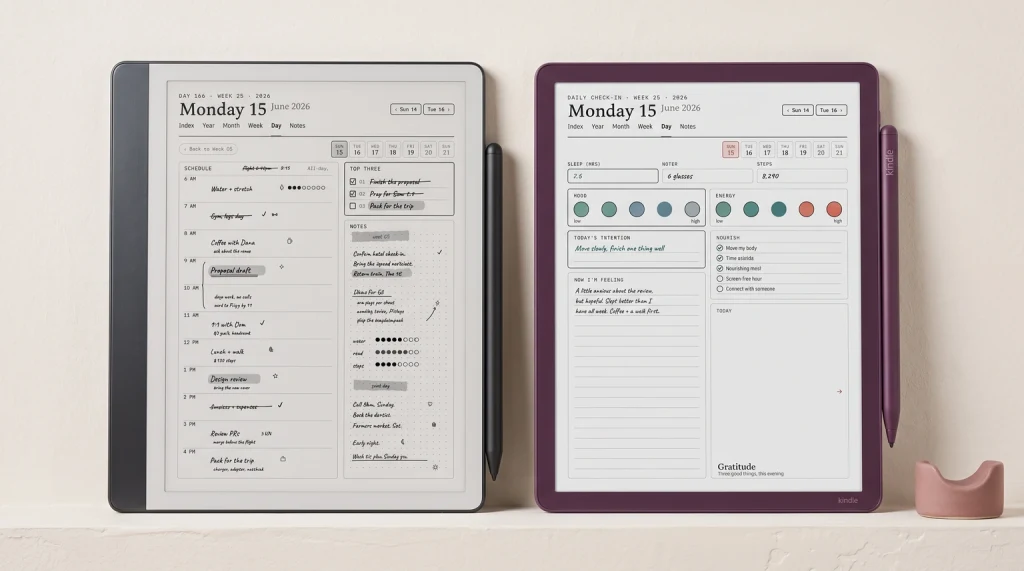
Kindle Scribe Colorsoft templates split into two design categories: ones that earn the colour panel and ones that do not. The split matters because the Colorsoft’s Kaleido 3 colour layer renders at 150 PPI (versus 300 PPI for mono content), so colour adds visual richness but loses pixel density. For templates where colour carries genuine information (highlighter zones, colour-coded section headers, mood trackers), the trade-off is worth it. For templates where colour is decoration, the mono Scribe at $399 covers the same ground for less money.
The Colorsoft’s screen is 11 inches diagonal, larger than the original 10.2-inch Scribe. Templates designed at 1860 x 2480 pixels (the original Scribe’s native size) render correctly on the Colorsoft with a small padding margin; templates designed at the Colorsoft’s full proportional resolution use the extra real estate. For most planners and logs, the original native size works fine; for templates that genuinely need the wider canvas, redesigning at the Colorsoft’s proportional dimensions is the cleaner path. Our Amazon Kindle Scribe Colorsoft review covers the device side in depth.
Earns it
Kindle Scribe Colorsoft templates that earn the colour panel
| Template type | Why colour earns it | Format note |
|---|---|---|
| Highlighter-coded planner | Yes | Six colour zones for category-coding tasks. |
| Mood tracker | Yes | Colour fill cells map to emotional states. |
| Language vocab cards | Yes | Colour-coded by part of speech, gender, tense. |
| Project Kanban | Yes | Status colours visible at a glance. |
| Habit tracker | Sometimes | Colour for completed days; mono works too. |
Read the table by what colour does in your workflow. Templates where colour is a category code (mood states, vocab parts of speech, project status) genuinely benefit. Templates where colour is decoration (a planner with a coloured header bar that does not change between days) get the same use on the mono Scribe at lower price. The Colorsoft’s six-colour highlighter set (yellow, blue, pink, orange, green, dark grey) is what you use to mark up content; the template itself can be mono and still take advantage of colour annotation on top.
Doesn’t
Templates where colour does not earn its place
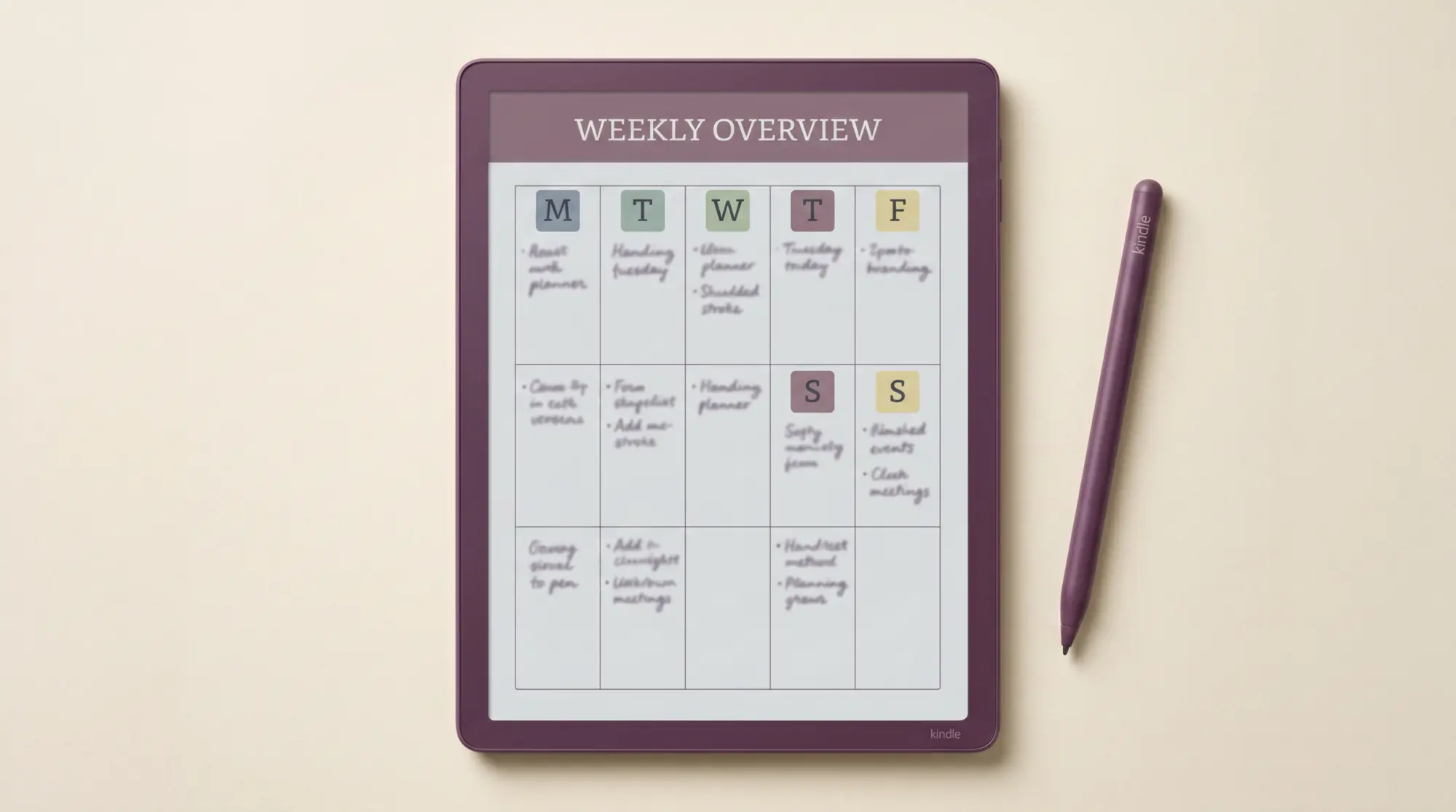
Most Kindle Scribe Colorsoft templates do not need to be designed with colour. Weekly planner grids, daily logs, meeting note structures, project trackers without status states, basic notebook layouts: all of these work as well or better in mono on the Colorsoft as they do on the regular Scribe. The colour panel costs you 150 PPI (vs 300 mono); for a template that does not need colour, the trade-off goes the wrong way.
One pattern we see often: someone buys a Colorsoft, downloads colour-heavy template packs to justify the upgrade, then drifts back to mono templates within weeks because the colour design distracts from the writing. The Colorsoft’s value is the colour highlighter set for annotating your existing reading and the larger 11-inch writing surface, not necessarily colour-heavy template designs. If you are tempted by elaborate colour planner templates, install one for a week first; most read better in mono after the initial novelty fades.
The best Kindle Scribe Colorsoft templates use colour to carry information, not as decoration.Premise section
Recipe
Designing Kindle Scribe Colorsoft templates from scratch
The recipe for Kindle Scribe Colorsoft templates follows the same pattern as mono Scribe templates with one adjustment. Design at the device’s native pixel resolution (or scale US Letter at 300 PPI), keep mono content at full sharpness, and reserve colour for elements that genuinely benefit from it. Form lines for planner grids stay grey or mono; colour goes into the elements that change daily (mood states, status flags, completion check marks, highlighter zones).
The colour palette to use: stay close to the device’s native six-colour highlighter set (yellow, blue, pink, orange, green, dark grey) so your template colours sit consistently with the annotation colours your readers use. Custom colours work but render less consistently because the Kaleido 3 panel approximates them through the closest match in its supported palette. For long-term template longevity, the native palette is the safer call. Our how to make Kindle Scribe templates piece walks the broader recipe.
Install
Install path for Kindle Scribe Colorsoft templates
The install path for Kindle Scribe Colorsoft templates is identical to the mono Scribe path. Drag the PDF to amazon.com/sendtokindle, confirm the Colorsoft as the destination, wait about a minute. The PDF lands in your Library on the device with full pen-tool support including the six-colour highlighter set. Notes write in dark grey only on both devices (Amazon kept handwriting in mono presumably to keep it sharp on the colour panel); highlighters use the colour palette.
What you cannot do, despite the Colorsoft’s colour capabilities: add a custom colour template to the Notebook Templates menu inside the device. That list is locked by Amazon at the firmware level, same as on the mono Scribe. The PDF route is the only user-facing option. For free Colorsoft-ready templates, our free Kindle Scribe templates roundup covers options that work on both devices.
If you have built a Kindle Scribe Colorsoft template that genuinely earns the colour panel (especially niche use cases like language learning vocab decks or specific medical chart layouts), drop it in the comments. The Colorsoft’s colour use cases are still being explored by the community; reader-shared workflows are how this post stays current.
FAQ
Common questions, answered briefly
What templates work best on the Kindle Scribe Colorsoft?
Do mono Kindle Scribe templates work on the Colorsoft?
What colours does the Kindle Scribe Colorsoft support?
How do you install a Kindle Scribe Colorsoft template?
Does the Kindle Scribe Colorsoft handle PDF colour annotation?
On the free side, grab the free Kindle Scribe Colorsoft template or the free Kindle Scribe Colorsoft planner to test the workflow before paying for anything.
If yours isn’t above, drop the question in the comments and we’ll fold it in next refresh.
People also ask