A to-do list that sorts itself.
Keep one list of tasks. A Today page puts overdue and due work first, a week view colours it by list, and routines come back on their own schedule.
Google Sheets · Excel .xlsx · Blank + filled example
Language
Instant download. Permanent link in your account.
Instant download. Permanent link in your account. Yours forever, no subscription. Open it live, read‑only.
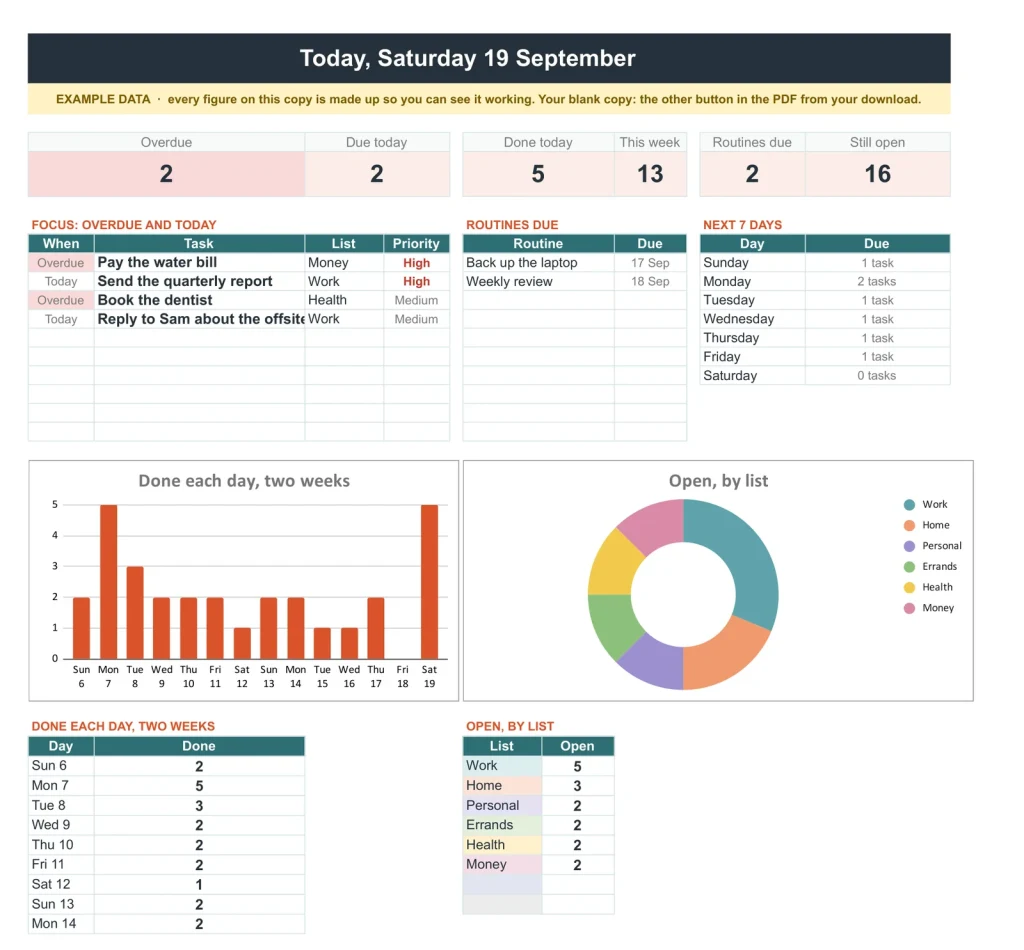
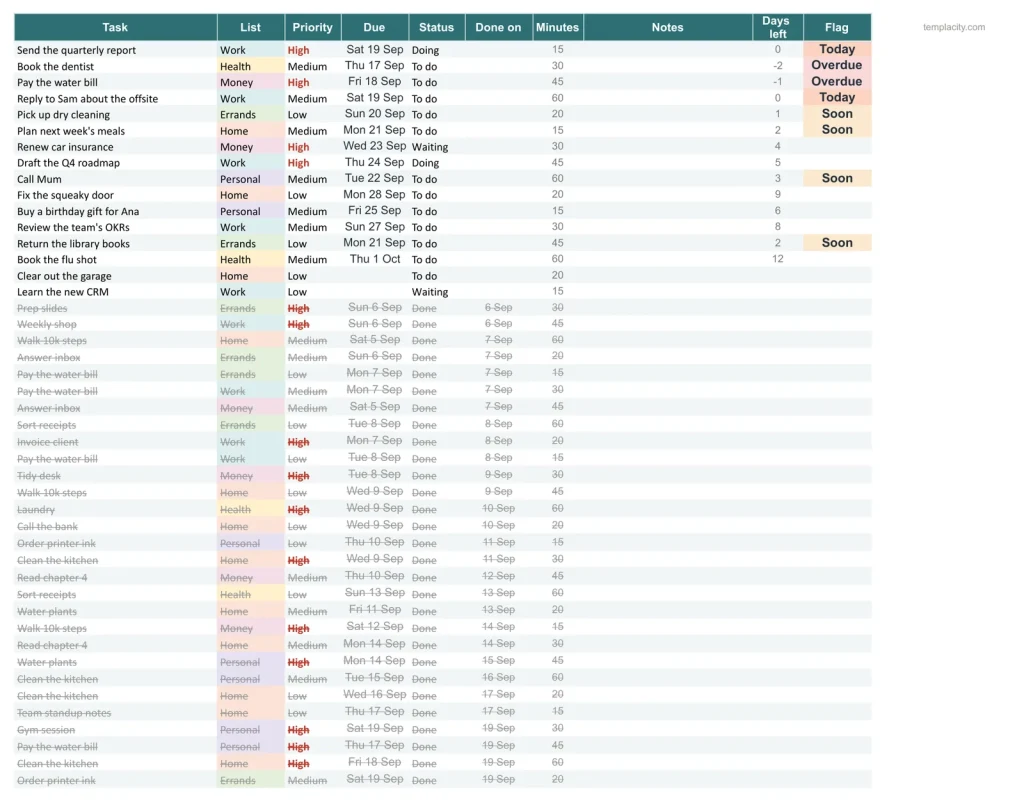
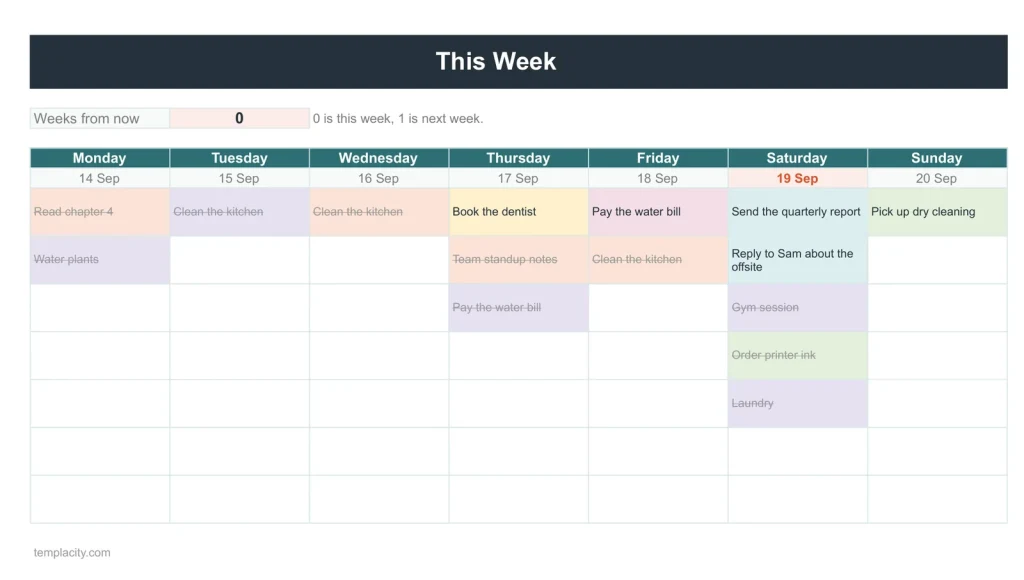
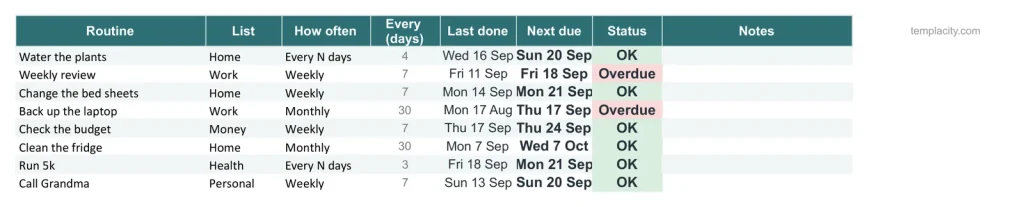
Today: overdue and due today, most important first, and the routines due.One list of everything.Seven days at a glance.The jobs that come back.
You write it down. It decides what is next.
You type
- Each task, once
- Your routines and when you last did them
- Your lists and colours
It works out
- Today, most important first
- What is overdue
- When each routine is due again
- A log of everything done
A plain spreadsheet, and this one.
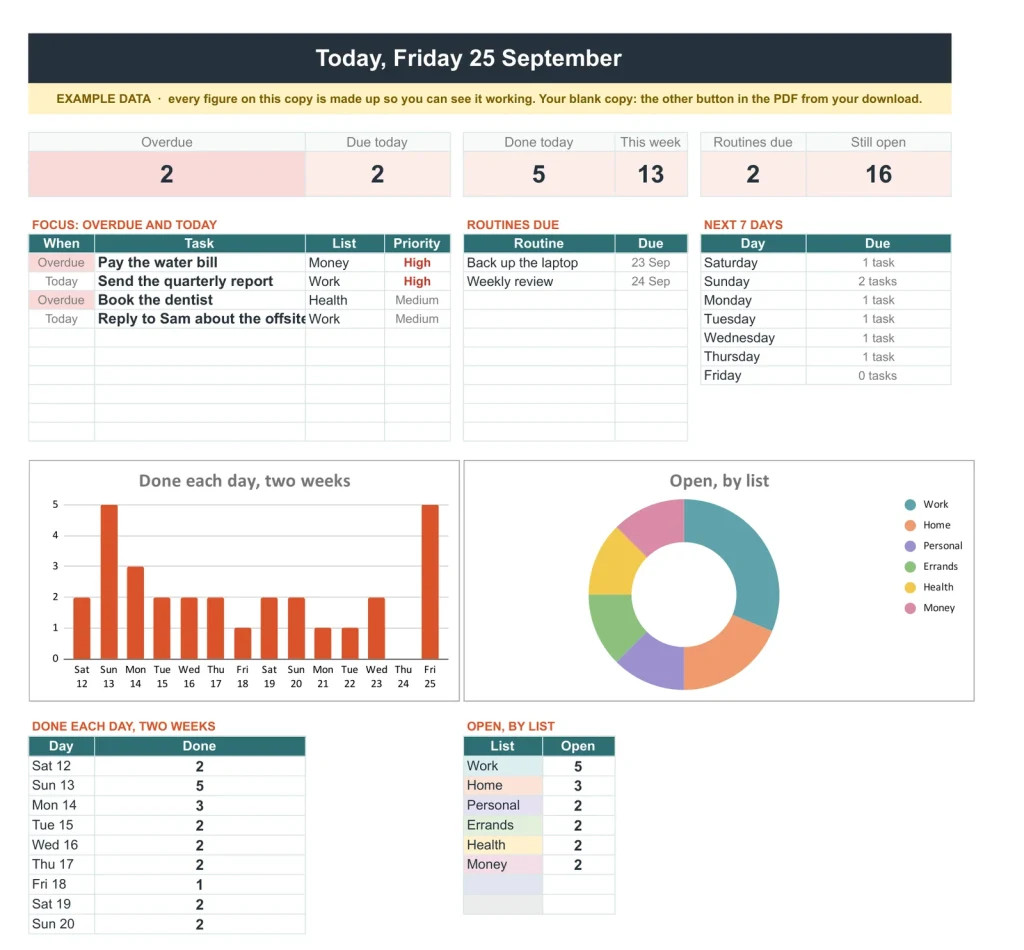
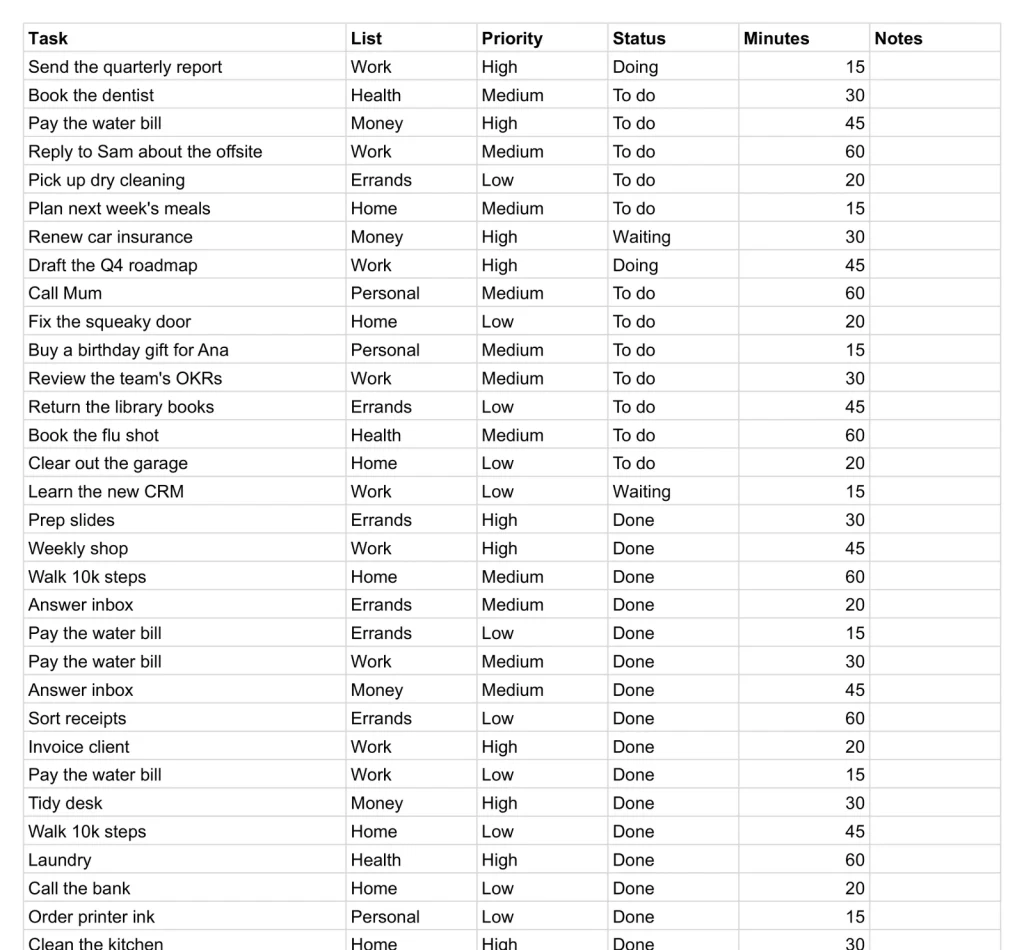
A long to-do list on one side. Just what matters today, on the other.
- 1
Buy it once.
₩39,000, no subscription. Your order email and your account both carry the download, permanently.
- 2
Copy it into your Drive.
One click and it is yours, in your own Google account, forever. We keep no access to your copy and nothing in it phones home.
- 3
Start in the example.
The filled copy shows every tab already working. Poke it, break it, then open your blank and type your own.
Five sheets, one routine.
The sales CRM, the quote and purchase order pack, the project tracker with its Gantt chart, the to-do list and the bookkeeping workbook, together for ₩173,000 instead of ₩262,000. Every one in Google Sheets and Excel, blank and filled with an example.
-
1
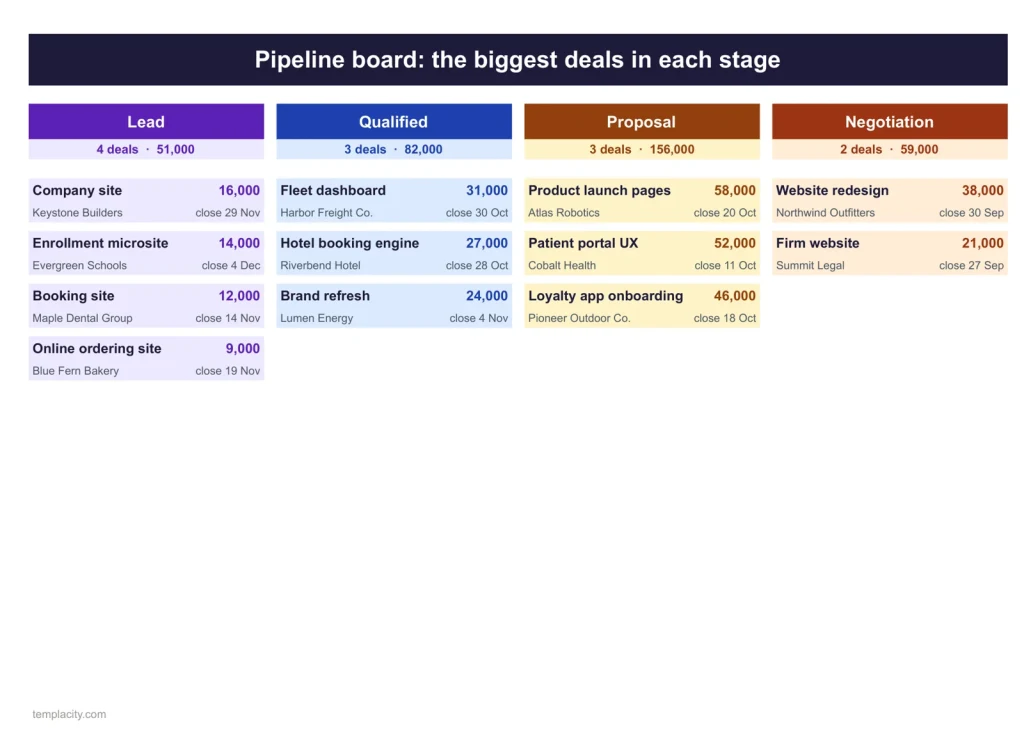
Sales CRM & Pipeline
Know which deal to chase today.
Alone ₩66,000 -
2
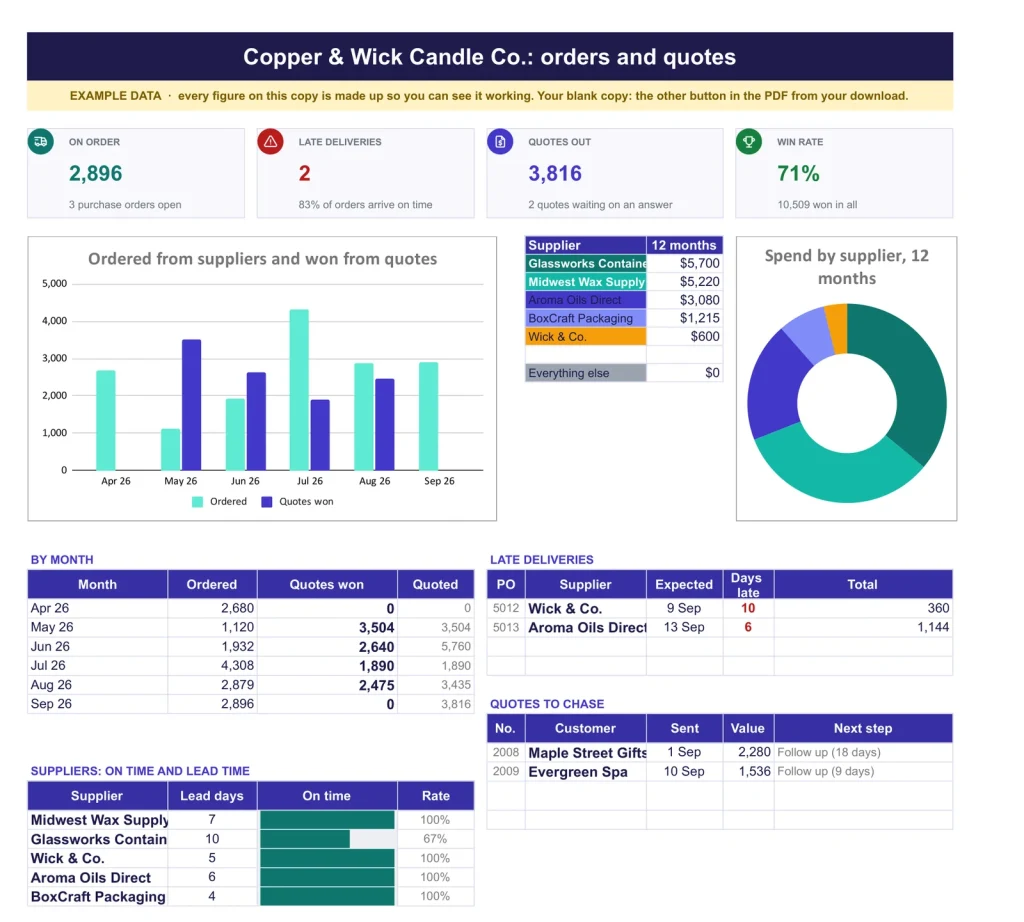
Quotes & Purchase Orders
A quote that fills itself in.
Alone ₩52,000 -
3
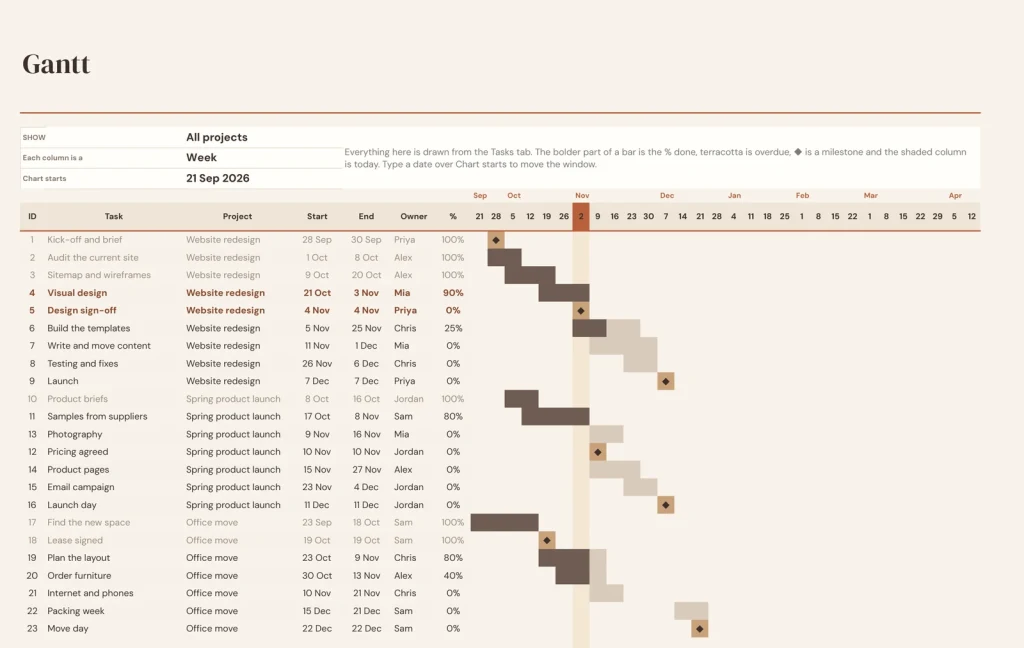
Project Tracker & Gantt
Every project on one chart.
Alone ₩52,000 -
4 You are here
To-Do & Task Tracker
The day's list, sorted for you.
Alone ₩39,000 -
5
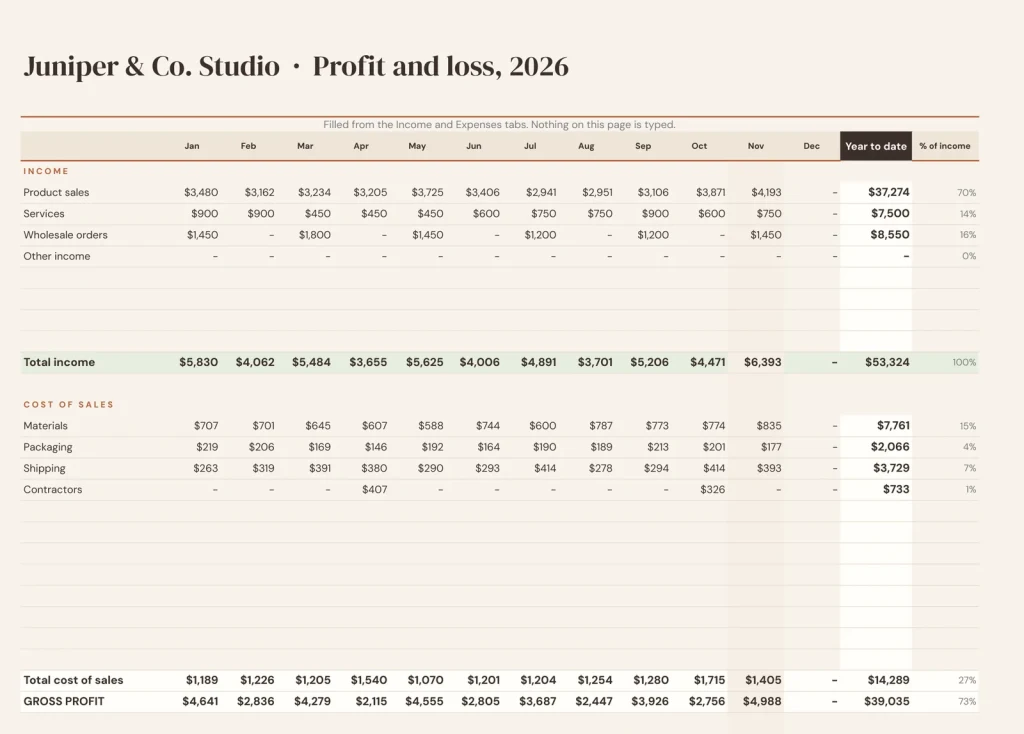
Bookkeeping
The month closes itself.
Alone ₩52,000
Separate files that share one routine, each the same file sold on its own page.
№ · How the list sorts itself
A to-do list spreadsheet with a Today page, a week view and routines that come back on time
The To-Do and Task Tracker is for people whose tasks live in more than one part of life and who want one list instead of five. Name your lists on Settings, Work, Home, Personal, Errands, Health and Money to start, each with its own colour, then choose how many days counts as due soon and whether your week starts on Monday or Sunday.
One list, four views
Every task goes on Tasks once: what it is, which list, a priority of high, medium or low, a due date if it has one, a status, and the minutes it should take if you want to plan by time. Today puts overdue and due-today work first, most important at the top, with the routines that are due and the next seven days. This Week sets the same tasks in seven columns coloured by list. Done keeps everything you have finished, newest first.
The rules it follows
- Waiting is for work blocked on someone else: it stays open without showing as late.
- No due date means the task counts as open but never shows as overdue.
- Finished tasks stay on the list greyed and struck through, and appear on Done, so the chart of what you got done keeps its history.
- Routines repeat daily, weekly, every two weeks, monthly, yearly or every so many days. Type the day you last did one and its next due date works itself out.
The download is a short PDF with two Google Sheets buttons, one for a blank copy in your own Drive and one for a copy filled with an example, plus the same workbook as blank and example Excel files.
The questions we actually get
How do recurring tasks work?
Put them on Routines once with how often they repeat: daily, weekly, every two weeks, monthly, yearly or every so many days. Type the date you last did one and it shows as due on Today when it comes round again.
What happens to a task when I finish it?
Set its status to Done and type the date. It stays on Tasks, greyed and struck through, and moves onto the Done tab, newest first. Nothing is deleted.
What is the Waiting status for?
Anything blocked on someone else. It stays open on your list without nagging you as late.
Can I change the lists?
Yes. Rename them on Settings, add more in the spare rows and pick their colours. Work, Home, Personal, Errands, Health and Money are only the starting set.
Does it work in Excel?
Yes. The download carries native .xlsx files, one blank and one filled with an example, for Excel 2010 and later, Excel for Mac and Microsoft 365. Every formula is ordinary Excel, with no macros to enable.
Is there a year printed in it?
No. No year is printed anywhere in the files, so it starts the day you do and keeps working next year.
Today, sorted.
Tasks, routines and the week, in Google Sheets and Excel, no subscription, no year baked in.
Get the list · ₩39,000Still deciding? Open it live, read‑only. Not the sheet you need? See every spreadsheet template or ask at Templacity Hall.
Be the first to say something.
Nobody has written about this one yet. If it is on your device, yours is the first thing the next person reads.
Instant download.
Your file is in your account the moment you check out, yours to re-download any time. A receipt lands in your inbox, too.
One-time purchase.
No subscription, no annual renewal, no upgrade nags. Pay once and the file is yours.
Quiet, secure checkout.
Stripe. Apple Pay. No spam, no “partners,” no reselling your details. Receipt, file, done.


