You ask, we draw it. Missing the template you need? Send a request and a real person replies.
№ · The Notability Set

Your Notability, your year.

$29.00 $39.00
Add to cart

Instant download. Permanent link in your account.

Six templates for a full year of weekly, daily and daybook planning, plus three infinite notebooks: grid, lines, dots. Dated 2026 and 2027. Import into Notability and each dated planner opens with a full contents sidebar, so you tap a month or a week instead of scrolling for it.

  • i. Every dated planner carries its own contents outline
  • ii. Dated 2026 + 2027, no annual re-buy
  • iii. Imports into Notability as an ordinary PDF, no setup
  • iv. Permanent link in your account, no subscription
№ 01 · Why this exists

Notability gives you a beautiful blank page. This puts the year on it.

Out of the box, Notability is an infinite stack of empty notes. Which is the appeal, until you try to run a year in one: months become a scroll, weeks live wherever you left them, and the planner you meant to keep becomes a pile of pages you have to find. A planner PDF fixes that, but most of them are built as screenshots of a grid: pretty in the listing, and once imported, five hundred identical pages with no way in.

So the Set is drawn as a working notebook, and every dated book is built with a real table of contents inside the file. Notability reads it and gives you the whole year as an outline: January, week 22, the day you want. You open the sidebar, tap the section, and you are there. The point is that you stop scrolling and just write.

№ 02 · Inside the bundle

Three planners, drawn together.

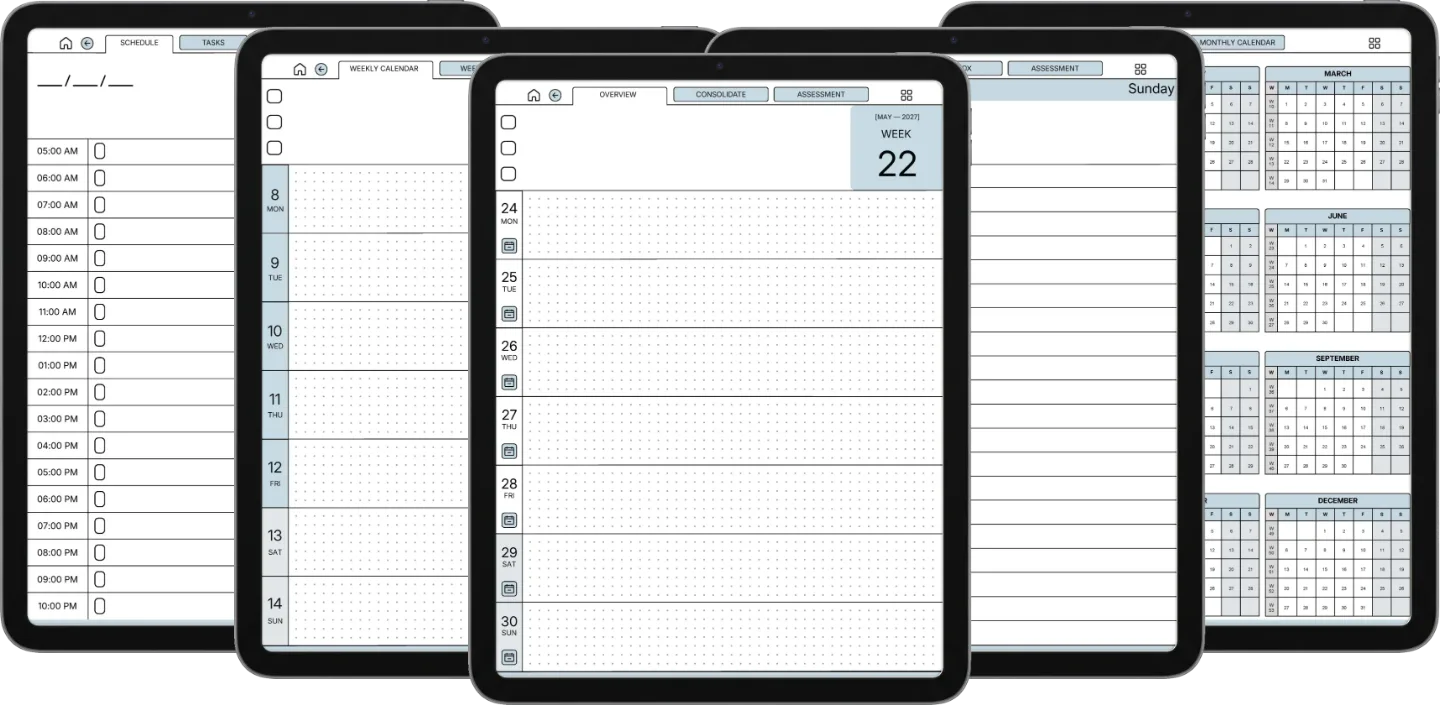
The Weekly Planner 554 pages

The week, at a glance.

Dated 2026 + 2027. Two-page spread, with all twelve months and every week listed in the file’s own contents. Built so the year doesn’t disappear behind the day.

  • i. Two-page spread per week
  • ii. Over 1,500 contents entries, months down to weeks
  • iii. Light rules that stay out of your handwriting
Weekly Planner iPad page 1Weekly Planner iPad page 1
Weekly Planner iPad page 2Weekly Planner iPad page 2
Weekly Planner iPad page 3Weekly Planner iPad page 3
Weekly Planner iPad page 4Weekly Planner iPad page 4
Weekly Planner iPad page 5Weekly Planner iPad page 5
Weekly Planner iPad page 6Weekly Planner iPad page 6
The Daily Planner 1,330 pages

The page you’ll open first thing.

Three-thing day at the top, half-hour blocks from 6am to 11pm, an energy column down the side. Light grid, heavy thinking room. The default for a reason.

  • i. Three-thing day, what you’ll be glad you did
  • ii. Half-hour rows from 6am to 11pm
  • iii. Energy log: six dots, eight weeks of pattern
Daily Planner iPad page 1Daily Planner iPad page 1
Daily Planner iPad page 2Daily Planner iPad page 2
Daily Planner iPad page 3Daily Planner iPad page 3
Daily Planner iPad page 4Daily Planner iPad page 4
Daily Planner iPad page 5Daily Planner iPad page 5
Daily Planner iPad page 6Daily Planner iPad page 6
The Daybook 1,965 pages

Morning pages, evening review.

A slow journal, dateless and reusable. Built for thinking, not tracking. The one you reach for on Sunday morning or after the kids are down.

  • i. Dateless: start any week
  • ii. Morning prompts, evening review
  • iii. Slow journal, not a habit grid
Daybook iPad page 1Daybook iPad page 1
Daybook iPad page 2Daybook iPad page 2
Daybook iPad page 3Daybook iPad page 3
Daybook iPad page 4Daybook iPad page 4
Daybook iPad page 5Daybook iPad page 5
Daybook iPad page 6Daybook iPad page 6
Plus three Endless Notebooks

Plain paper for when there is nothing to plan: lines for prose, dots for diagrams, grid for sketches.

Lines

Prose, meeting notes, anything written long.

Dots

Diagrams, wireframes, bullet journaling.

Grid

Sketches, tables, quiet maths.

Notability Daily Planner on iPadNotability Daily Planner on iPad
№ 04 · In Notability

How the Set sits in Notability.

Notability on iPad · Apple Pencil · full colour

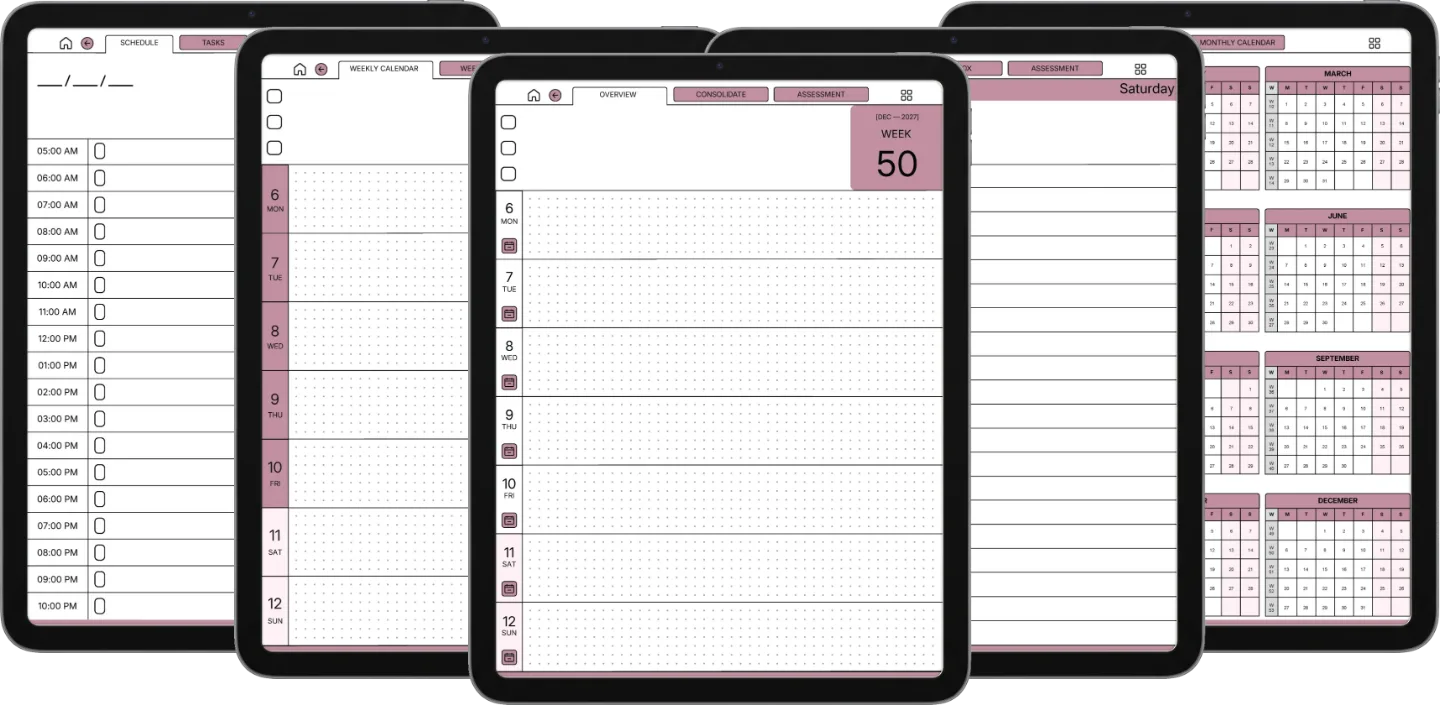
Notability gives you the pen, this gives you the paper. The planner keeps the same 3:4 page shape as a printed notebook, so it opens full-bleed on the iPad screen with nothing squeezed or cropped. Every dated book arrives with a full table of contents built into the file: open the outline and the whole year is a list you can jump around, month by month and week by week, without scrolling through hundreds of pages to find the one you meant. The blue and blush colourways both ship in the download, and on an iPad you actually see them in colour.

One heads-up worth knowing before you buy: this is a PDF, so Notability treats it as an imported document rather than one of its own notes. That is the point. You get to annotate straight over the page with the pencil, and the file’s own contents outline is how you move between months, weeks and days.

№ 05 · How it lands in the app

Three steps, less than a minute.

i.

Download.

Instant download after purchase. Also in your account, forever.

ii.

Import into Notability.

Open Notability, tap Import, pick the PDF. Or open the file from Mail or Files and hand it to Notability from the share sheet.

iii.

Open the contents and write.

Notability reads the PDF’s outline, so the whole year is a list. Tap the month, tap the week, start writing.

№ 06 · What you actually get

One file, drawn like a notebook.

Format
PDF with a built-in contents outline
Pages
3,849 across the three planners · three Endless Notebooks
Years dated
2026 + 2027 in one file
Works in
Notability on any iPad · also Goodnotes, Xodo, Flexcil and other PDF apps
Colourways
Blue and blush, both in the download
Delivery
Instant download · permanent link in your account
№ 07 · Last word

Get the Set.

Six templates, two years, one file, ready to import into Notability on your iPad.

$29.00 $39.00
Add to cart

We build for the kind of person who turned an iPad into a notebook on purpose. Who bought the pencil first and asked questions later. Whose best thinking still happens in their own handwriting.

From the studio, on who this is for
№ 99 · Questions

Things you’ll want to know.

Will this work on my iPad?
Yes, on any iPad that runs Notability. The planner keeps a 3:4 page shape, which is the shape of the iPad screen, so it opens full-bleed on the Pro, the Air, the mini and the base iPad alike. An Apple Pencil makes it feel like paper, but any stylus or your finger works.
How do I move around a 554-page planner in Notability?
Through the contents. Every dated planner in the Set is built with a full table of contents inside the PDF, and Notability reads it: open the outline and you get the year as a list, month by month and week by week, so you tap a section instead of scrolling. The Weekly carries over 1,500 contents entries, the Daily over 10,000 and the Daybook over 18,000. We do not make any claim about what tapping a link drawn on the page itself does in Notability, because their documentation does not describe that behaviour and we have not measured it.
Is this the same file as the Goodnotes Set?
Yes, and deliberately so. It is one set of PDFs drawn for the iPad screen, and it opens the same way in Notability, Goodnotes, Xodo or Flexcil. If you already own the Goodnotes Set you do not need this one. Buy whichever listing matches the app you actually write in.
Does it cover both 2026 and 2027?
Both years. Pre-dated for 2026 and 2027 in the same file. The Daybook and the three Endless Notebooks are dateless and reusable.
Blue or blush?
Both, in the same download. On the iPad’s colour screen the two read as genuinely different notebooks: keep one, or load both and use one per year. Monday-start and Sunday-start weeks are both in there too.
Is this a one-time purchase?
One-time. You keep the files. No subscription, no annual renewal, no upgrade nags.
№ · Reviews

Be the first to say something.

Nobody has written about this one yet. If it is on your device, yours is the first thing the next person reads.

Read by a person before it goes up, usually within a day. Your email stays with us and never appears on the page.

Instant download.

Your file is in your account the moment you check out, yours to re-download any time. A receipt lands in your inbox, too.

One-time purchase.

No subscription, no annual renewal, no upgrade nags. Pay once and the file is yours.
Quiet, secure checkout.

Stripe. Apple Pay. No spam, no “partners,” no reselling your details. Receipt, file, done.


