A year of marketing, planned, spent and measured.
A budget by channel and month, campaigns on a colour-coded calendar, and the return each channel brought back: cost a lead, cost a customer and ROI per campaign.
- Google Sheets
- Excel .xlsx
- Blank + filled example
Instant download. Permanent link in your account.
Instant download. Permanent link in your account. Yours forever, no subscription.
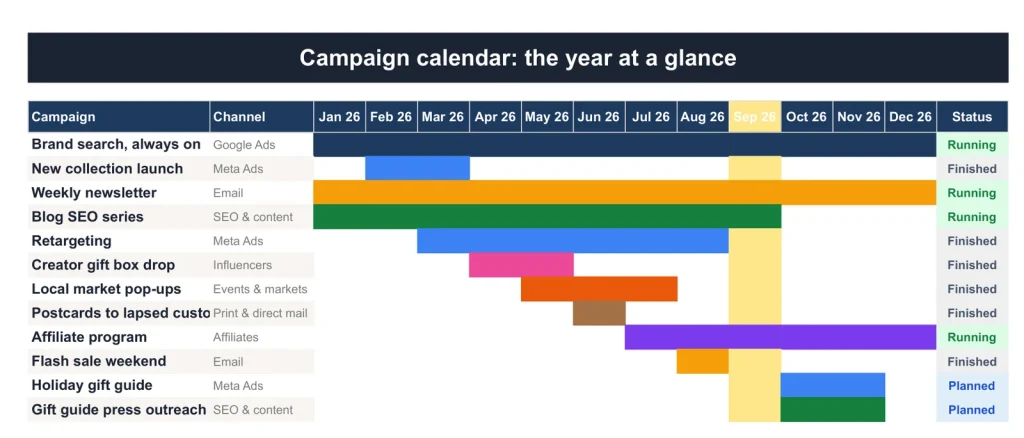
The campaign calendar: the year's campaigns as bars, one colour per channel.
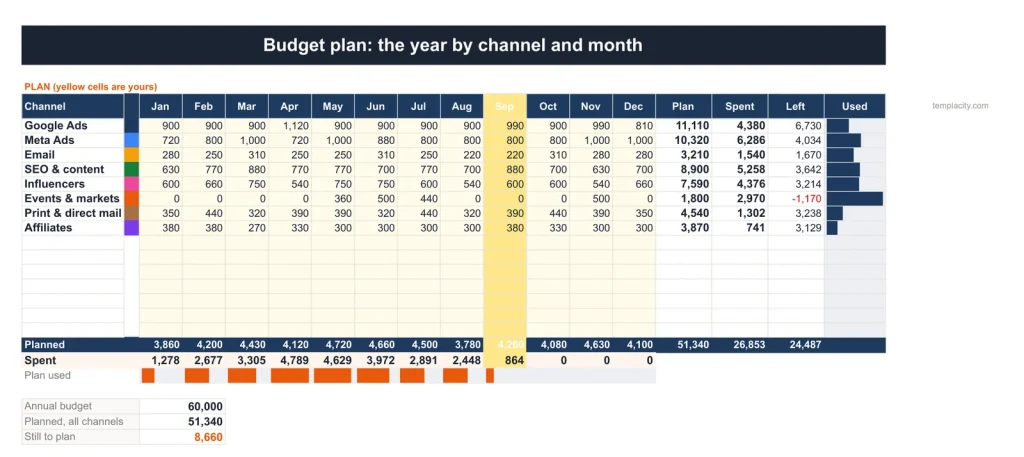
Budget Plan
Channels down the side, months across.
Plan the year by channel and month, and see spend against plan as the invoices come in.
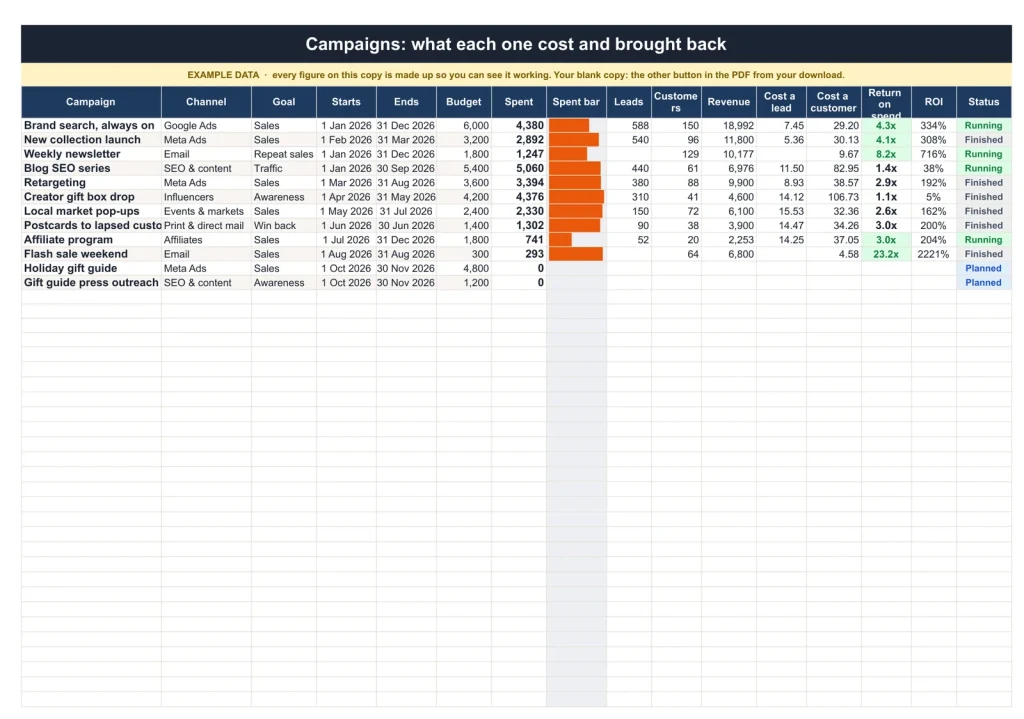
Campaigns
What each campaign brought back.
Goal, dates, budget, spend, leads, customers, revenue and ROI for every campaign.
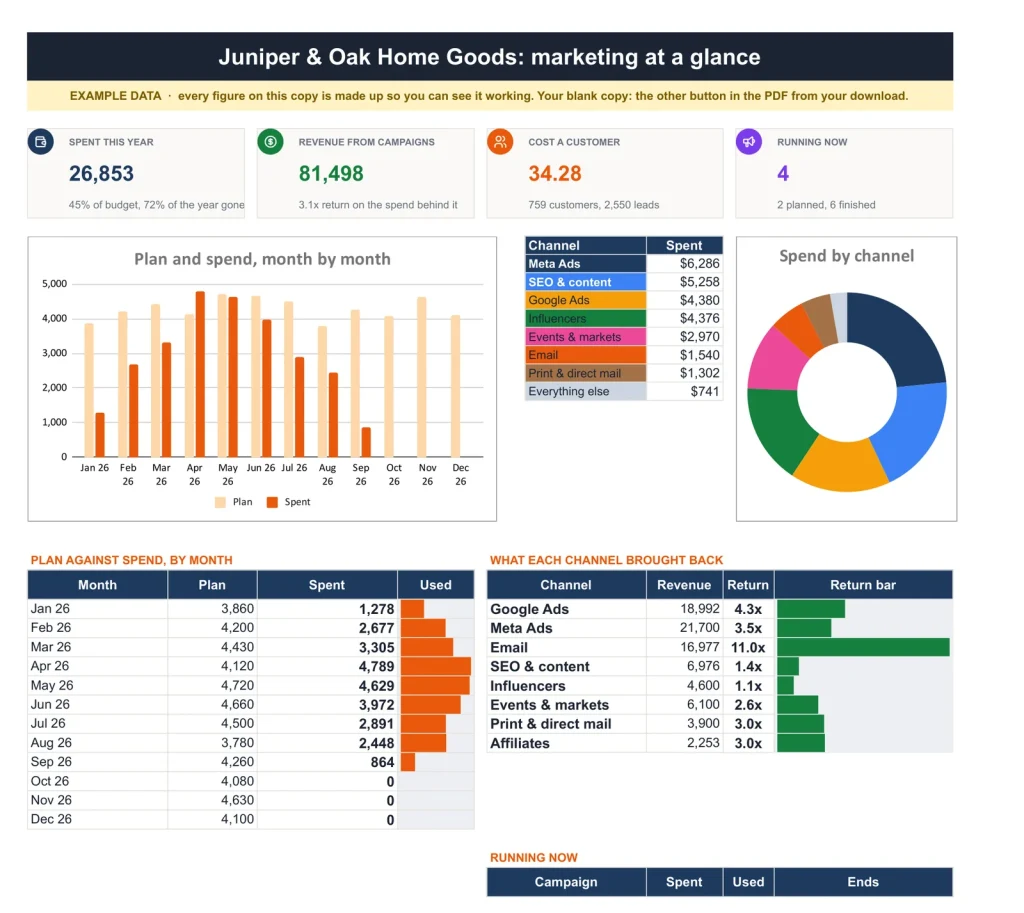
Dashboard
The year at a glance.
Spent against budget, revenue and return, cost a customer, return by channel and what is running now.
You plan and spend. It measures the return.
You type
- The year's budget by channel and month
- Each campaign and its goal
- Every invoice and charge
It works out
- Spend against plan, by channel
- Cost a lead and cost a customer
- Return by channel and campaign
- The year as a calendar
Google Sheets or Excel. You do not have to choose.
The download carries both: the Sheets copy link and the native .xlsx. Every formula is chosen to work identically in the two, and we test the round trip on every build.
A link, not a file to babysit.
Buy it once
¥6,200, no subscription. Your order email and your account both carry the download, permanently.
Copy it into your Drive
One click and it is yours, in your own Google account, forever. We keep no access to your copy and nothing in it phones home.
Start in the example
The filled copy shows every tab already working. Poke it, break it, then open your blank and type your own.
The questions we actually get
Is there a year printed in it?
No. No year is printed anywhere in the files, so it starts the day you do and keeps working next year.
Does it work in Excel?
Yes. The same workbook comes as native .xlsx files, one blank and one filled with an example, checked in Excel with every formula recalculated.
Do I need spreadsheet skills?
No. Every formula is already built. Open the example copy first to see every tab working, then type into your blank one.
What exactly do I receive?
A small PDF with your links: the Google Sheets copy links, blank and filled example, and the native Excel files of both. Buying once covers your personal use in both apps, forever.
Know what the marketing earned.
Plan, budget and return, in Google Sheets and Excel, no subscription, no year baked in.
Get the plan · ¥6,200Not the sheet you need? See every spreadsheet template or ask at Templacity Hall.
Be the first to say something.
Nobody has written about this one yet. If it is on your device, yours is the first thing the next person reads.
Instant download.
Your file is in your account the moment you check out, yours to re-download any time. A receipt lands in your inbox, too.
One-time purchase.
No subscription, no annual renewal, no upgrade nags. Pay once and the file is yours.
Quiet, secure checkout.
Stripe. Apple Pay. No spam, no “partners,” no reselling your details. Receipt, file, done.


