You ask, we build it. Missing a template? Request it in the Hall and back what we build next.
Amazon Kindle ScribeAmazon Kindle Scribe
Kindle Scribe Daily Planner
Kindle Scribe template

Kindle Scribe Daily Planner

A daily planner for the Kindle Scribe: an hourly page, a notes page and an evening question for every day of 2026 and 2027, Monday or Sunday start, in Blue or Blush.

$29.00
Cover colour
  • Made for the Kindle Scribe
  • Instant digital download
  • Re-download any time from your account

What you’re getting

Sized to the Scribe

Drawn for the Scribe writing surface, not the device bezel.

Hyperlinked PDF

Every section header links to the page it names.

Pen-tuned rule lines

Weights and spacing chosen for the Premium Pen.

Instant download

PDF in your account the moment payment clears.

The Daily Planner 1,330 pages

The page you'll open first thing.

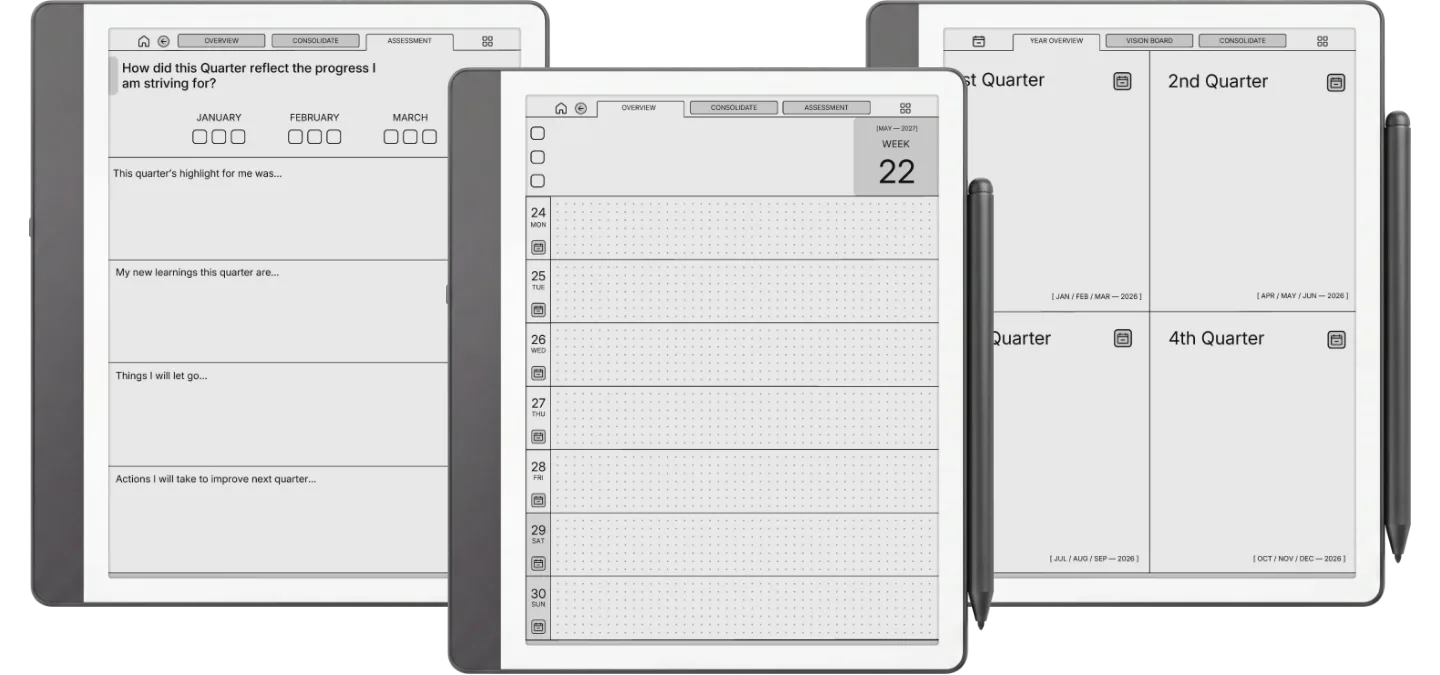
Three-thing day at the top, an hourly column from 5am to midnight with a tick box on every hour. A priority matrix and a quarter review are one tap away. The default for a reason.

  • i. Three-thing day, what you'll be glad you did
  • ii. Hourly rows from 5am to midnight
  • iii. A priority matrix: do now, schedule, delegate, later
Kindle Scribe Daily Planner The Daily Planner page 1
Kindle Scribe Daily Planner The Daily Planner page 2
Kindle Scribe Daily Planner The Daily Planner page 3
Kindle Scribe Daily Planner The Daily Planner page 4
Kindle Scribe Daily Planner The Daily Planner page 5
Kindle Scribe Daily Planner The Daily Planner page 6

About this template

The Kindle Scribe Daily Planner is for people who run their day by the hour and want a dated page for every day of the year on the Scribe they already read on. Each day is three linked pages, and the download holds the 2026 and the 2027 planner, each with weeks starting Monday or Sunday, in Blue or Blush.

Three pages a day

  • Overview: the date, three boxes for the day’s goals, and an hourly schedule from 5am to midnight with a tick box on every hour.
  • Mindbox: a blank page for notes, lists and anything that does not fit an hour.
  • Assessment: one question to close the day, what made you grateful, with room to answer.

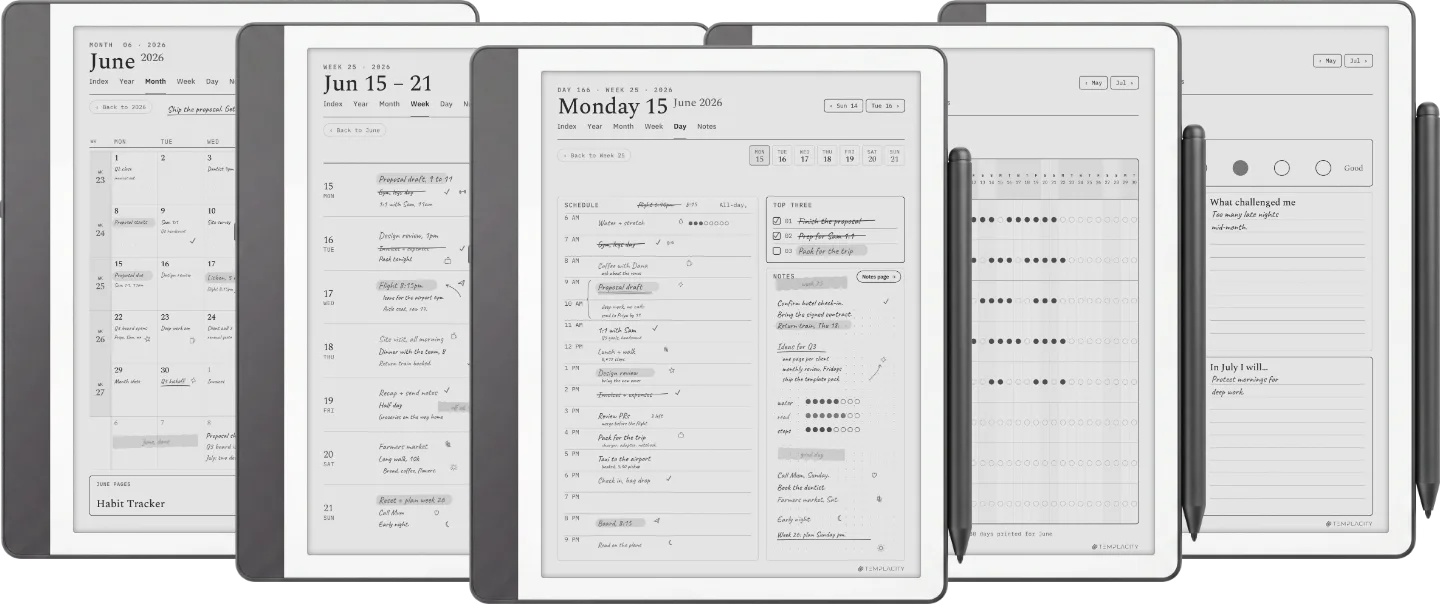
Above the days sits the longer view: a vision board for personal, relationship, spiritual and career goals, then every quarter, month and week with an overview, a priority matrix (do now, schedule, delegate, for later) and a review page. 1,330 linked pages per year.

On a Kindle Scribe

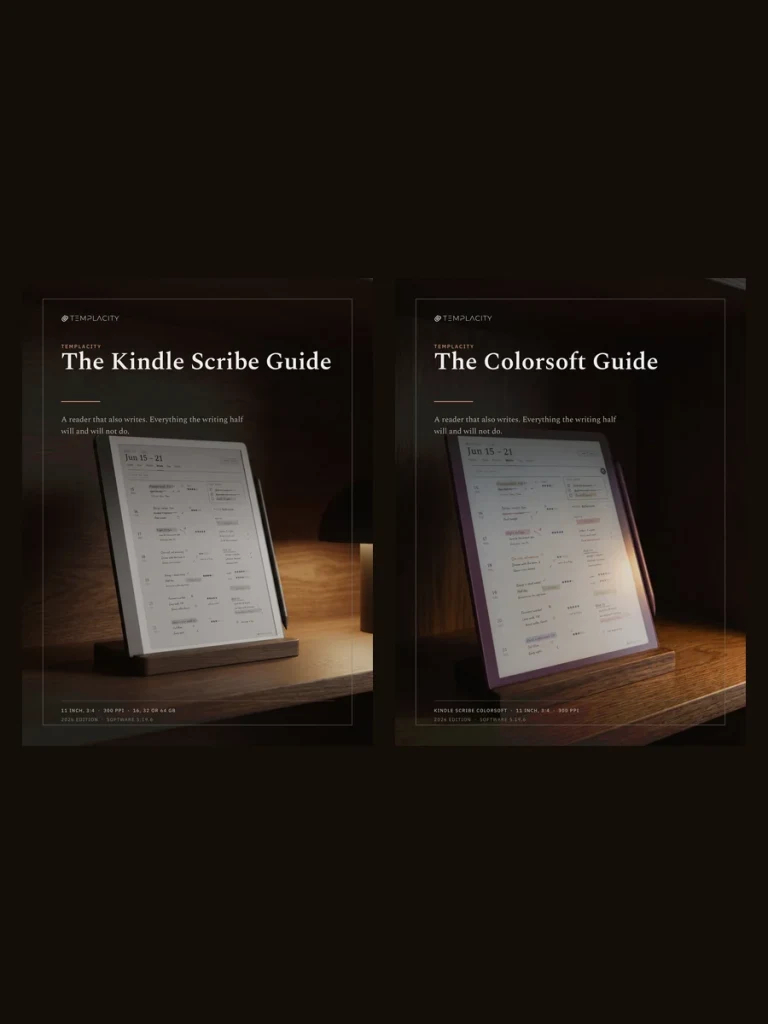
The page is drawn at 3:4, the shape of every Scribe screen, the 10.2-inch originals and the 11-inch models alike, so the hourly column runs the full height with nothing cropped. On a monochrome Scribe the accent shows as grey. Send it with Send to Kindle rather than a USB cable: Amazon’s help page says the Scribe cannot write on PDF pages loaded via USB-C. A Quick Start guide for Kindle Scribe comes in the download. If you prefer a week at a glance, the Kindle Scribe Weekly Planner is the same system a week to a page.


Tuned for Kindle Scribe

Kindle Scribe templates are drawn for the writing surface, not the device shell. Rule lines are weighted for the Premium Pen, sections are spaced for one-handed reading-then-writing, and the file is hyperlinked throughout, so every section header points at the page it names.

№ · Bought together

Add the rest of the set.

Daily Planner This item · $29
All four, the full set $39 was $116

All four goes in as the Set at $39, not four separate items. You keep $77.

№ · Questions

Common questions.

Is it dated?
Yes. Every day of 2026 and of 2027 has its own dated pages, each year in its own file, with weeks starting Monday or Sunday.
Which Kindle Scribe does it fit?
Every one. The 10.2-inch Scribes and the 11-inch models from December 2025 all have a 3:4 screen, the shape of the page, so it fills the display with nothing cropped. On a Kindle Scribe Colorsoft the same file shows its accent in colour.
What is in the download?
Four PDFs in the colour you pick: 2026 and 2027, each with weeks starting Monday or Sunday, plus a Quick Start guide for Kindle Scribe. Each planner is 1,330 pages.
Should I get the Daily or the Weekly?
The Daily gives every day its own hourly page and is built around yearly and quarterly goals. The Weekly shows the whole week on one page with a memo page behind each day. If your days are full of appointments, Daily; if you plan by the week, Weekly.
How do I get it onto my Kindle Scribe?
Download it from your Templacity account, then send the PDF with Send to Kindle, from the Send to Kindle web page or app. Do not copy it over a USB cable: Amazon says the Kindle Scribe cannot write directly on PDF pages loaded via USB-C, so a planner copied that way opens but will not take the pen.
Will it show up under Templates on my Scribe?
No, and no bought file can: the Templates list on a Kindle Scribe is closed to files you add. It lives in your Library as a PDF document, which is what keeps its links working.
Is this a one-time purchase?
Yes. You pay once and keep the files, with no subscription. They appear in your Templacity account as soon as payment clears, and we email a backup link.
What if it doesn't work for me?
Digital downloads are non-refundable once delivered, but if you have any problem with the file itself, email us and we'll make it right.
№ · Reviews

Be the first to say something.

Nobody has written about this one yet. If it is on your device, yours is the first thing the next person reads.

Read by a person before it goes up, usually within a day. Your email stays with us and never appears on the page.

Instant download.

Your file is in your account the moment you check out, yours to re-download any time. A receipt lands in your inbox, too.

One-time purchase.

No subscription, no annual renewal, no upgrade nags. Pay once and the file is yours.

Quiet, secure checkout.

Stripe. Apple Pay. No spam, no “partners,” no reselling your details. Receipt, file, done.