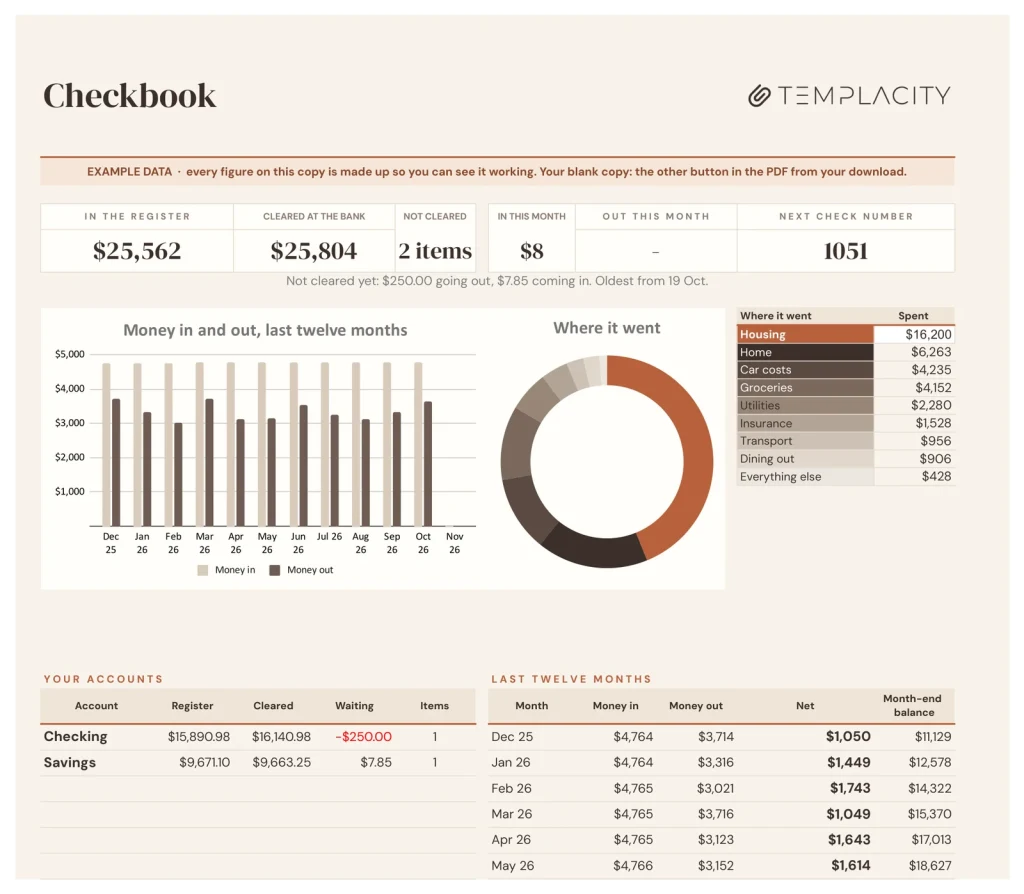
A checkbook that balances itself.
A running balance for every account, a month view, and a Reconcile tab that matches your bank statement once you type its date and closing balance.
Google Sheets · Excel .xlsx · Blank + filled example
Language
Instant download. Permanent link in your account.
Instant download. Permanent link in your account. Yours forever, no subscription.
You write the checks. It keeps the balance.
Everything on the right is a formula you never have to touch, in Google Sheets and in Excel alike.
You type
- Your accounts and opening balances
- Each payment and deposit
- The statement date and closing balance
It works out
- A running balance, per account
- What has not cleared yet
- Twelve months in and out, and spending by category
- The next check number
Open any tab. These are the real ones.
Tap a tab, then the picture to read every figure full size.
Summary
The Summary tab.
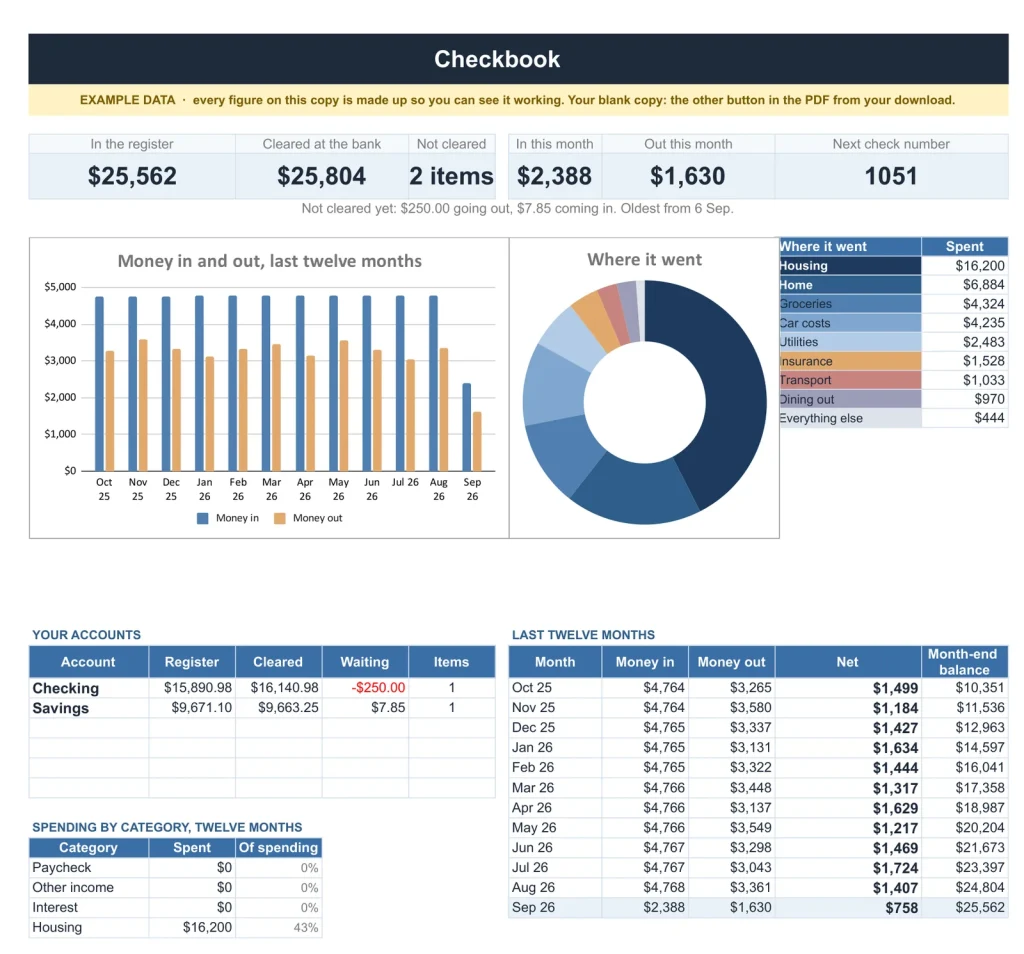
The summary: balance in the register and at the bank, and what has not cleared.
Register
Every check and deposit.
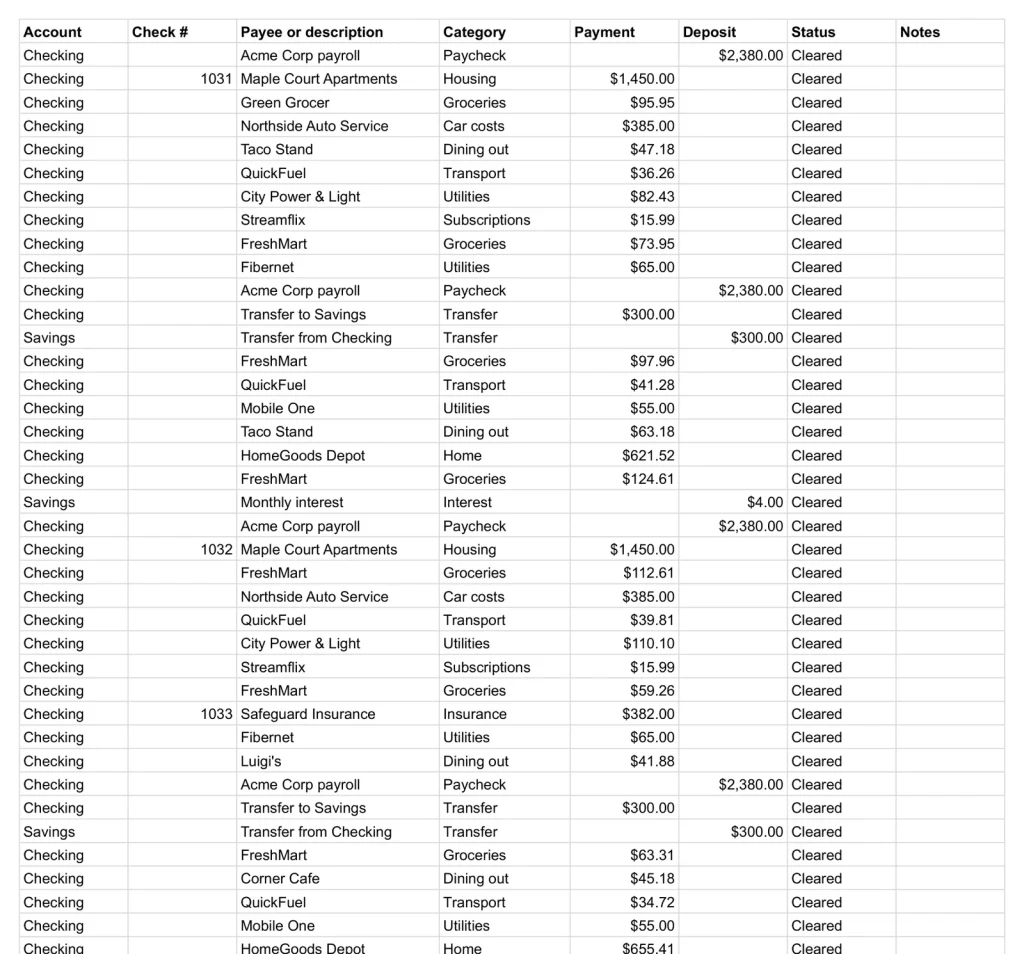
Date, account, check number, payee, category, payment or deposit, and a cleared tick. Each row shows its account's running balance.
Reconcile
Your statement, matched in one step.
Type the statement date and closing balance. It shows the difference, the arithmetic behind it, and every item not on the statement yet.
Month
Any month, any account.
One account or all of them, with the opening and closing balance and everything in between.
A plain spreadsheet, and this one.
On the left, the plain payment list most people keep. On the right, the Summary tab. Drag the line.
Google Sheets or Excel. You do not have to choose.
The download carries both: the Sheets copy link and the native .xlsx. Every formula is chosen to work identically in the two, and we test the round trip on every build.
Your first five minutes.
-
1
Buy it once.
€26, no subscription. Your order email and your account both carry the download, permanently.
-
2
Copy it into your Drive.
One click and it is yours, in your own Google account, forever. We keep no access to your copy and nothing in it phones home.
-
3
Start in the example.
The filled copy shows every tab already working. Poke it, break it, then open your blank and type your own.
Add the rest of the set.
All three goes in as the Money Reset Pack at €43.99, not three separate items. You keep €27.98.
№ · Write it down once
A check register spreadsheet that keeps a running balance per account and reconciles your statement
The Check Register is for people who still write checks, or who just want to know the balance before the bank does. On Settings, name your accounts, Checking and Savings to start, and type each one’s balance on the day you begin, with that date. The categories, from paycheck and housing to groceries, subscriptions and kids, are yours to rename.
One register for every account
Every check, card payment, deposit and transfer is one row on the Register: date, account, check number, payee, category, and the amount as a payment or a deposit, never both. Each row shows that account’s running balance, and inserting a row in the middle repairs every balance below it. Leave an item Pending until the bank shows it, then set it to Cleared. A check you tore up is Void: it stays listed and out of every total.
Reconcile in one step
Once a month, open Reconcile with your statement and type its closing date and balance. It shows the difference, the arithmetic, and every item not on the statement yet. Summary keeps the register balance beside the cleared balance, what is waiting to clear, the next check number and twelve months of money in and out.
Want the budget on top of the register? That is the Budget & Money Planner.
The download is a short PDF with Google Sheets buttons: a blank copy in your own Drive and a copy filled with an example, each in a light edition and a Night edition for dark screens. The same workbook also comes as blank and example Excel files, and the Night edition is Google Sheets only. There is a one-page Quick Start for each app.
The questions we actually get
How do I balance it against my bank statement?
Open Reconcile, type the statement's closing date and balance, and it shows the difference and every item still waiting to clear.
How do I record a transfer between my accounts?
Two rows with the Transfer category, a payment from one account and a deposit into the other. Both balances move and it stays out of your spending.
What do I do with a voided check?
Set its status to Void. It stays on the list, keeping the check numbers in order, and out of every total.
Can I track more than one account?
Yes. Name each on Settings with its opening balance; every row shows the running balance of its own account, and Month shows one account or all of them.
Does it work in Excel?
Yes. The download carries native .xlsx files, one blank and one filled with an example, for Excel 2010 and later, Excel for Mac and Microsoft 365. Every formula is ordinary Excel, with no macros to enable.
Is there a year printed in it?
No. No year is printed anywhere in the files, so it starts the day you do and keeps working next year.
The balance, always right.
A register that reconciles, in Google Sheets and Excel, with a Night edition in Google Sheets, no subscription, no year baked in.
Get the register · €26Still deciding? Open it live, read‑only. Not the sheet you need? See every spreadsheet template or ask at Templacity Hall.
Be the first to say something.
Nobody has written about this one yet. If it is on your device, yours is the first thing the next person reads.
Instant download.
Your file is in your account the moment you check out, yours to re-download any time. A receipt lands in your inbox, too.
One-time purchase.
No subscription, no annual renewal, no upgrade nags. Pay once and the file is yours.
Quiet, secure checkout.
Stripe. Apple Pay. No spam, no “partners,” no reselling your details. Receipt, file, done.


