Host Resources & Finance
How to Build an Airbnb Google Sheets Template Free (2026 Guide)
Starting a short-term rental business requires significant upfront capital. Between securing the property, buying furniture, stocking premium amenities, and paying for professional photography, your budget is stretched thin before your first guest even arrives. It is entirely understandable that new hosts actively look for areas to cut operational costs. Consequently, one of the most searched phrases by new property managers is how to find an **airbnb google sheets template free** of charge to handle their bookkeeping.
While paying $40 a month for commercial accounting software is unnecessary, settling for a poorly designed, bare-bones freebie downloaded from a random forum is equally dangerous. A flawed tracking system will cost you thousands of dollars in missed tax deductions and miscalculated cash flow. The good news? You do not have to buy software to succeed. If you have the time and the technical patience, you can absolutely build a highly effective **airbnb google sheets template free** from scratch. In this guide, we break down exactly how to construct your own ledger, the essential columns you must include, and the hidden limits of the DIY approach.
The Reality of DIY vs Paid Templates
Before you commit to building an **airbnb google sheets template free** of charge, you must understand the trade-off. You are trading your time to save your money. For a host with a single property who enjoys working with spreadsheet formulas, this is a fantastic trade.
However, many “free” templates available online are lead magnets created by marketers, not accountants. They often lack the dynamic dropdown menus necessary to prevent data entry errors, and they rarely separate gross revenue from net payouts. If you want a reliable **airbnb google sheets template free** from these structural errors, you are better off creating it yourself using your secure Google Workspace account rather than downloading a stranger’s unverified file.
Step 1: Building Your Expense Ledger
To start your DIY project, open a blank sheet and name the first tab “Expense Log”. The goal here is chronological simplicity. You want to be able to enter receipts from your phone while standing in the aisles of Home Depot.
Essential Columns to Create:
A. Date: When the purchase was made.
B. Vendor: Who you paid (e.g., Target, City Water, Cleaning Crew).
C. Category: Use Data Validation to create a dropdown list (e.g., Utilities, Supplies, Repairs).
D. Amount: The exact cost.
E. Receipt Link: A space to paste a Google Drive link to a photo of the receipt for audit protection.
Setting up Data Validation is critical. If you type “Cleaners” today and “Cleaning” tomorrow, you won’t be able to easily sum up your total cleaning costs at the end of the year.
Step 2: Structuring Your Revenue Tracker
Creating the income tab of your **airbnb google sheets template free** setup is where most hosts make their fatal error. They simply create one column for “Payout.” As discussed by financial professionals at Investopedia, confusing net deposits with gross revenue leads to massively inaccurate financial reporting.
Create a second tab named “Revenue Log” and include these columns:
- Check-in Date: To track monthly occupancy.
- Platform: (e.g., Airbnb, VRBO, Direct).
- Gross Fare: The total the guest paid for the nights.
- Cleaning Fee Collected: The amount paid by the guest specifically for cleaning.
- Platform Fee: The percentage deducted by the OTA (Online Travel Agency).
- Net Payout: A formula calculating:
(Gross Fare + Cleaning Fee) - Platform Fee.
This structure guarantees that your self-made **airbnb google sheets template free** will accurately reflect the complex reality of short-term rental payouts.
Step 3: Aligning with Schedule E
The entire point of maintaining this system is to survive tax season. If you operate your rental in the United States as a sole proprietor, you will file IRS Form 1040, Schedule E.
To make your **airbnb google sheets template free** of tax-season headaches, your expense dropdown categories must perfectly mirror the IRS. Go to the IRS Website and look at the form. Ensure your dropdowns include exact matches like “Advertising,” “Insurance,” “Legal and Professional Fees,” “Management Fees,” “Repairs,” and “Supplies.”
When April rolls around, you can use the SUMIFS formula to tally up the exact total for each of these categories, making filing a 30-minute task instead of a 30-hour nightmare.
The Limitations of a Free Setup
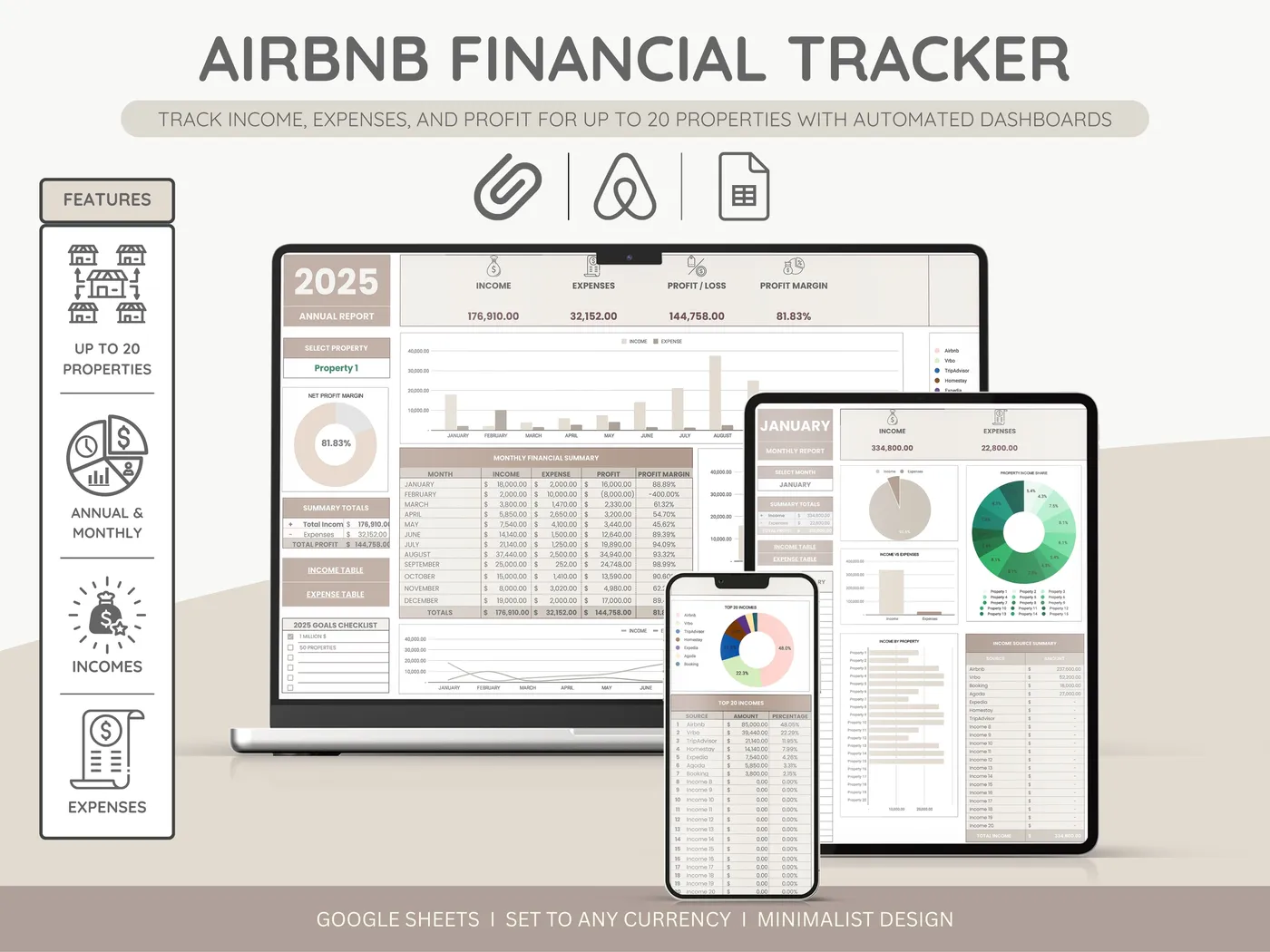
While an **airbnb google sheets template free** of charge is an excellent starting point, you must be honest about its limitations. Unless you are a spreadsheet wizard, building an automated, visual dashboard that pulls data from your logs into beautiful pie charts and year-over-year bar graphs is incredibly difficult.
A basic DIY tracker will give you the raw numbers, but it won’t give you at-a-glance business intelligence. It won’t automatically calculate your RevPAR (Revenue Per Available Room) or visually alert you when your utility costs are creeping dangerously high. Furthermore, as you expand to multiple properties, linking multiple sheets together with complex VLOOKUP functions can cause a homemade **airbnb google sheets template free** file to crash or become hopelessly tangled.
Final Verdict: Build or Buy?
Can you successfully run a hospitality business using a self-made **airbnb google sheets template free** from commercial fees? Yes. If you have a single property and enjoy spending a few hours setting up formulas and data validation rules, building your own tracker is a highly educational and cost-effective exercise.
However, your time as a host is valuable. If you value your time at $50 an hour, spending five hours building, testing, and troubleshooting a DIY spreadsheet costs you $250 in sweat equity. At that point, purchasing a professionally engineered, pre-built template becomes the far more economical choice.
Skip the Setup. Start Tracking Instantly.
Why spend your weekend fighting with broken SUMIFS formulas? Upgrade from a basic **airbnb google sheets template free** layout to our premium, professionally designed financial suite. It includes automated visual dashboards, multi-property tracking, and strict Schedule E compliance right out of the box.