Short answer
reMarkable Paper Pro vs reMarkable 2: the short answer
The choice in reMarkable Paper Pro vs reMarkable 2 is not really about which device is better, because the Paper Pro is the newer and more capable machine on almost every spec. It is about whether the things the Paper Pro adds (colour, a frontlight, and a larger screen) are worth the extra money and weight to you, or whether the reMarkable 2 already does the one job you bought a reMarkable for: distraction-free writing on a surface that feels like paper. If you only ever write and read in good light, the reMarkable 2 still does that as well as it did the day it launched, and it now costs a good deal less. If you want to read in bed, annotate in colour, or have more room on the page, the Paper Pro is the upgrade those features justify.
Display
Display: colour and a frontlight against mono simplicity
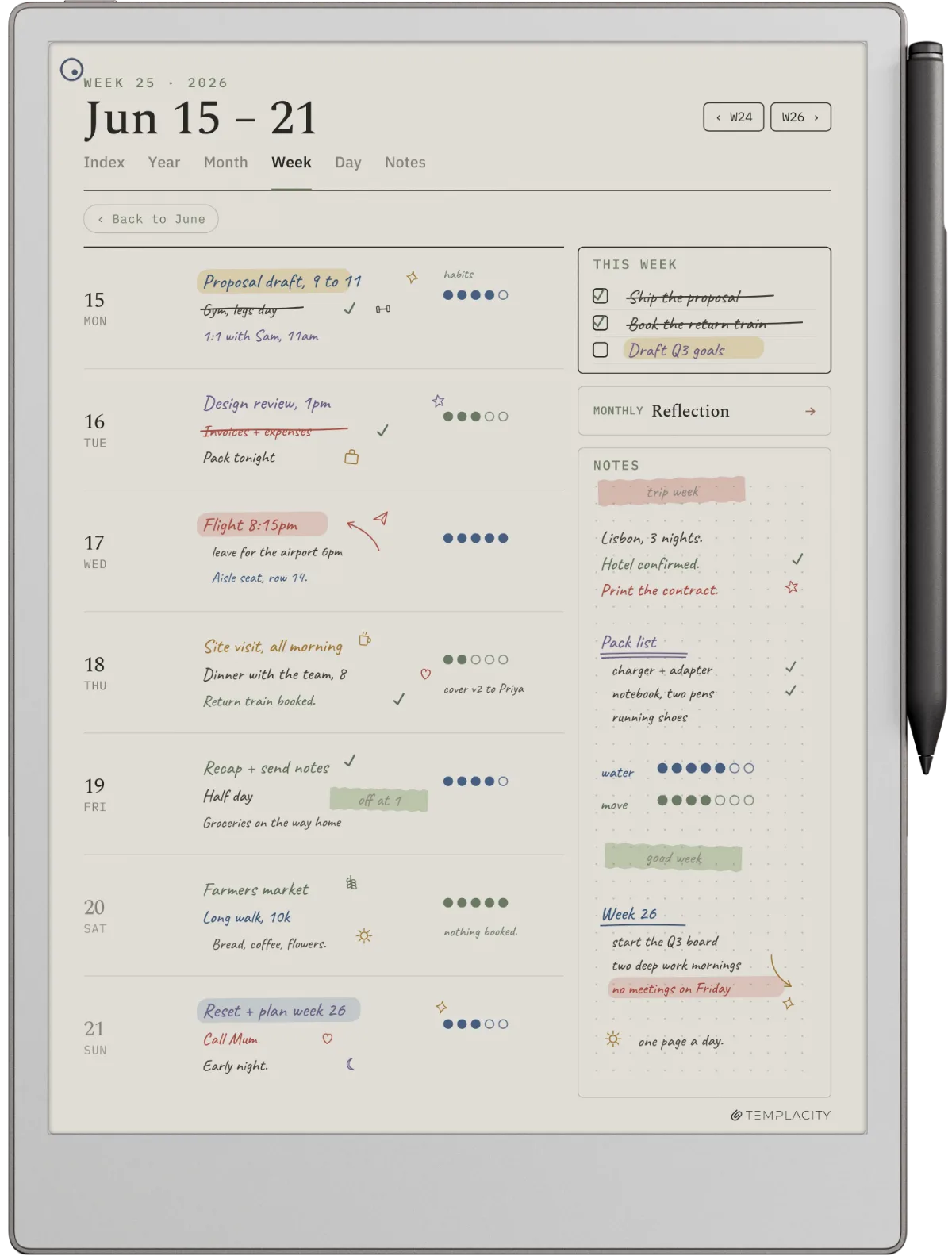
This is the section that decides most purchases. The reMarkable Paper Pro has an 11.8 inch colour e-ink screen with an adjustable frontlight; the reMarkable 2 has a 10.3 inch mono screen with no light at all. Two real differences fall out of that. The first is colour, which matters if you highlight, sketch, mark up documents in more than grey, or simply want your planner and notes to look like the colour ones you see online. The second is the frontlight, which is the quiet upgrade reMarkable 2 owners notice most: the Paper Pro can be read and written on in a dim room or in bed, while the reMarkable 2 needs its own light source like a paper notebook does.
| Spec | reMarkable Paper Pro | reMarkable 2 |
|---|---|---|
| Display | 11.8″ colour e-ink | 10.3″ mono e-ink |
| Frontlight | Yes, adjustable | None |
| Pen | Marker or Marker Plus, 80 mAh, NFC charged on the dock | Marker / Marker Plus, passive, no battery |
| Weight | Around 525 g | Around 400 g |
| Reads | PDFs and EPUBs you add | PDFs and EPUBs you add |
| Handwriting to text | Yes | Yes |
| Keyboard | Type Folio | Type Folio |
| Price (2026) | Around $629, new | From $399, refurbished bundle |
What the spec sheet does not say is that colour on e-ink is muted by nature. It is not a glowing tablet screen; it is closer to the soft colour of a printed page, which suits the reMarkable philosophy but can surprise anyone expecting iPad saturation. The larger screen is the underrated half of the upgrade. An 11.8 inch page holds a full document, a wider planner spread, and longer handwriting without crowding, and for anyone who annotates A4 PDFs all day, the extra room is felt every page.
Writing
Writing feel and the pen
Here the two devices are far closer than the price gap suggests, and it is worth being honest about that. Writing is what reMarkable built its name on, and both tablets deliver the textured, low-latency, paper-like feel that converts people. The reMarkable 2 surface is the one a generation of users fell for, and many long-time owners still describe it as the most paper-like writing they have used. The Paper Pro writes very nearly as well, with a slightly different surface texture under the nib; some purists prefer the older feel, most people cannot pick them apart blind. Both take a Marker Plus, but not the same one. The reMarkable 2 Marker Plus is passive, with nothing to charge; the Paper Pro Marker Plus carries an 80 mAh battery and charges wirelessly by NFC when it docks magnetically to the side of the tablet. Both convert handwriting to text and support the Type Folio keyboard.
The Paper Pro does not improve writing so much as add colour, light, and size around it.On the upgrade
The practical takeaway is that you are not buying the Paper Pro for a better pen. If writing feel were the only axis, the reMarkable 2 would be the value winner and the conversation would end there. The Paper Pro earns its higher price on the screen, not the nib, so weigh it on colour, light, and size rather than on how it writes.
Reading and battery
Reading, battery, and everyday use
Neither device is a Kindle, and that matters before anything else: both read PDFs and EPUBs you add yourself, but neither has a bookstore or native library, so heavy readers should set expectations accordingly. Between the two, the Paper Pro is the better reader for one simple reason, the frontlight, which lets you read in low light the way the reMarkable 2 cannot. The larger screen helps with dense PDFs too. On battery, the reMarkable 2 has the edge: a mono screen with no light sips power and goes longer between charges, while the Paper Pro’s colour panel and frontlight draw more, though both are measured in days of normal use rather than hours. If you want the wider picture of how either fits against tablets and dedicated readers, our guide to the reMarkable alternatives lays out the field.
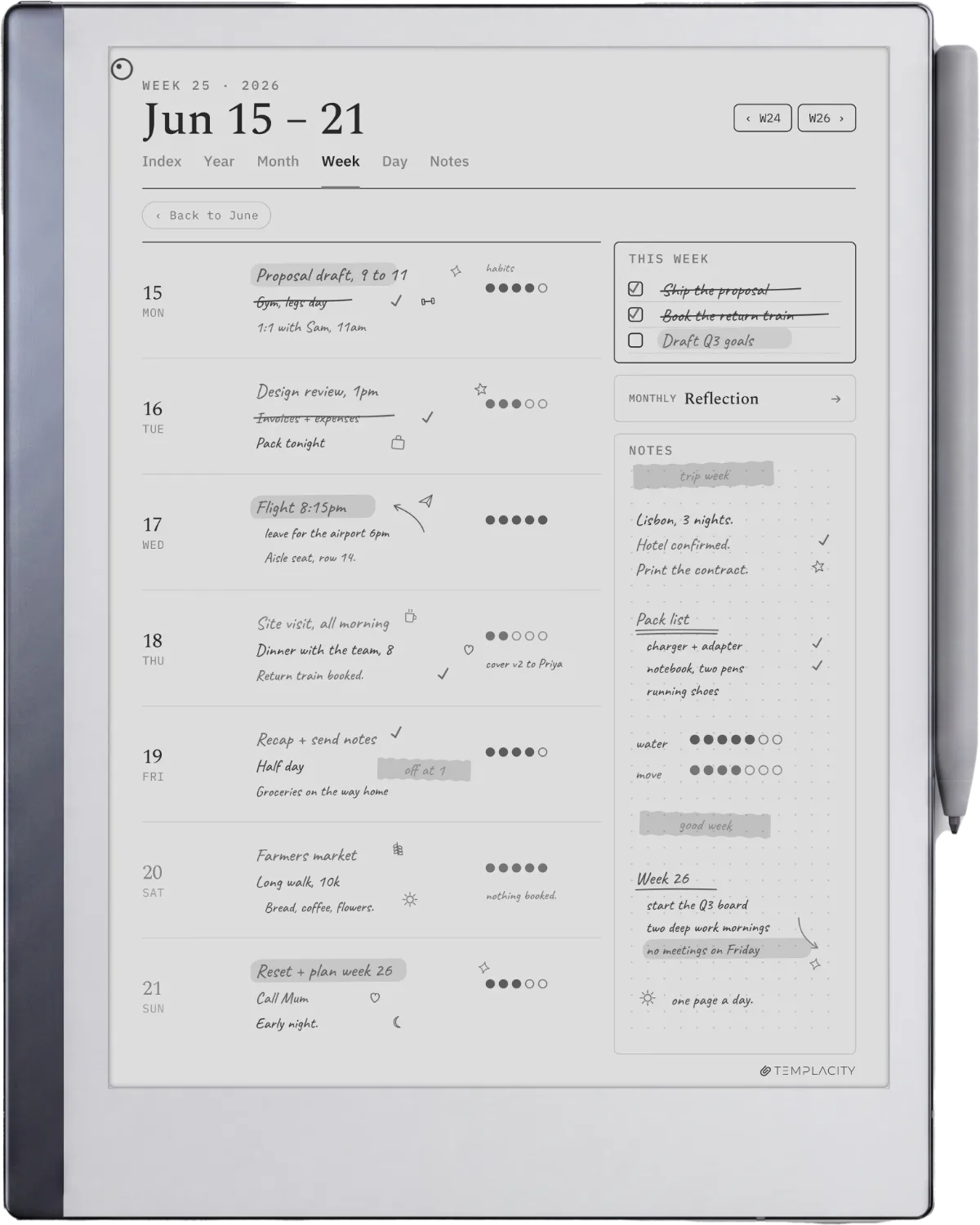
Day to day, the reMarkable 2 rewards the person who wants the lightest thing to carry and the longest battery, and the Paper Pro rewards the person who wants one larger, lit, colour surface for everything. Both run the same focused reMarkable software with no app store and no notifications, which is the point of owning one in the first place, and both take the same planners and templates if you set them up well. A good reMarkable planner closes most of the gap people feel between a blank tablet and a tool they actually use every morning.
Which to buy
Which reMarkable should you buy
Read across the row that matches how you will actually use it, not the one that matches the better spec sheet.
2 devices, 5 cases
| Your main use | The pick | From | Why |
|---|---|---|---|
| Pure mono writing on a budget | reMarkable 2 (refurb) | $399 | Same paper-like feel, lighter, $230 under the Pro |
| Reading or writing in low light | reMarkable Paper Pro | $629 | The frontlight is the upgrade you feel nightly |
| Colour notes, highlights, sketches | reMarkable Paper Pro | $629 | Colour e-ink is the only one of the two that does it |
| Heavy A4 PDF annotation | reMarkable Paper Pro | $629 | The 11.8″ page holds a full document comfortably |
| Lightest device, longest battery | reMarkable 2 (refurb) | $399 | Mono, no light, less to carry and charge |
Verdict
The verdict
If you have owned both, or jumped from the reMarkable 2 to the Paper Pro and have thoughts on whether it was worth it, tell us in the comments. The honest experience of people who made the switch helps the next reader decide better than any spec table can.
FAQ
Common questions, answered briefly
Is the reMarkable Paper Pro worth it over the reMarkable 2?
Does the reMarkable 2 have a frontlight?
Is the writing on the Paper Pro better than the reMarkable 2?
Can you still buy a new reMarkable 2 in 2026?
Is the reMarkable Paper Pro colour screen as vivid as a tablet?
Which has better battery life?
If yours isn’t above, drop the question in the comments and we’ll add it.
People also ask
Other questions, briefly answered
What planner works best on a reMarkable?
How does a reMarkable compare to an iPad?
Which templates fit the reMarkable Paper Pro?
Reference
reMarkable, official product line
remarkable.com
Reference
reMarkable Support, device specifications and help
support.remarkable.com
Reference
The Verge, independent reMarkable reviews
theverge.com
OEM Spec
reMarkable: certified refurbished reMarkable 2 (bundle only, $399 to $549, checked September 2026)
remarkable.com/us/shop/refurbished/remarkable-2
OEM Spec
reMarkable: Paper Pure product page (From $399 new, Marker included, checked September 2026)
remarkable.com/products/remarkable-paper/pure