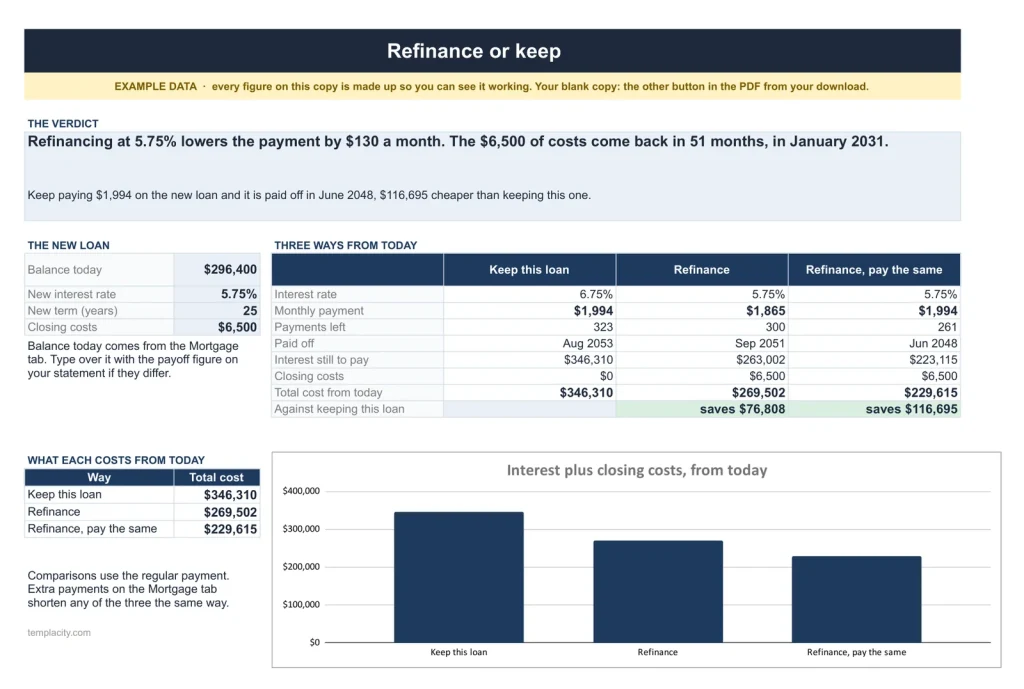
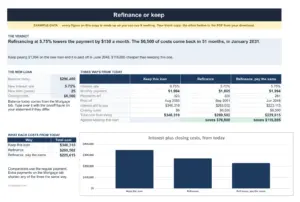
The refinance tab: keep this loan, refinance, or refinance and keep paying the same, with the month the closing costs come back.
Keep this loan, or refinance? One sentence.
Enter the rental's mortgage and the rent once. The payment, the payoff date, what extra payments save and the refinance verdict work themselves out, with the month the closing costs come back.
- Google Sheets
- Excel .xlsx
- Blank + filled example
Language
Instant download. Permanent link in your account.
Instant download. Permanent link in your account. Yours forever, no subscription.
Mortgage
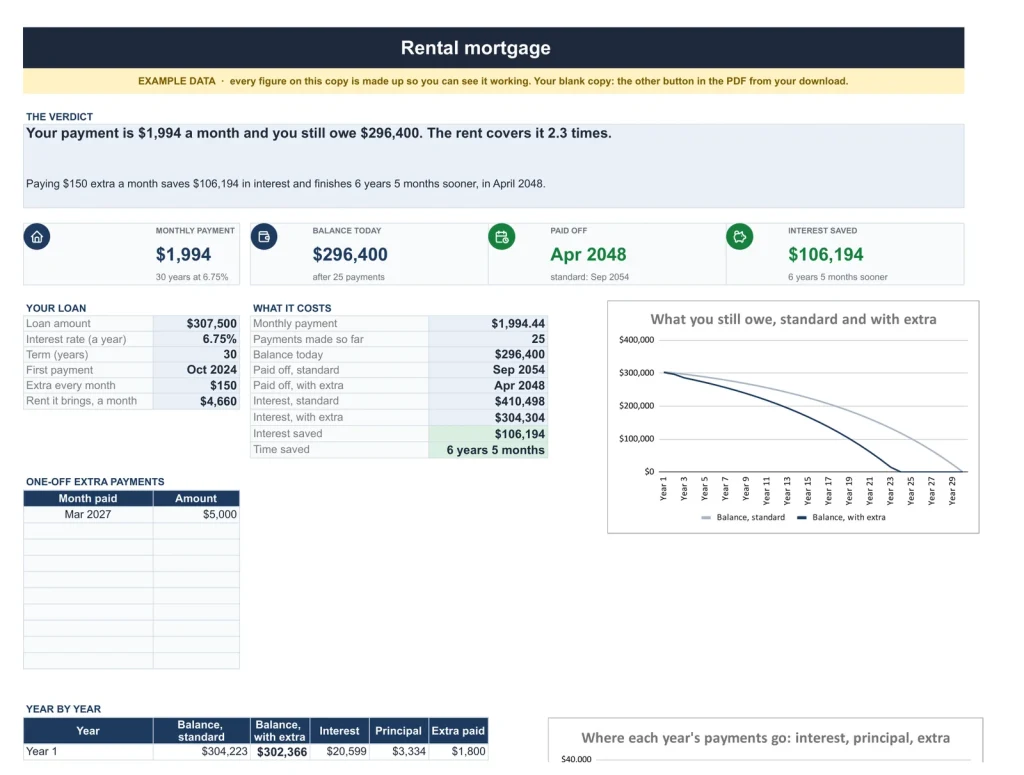
One rental mortgage, worked out.
The payment, what the rent covers, the balance today, the payoff date and total interest, and what extra each month and one-off payments save.
Schedule
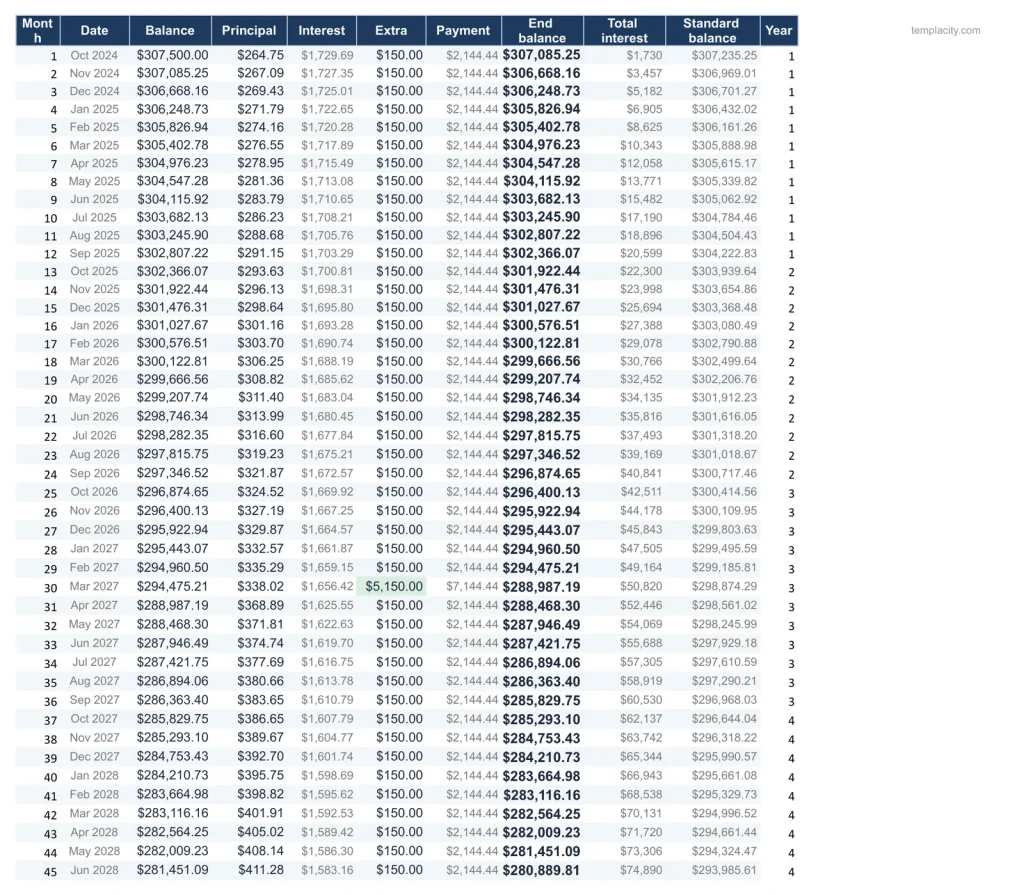
Every month to the last payment.
The full amortization table month by month, extra payments included, with the standard schedule beside it.
Start here
The first tab you open.
Every tab in one line, then the order to fill it in. The only instructions you need.
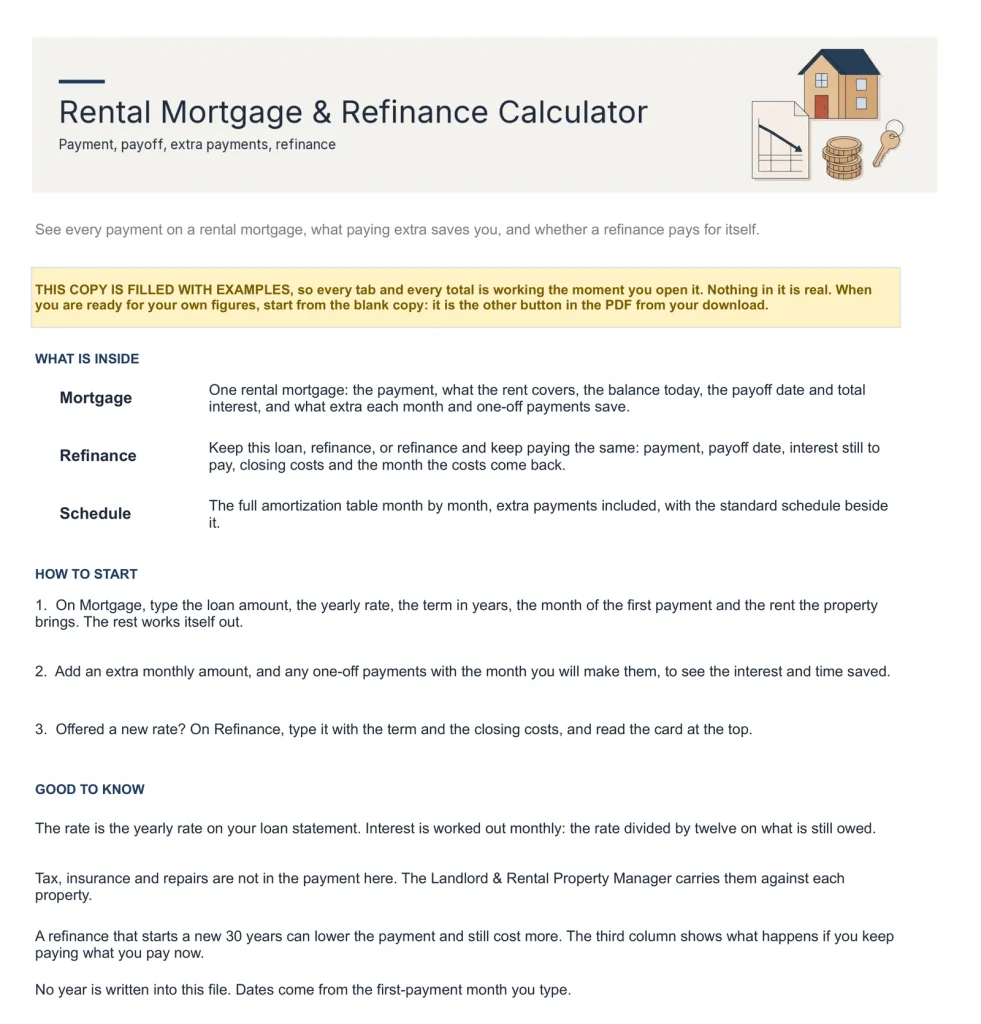
You enter the loan. It does the sums.
You type
- The loan's balance, rate and term, once
- The rent the property brings in
- Any extra you pay, each month or one-off
- The new rate and closing costs to compare
It works out
- The payment and what the rent covers
- The payoff date and total interest
- What extra payments save
- Keep or refinance, and the month the costs come back
Google Sheets or Excel. You do not have to choose.
The download carries both: the Sheets copy link and the native .xlsx. Every formula is chosen to work identically in the two, and we test the round trip on every build.
A link, not a file to babysit.
Buy it once
$29, no subscription. Your order email and your account both carry the download, permanently.
Copy it into your Drive
One click and it is yours, in your own Google account, forever. We keep no access to your copy and nothing in it phones home.
Start in the example
The filled copy shows every tab already working. Poke it, break it, then open your blank and type your own.
Add the rest of the set.
All three goes in as the Landlord Kit at $109, not three separate items. You keep $38.
The questions we actually get
Is there a year printed in it?
No. No year is printed anywhere in the files, so it starts the day you do and keeps working next year.
Does it work in Excel?
Yes. The same workbook comes as native .xlsx files, one blank and one filled with an example, checked in Excel with every formula recalculated.
Do I need spreadsheet skills?
No. Every formula is already built. Open the example copy first to see every tab working, then type into your blank one.
What exactly do I receive?
A small PDF with your links: the Google Sheets copy links, blank and filled example, and the native Excel files of both. Buying once covers your personal use in both apps, forever.
Know what the loan costs you.
One rental mortgage, in Google Sheets and Excel, no subscription, no year baked in.
Get the calculator · $29Still deciding? Open it live, read‑only. Not the sheet you need? See every spreadsheet template or ask at Templacity Hall.
Be the first to say something.
Nobody has written about this one yet. If it is on your device, yours is the first thing the next person reads.
Instant download.
Your file is in your account the moment you check out, yours to re-download any time. A receipt lands in your inbox, too.
One-time purchase.
No subscription, no annual renewal, no upgrade nags. Pay once and the file is yours.
Quiet, secure checkout.
Stripe. Apple Pay. No spam, no “partners,” no reselling your details. Receipt, file, done.