You ask, we build it. Missing a template? Request it in the Hall and back what we build next.
The Planner · Project Portfolio
№ · The Planner · Project Portfolio

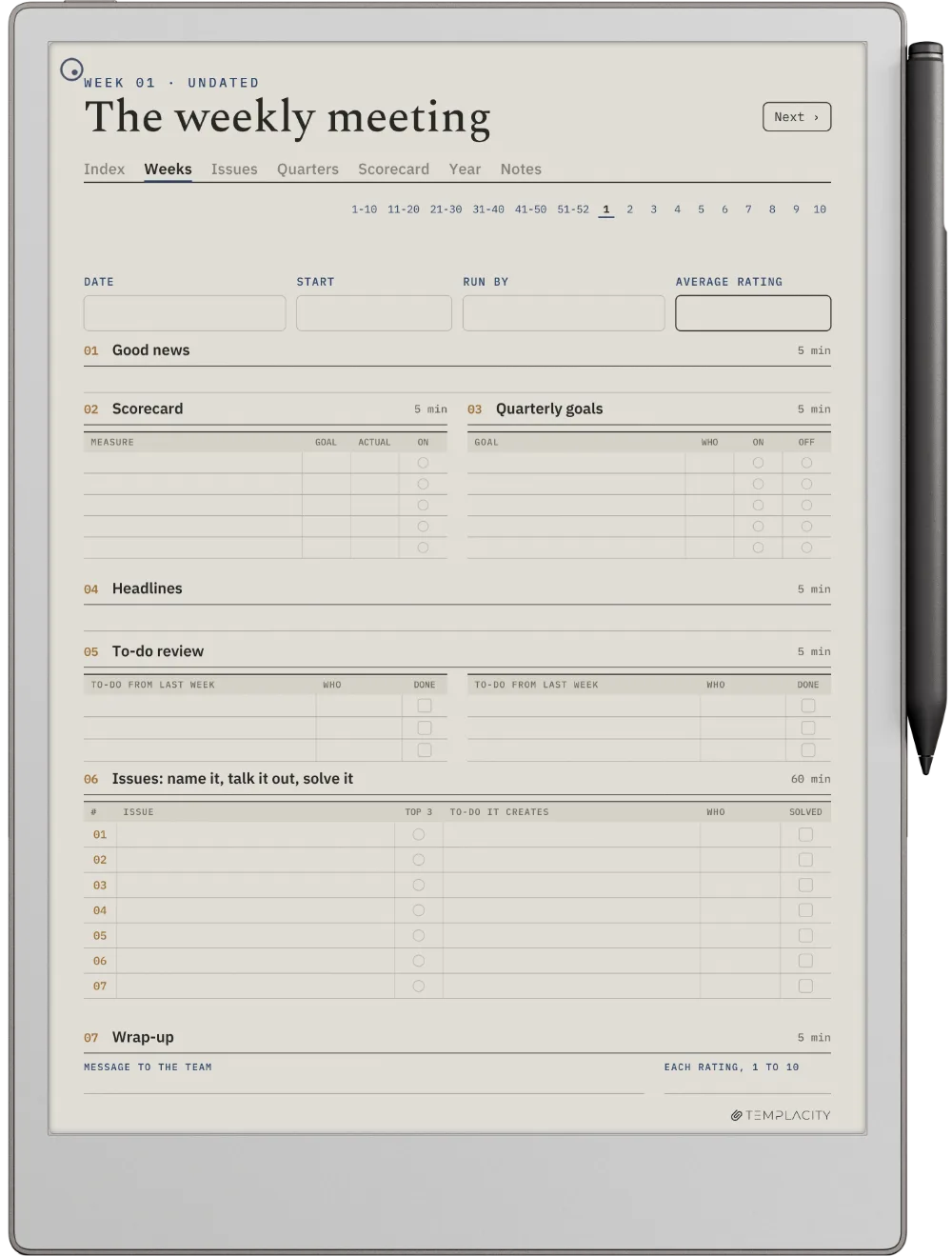
Every project you are running, on one page.

Your device
Language

Instant download. Permanent link in your account.

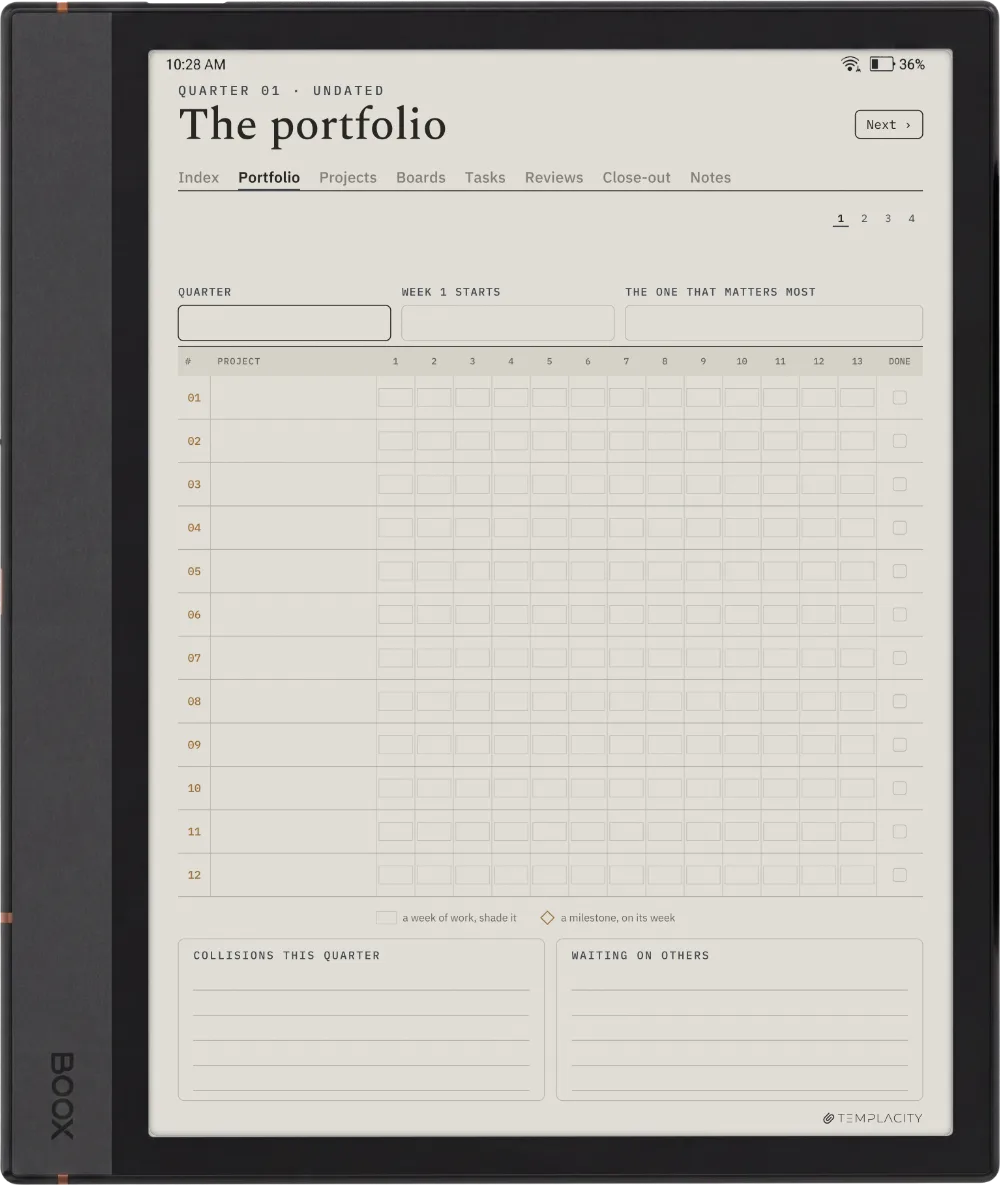
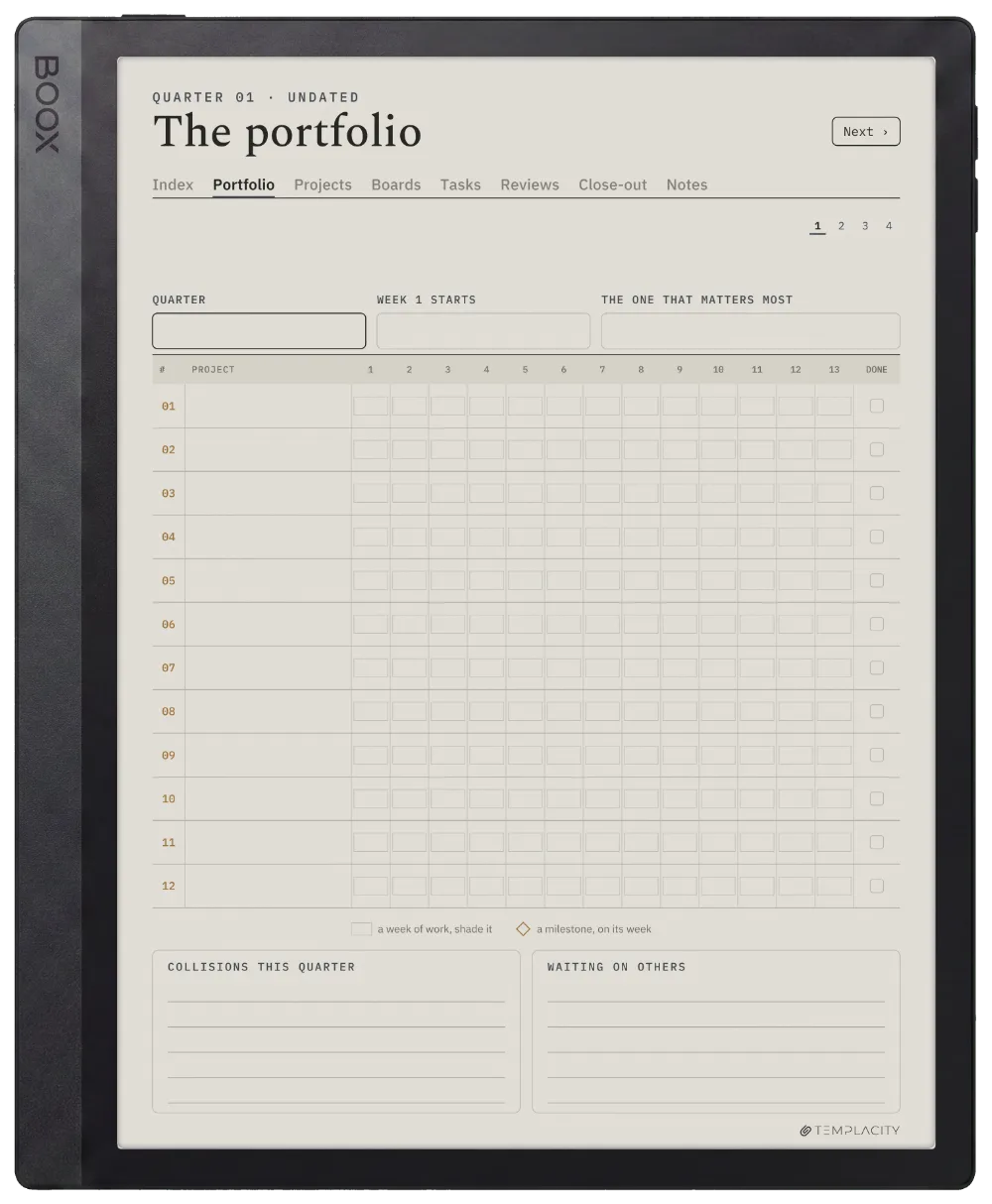
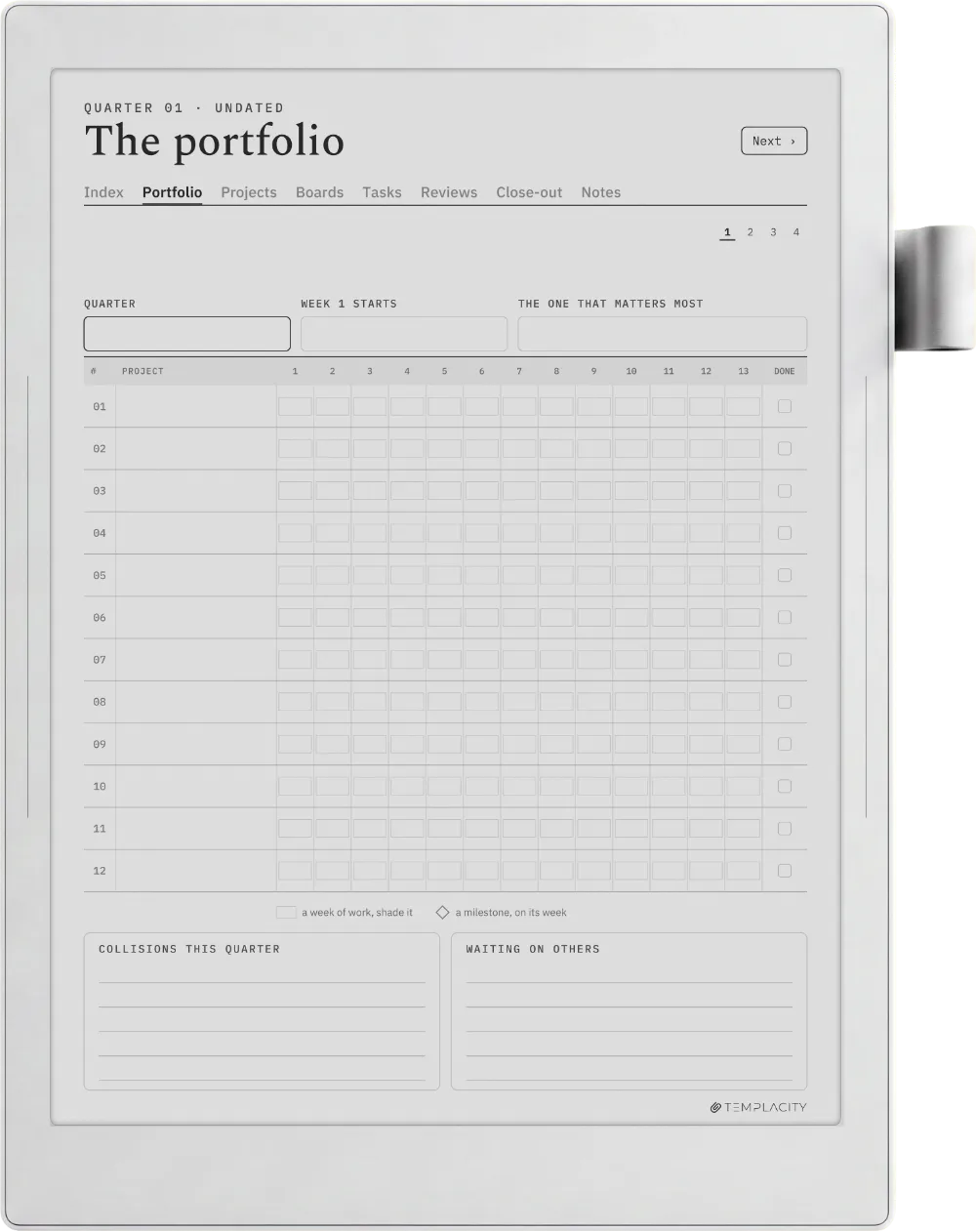
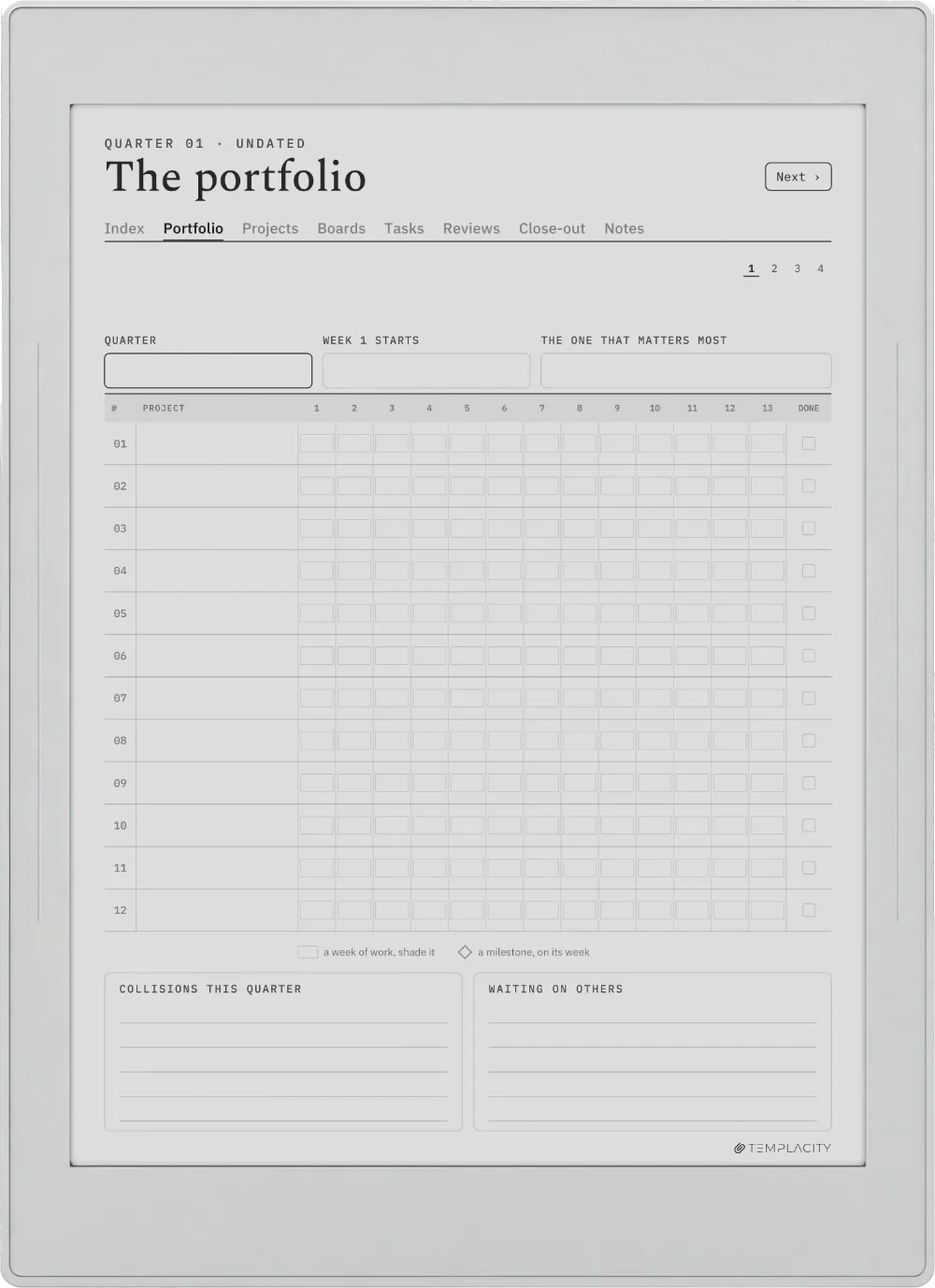
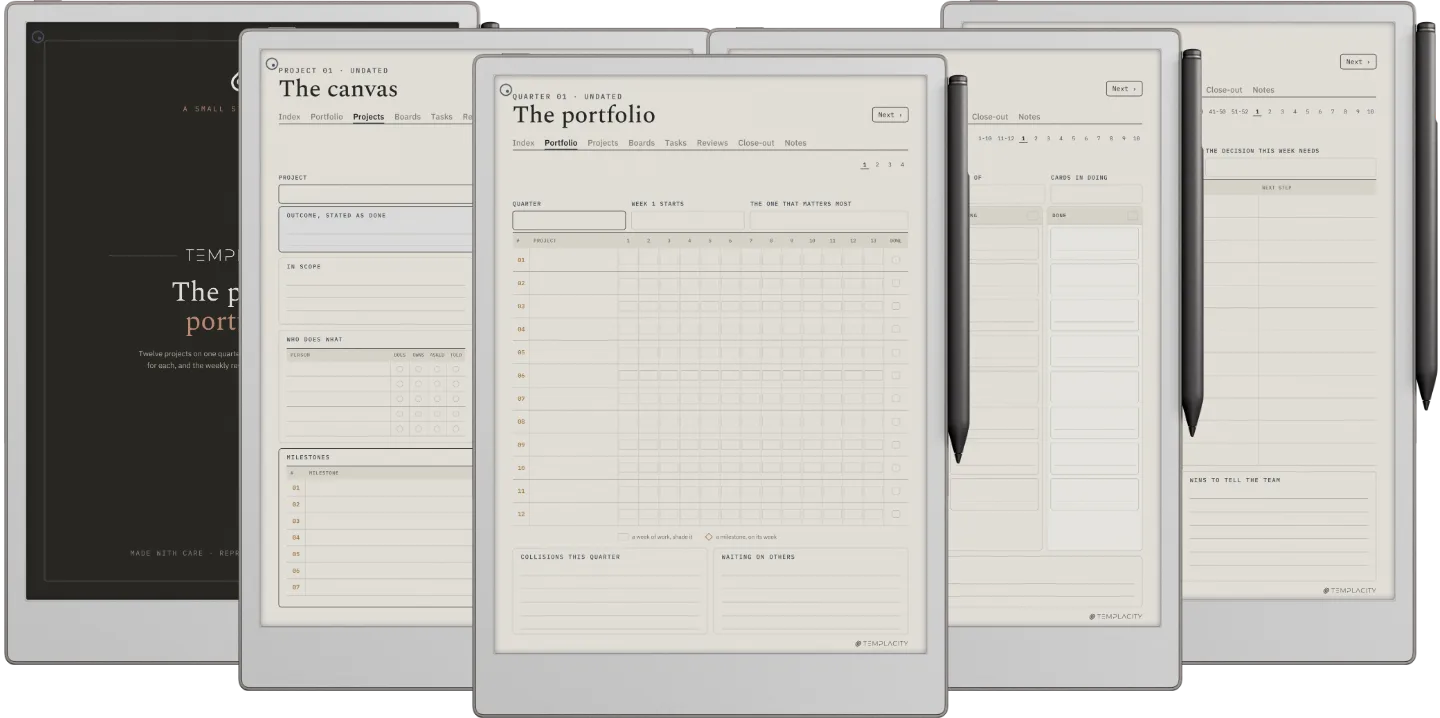
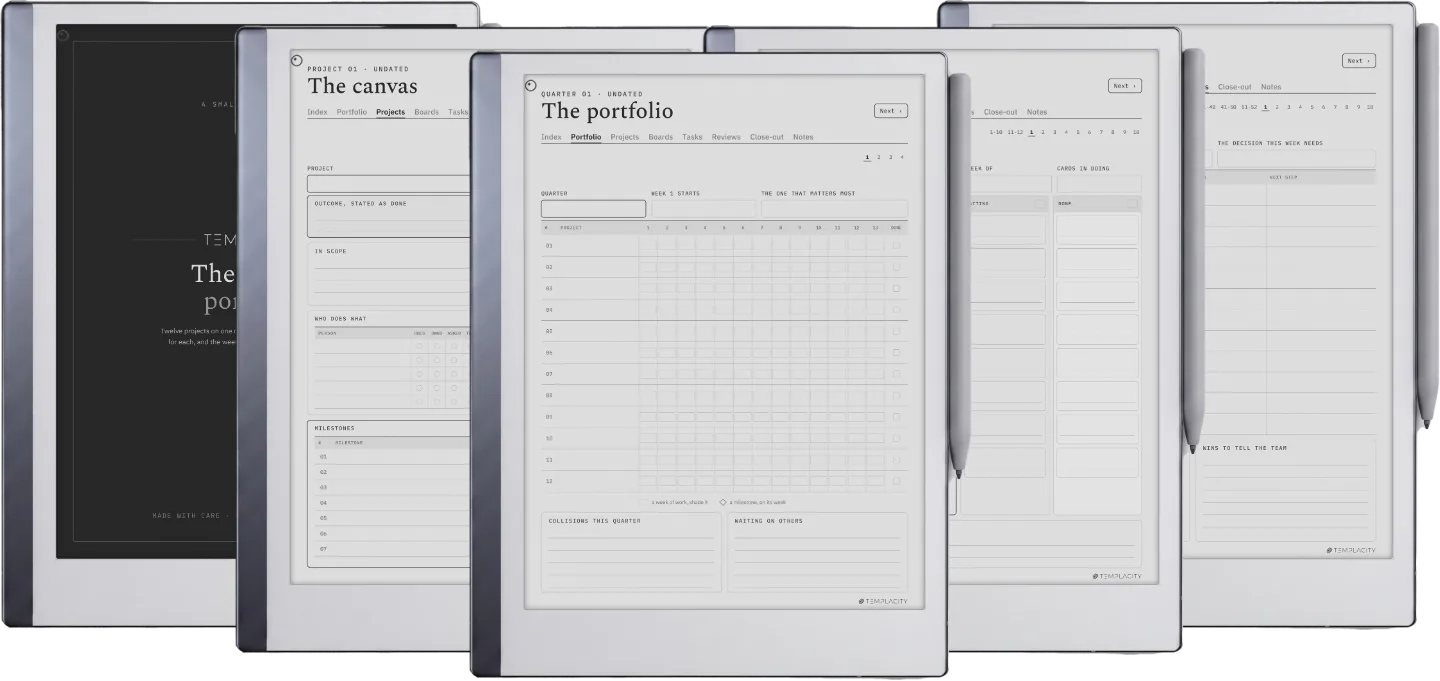
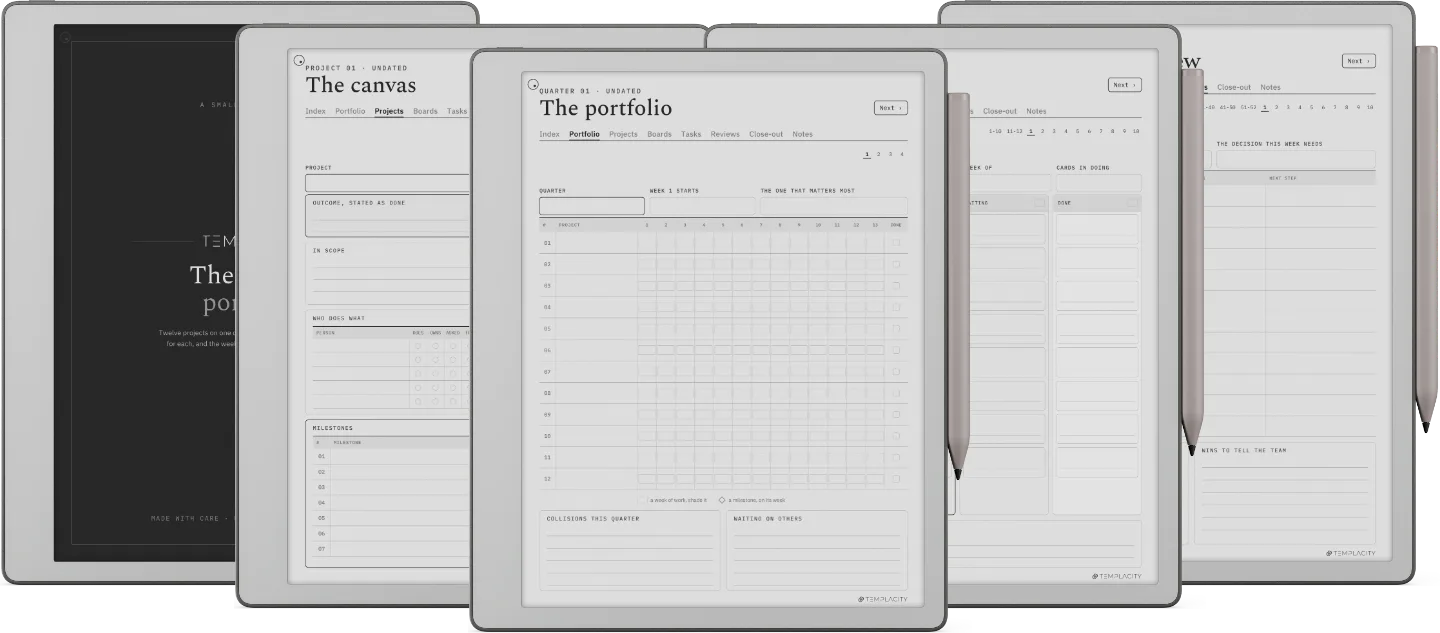
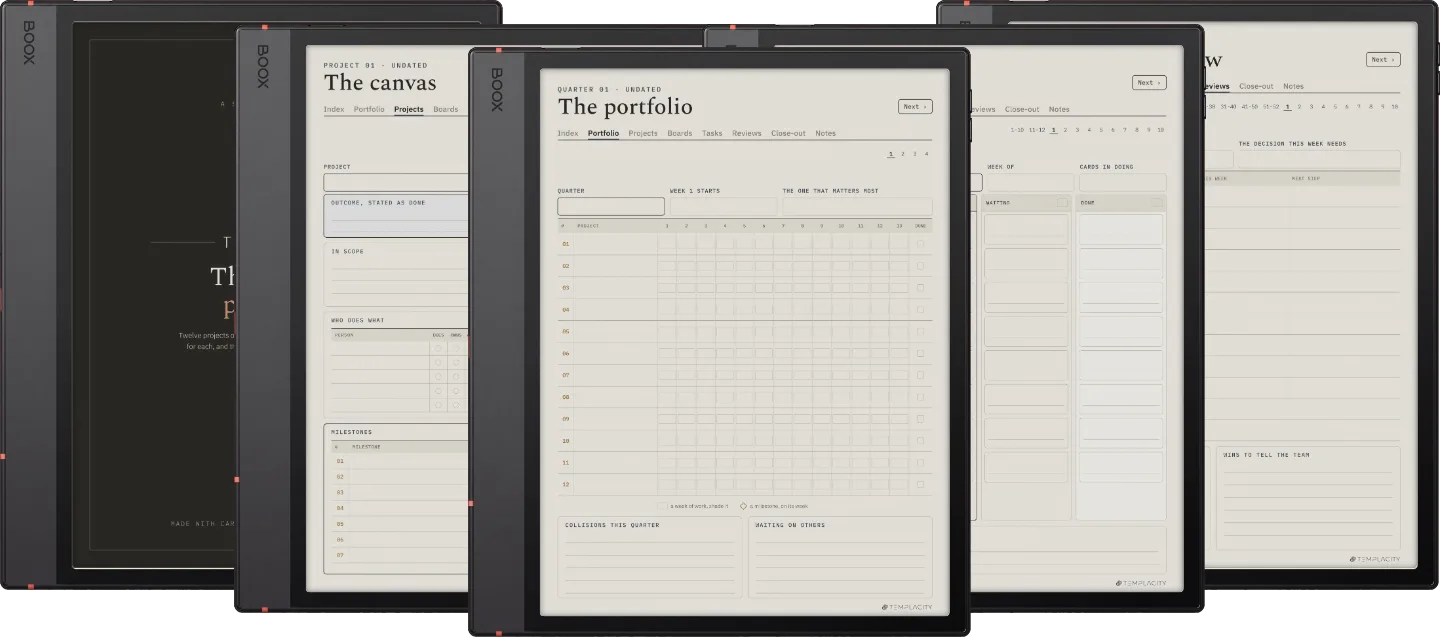
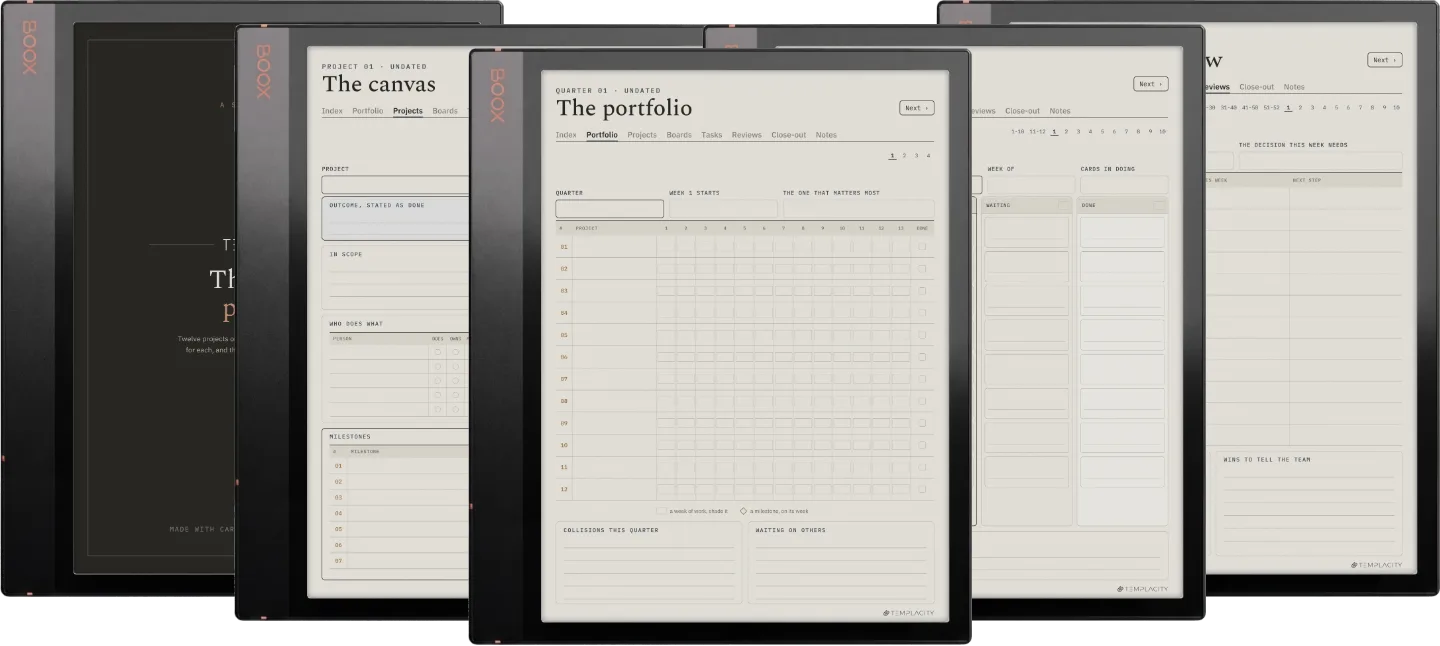
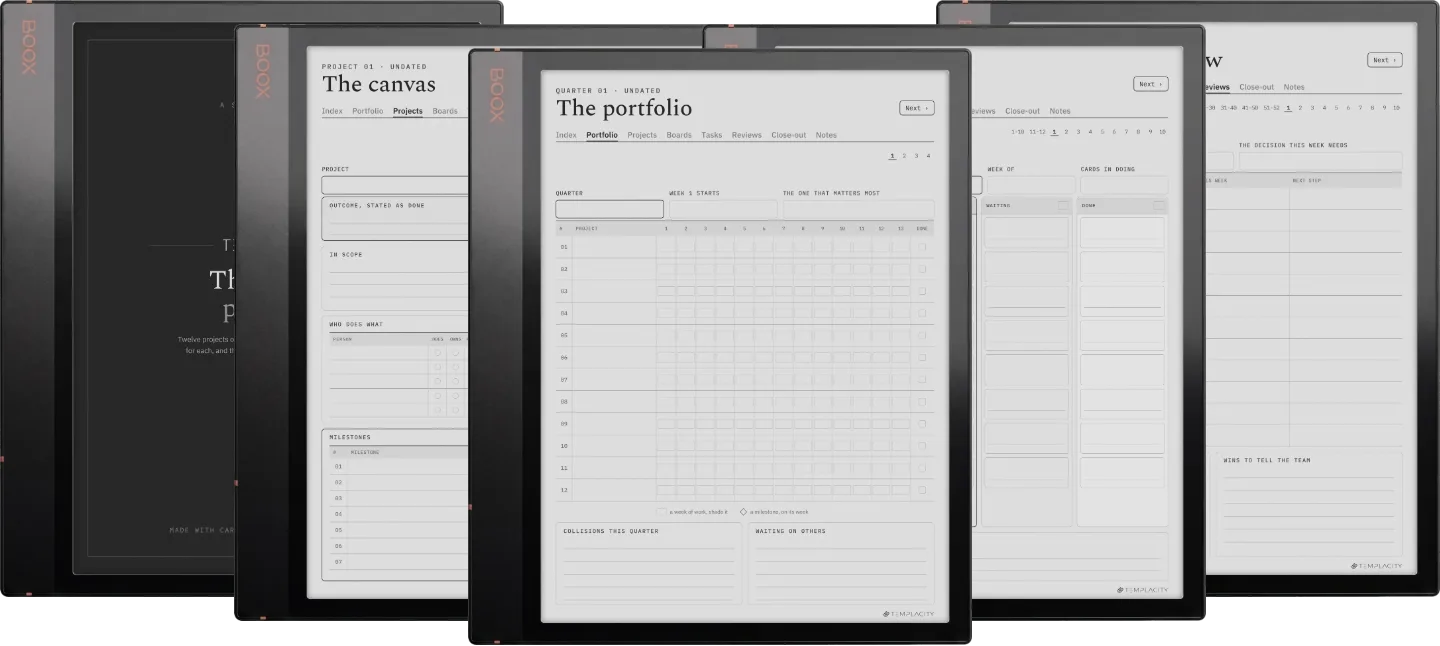
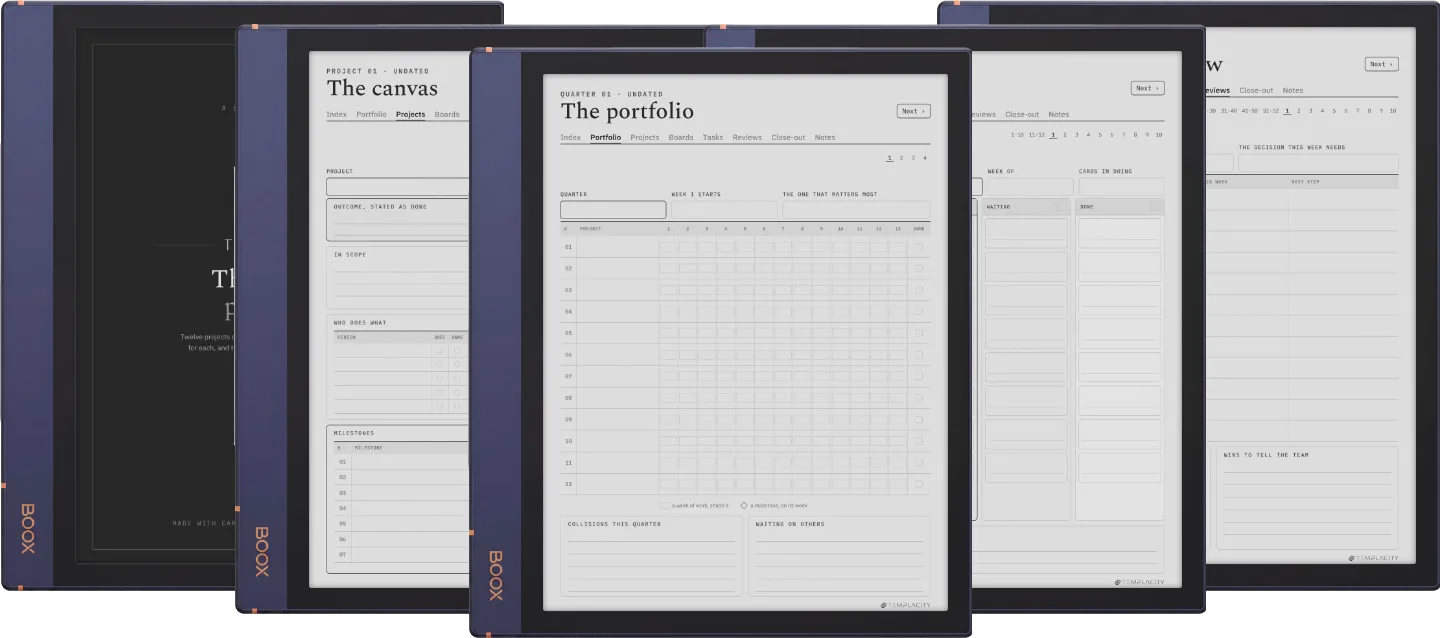
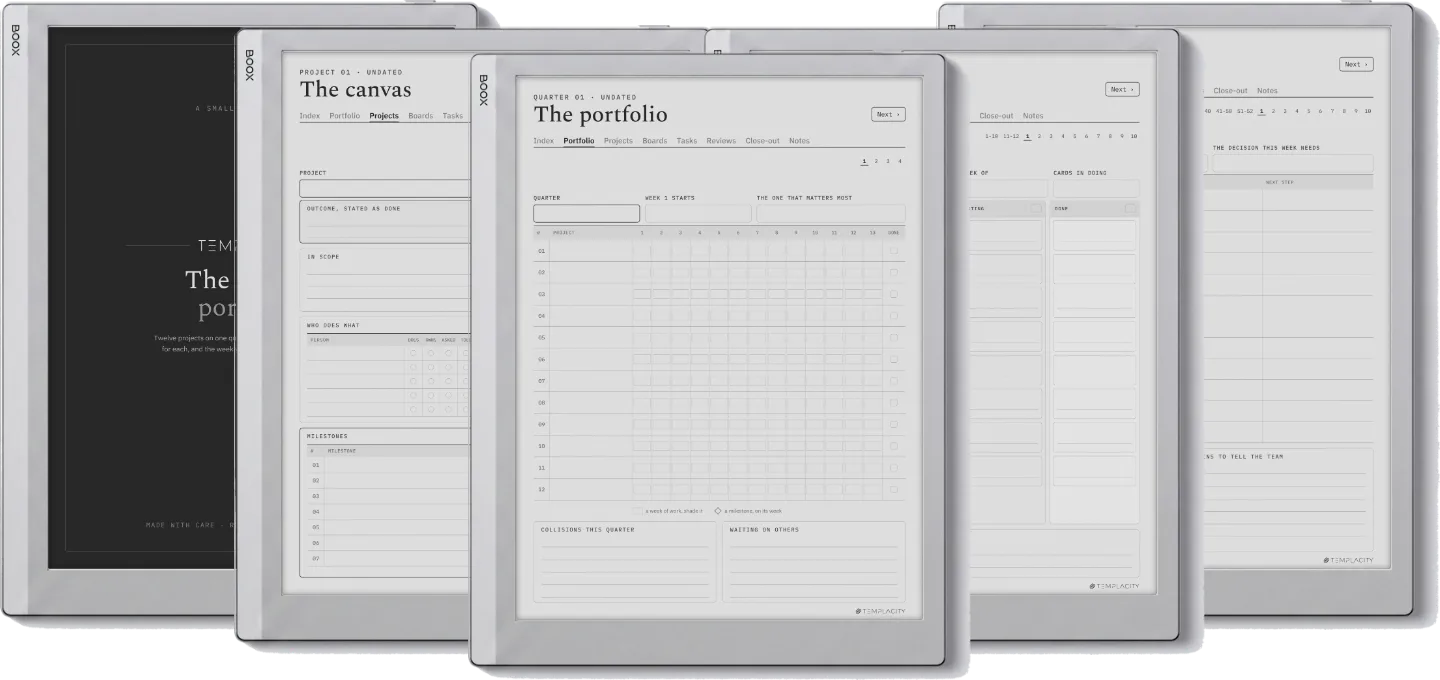
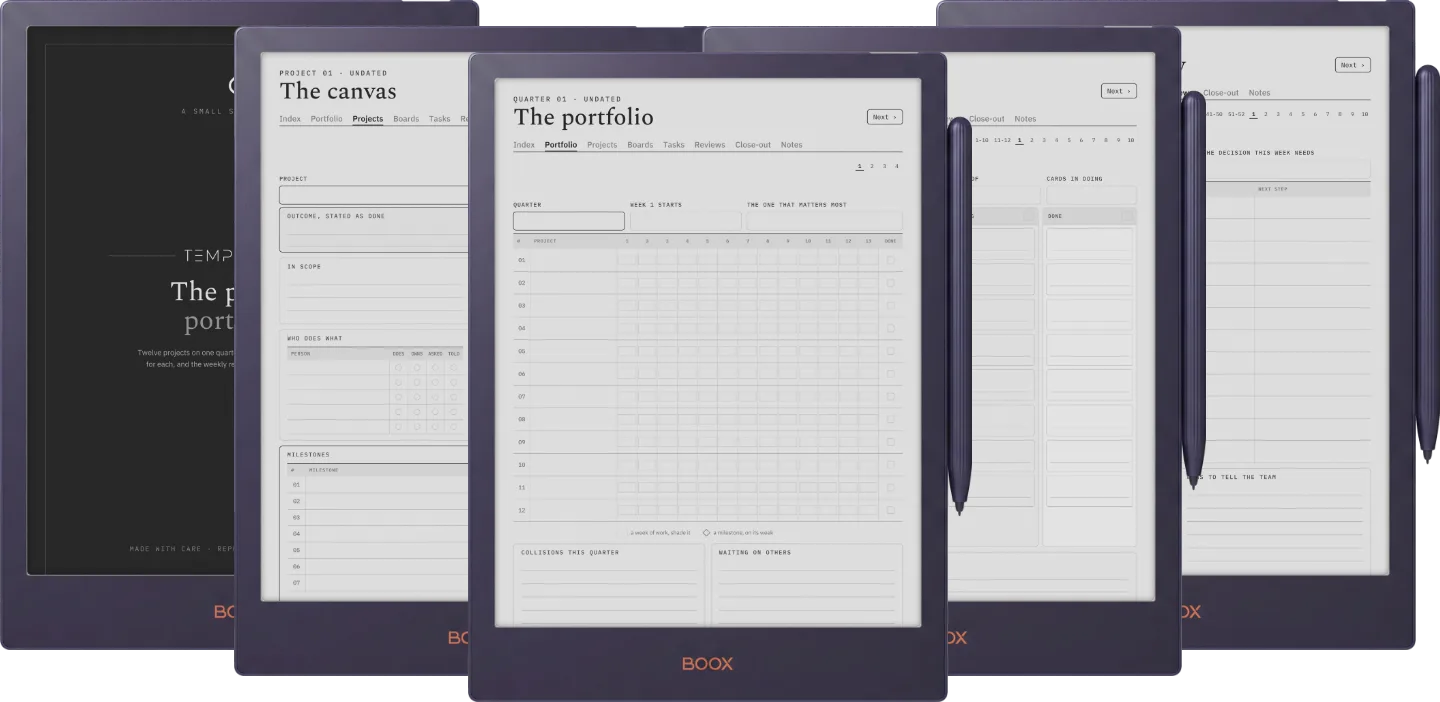
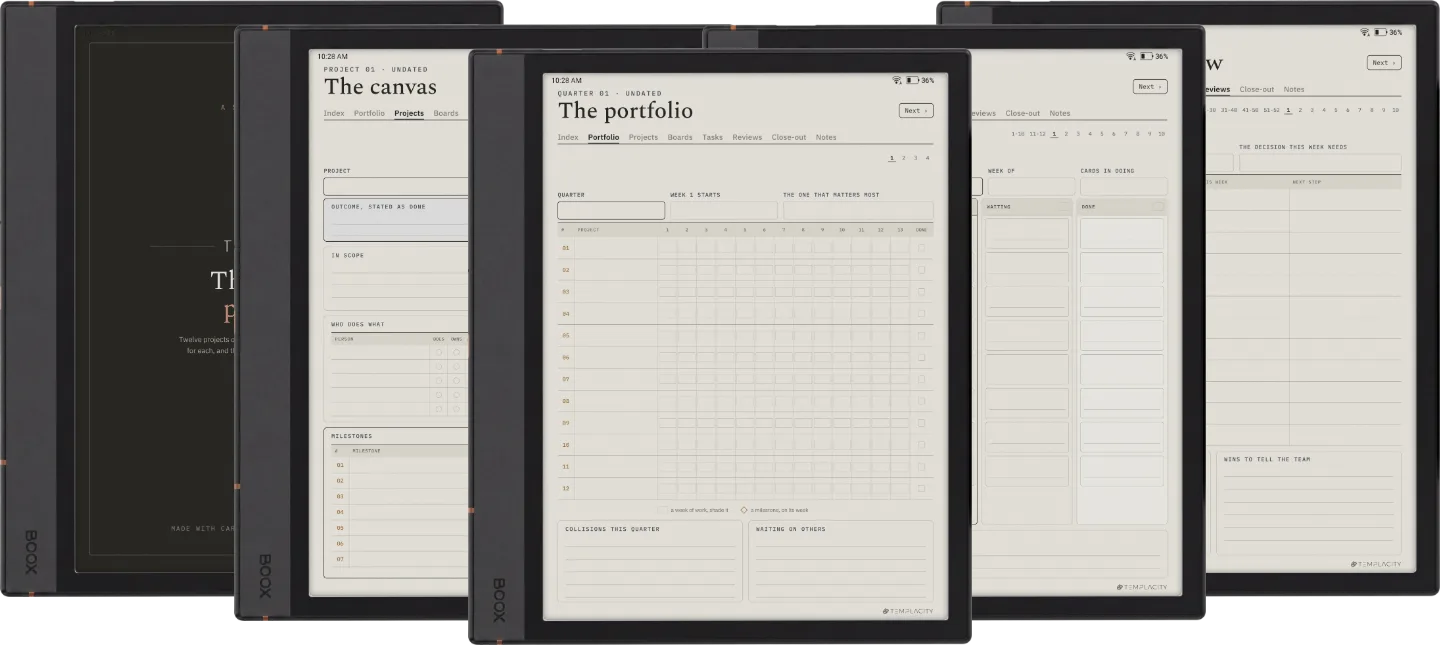
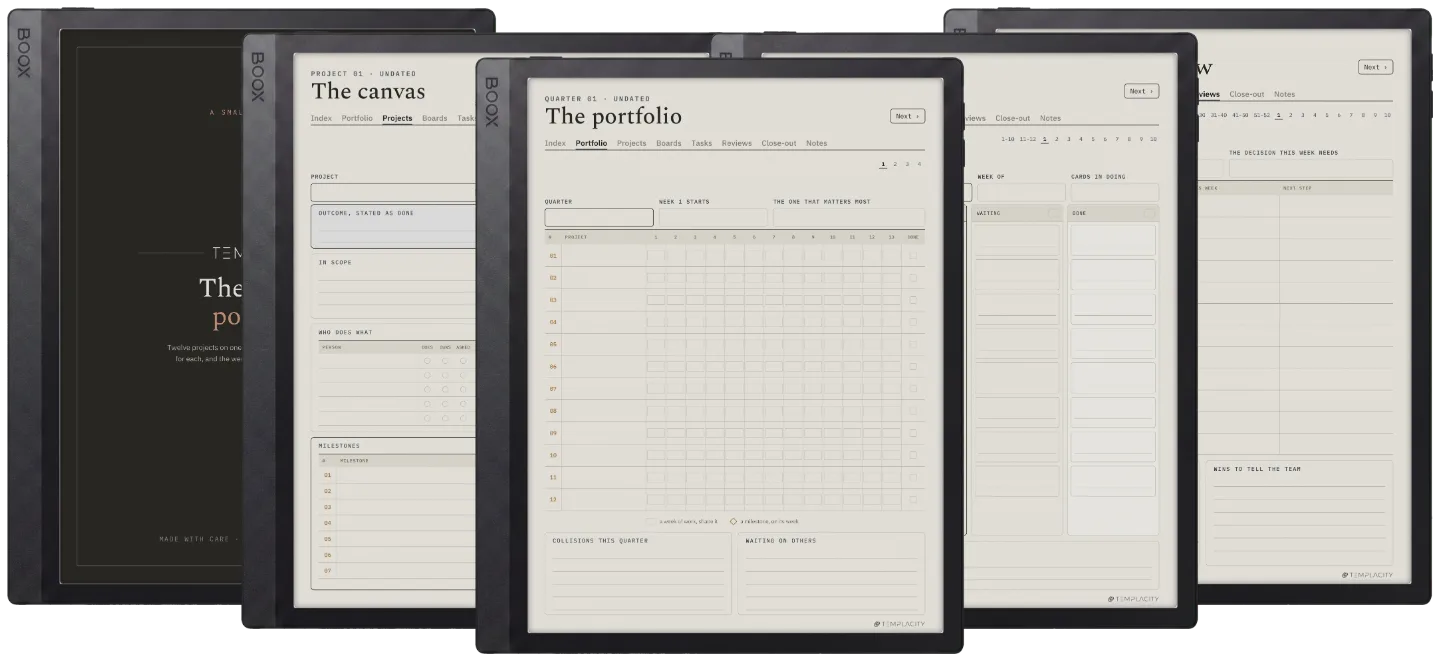
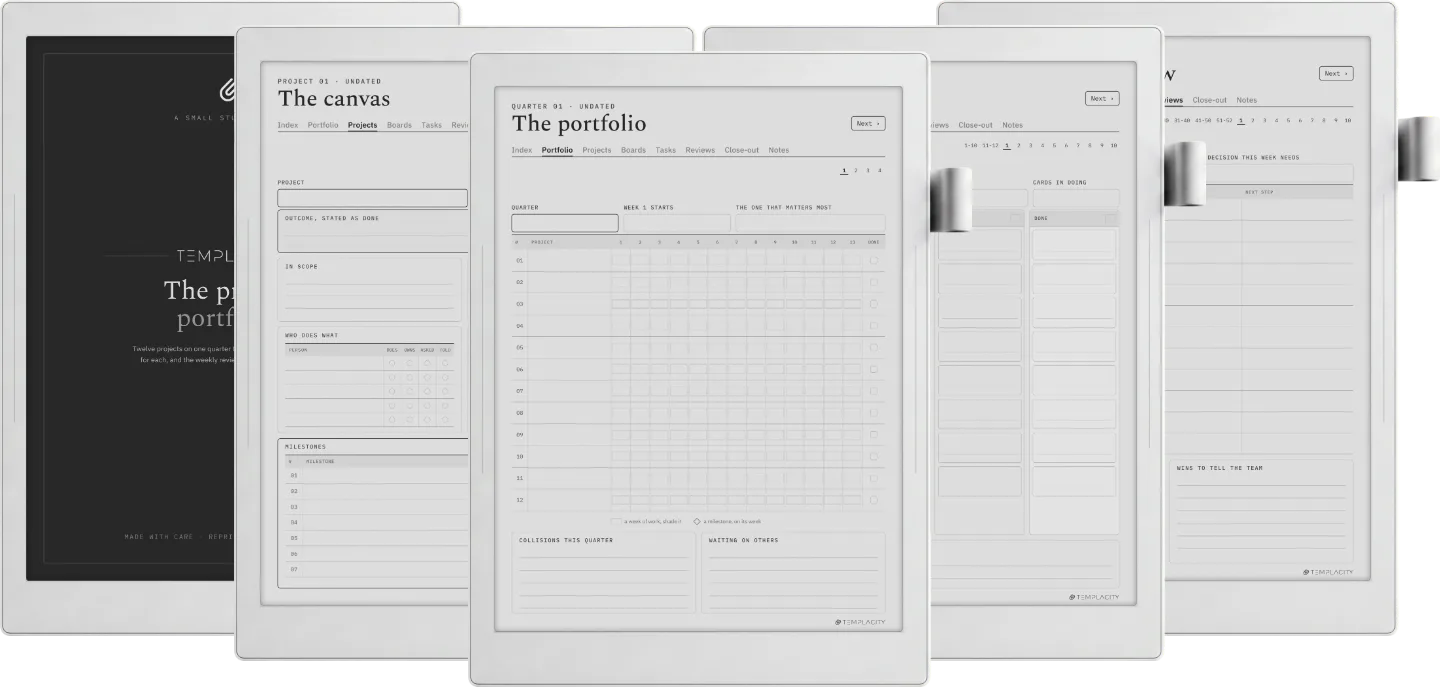
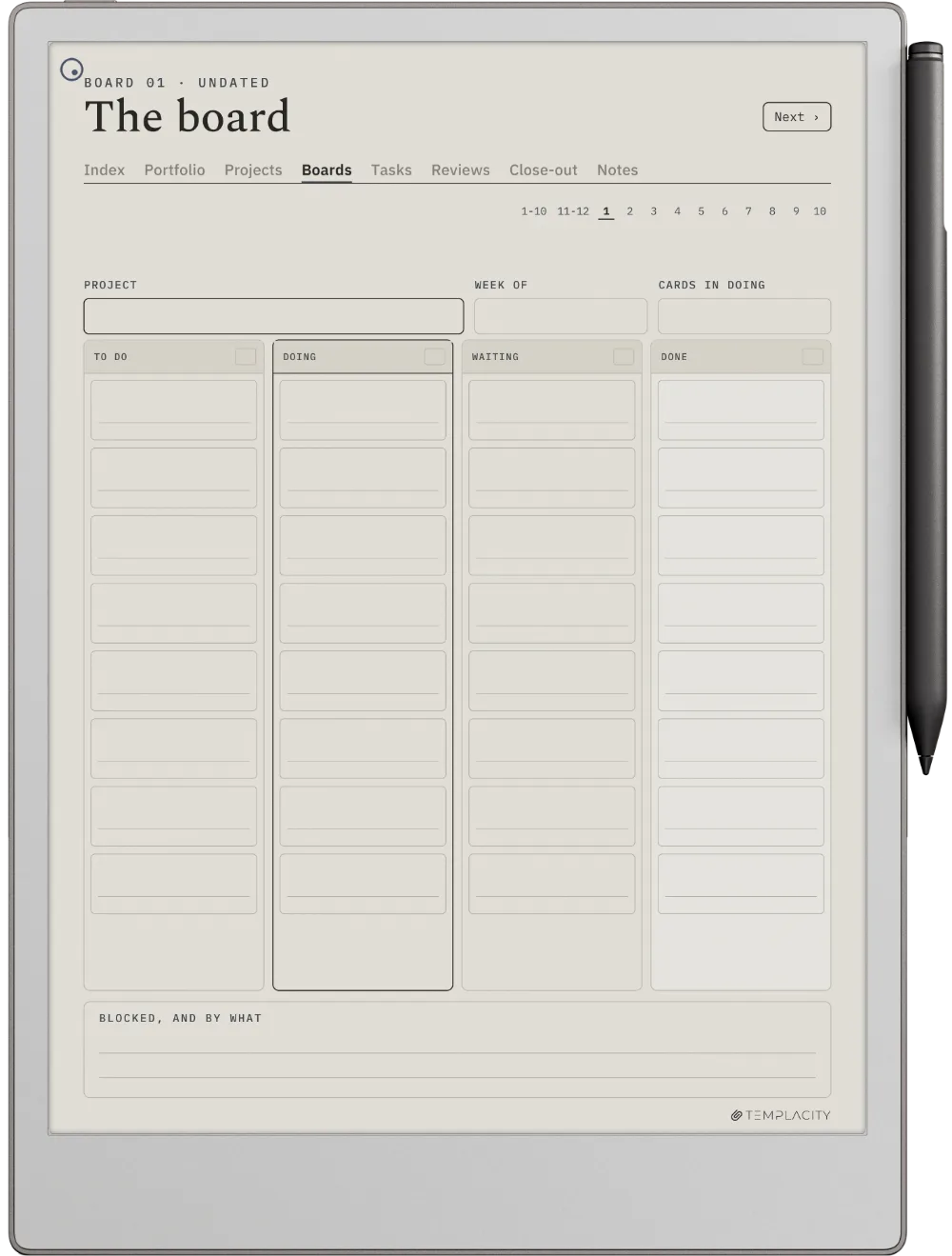
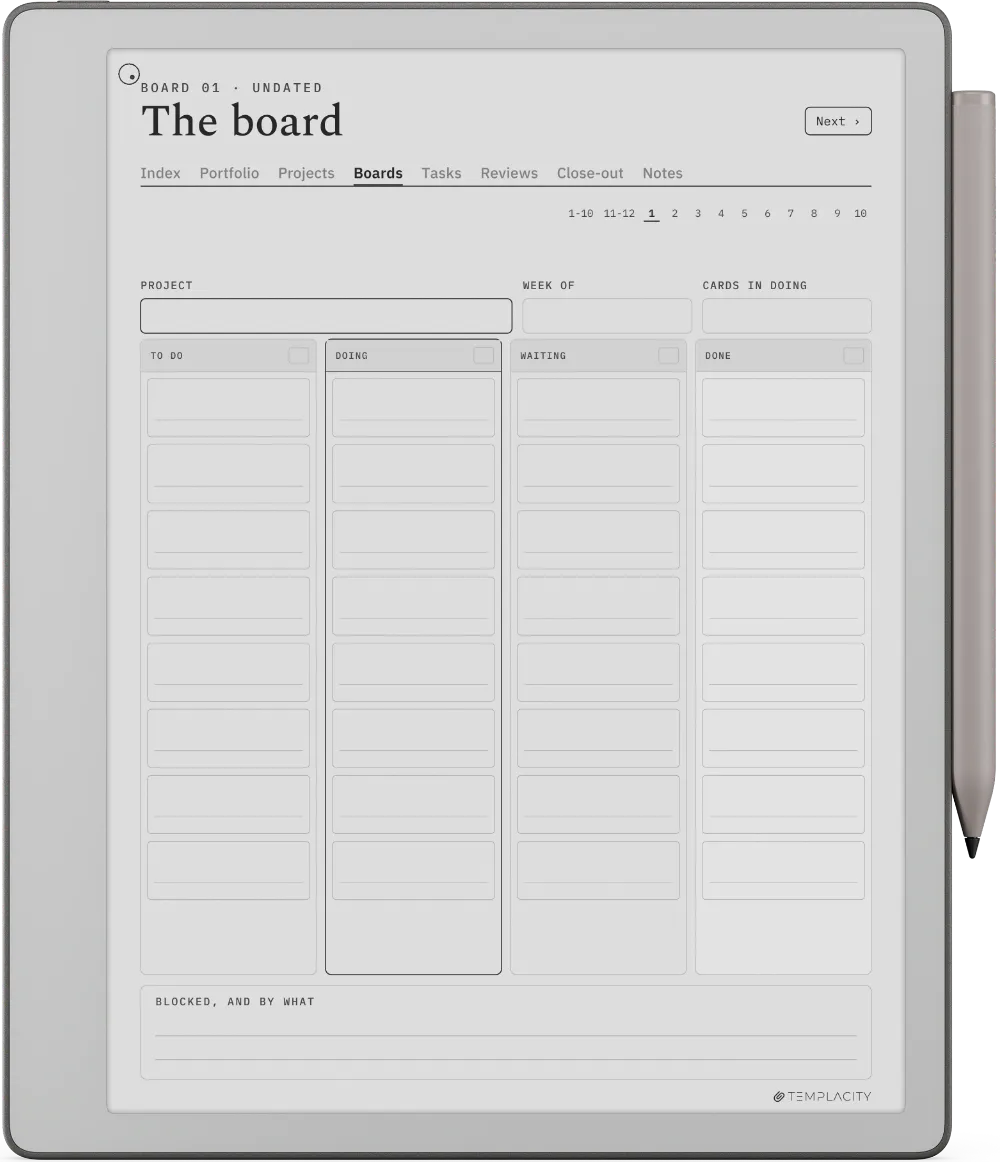
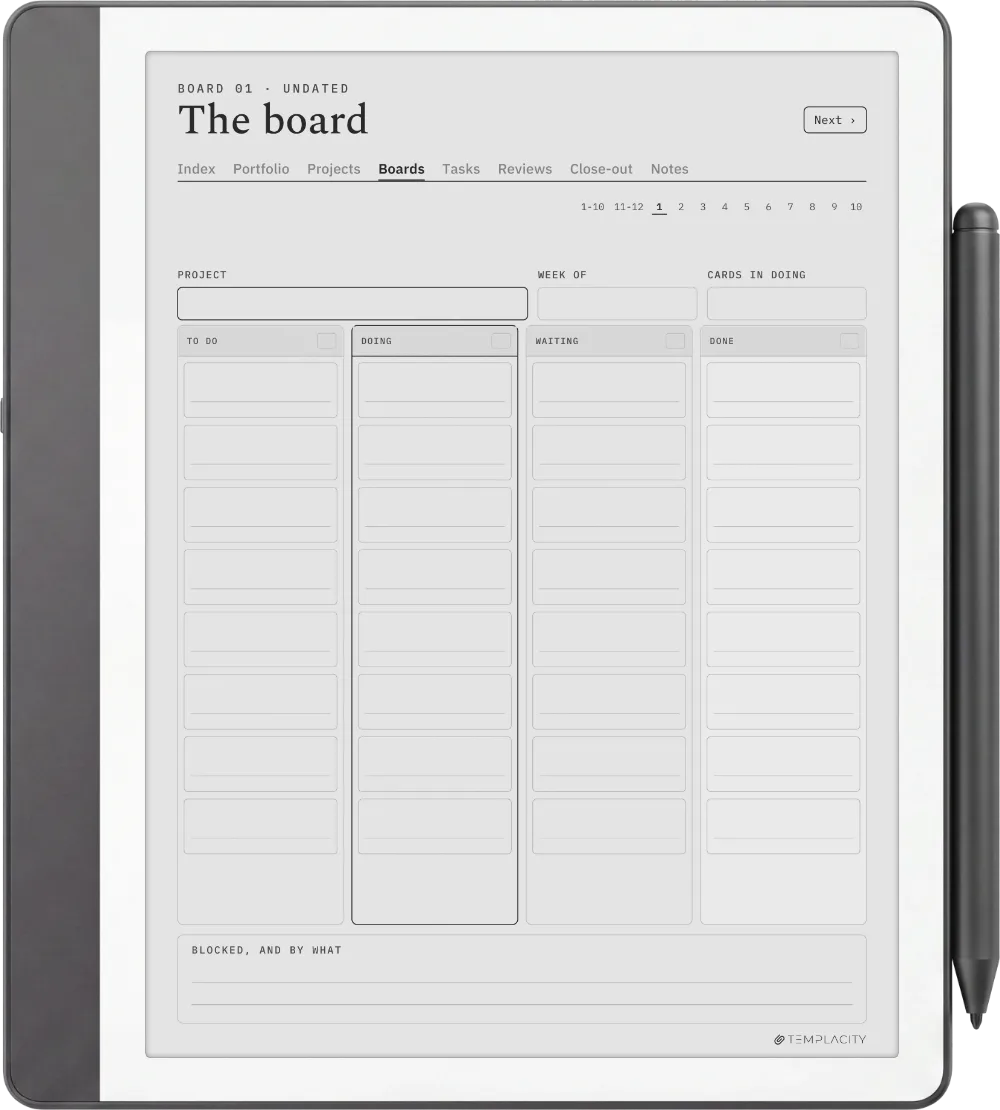
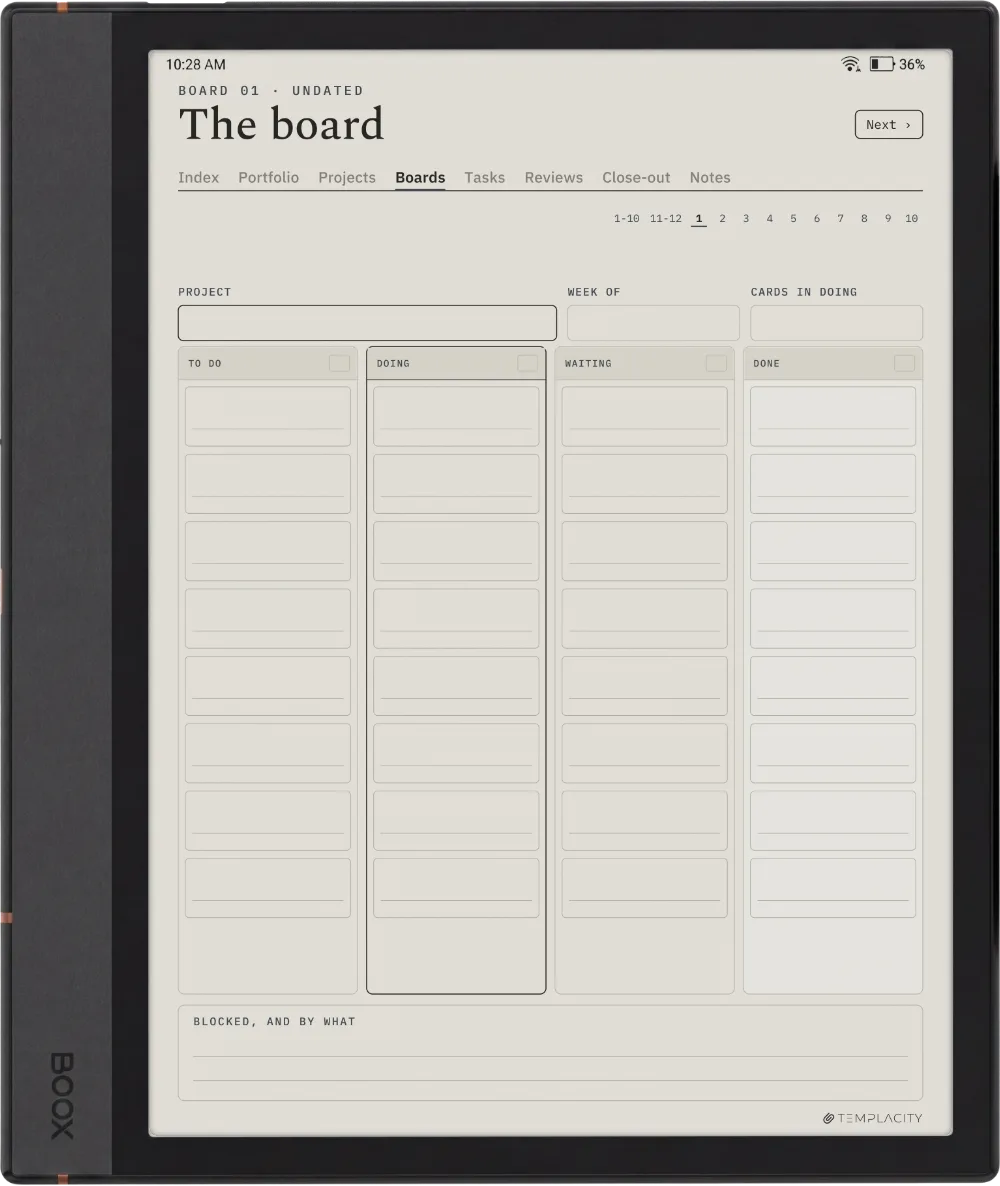
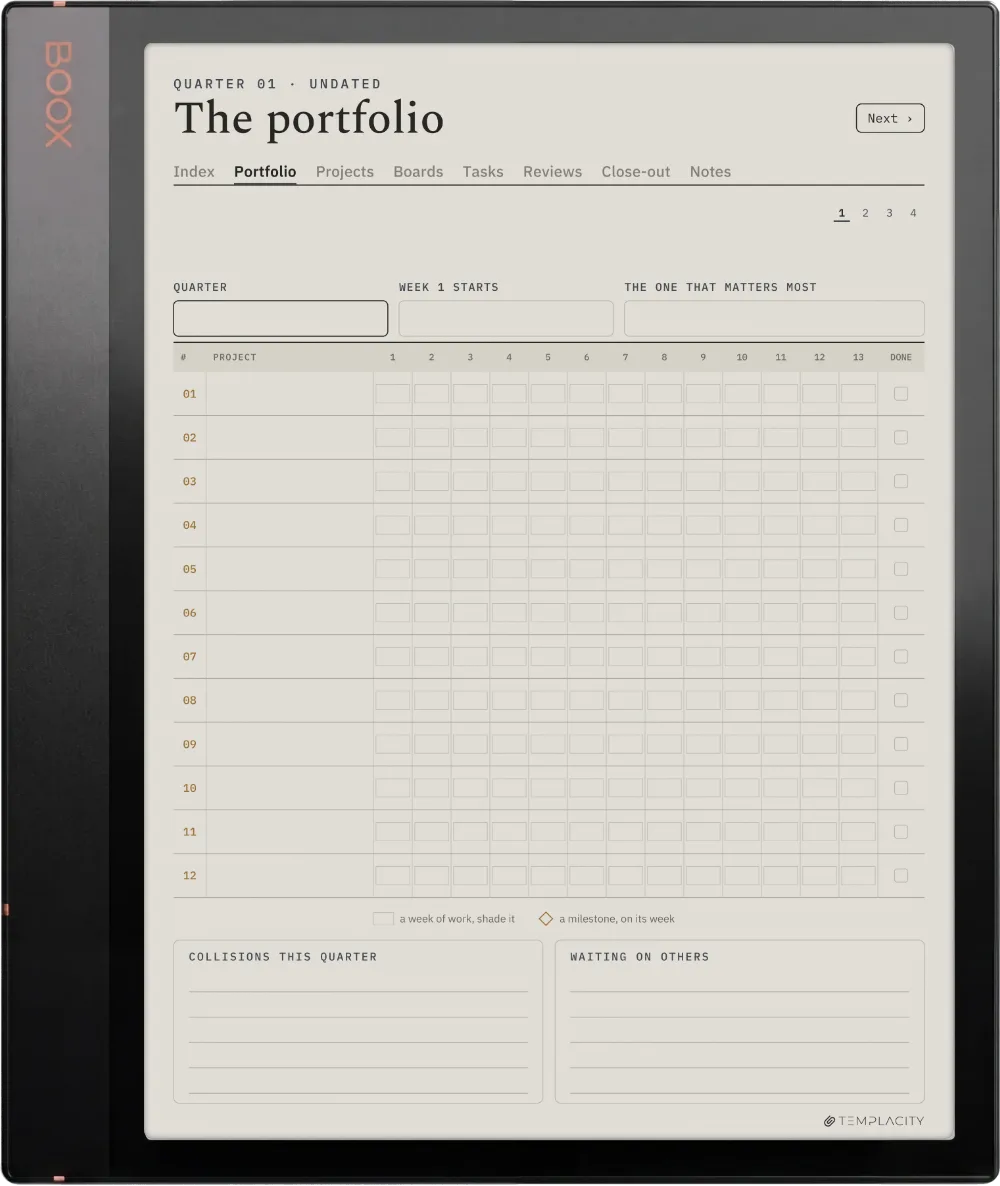
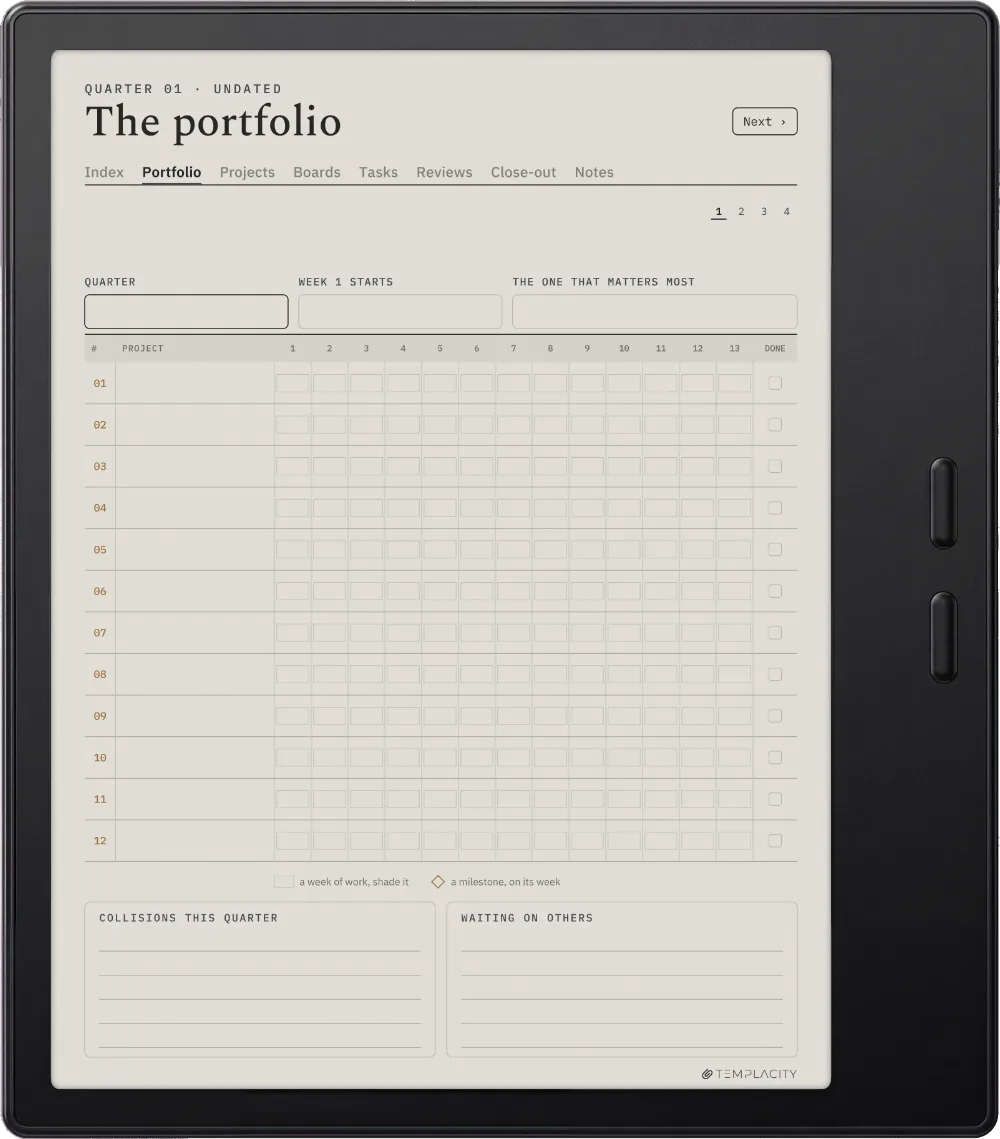
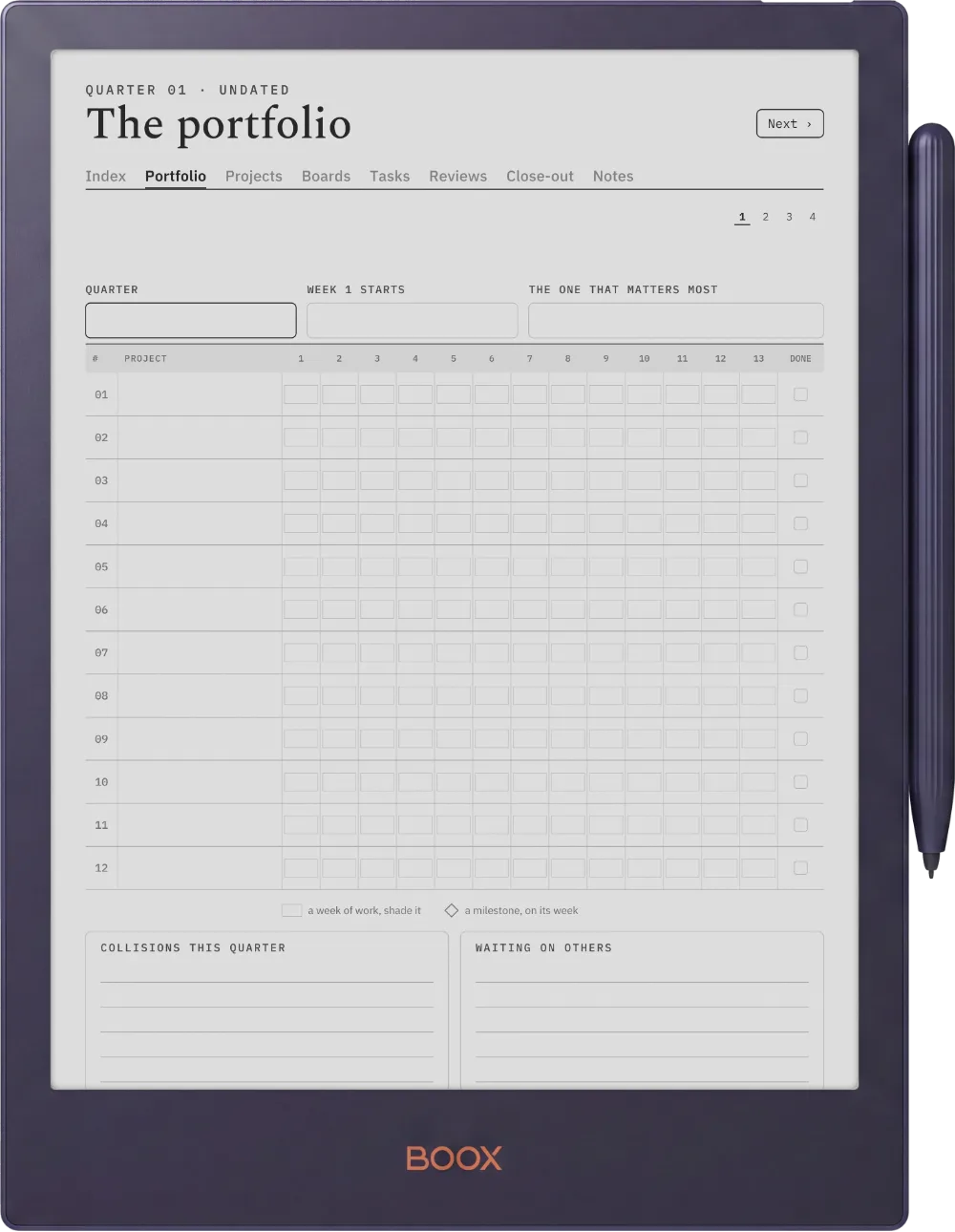
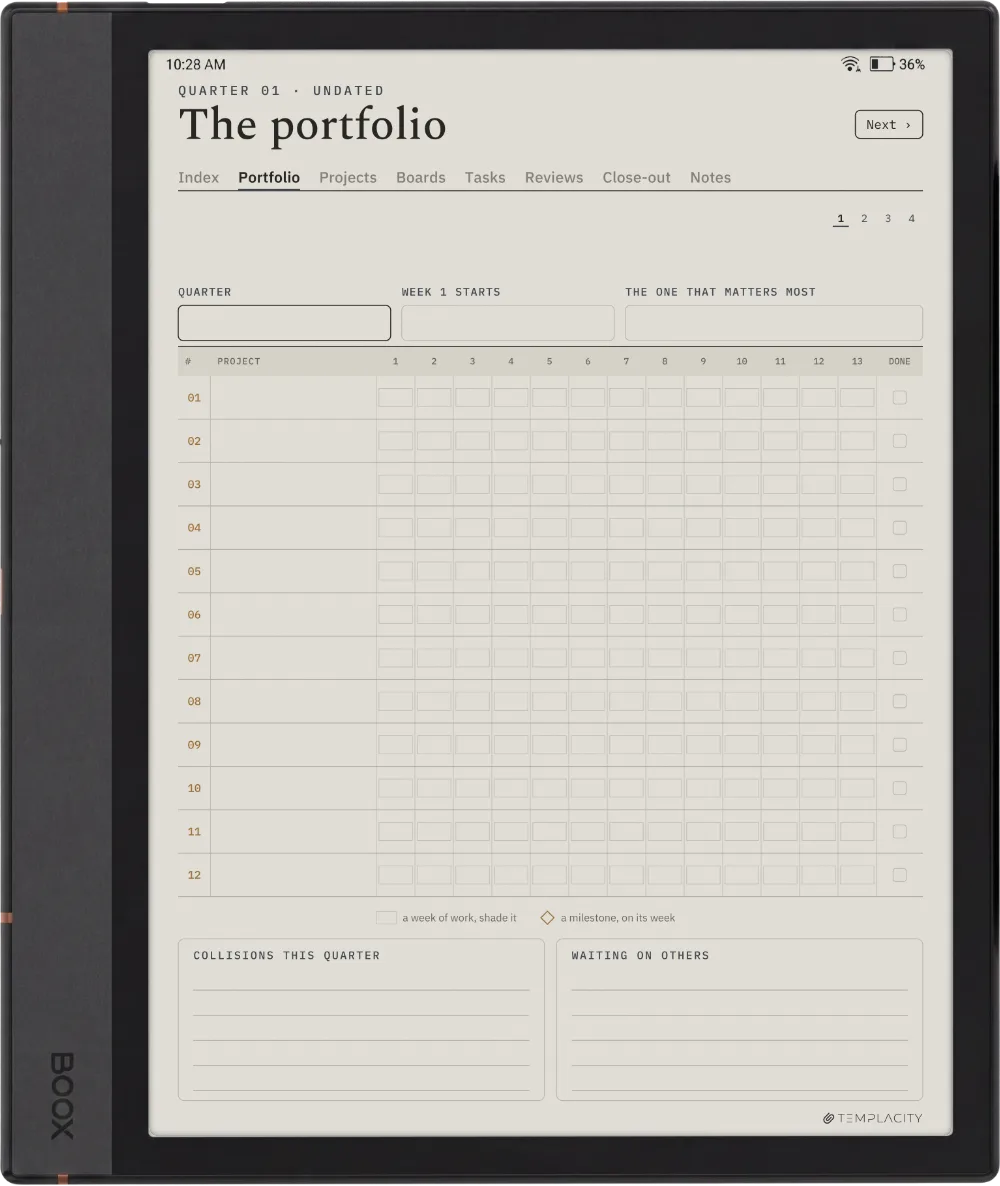
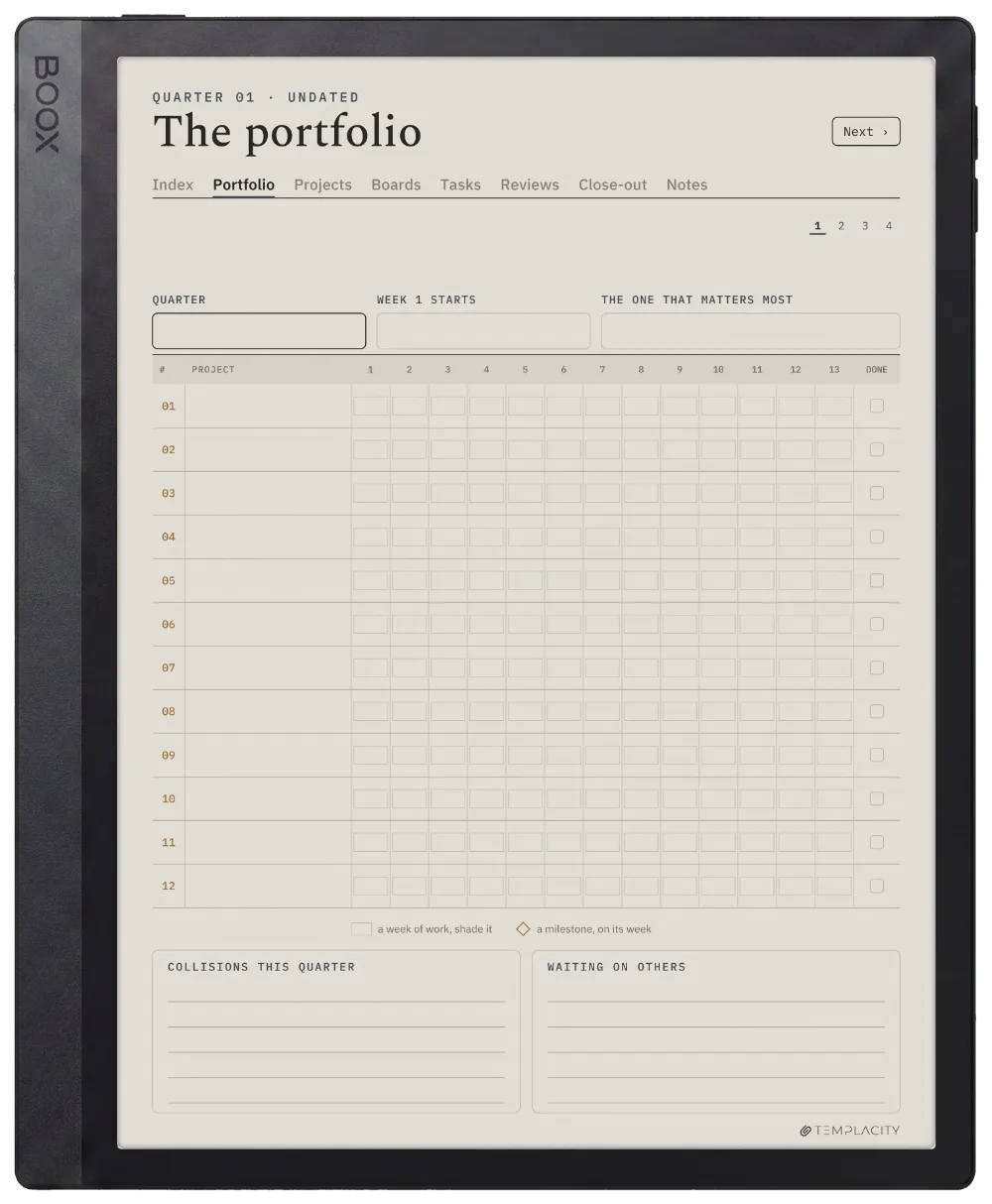
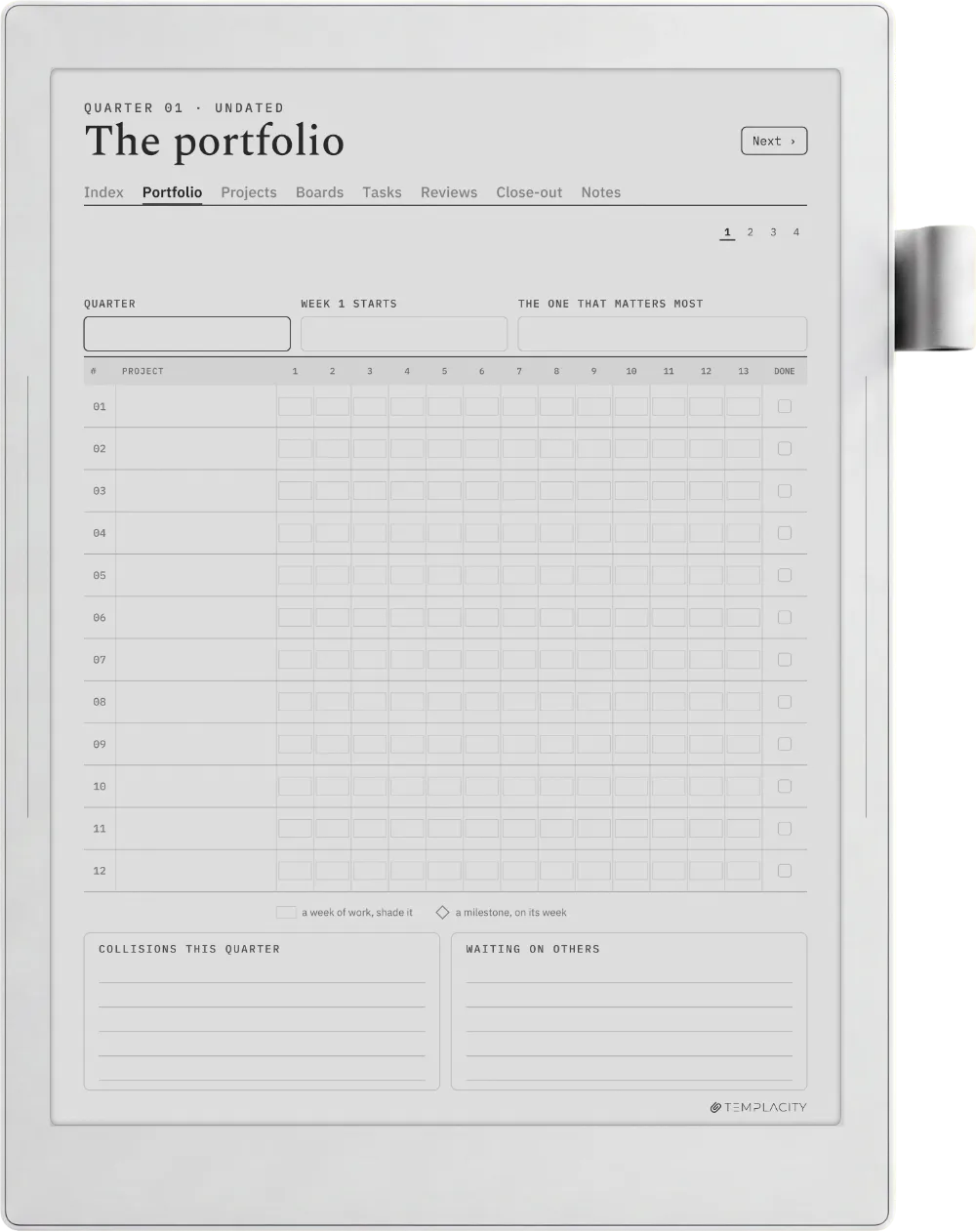
Up to twelve projects on a thirteen-week timeline, then a canvas, a board, task lists and a close-out for each one, and a weekly review across all of them. 158 hyperlinked pages, undated, so it starts the week you do.

  • i. Hyperlinked PDF: every project one tap from the portfolio
  • ii. Undated: starts the week you do
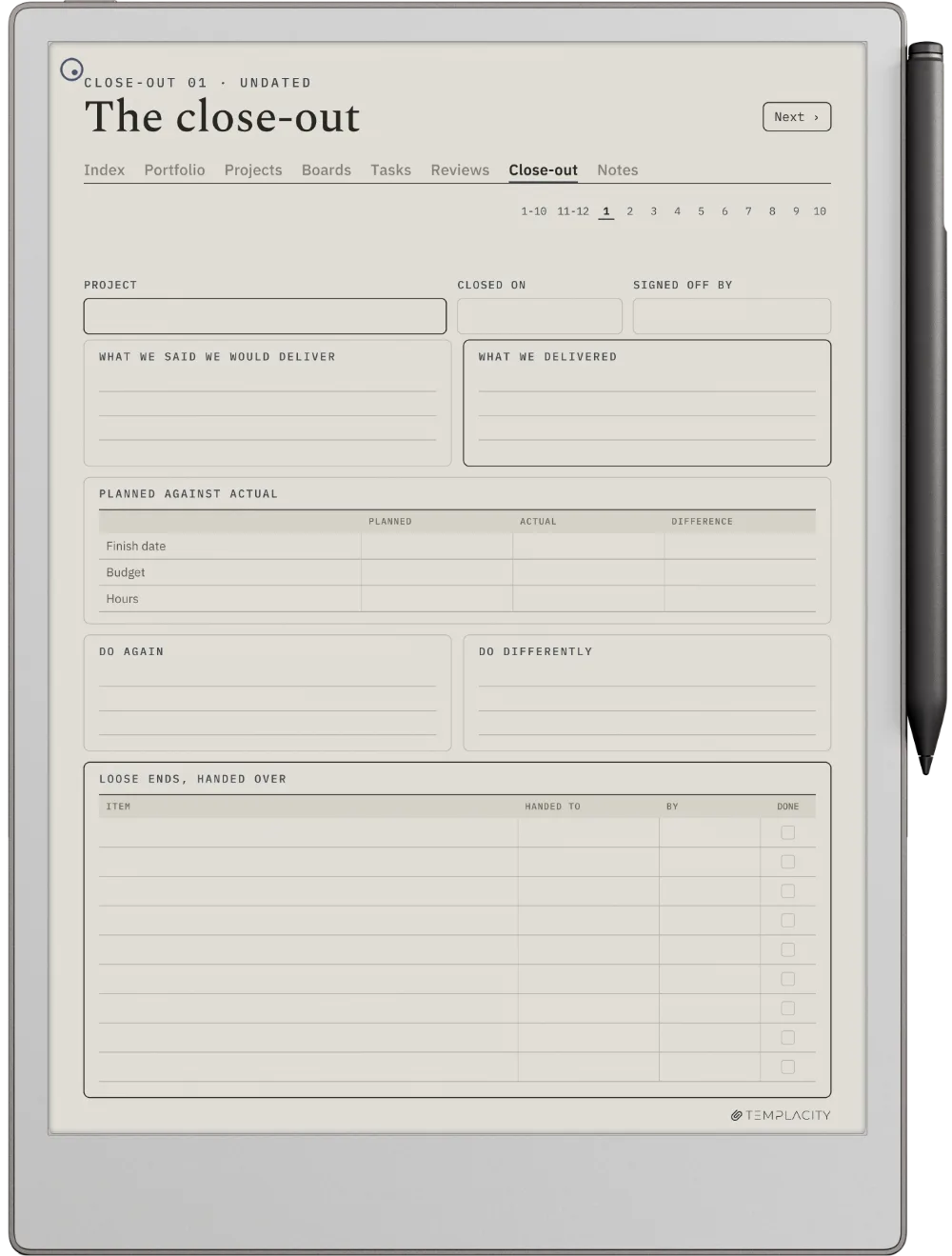
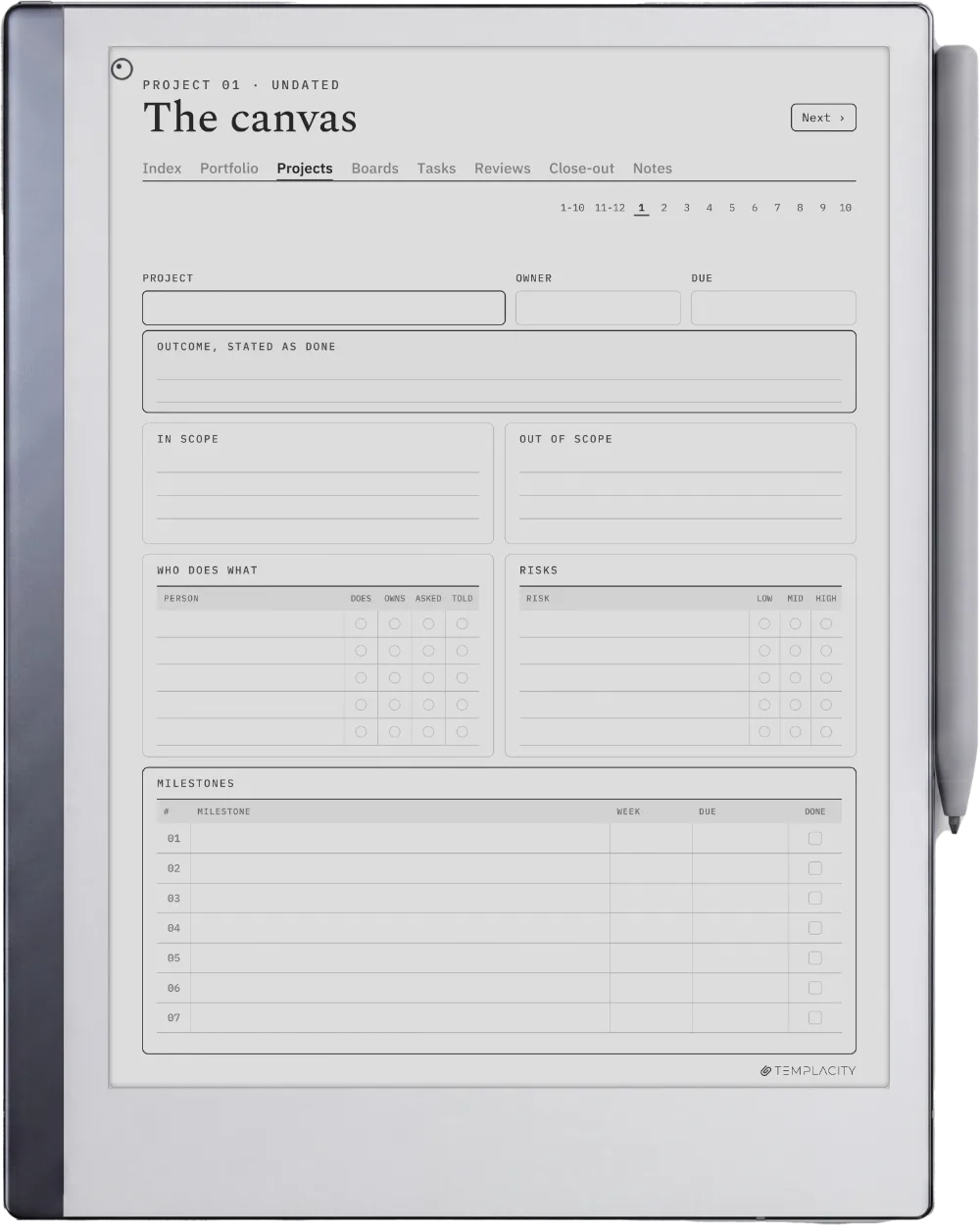
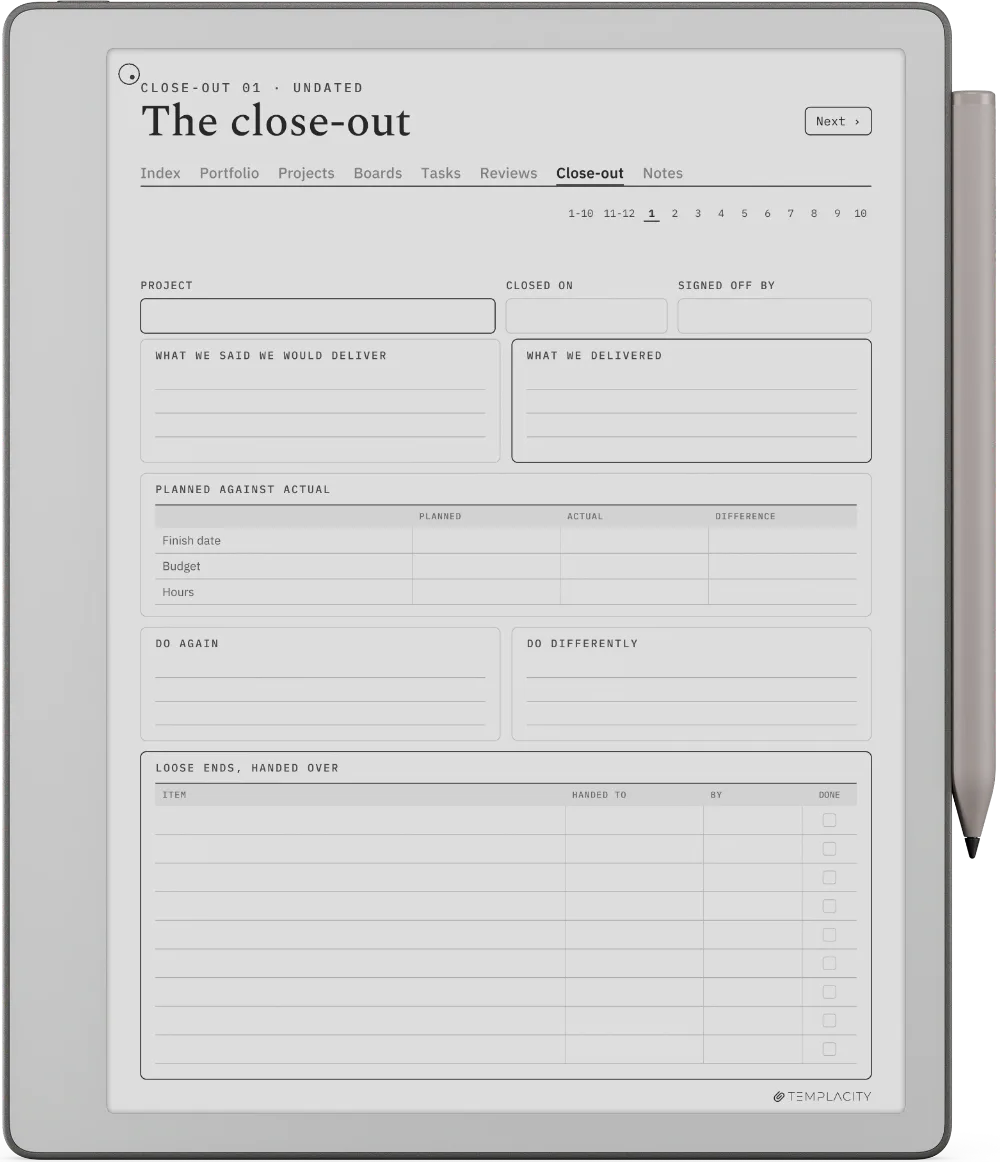
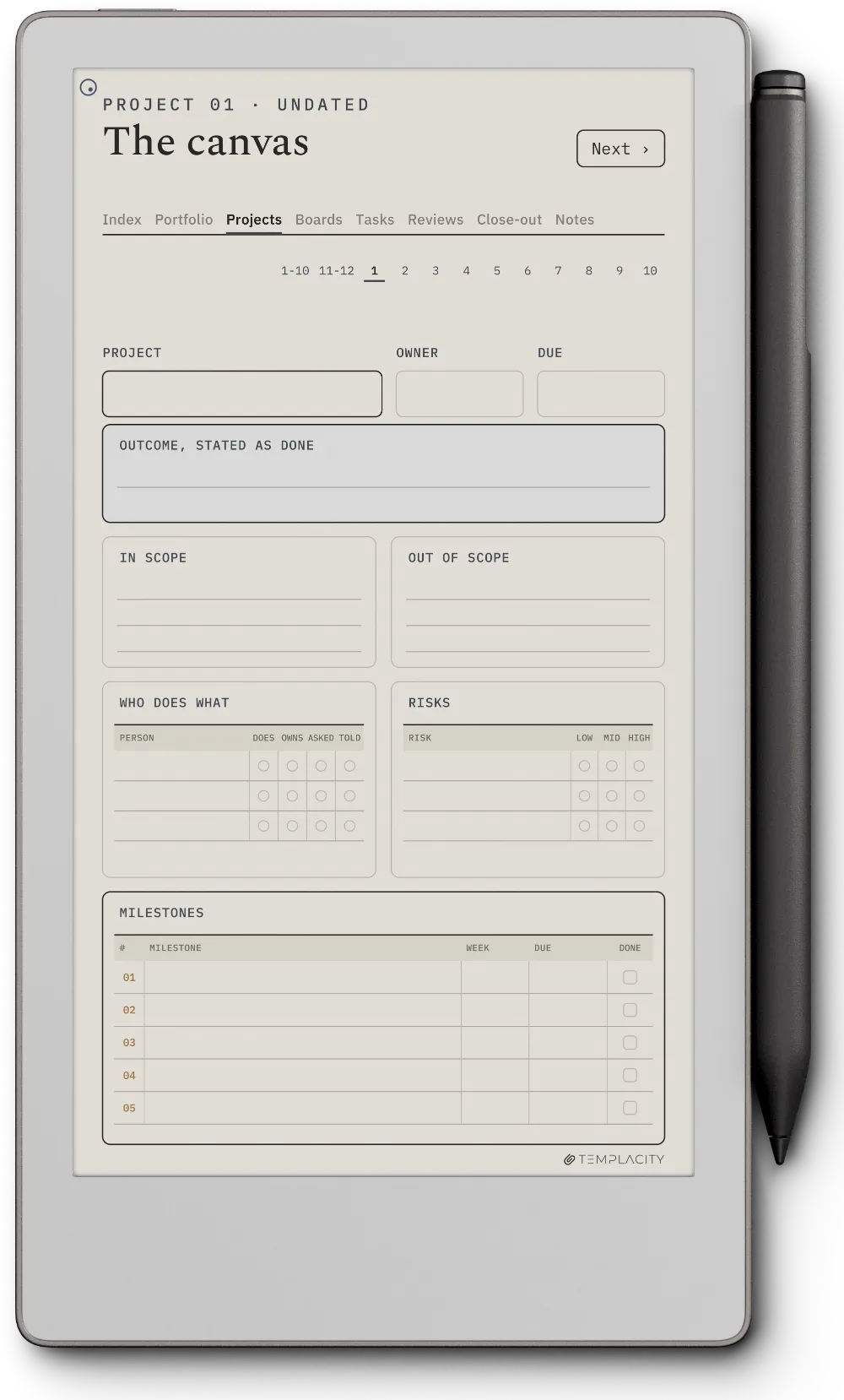
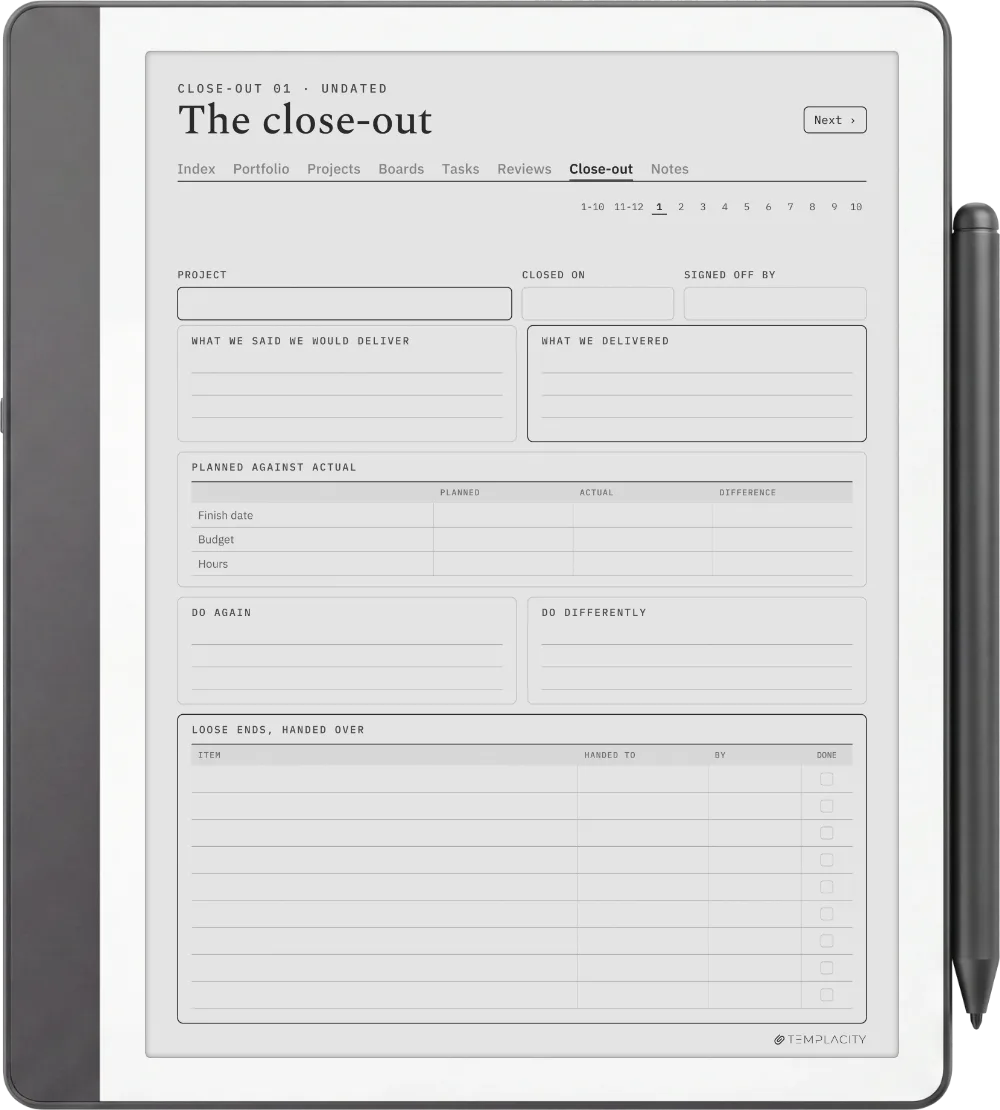
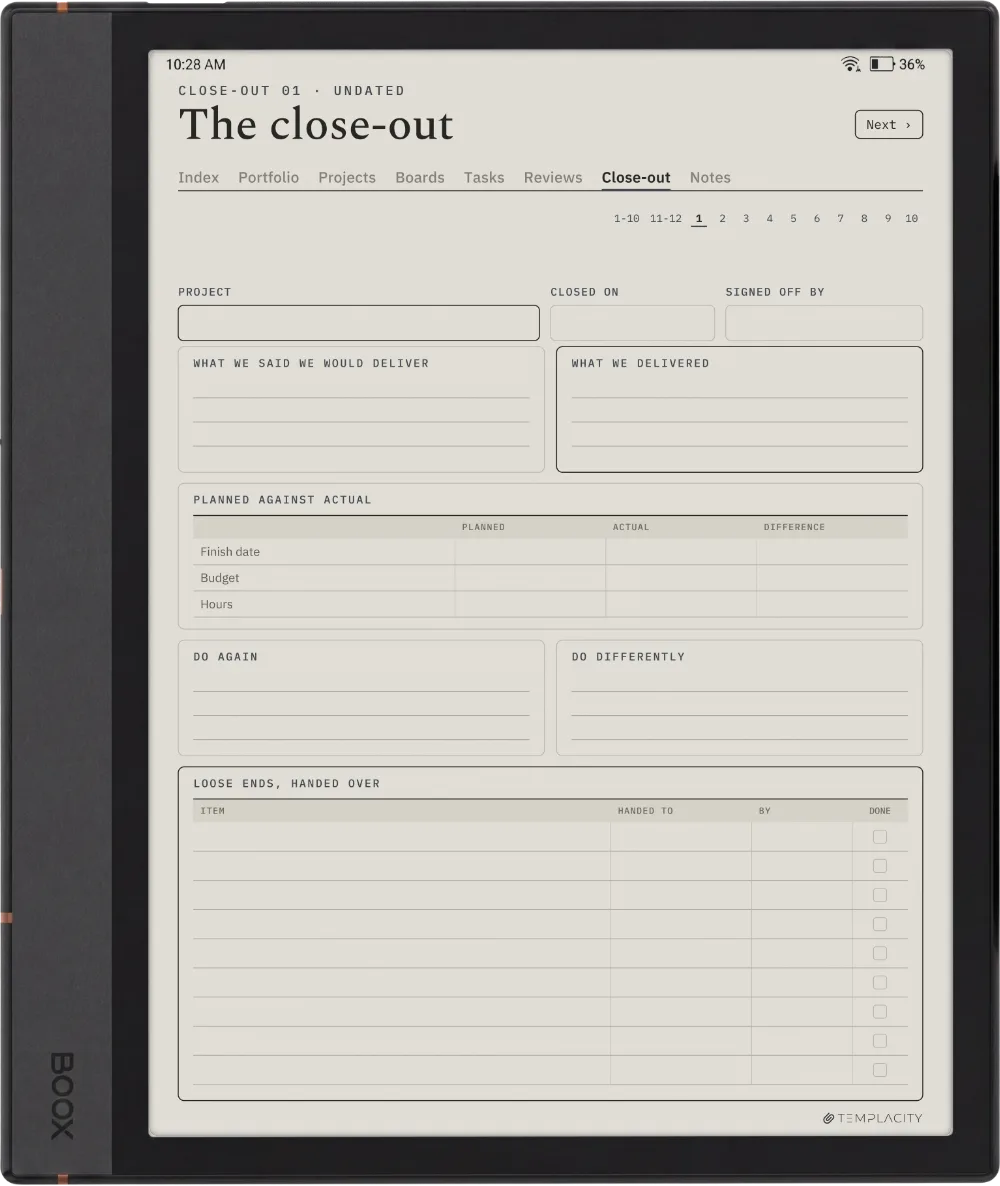
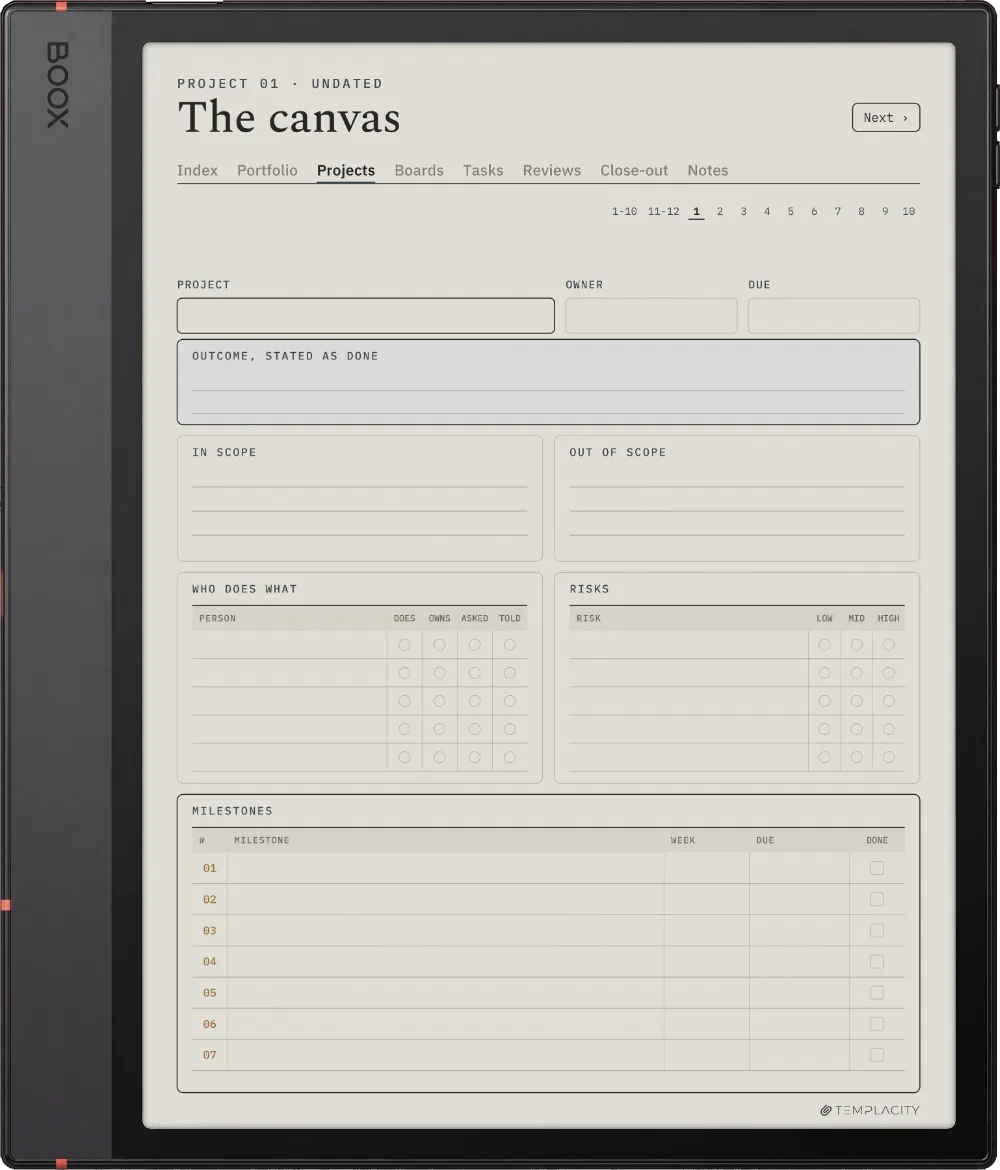
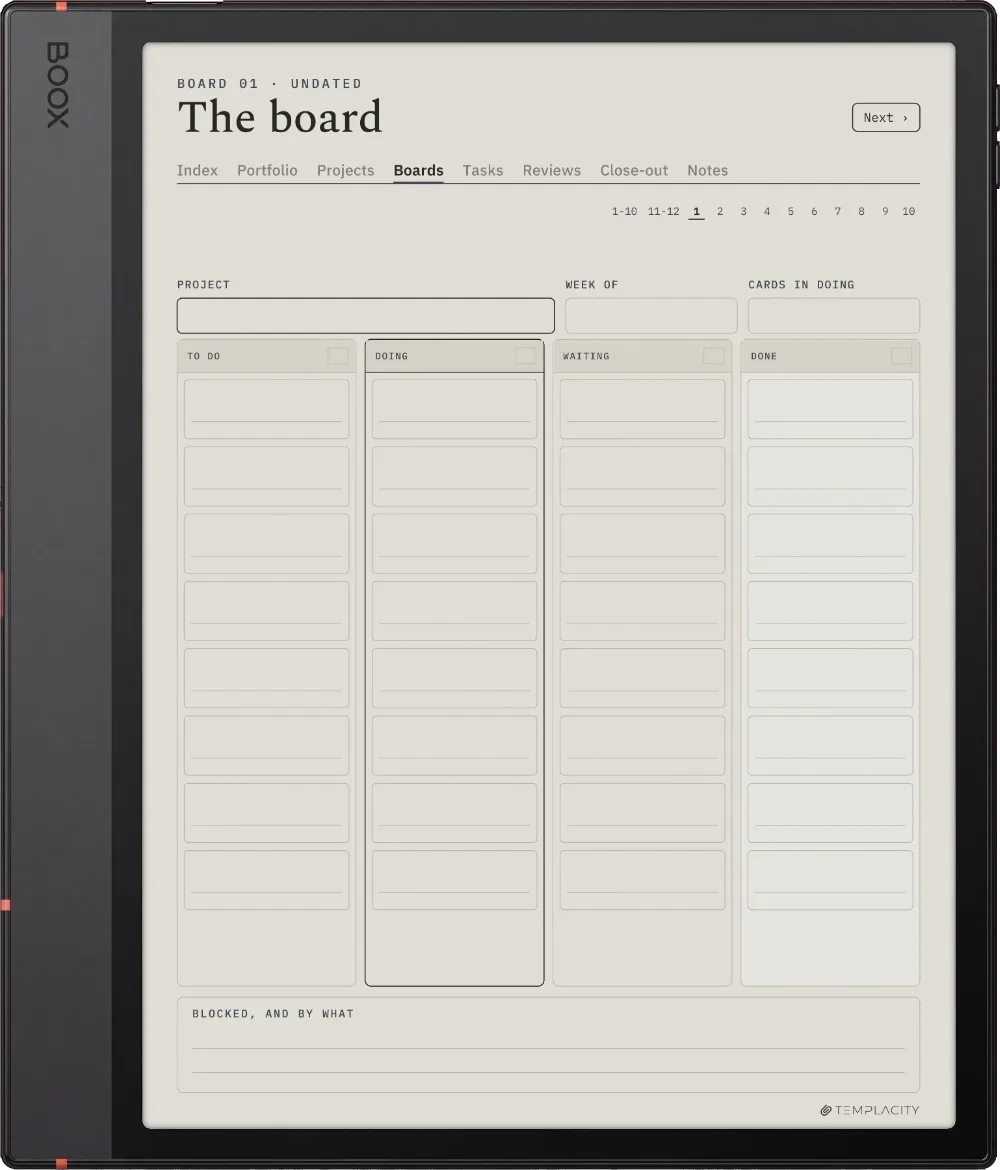
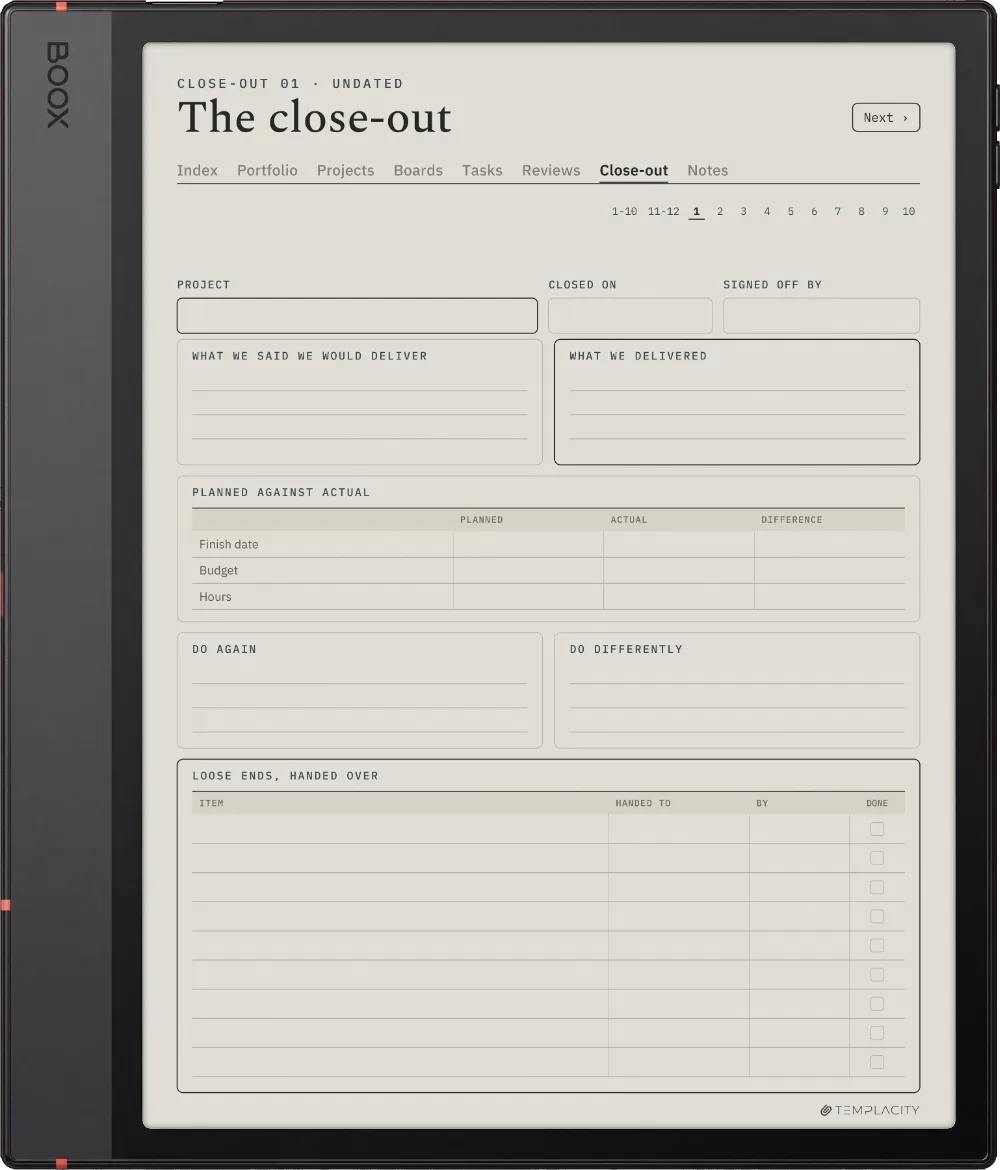
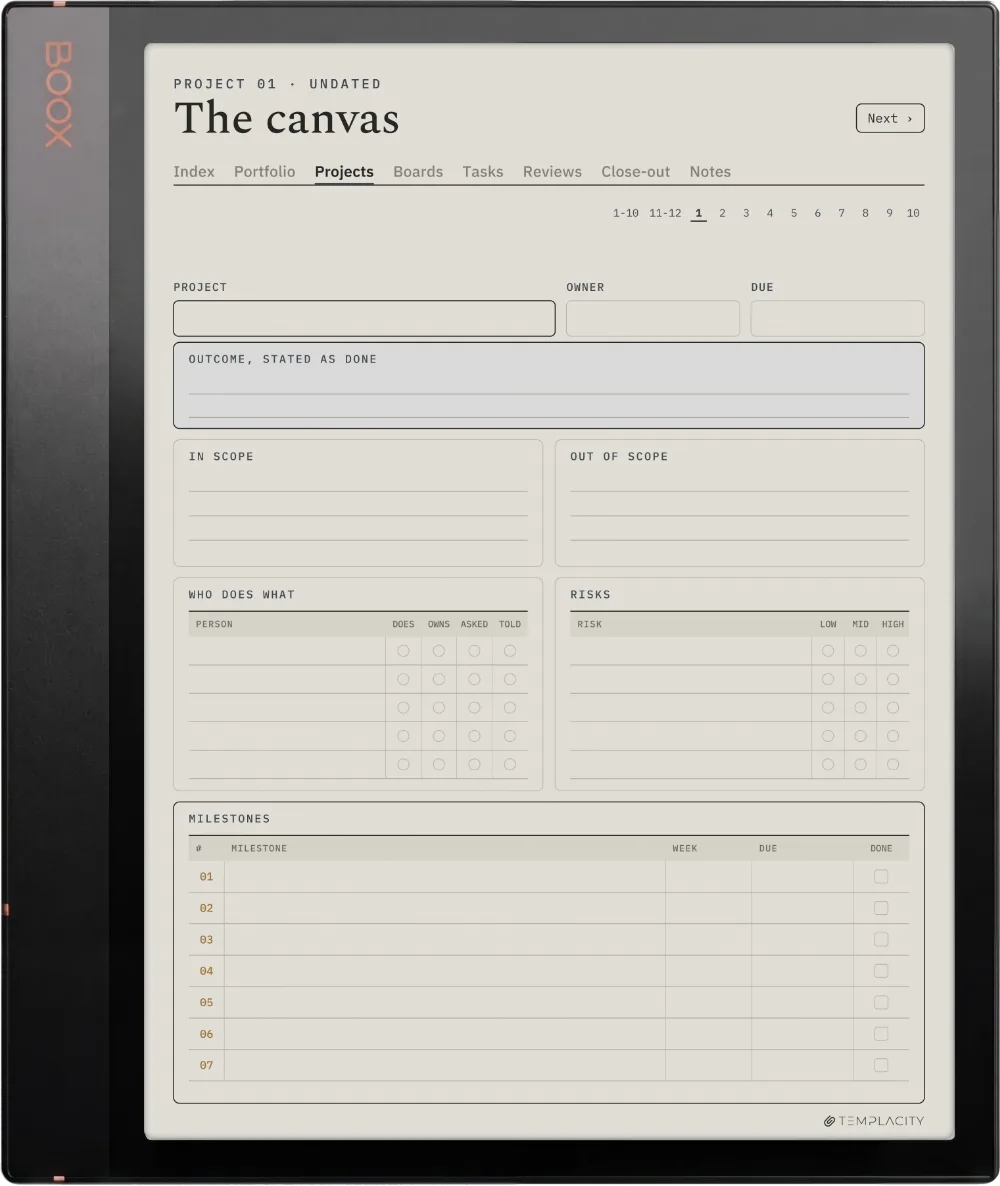
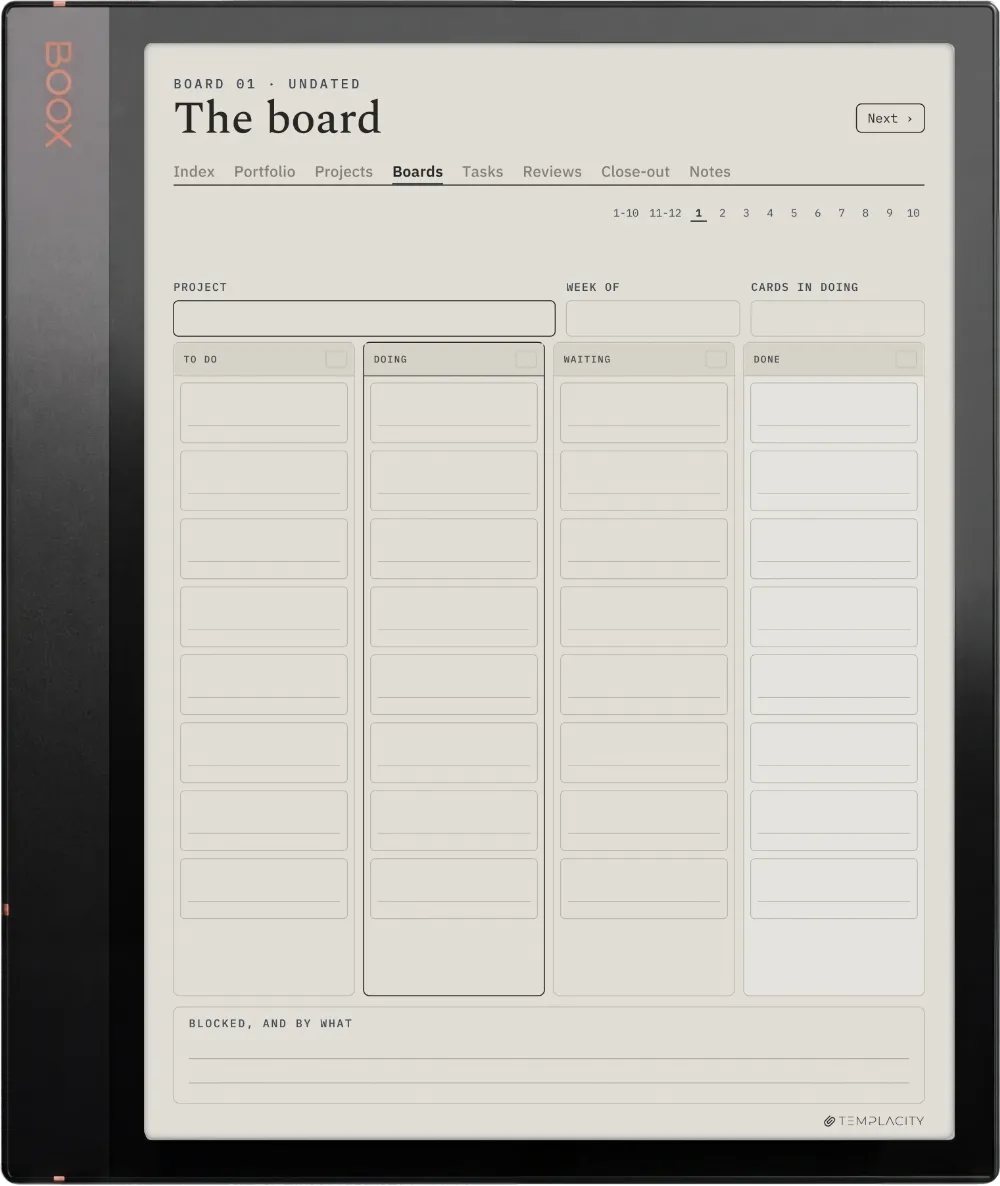
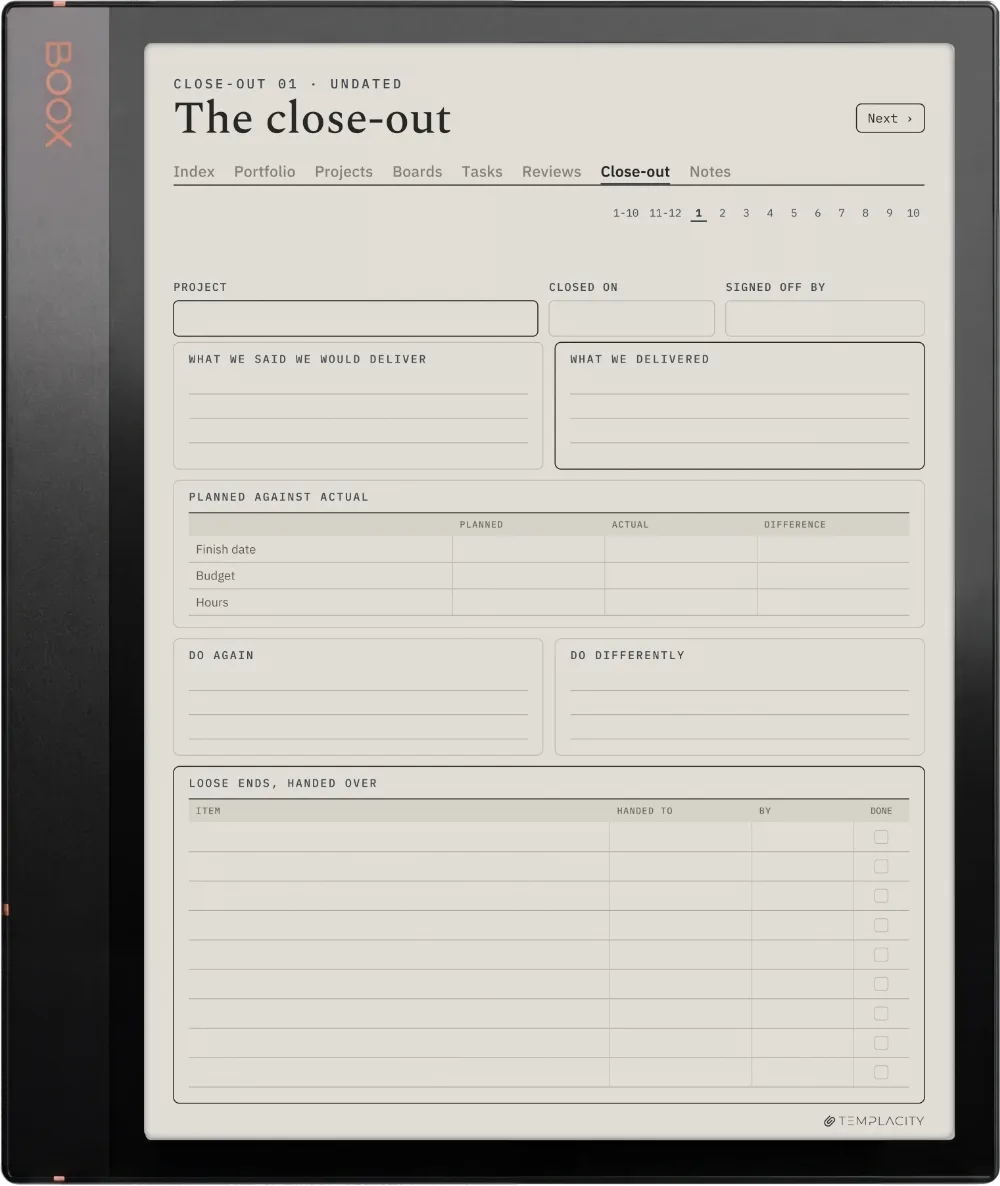
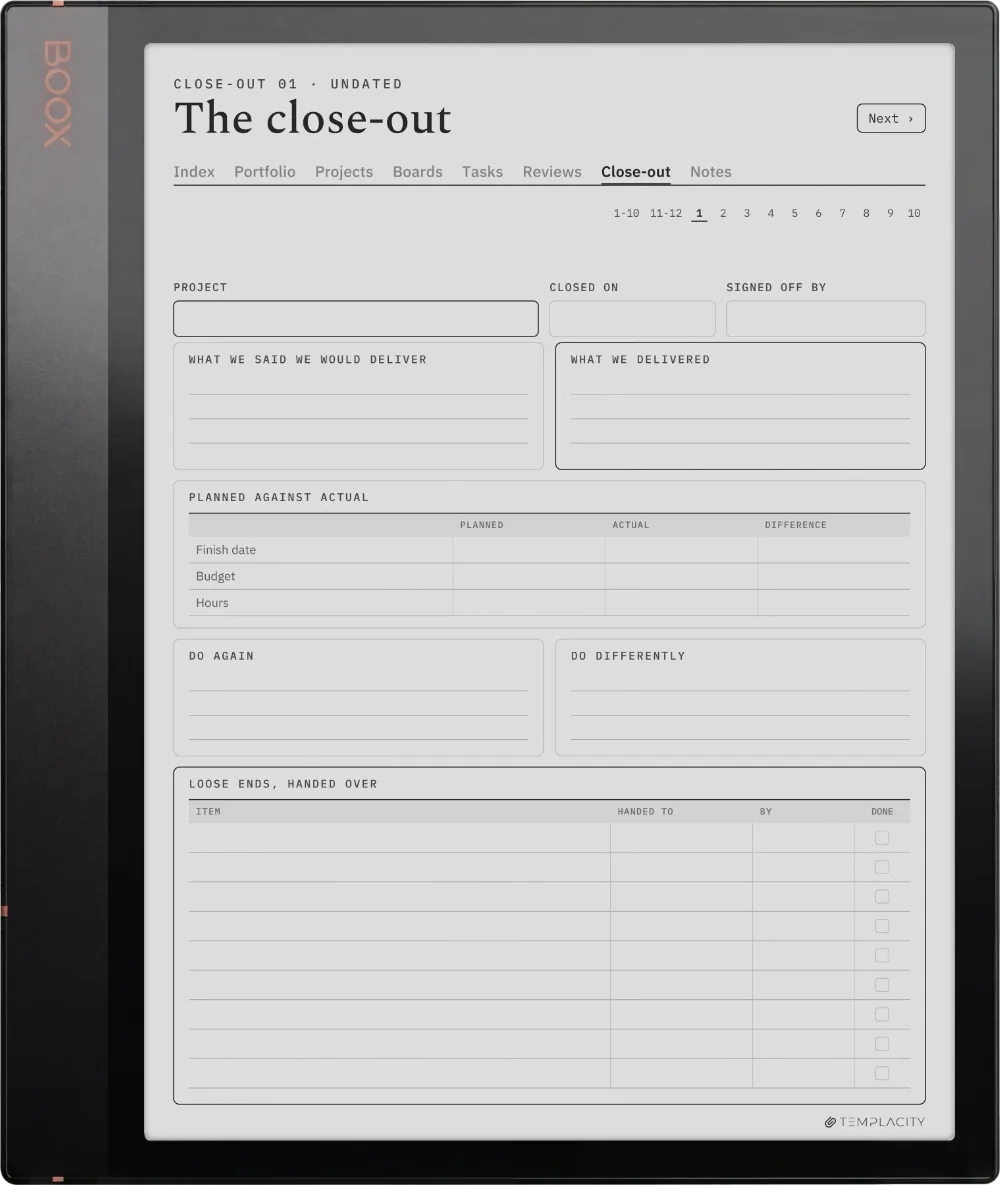
  • iii. A canvas, board and close-out for each of 12 projects
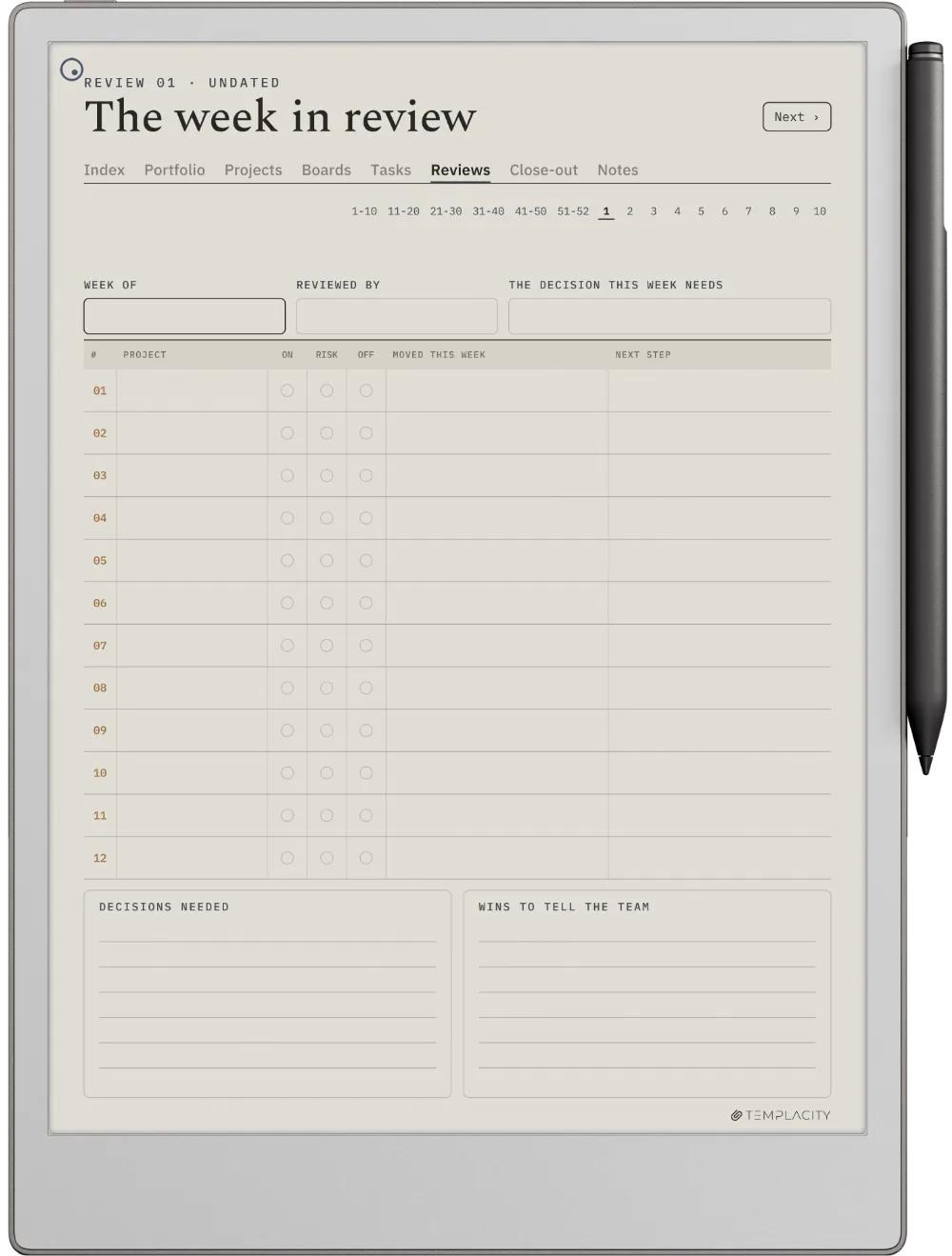
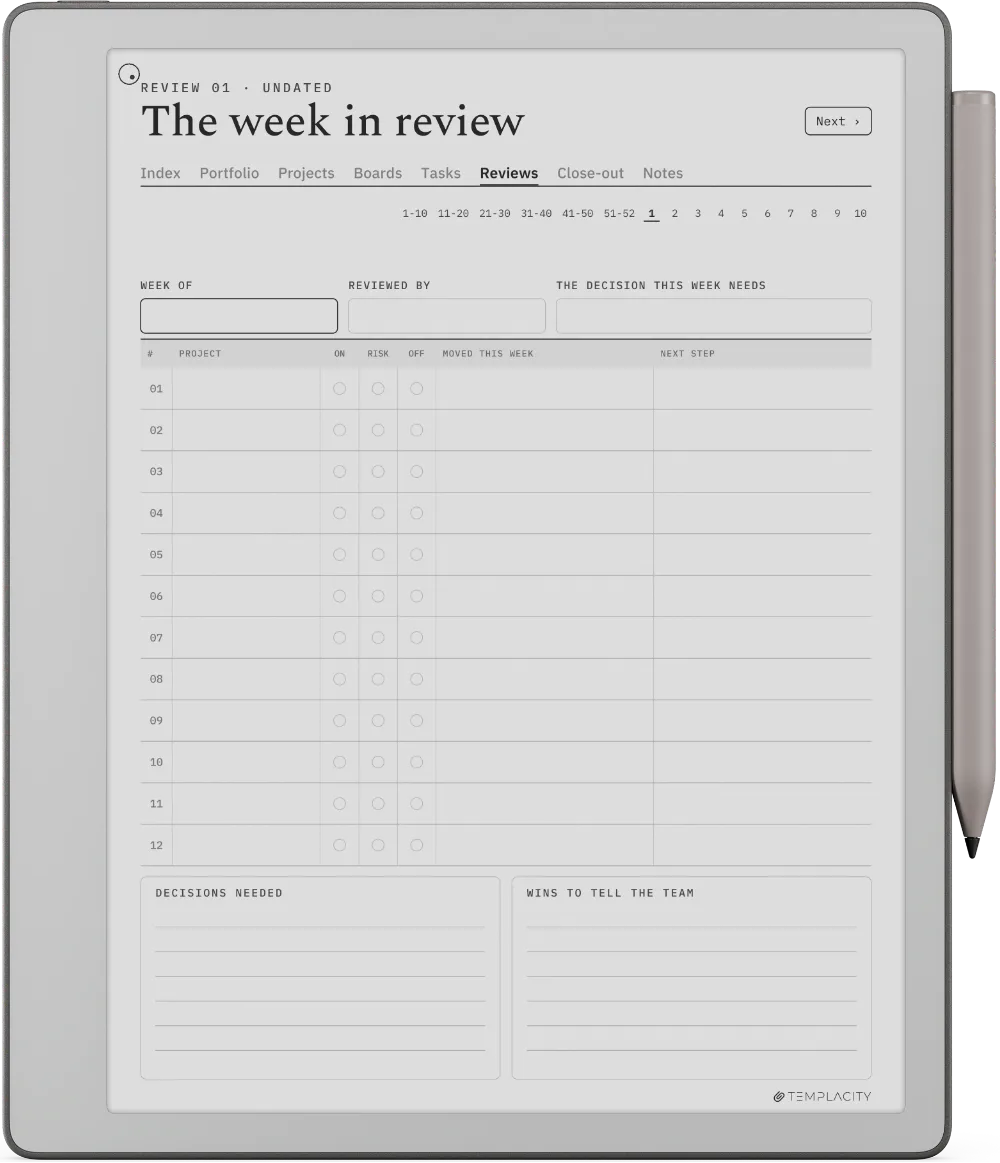
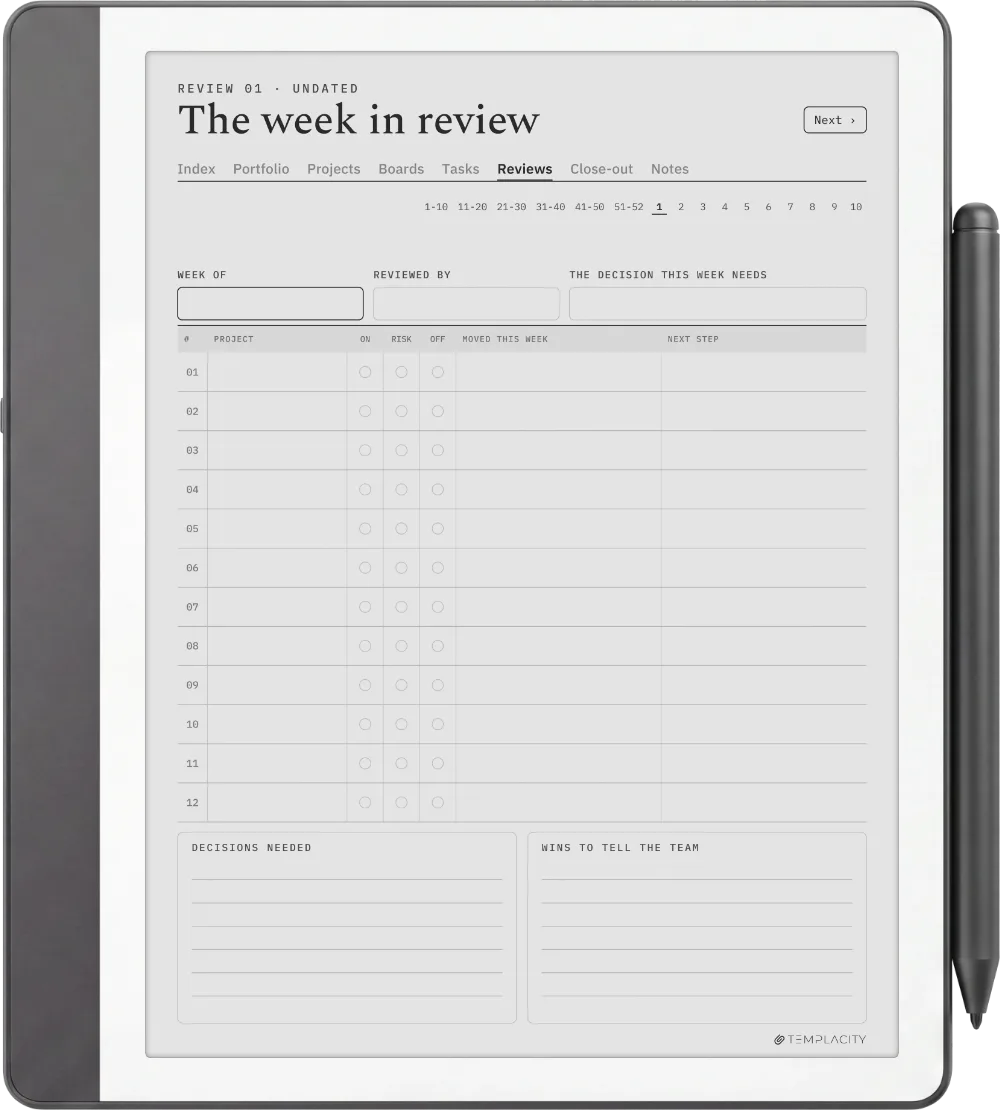
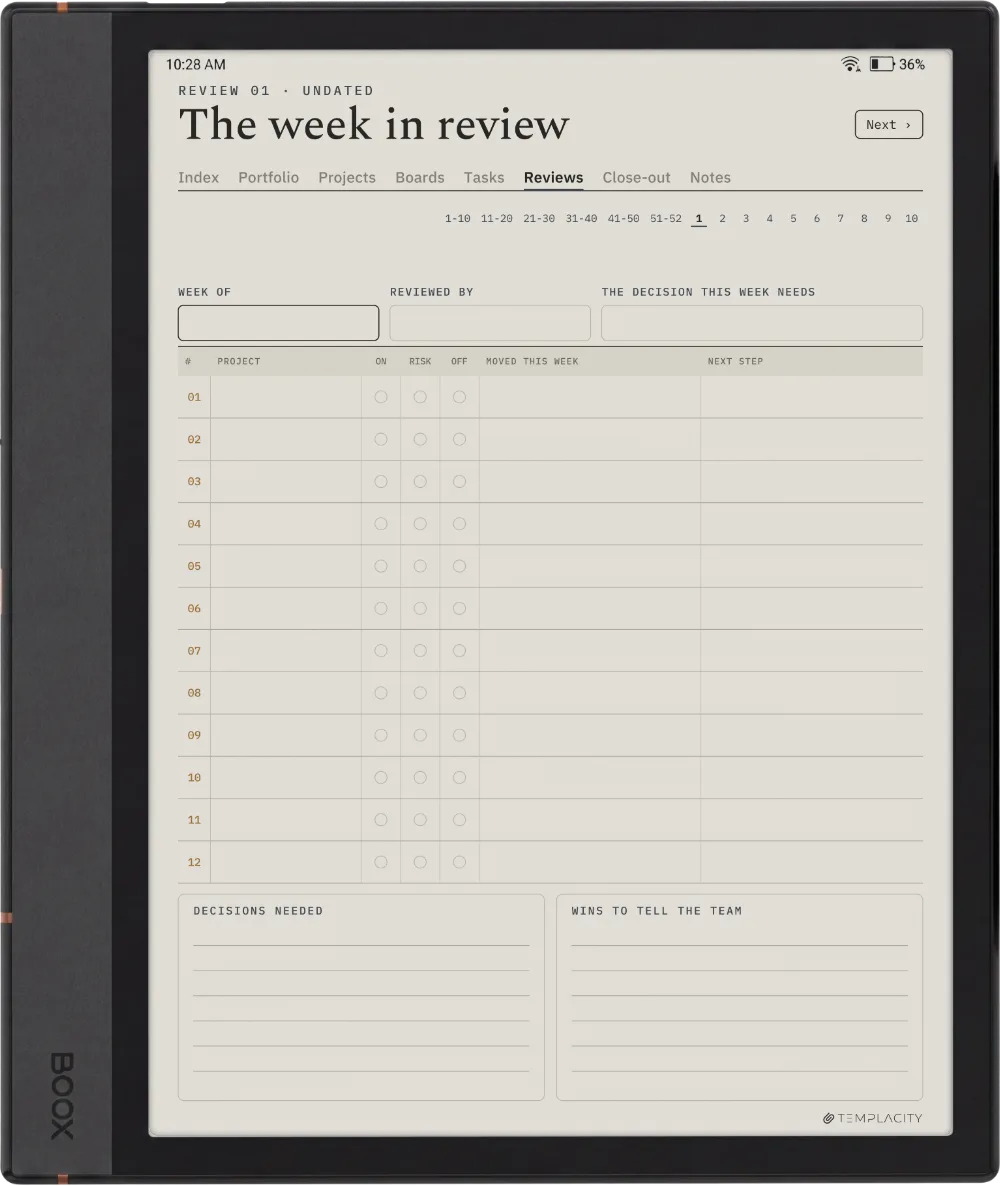
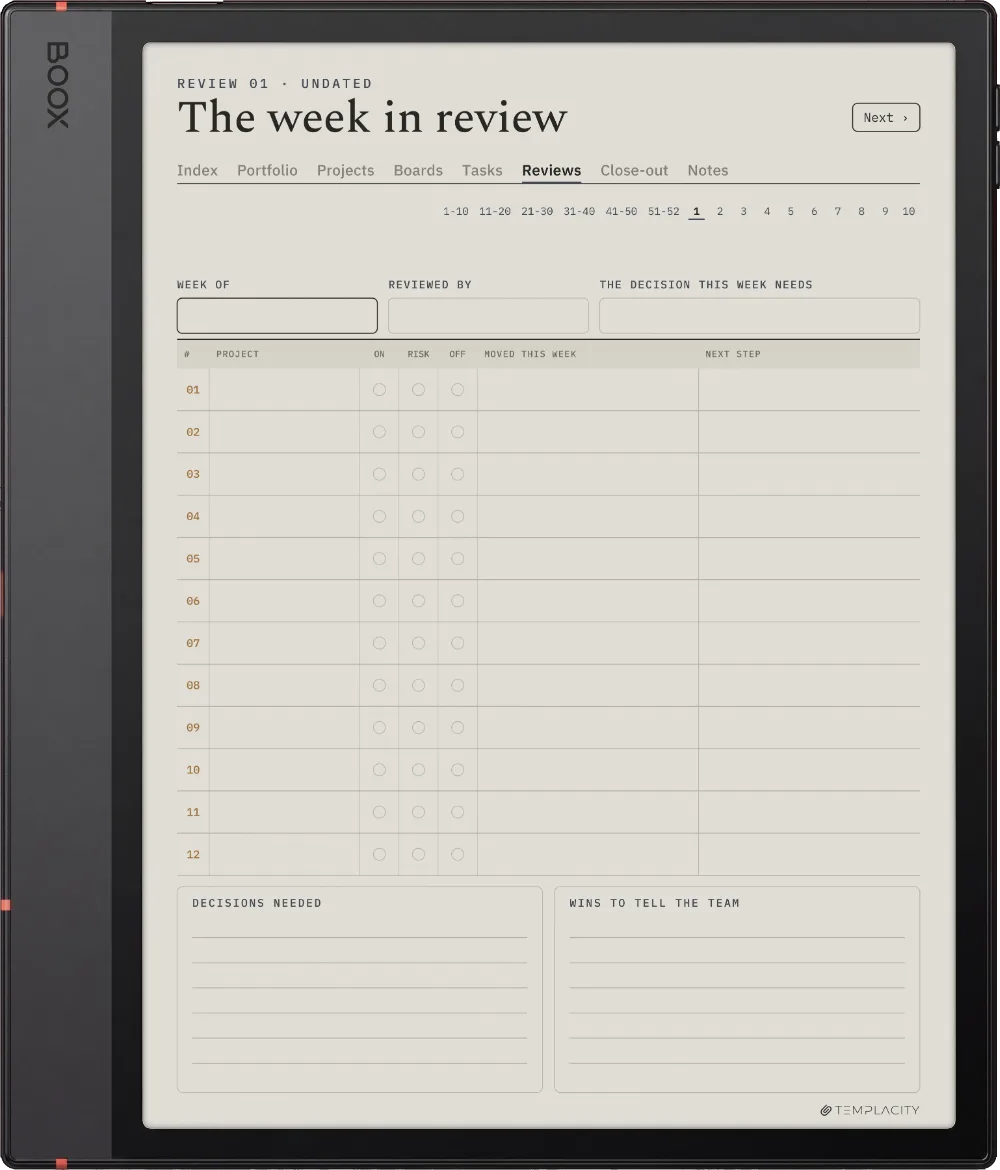
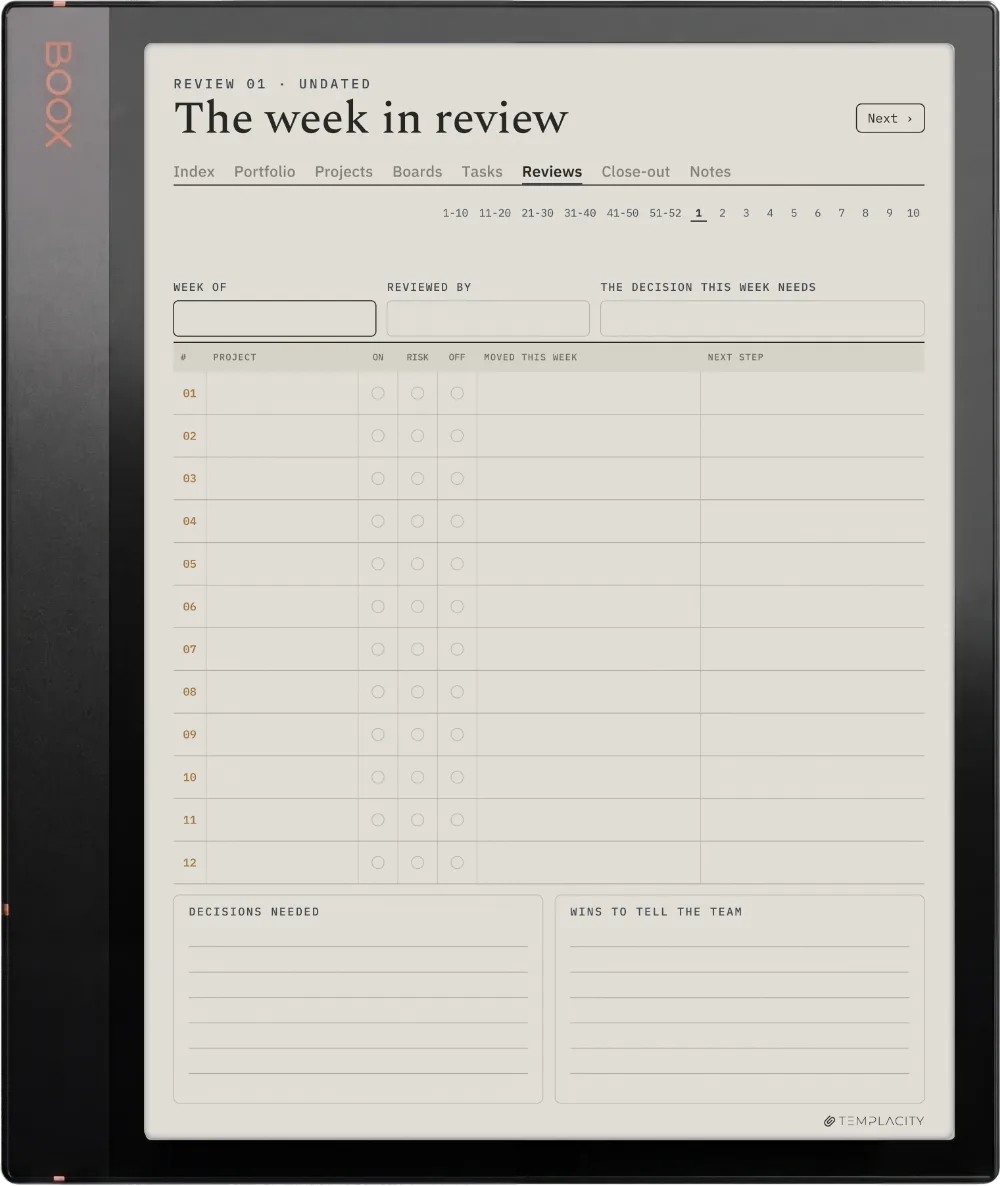
  • iv. 52 weekly reviews across the whole portfolio
№ 01 · Why this exists

For the person running several projects at once.

Most project planners hold one project well and the fifth one badly. This one starts from the portfolio, so a clash between two projects shows on the page before it shows in the calendar.

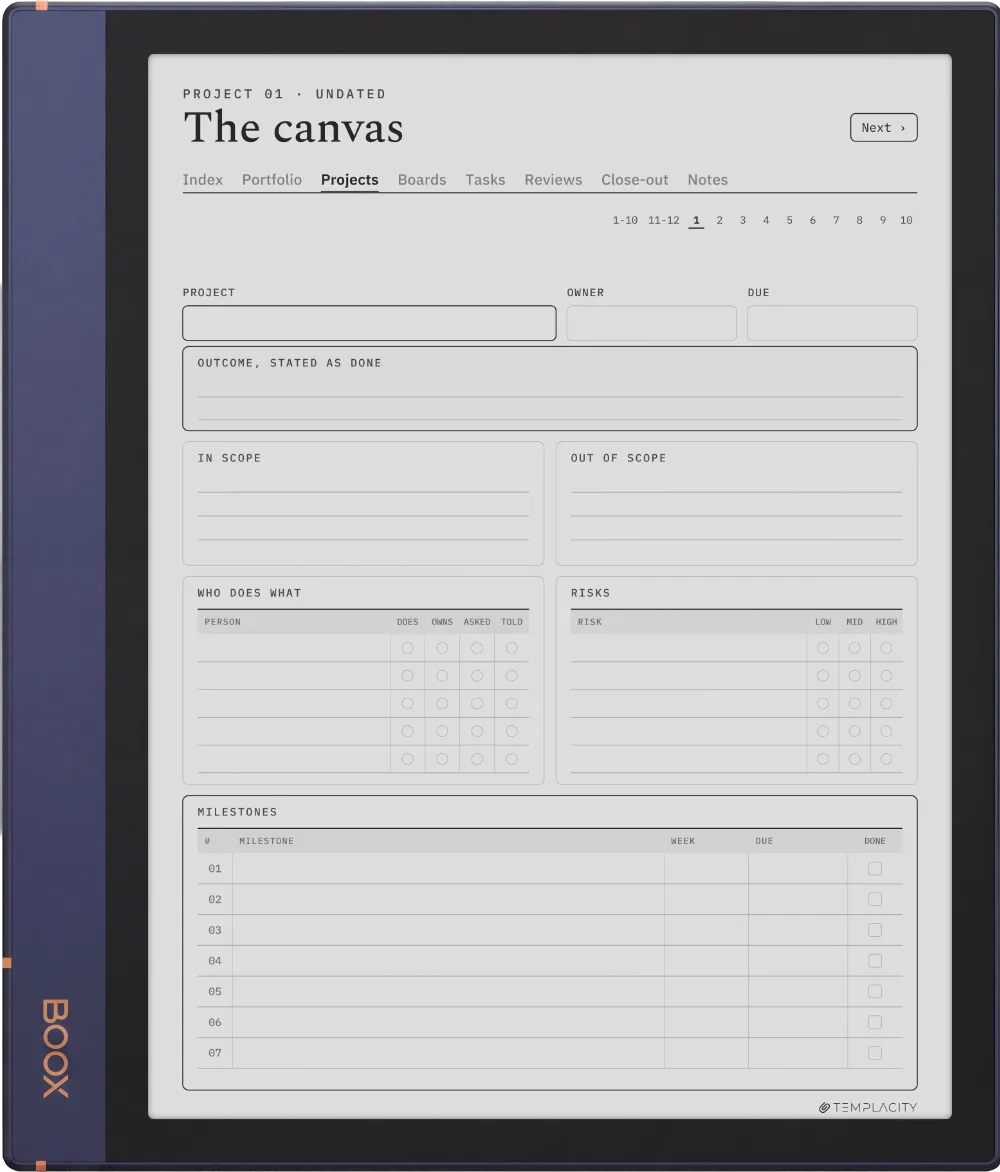
A filled guide sits at the front, one worked page per section, so you see each page in use before you write in it. It pairs with the Digital Work Planner for the days in between.

№ 02 · Inside the system

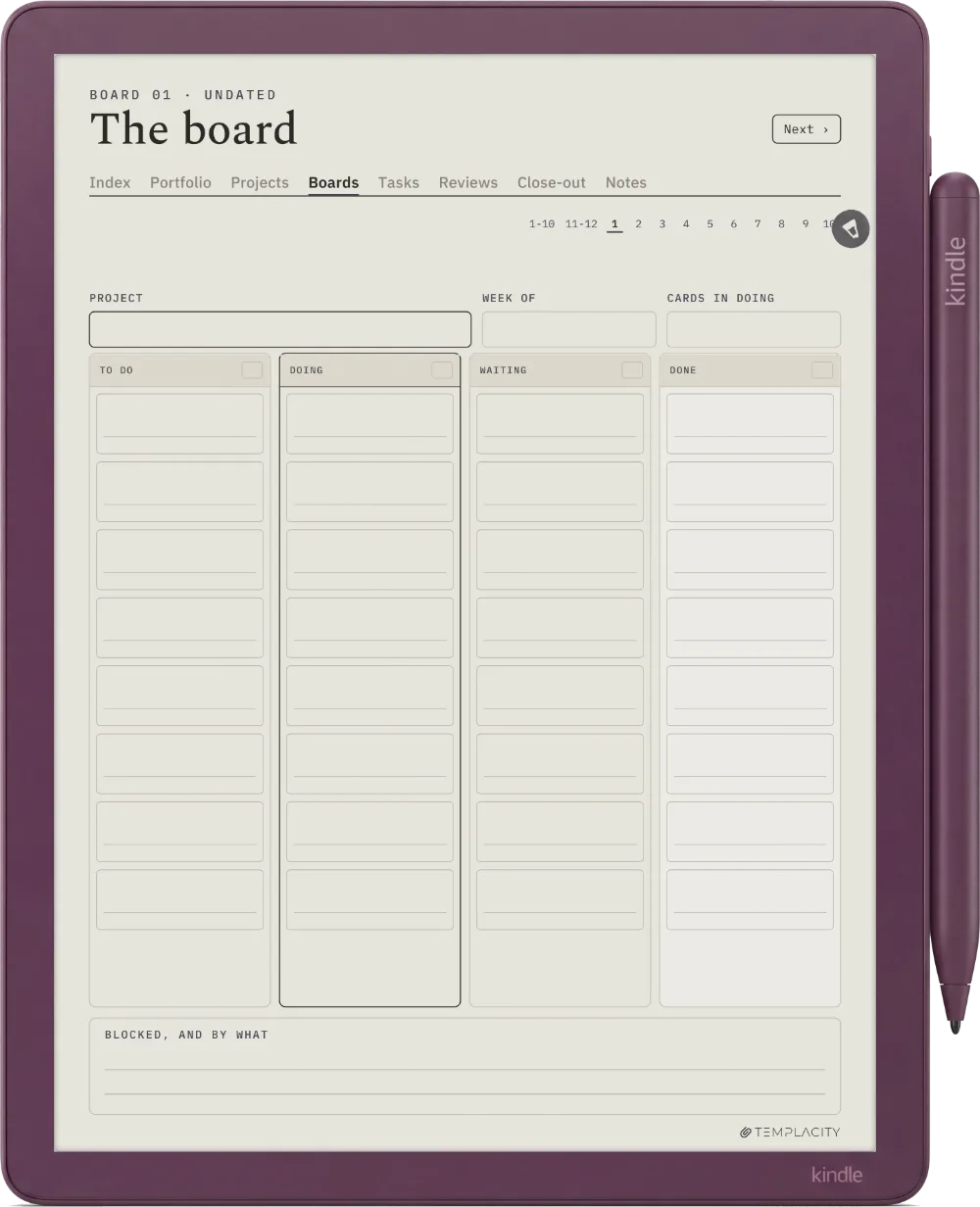
Twelve projects, one tap apart.

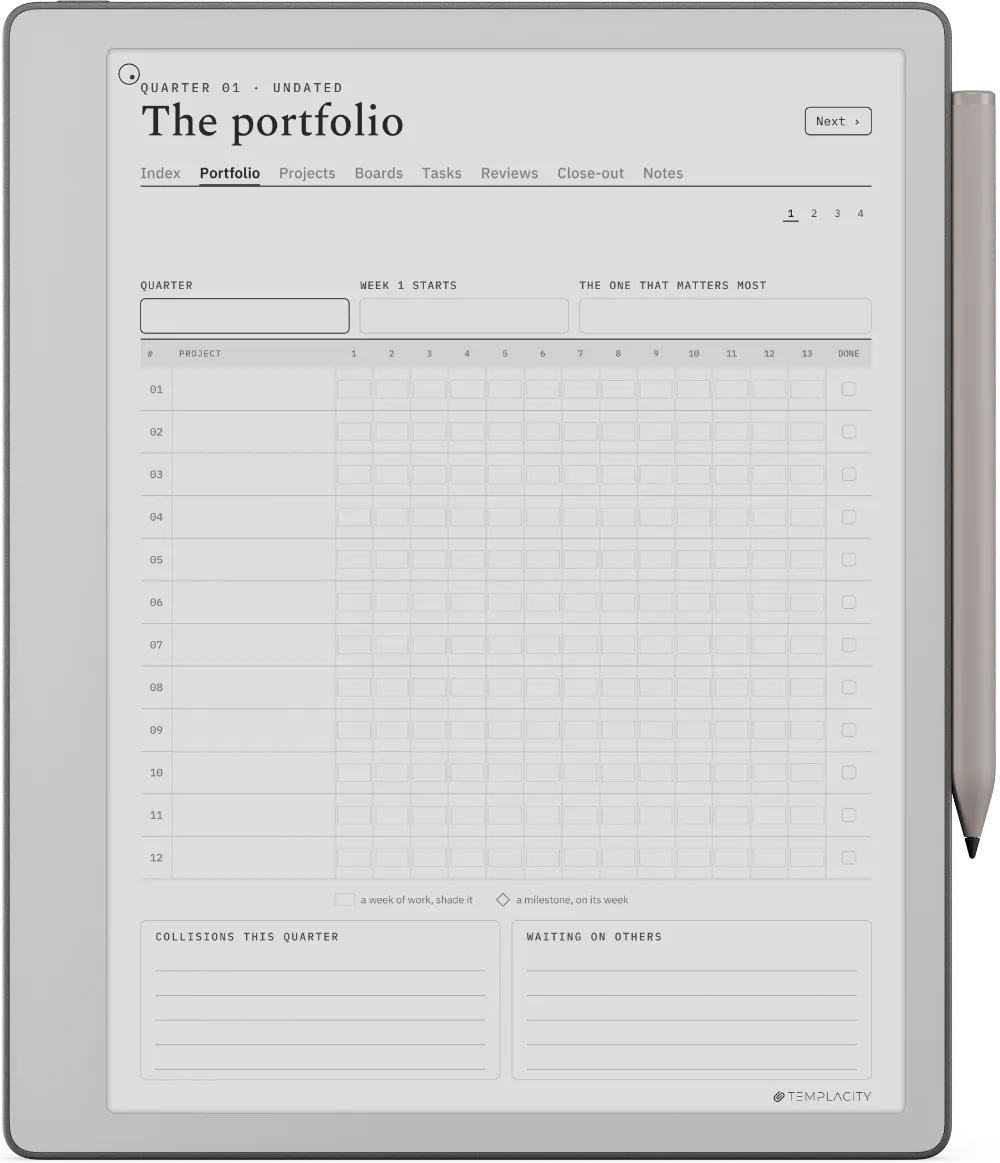
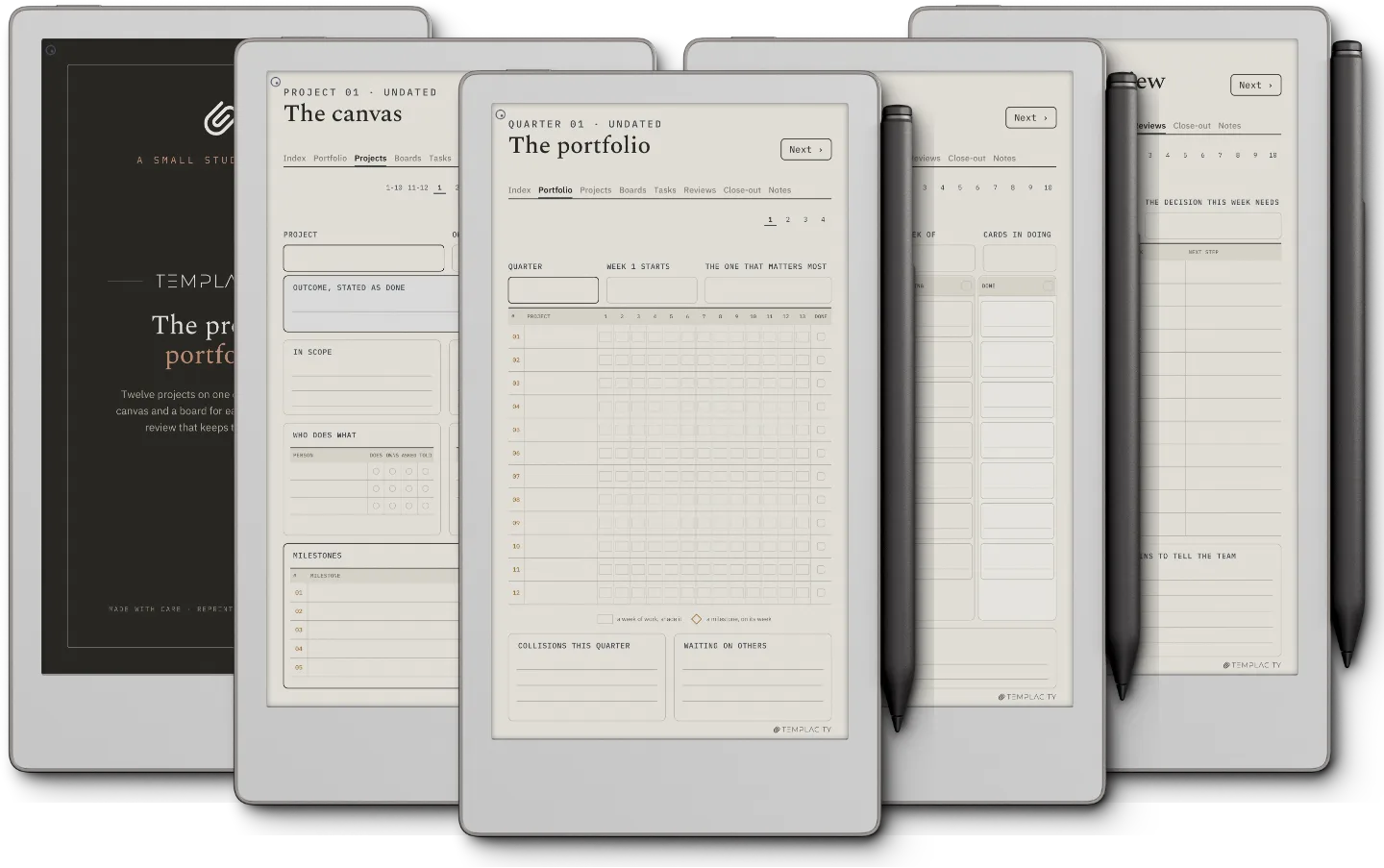
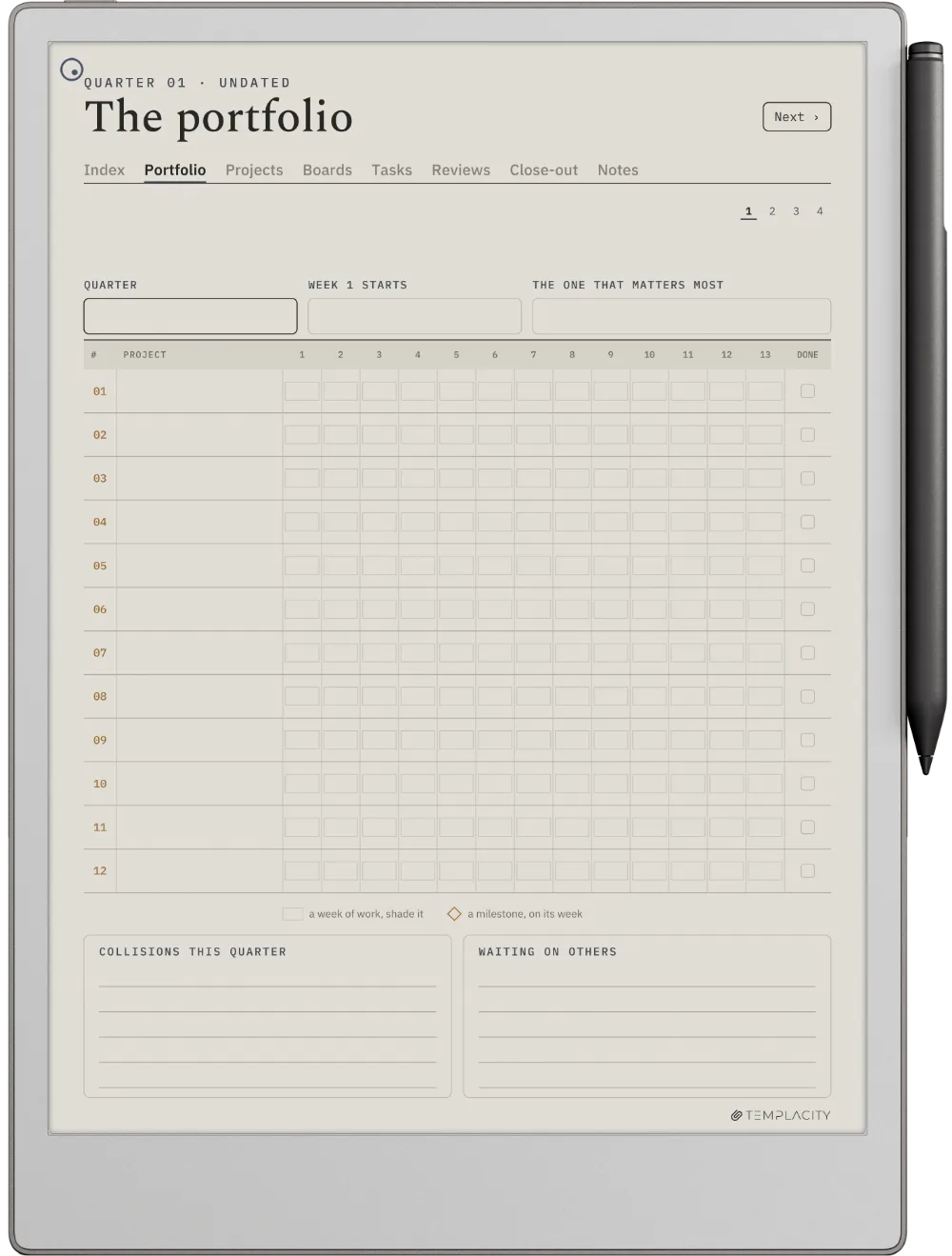
The Planner · Project Portfolio reMarkable Paper Pro page 1
The Planner · Project Portfolio reMarkable Paper Pro page 2
The Planner · Project Portfolio reMarkable Paper Pro page 3
The Planner · Project Portfolio reMarkable Paper Pro page 4
The Planner · Project Portfolio reMarkable Paper Pro page 5
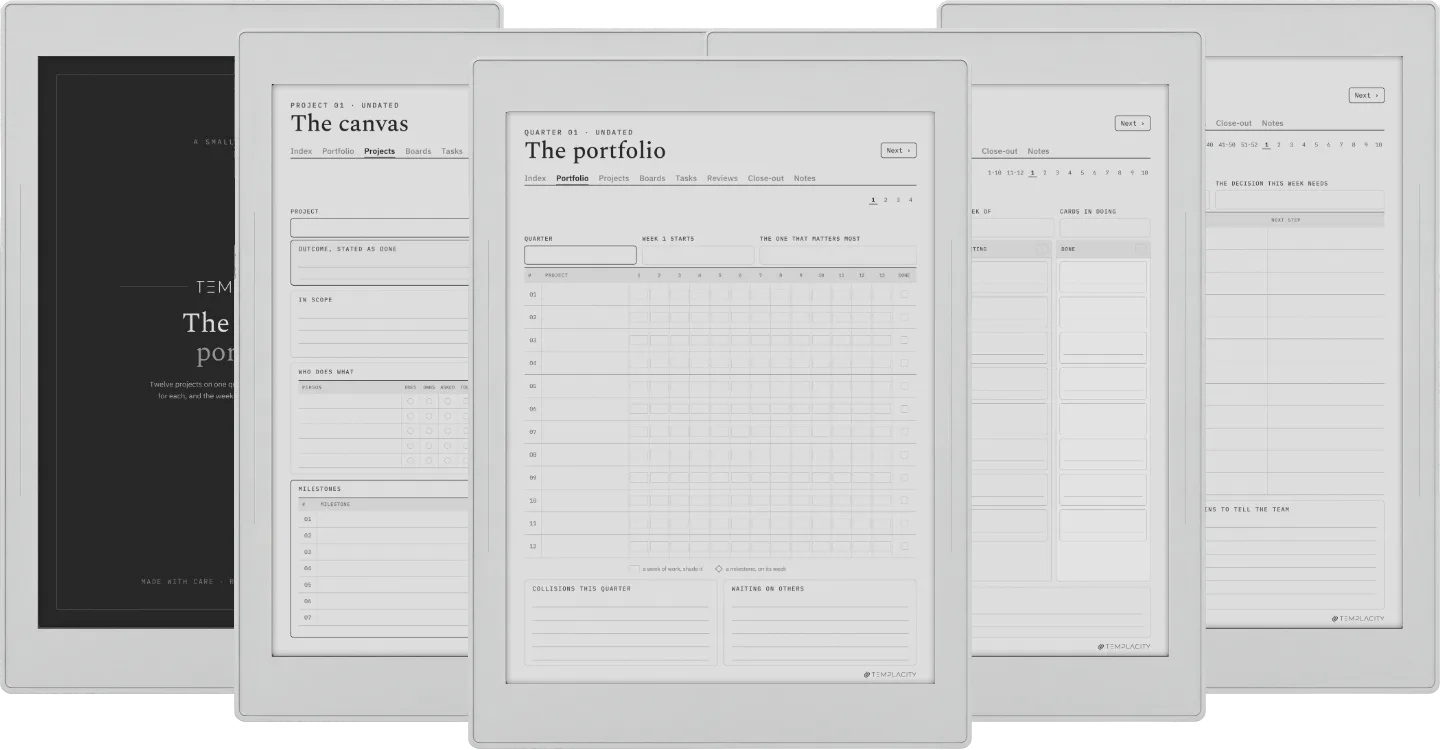
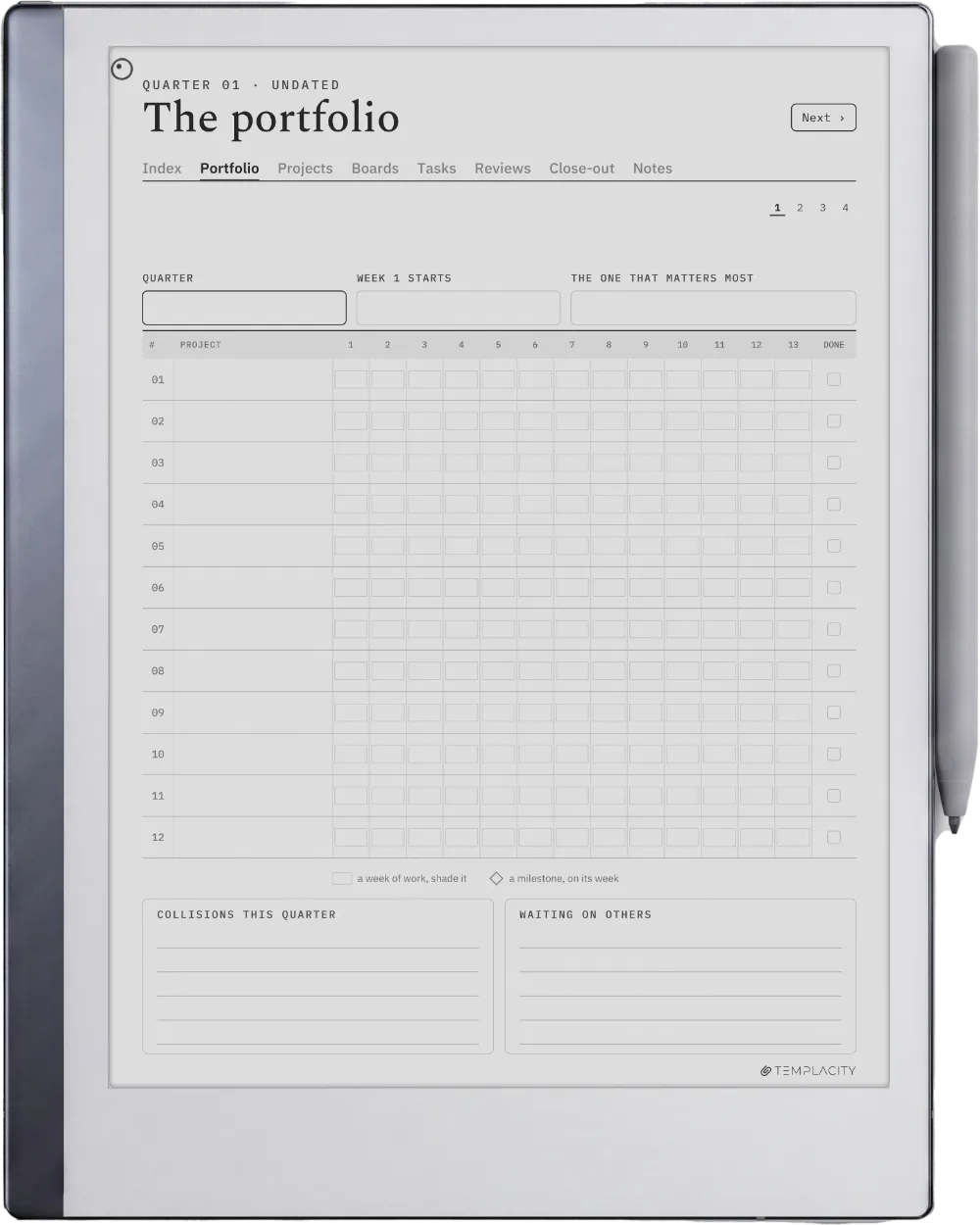
The Planner · Project Portfolio reMarkable 2 page 1
The Planner · Project Portfolio reMarkable 2 page 2
The Planner · Project Portfolio reMarkable 2 page 3
The Planner · Project Portfolio reMarkable 2 page 4
The Planner · Project Portfolio reMarkable 2 page 5
The Planner · Project Portfolio reMarkable Paper Pure page 1
The Planner · Project Portfolio reMarkable Paper Pure page 2
The Planner · Project Portfolio reMarkable Paper Pure page 3
The Planner · Project Portfolio reMarkable Paper Pure page 4
The Planner · Project Portfolio reMarkable Paper Pure page 5
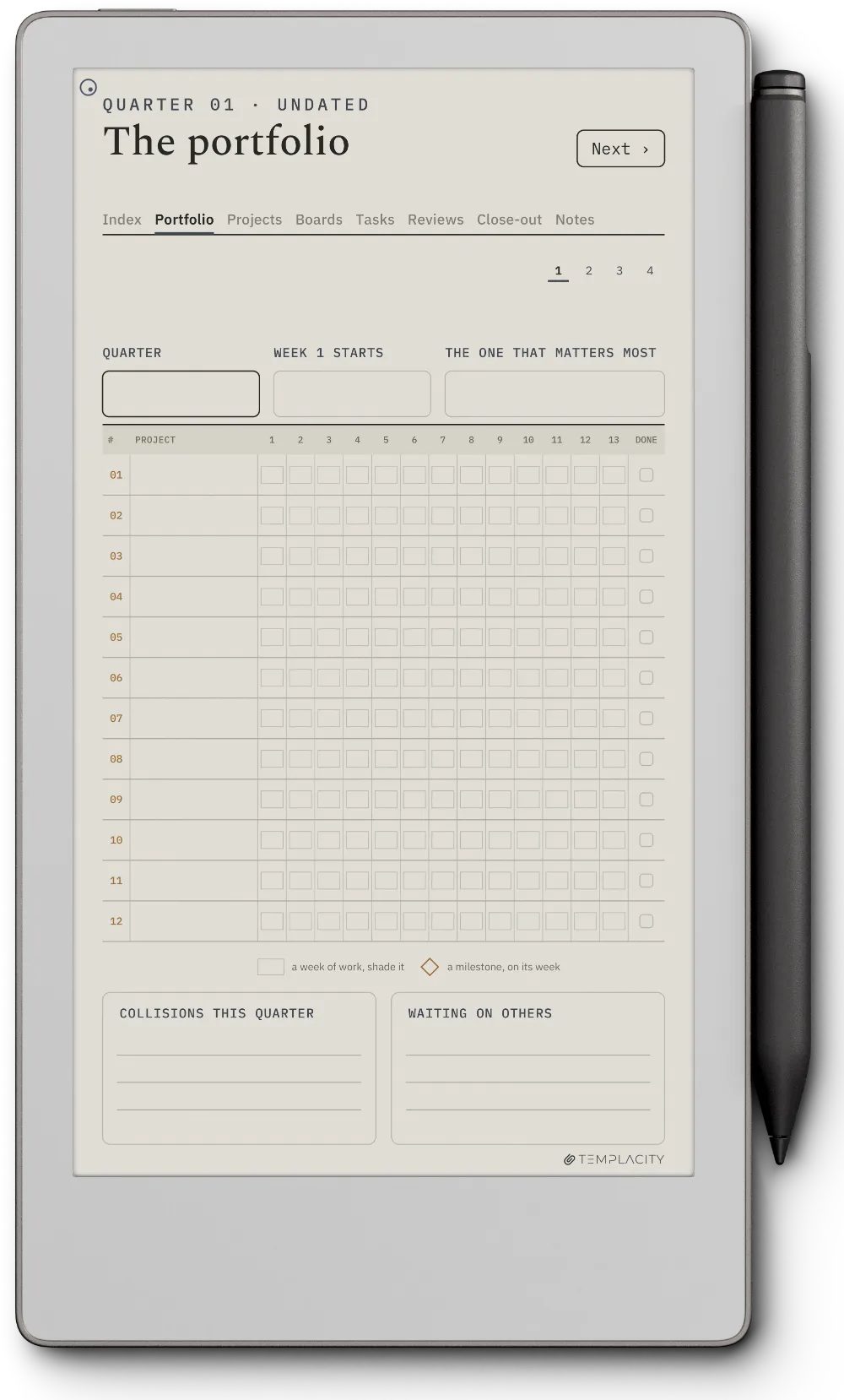
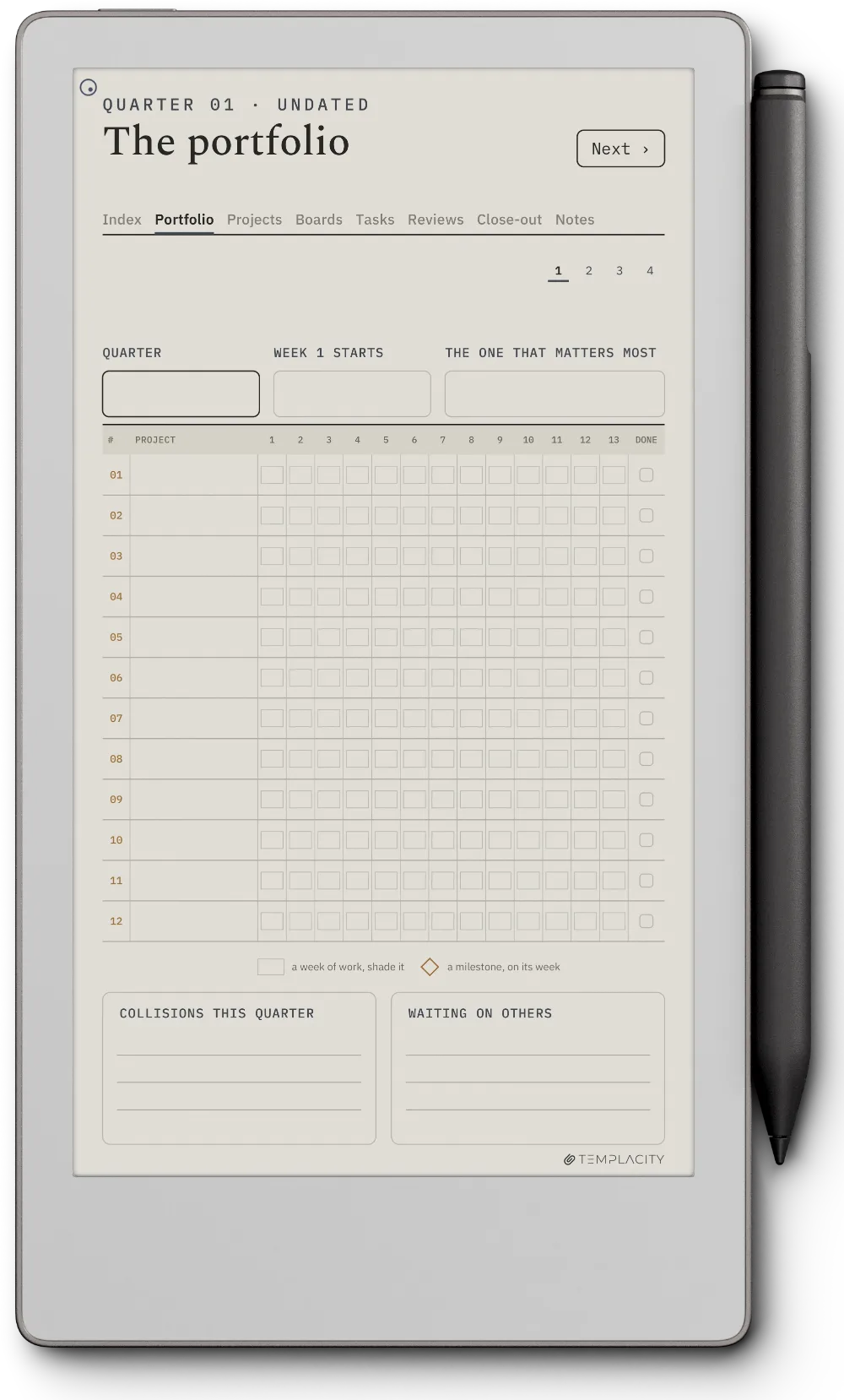
The Planner · Project Portfolio reMarkable Paper Pro Move page 1
The Planner · Project Portfolio reMarkable Paper Pro Move page 2
The Planner · Project Portfolio reMarkable Paper Pro Move page 3
The Planner · Project Portfolio reMarkable Paper Pro Move page 4
The Planner · Project Portfolio reMarkable Paper Pro Move page 5
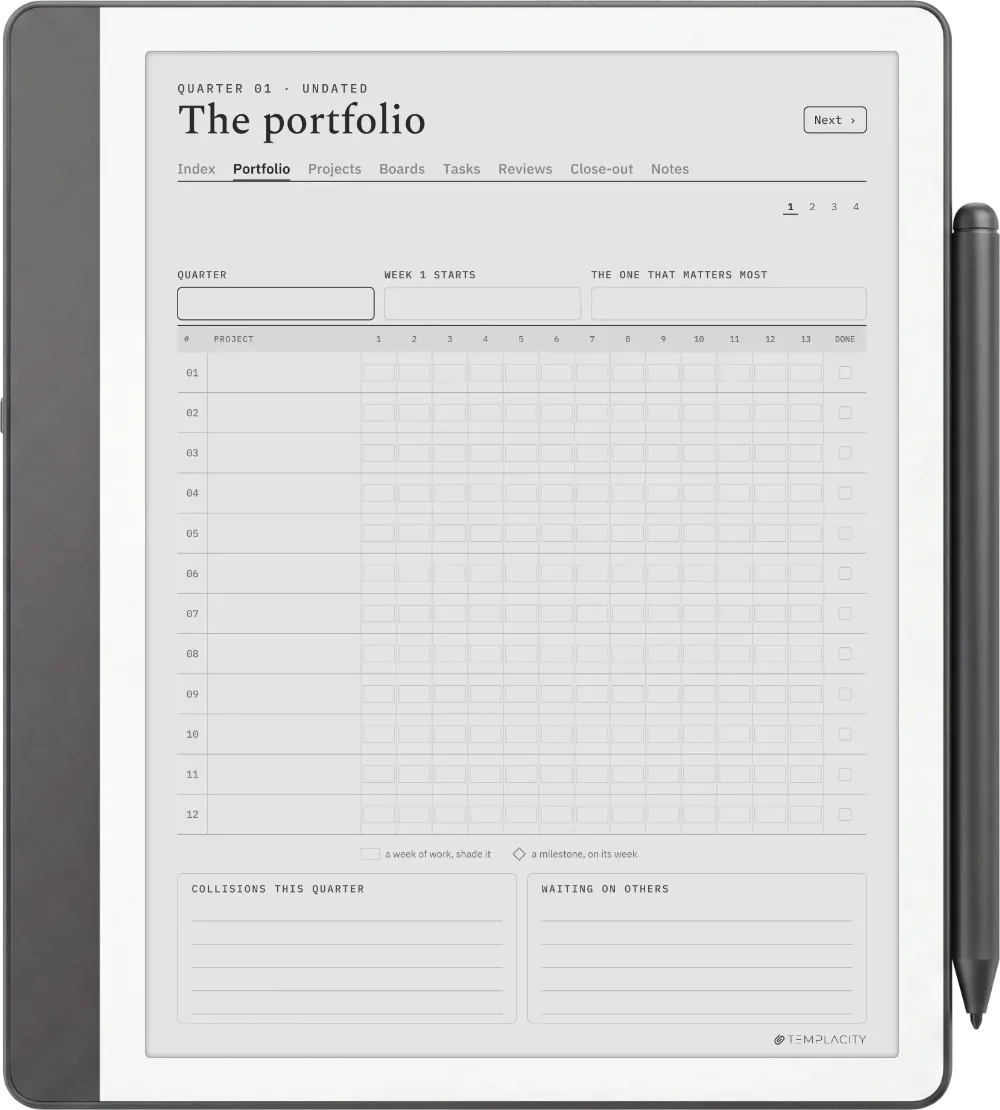
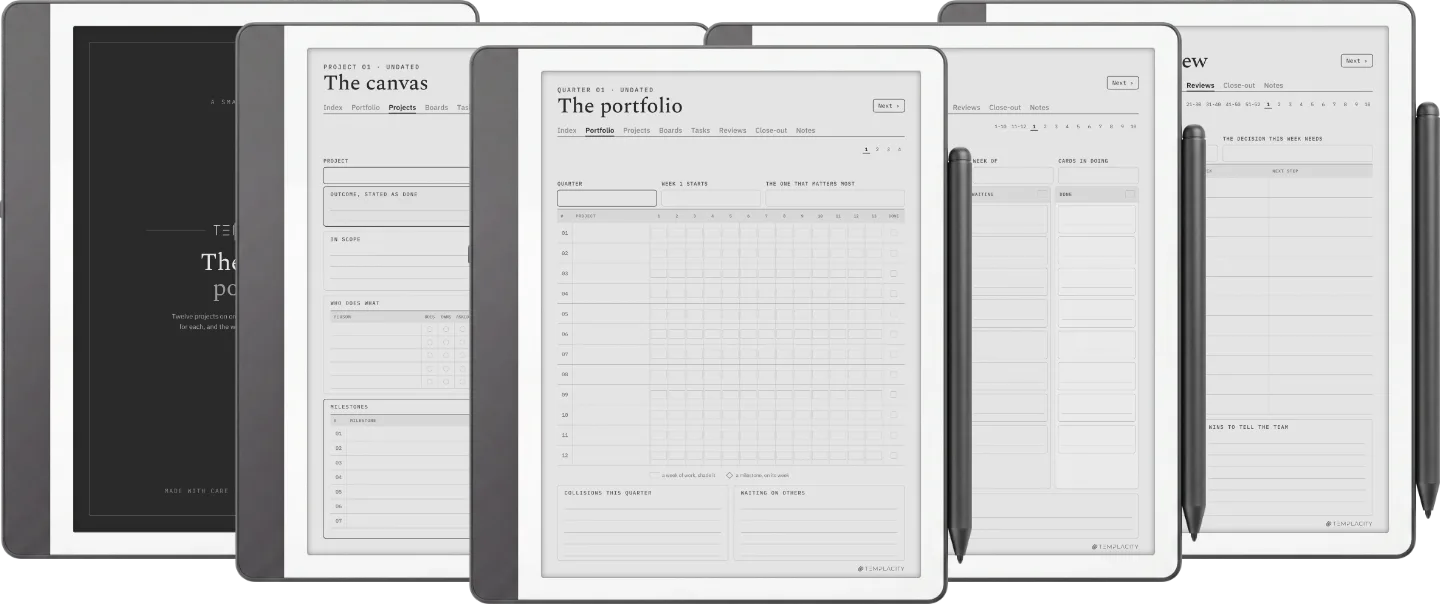
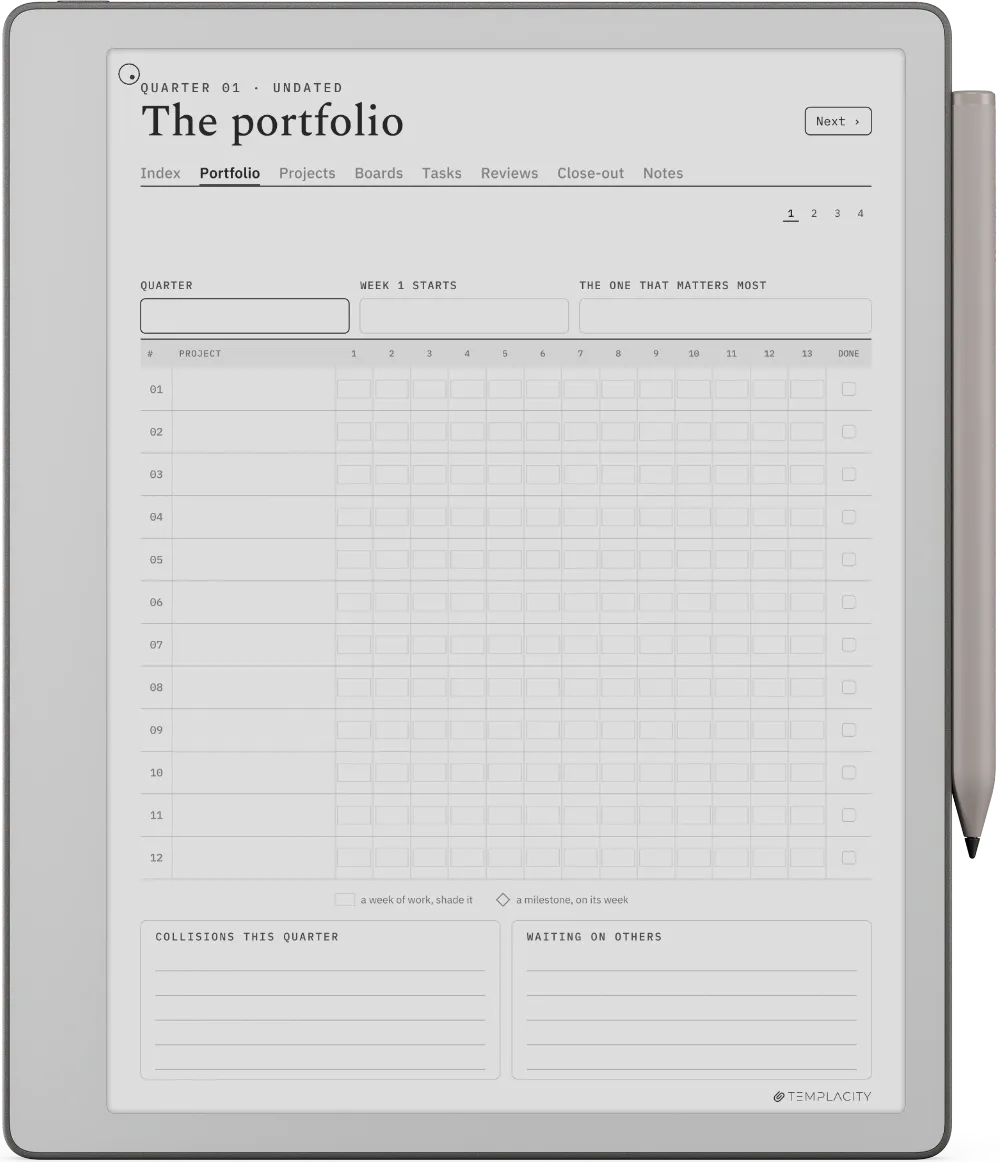
The Planner · Project Portfolio Kindle Scribe page 1
The Planner · Project Portfolio Kindle Scribe page 2
The Planner · Project Portfolio Kindle Scribe page 3
The Planner · Project Portfolio Kindle Scribe page 4
The Planner · Project Portfolio Kindle Scribe page 5
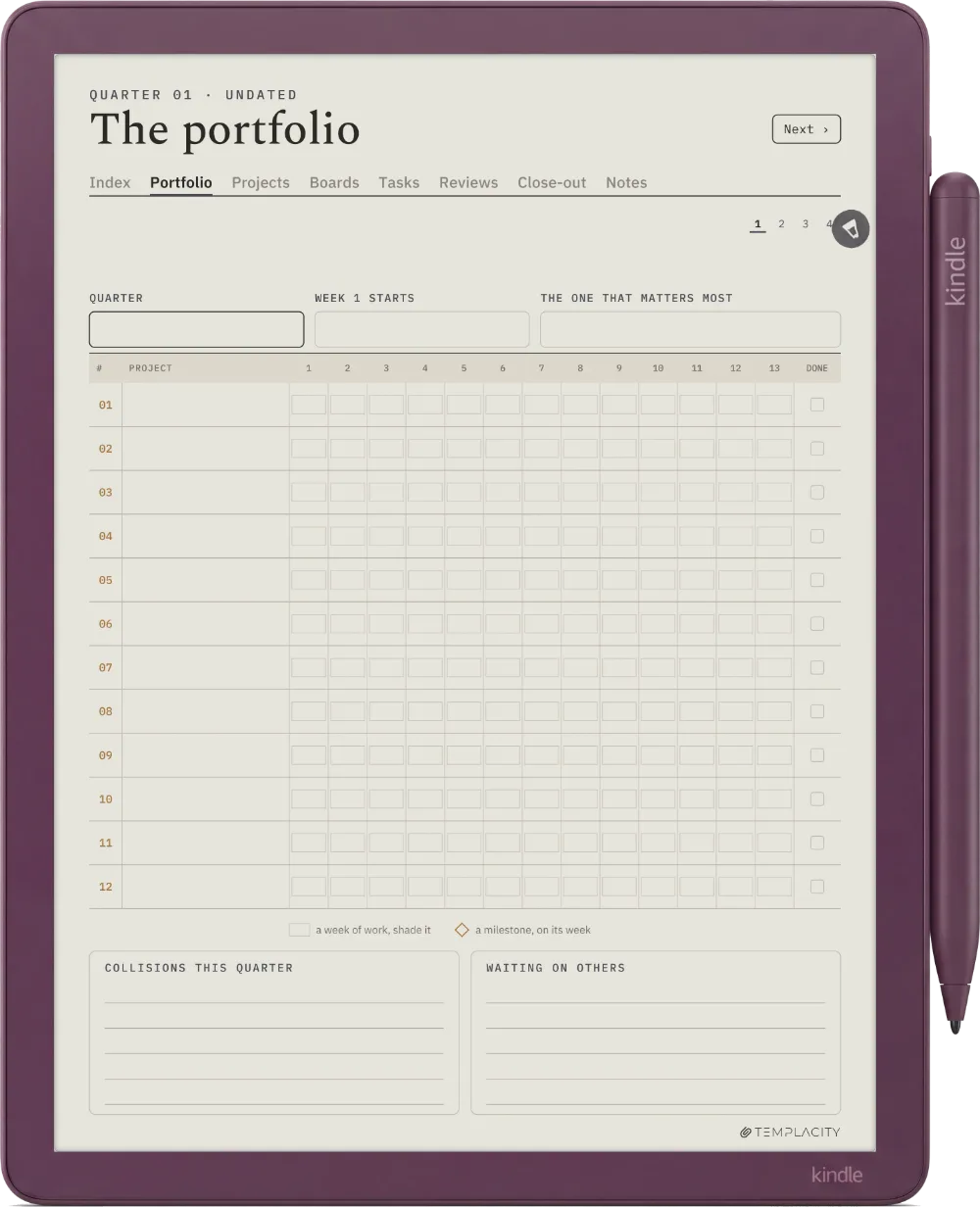
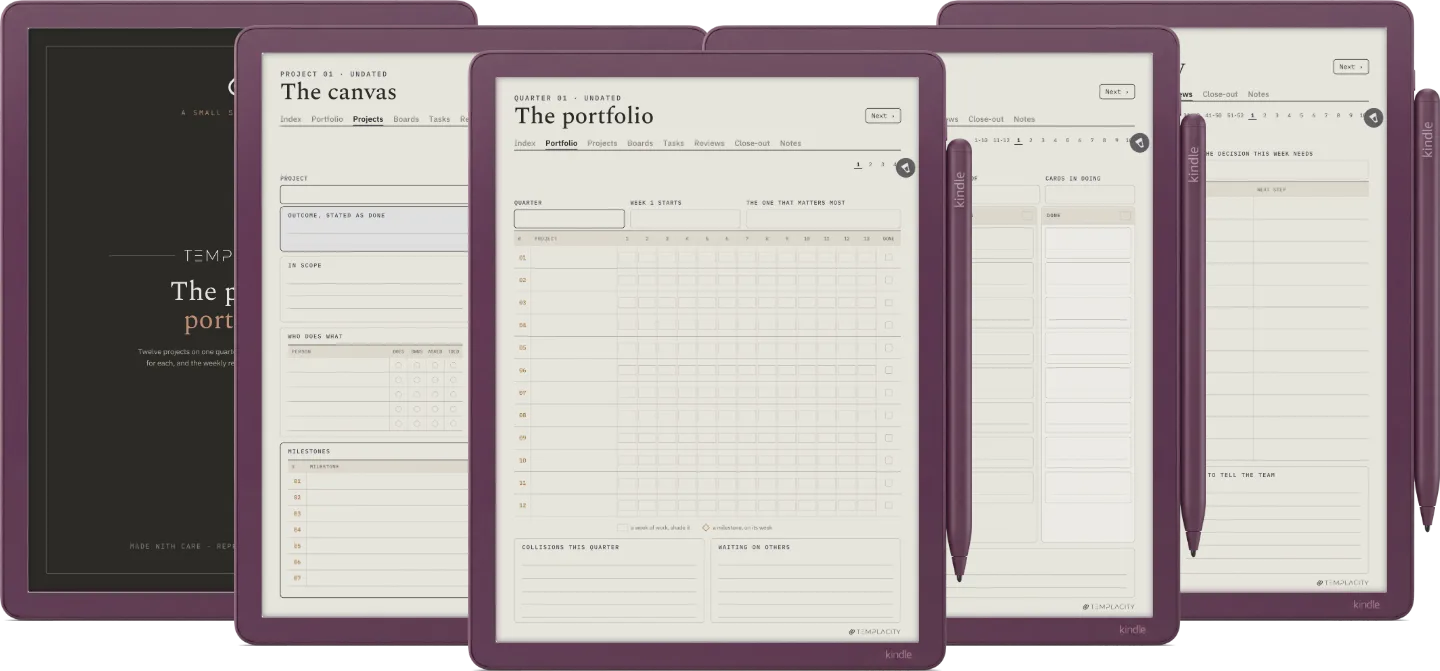
The Planner · Project Portfolio Kindle Scribe Colorsoft page 1
The Planner · Project Portfolio Kindle Scribe Colorsoft page 2
The Planner · Project Portfolio Kindle Scribe Colorsoft page 3
The Planner · Project Portfolio Kindle Scribe Colorsoft page 4
The Planner · Project Portfolio Kindle Scribe Colorsoft page 5
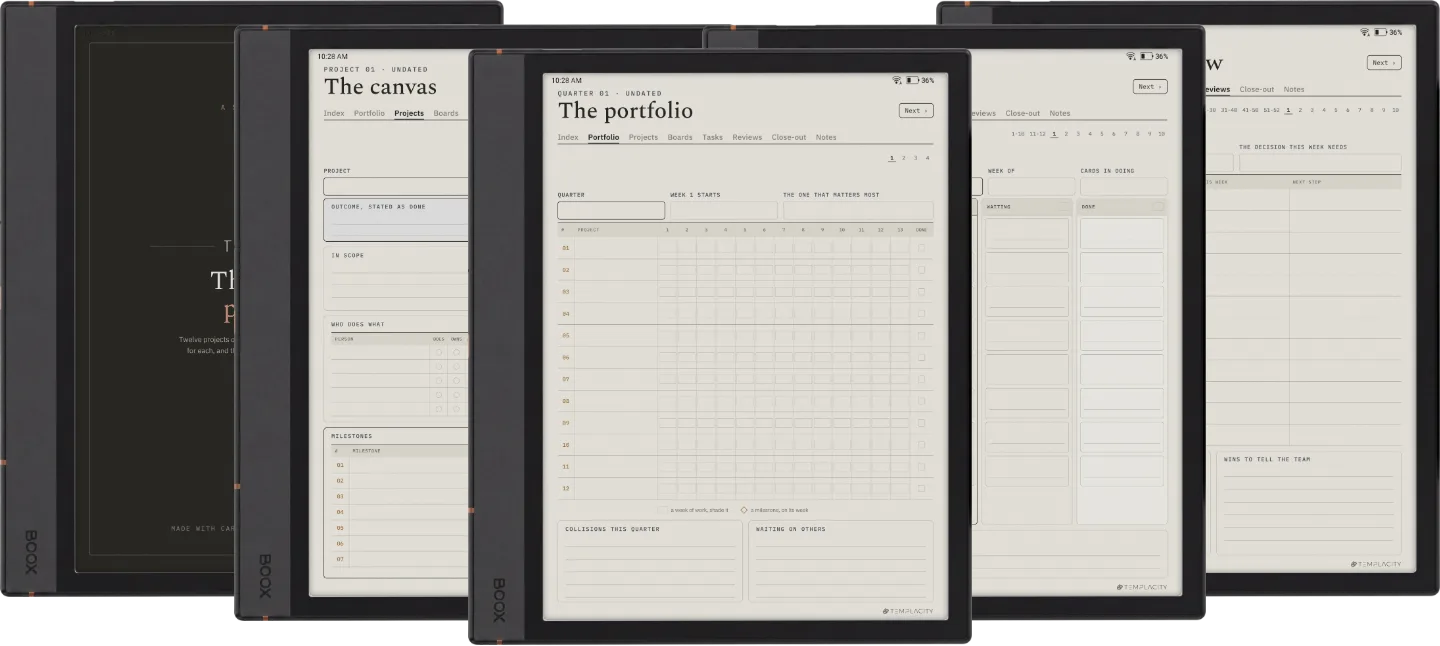
The Planner · Project Portfolio Boox Note Air4 C page 1
The Planner · Project Portfolio Boox Note Air4 C page 2
The Planner · Project Portfolio Boox Note Air4 C page 3
The Planner · Project Portfolio Boox Note Air4 C page 4
The Planner · Project Portfolio Boox Note Air4 C page 5
The Planner · Project Portfolio Boox Note Air5 C page 1
The Planner · Project Portfolio Boox Note Air5 C page 2
The Planner · Project Portfolio Boox Note Air5 C page 3
The Planner · Project Portfolio Boox Note Air5 C page 4
The Planner · Project Portfolio Boox Note Air5 C page 5
The Planner · Project Portfolio Boox Note Air3 C page 1
The Planner · Project Portfolio Boox Note Air3 C page 2
The Planner · Project Portfolio Boox Note Air3 C page 3
The Planner · Project Portfolio Boox Note Air3 C page 4
The Planner · Project Portfolio Boox Note Air3 C page 5
The Planner · Project Portfolio Boox Note Air 3 page 1
The Planner · Project Portfolio Boox Note Air 3 page 2
The Planner · Project Portfolio Boox Note Air 3 page 3
The Planner · Project Portfolio Boox Note Air 3 page 4
The Planner · Project Portfolio Boox Note Air 3 page 5
The Planner · Project Portfolio Boox Note Air2 page 1
The Planner · Project Portfolio Boox Note Air2 page 2
The Planner · Project Portfolio Boox Note Air2 page 3
The Planner · Project Portfolio Boox Note Air2 page 4
The Planner · Project Portfolio Boox Note Air2 page 5
The Planner · Project Portfolio Boox Go 10.3 page 1
The Planner · Project Portfolio Boox Go 10.3 page 2
The Planner · Project Portfolio Boox Go 10.3 page 3
The Planner · Project Portfolio Boox Go 10.3 page 4
The Planner · Project Portfolio Boox Go 10.3 page 5
The Planner · Project Portfolio Boox Go Color 7 (Gen II) page 1
The Planner · Project Portfolio Boox Go Color 7 (Gen II) page 2
The Planner · Project Portfolio Boox Go Color 7 (Gen II) page 3
The Planner · Project Portfolio Boox Go Color 7 (Gen II) page 4
The Planner · Project Portfolio Boox Go Color 7 (Gen II) page 5
The Planner · Project Portfolio Boox Note5 page 1
The Planner · Project Portfolio Boox Note5 page 2
The Planner · Project Portfolio Boox Note5 page 3
The Planner · Project Portfolio Boox Note5 page 4
The Planner · Project Portfolio Boox Note5 page 5
The Planner · Project Portfolio Boox Note Max page 1
The Planner · Project Portfolio Boox Note Max page 2
The Planner · Project Portfolio Boox Note Max page 3
The Planner · Project Portfolio Boox Note Max page 4
The Planner · Project Portfolio Boox Note Max page 5
The Planner · Project Portfolio Boox Tab Ultra C Pro page 1
The Planner · Project Portfolio Boox Tab Ultra C Pro page 2
The Planner · Project Portfolio Boox Tab Ultra C Pro page 3
The Planner · Project Portfolio Boox Tab Ultra C Pro page 4
The Planner · Project Portfolio Boox Tab Ultra C Pro page 5
The Planner · Project Portfolio Supernote Manta page 1
The Planner · Project Portfolio Supernote Manta page 2
The Planner · Project Portfolio Supernote Manta page 3
The Planner · Project Portfolio Supernote Manta page 4
The Planner · Project Portfolio Supernote Manta page 5
The Planner · Project Portfolio Supernote Nomad page 1
The Planner · Project Portfolio Supernote Nomad page 2
The Planner · Project Portfolio Supernote Nomad page 3
The Planner · Project Portfolio Supernote Nomad page 4
The Planner · Project Portfolio Supernote Nomad page 5
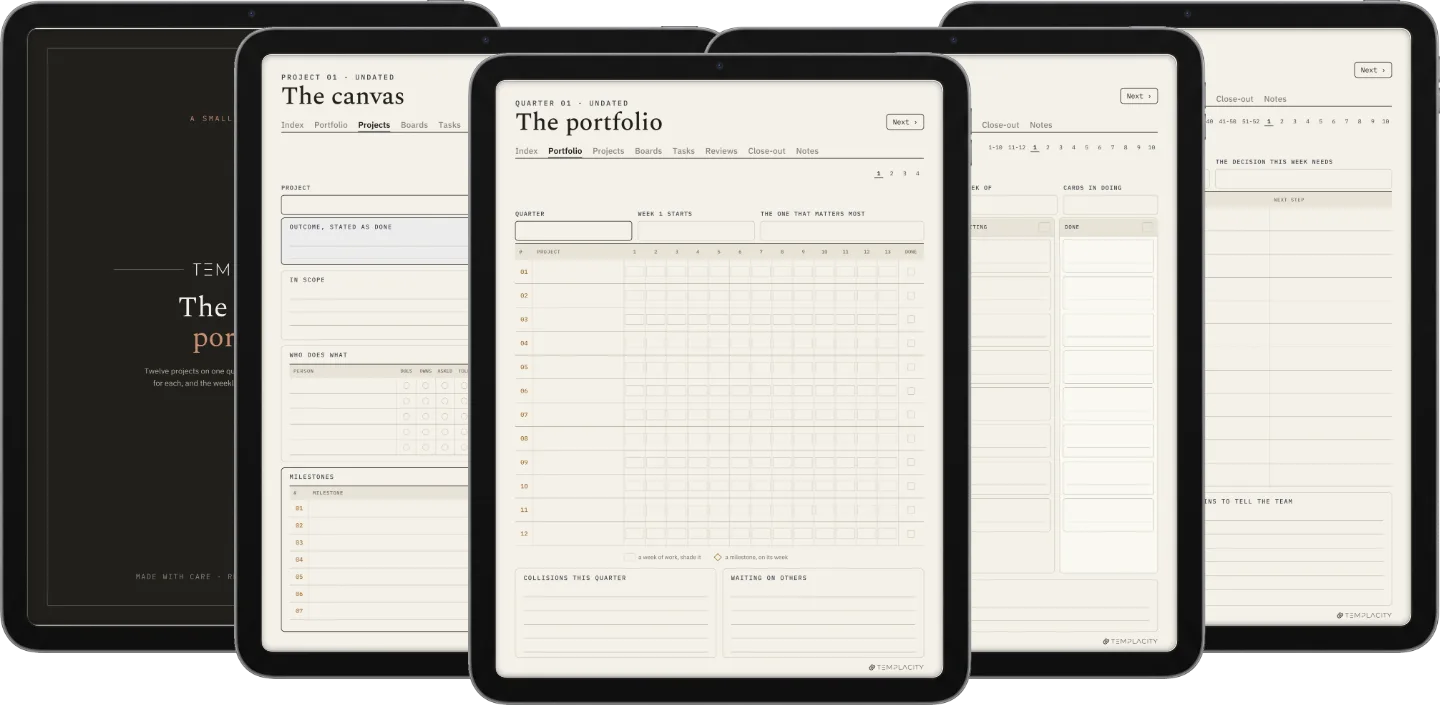
The Planner · Project Portfolio iPad page 1
The Planner · Project Portfolio iPad page 2
The Planner · Project Portfolio iPad page 3
The Planner · Project Portfolio iPad page 4
The Planner · Project Portfolio iPad page 5
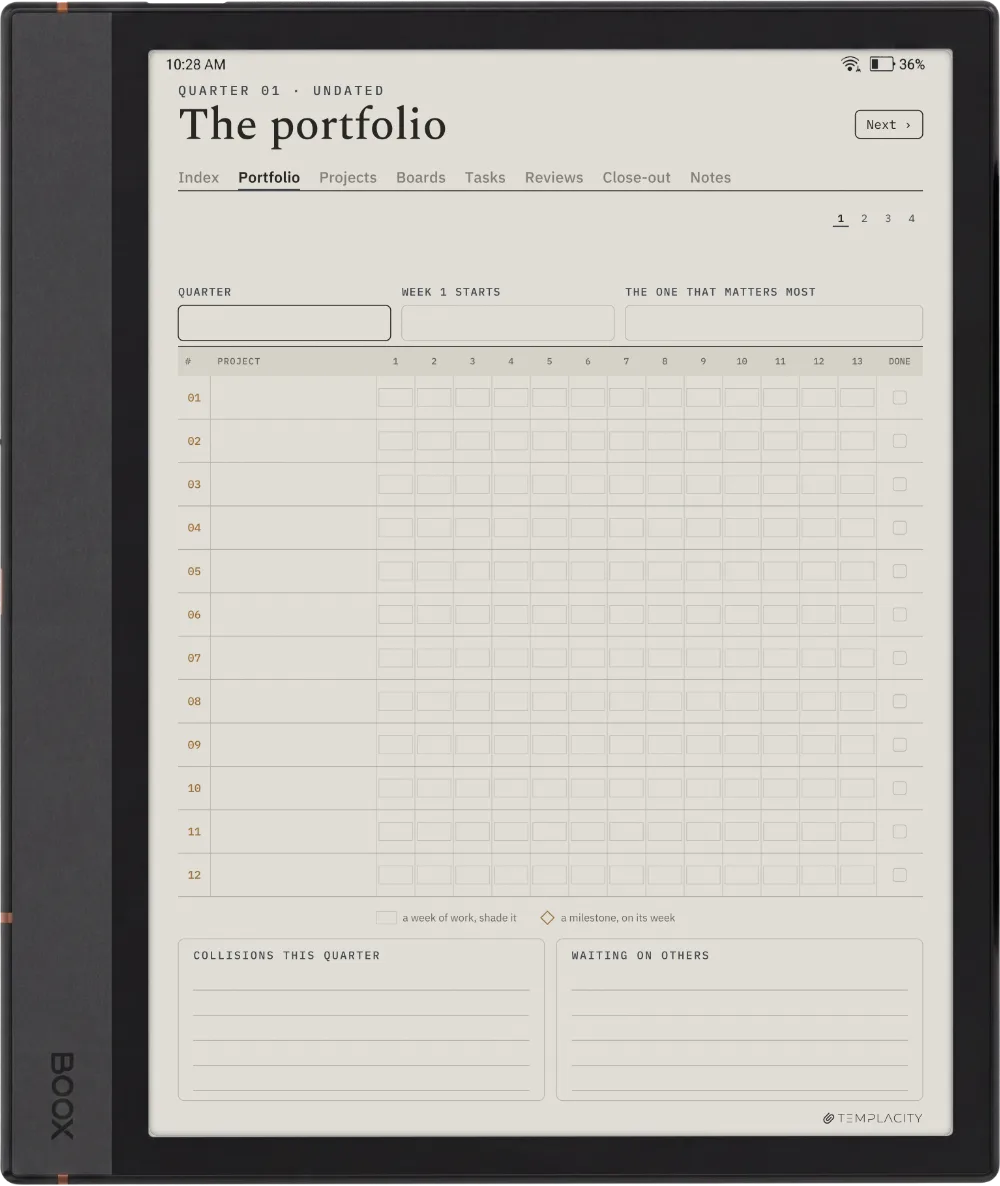
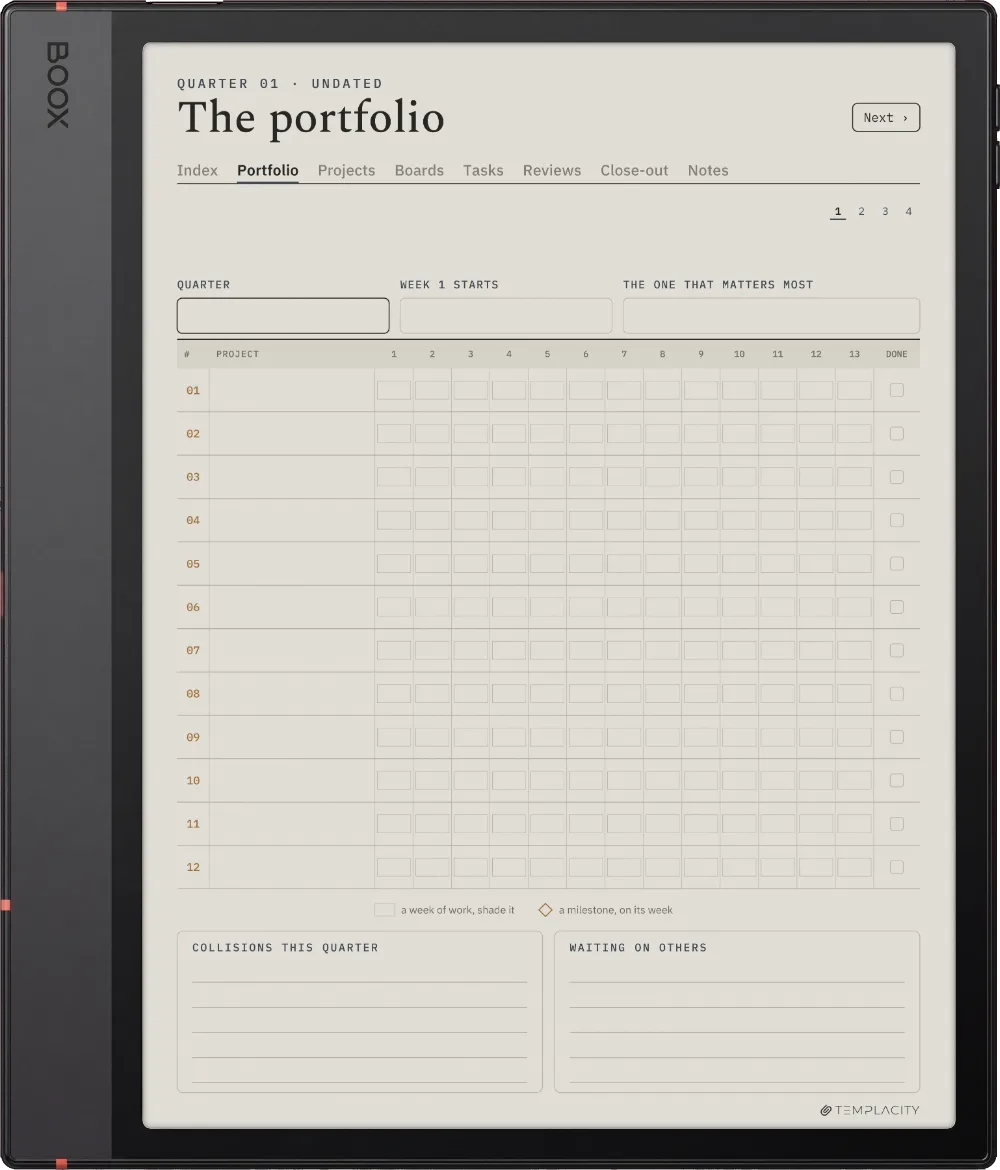
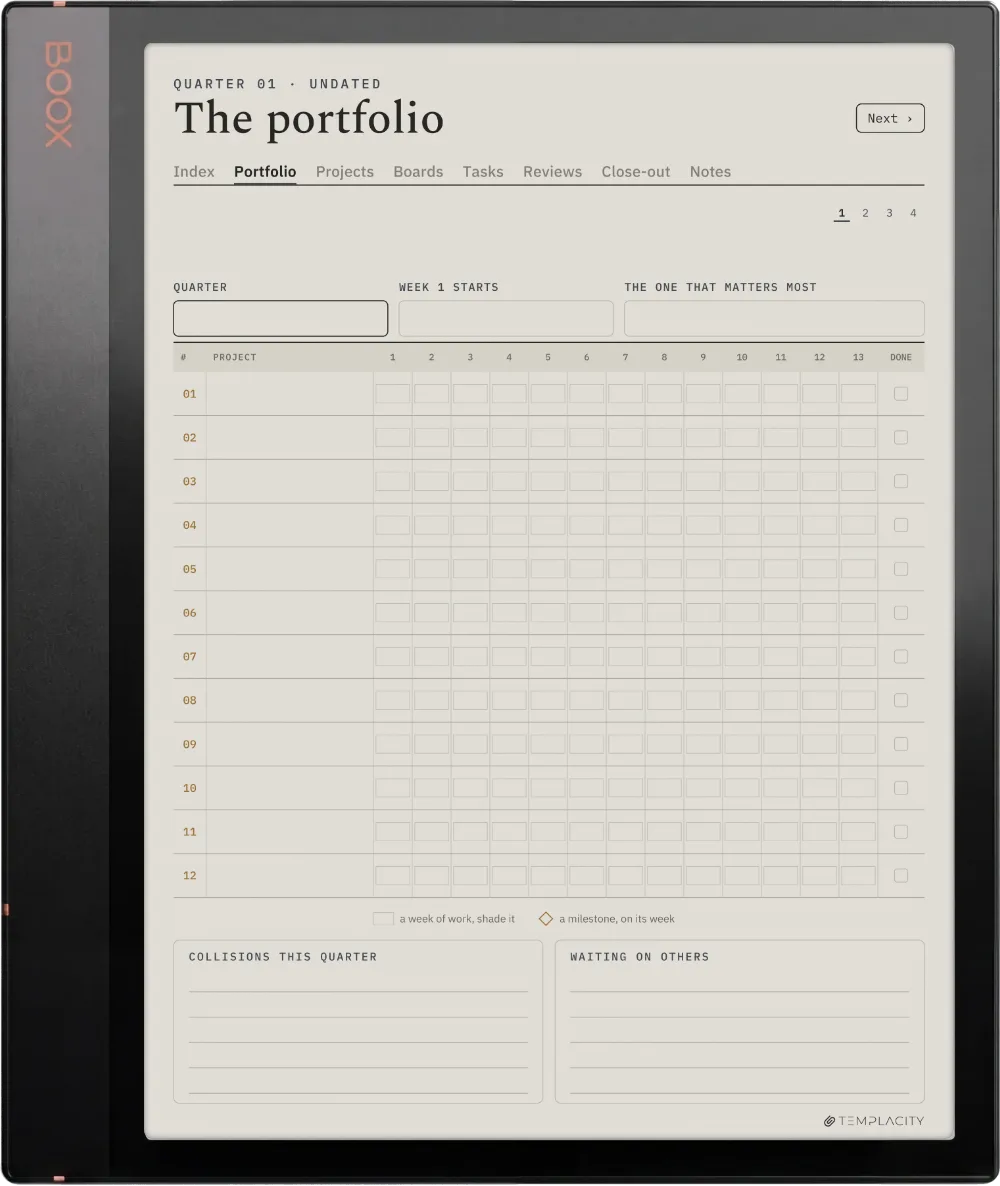
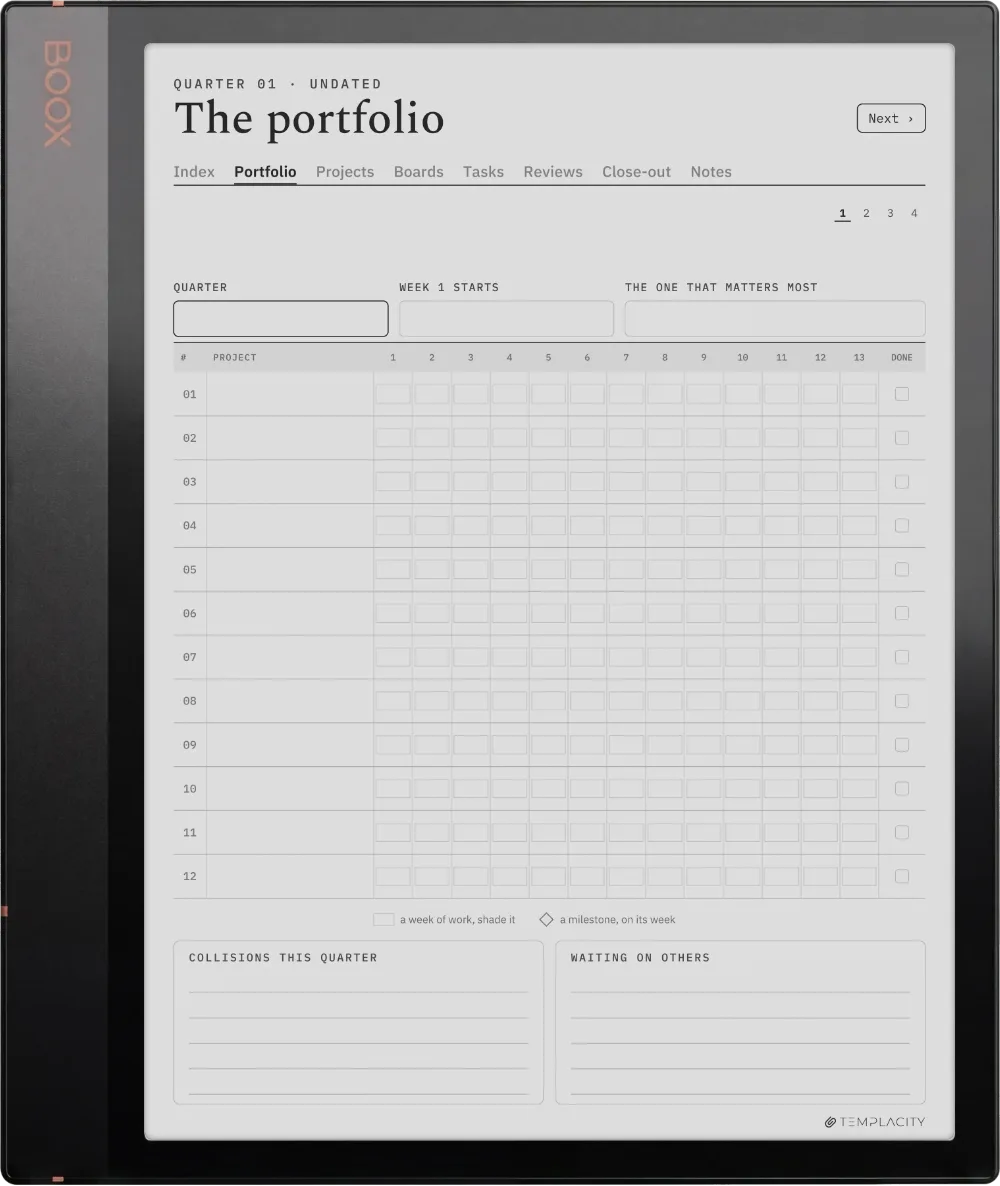
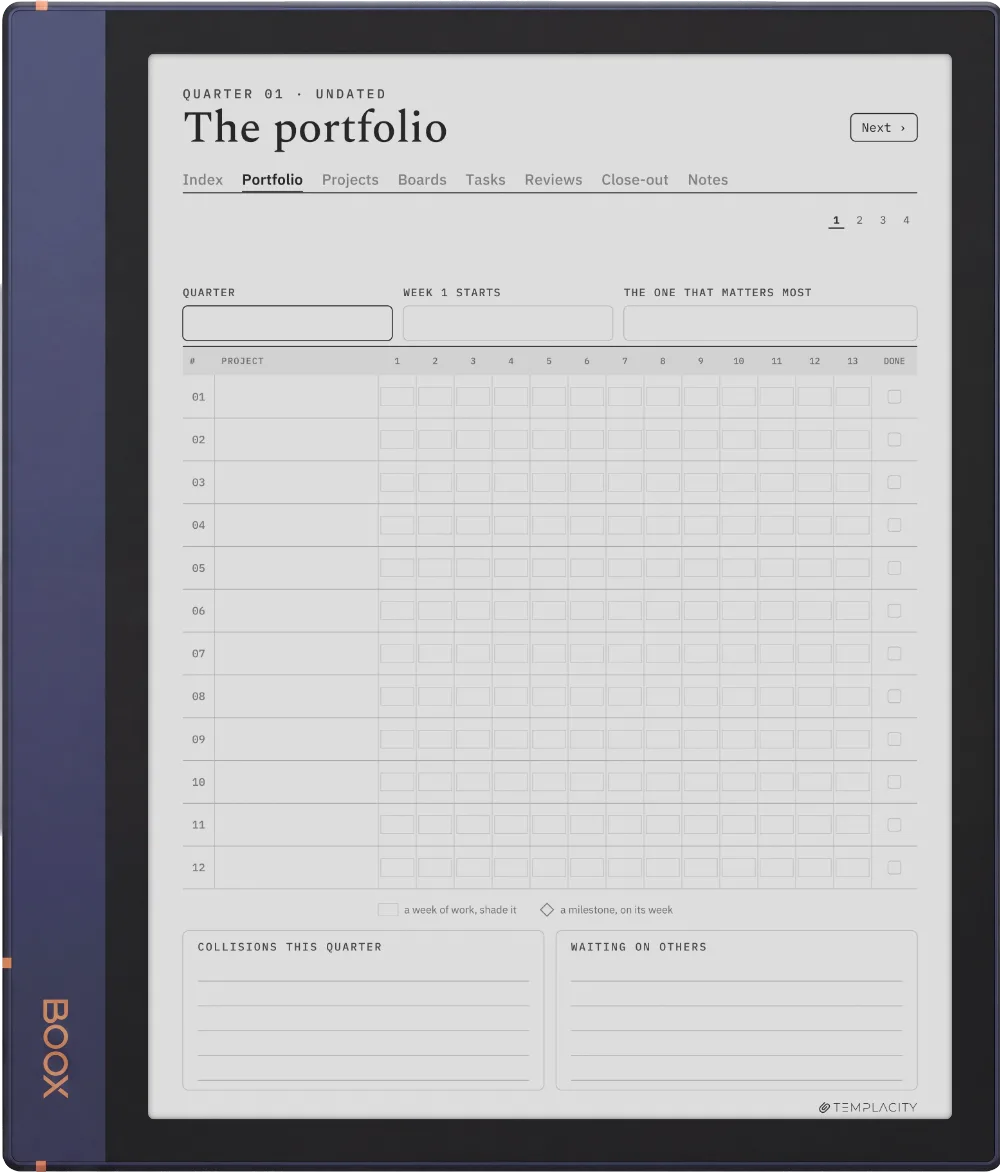
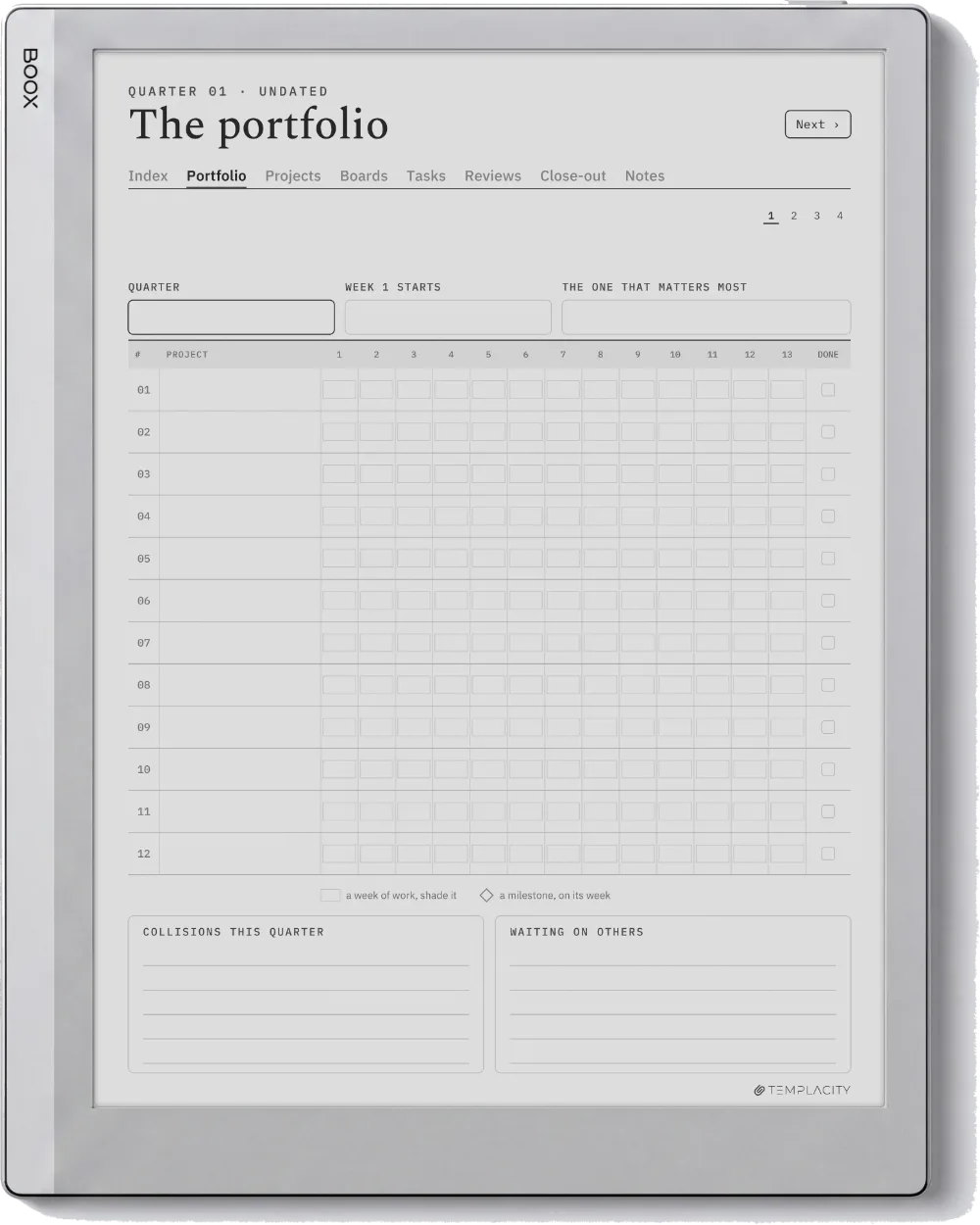
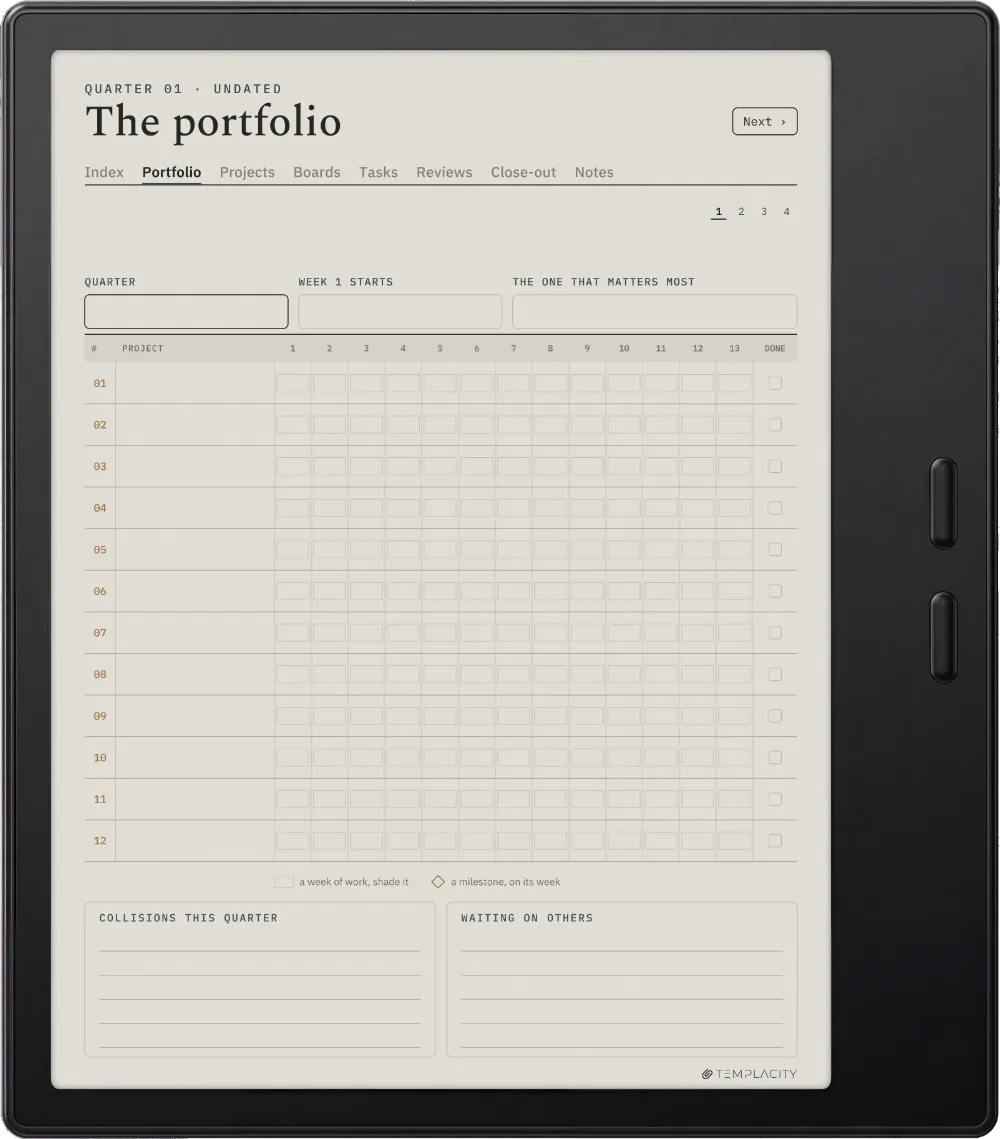
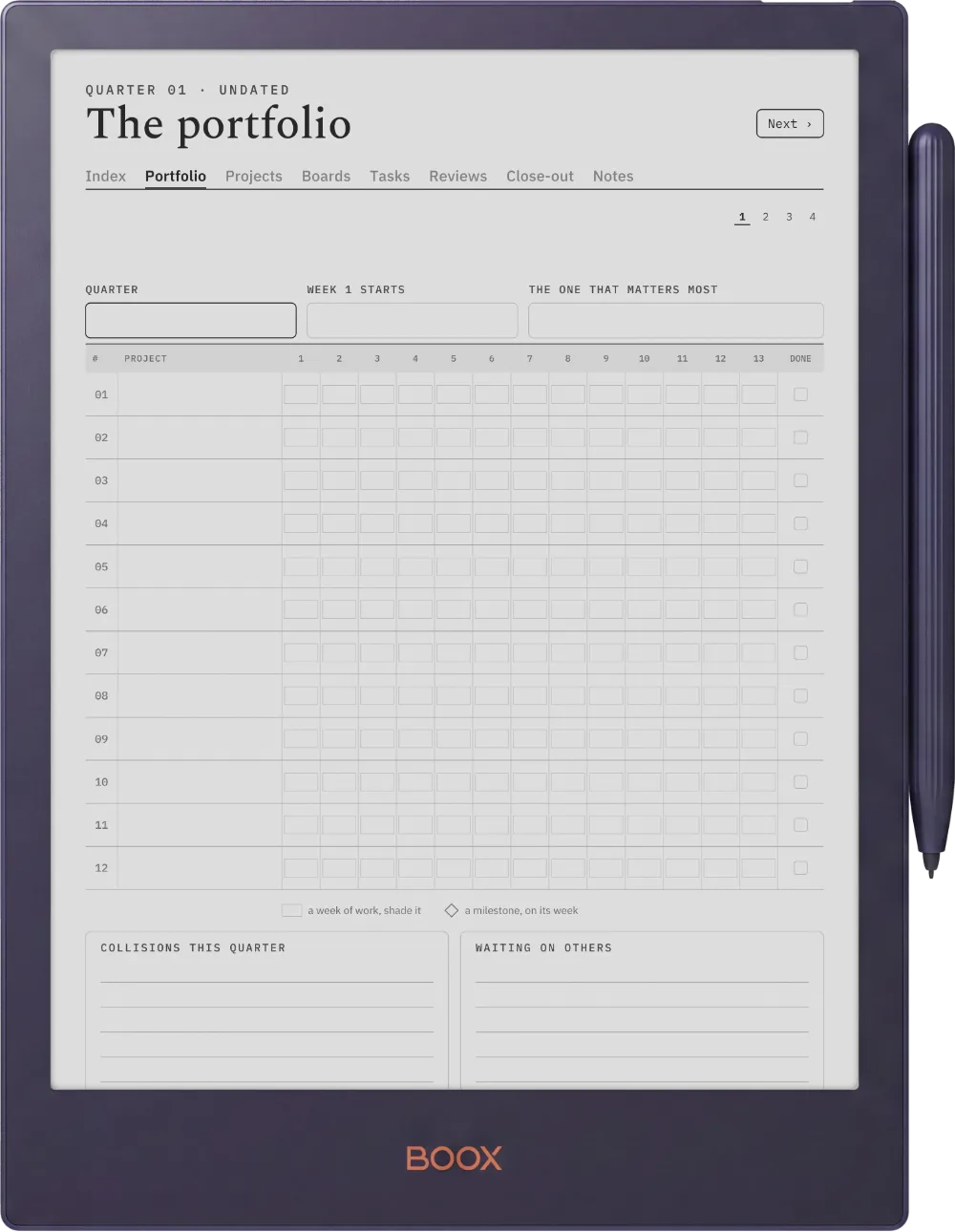
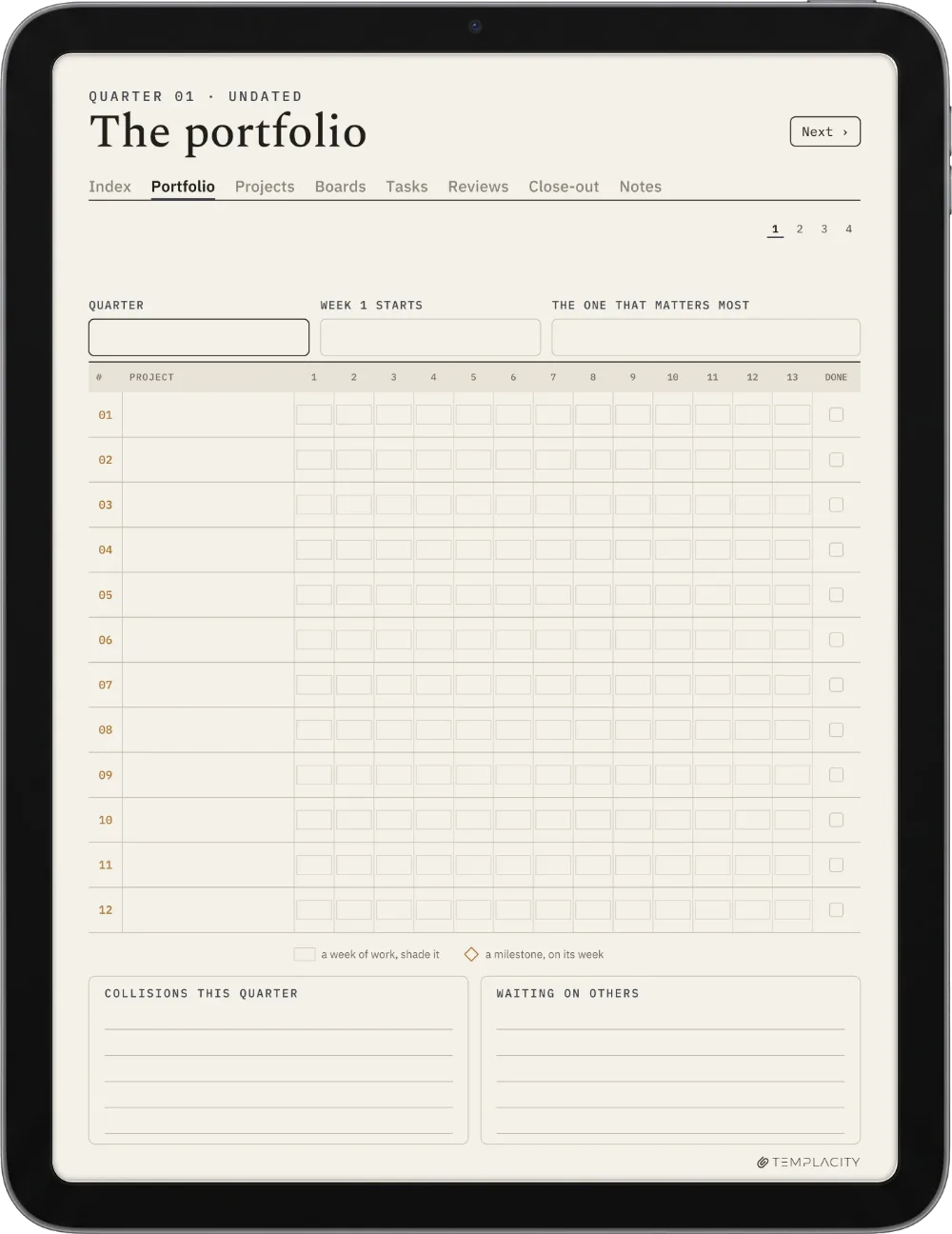
The Portfolio

Every project, one quarter.

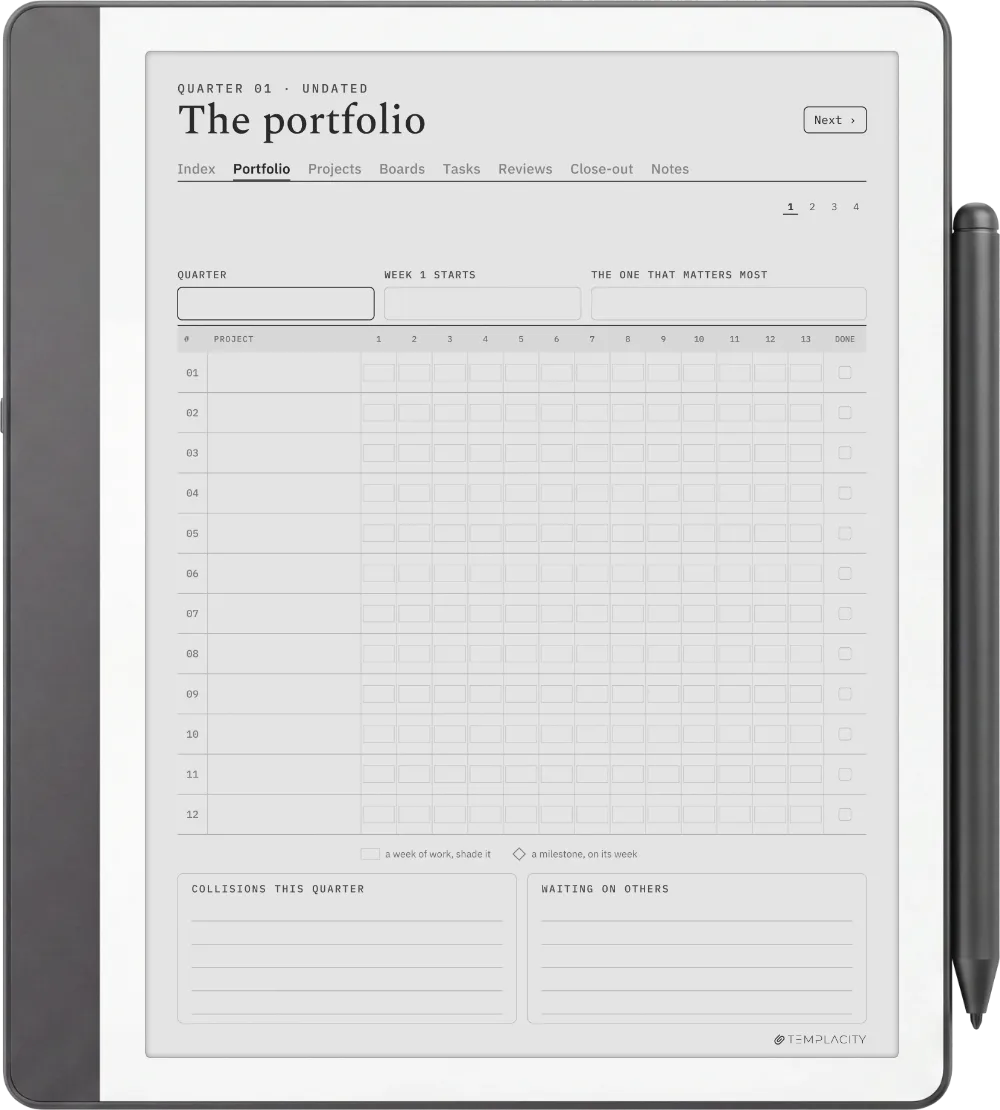
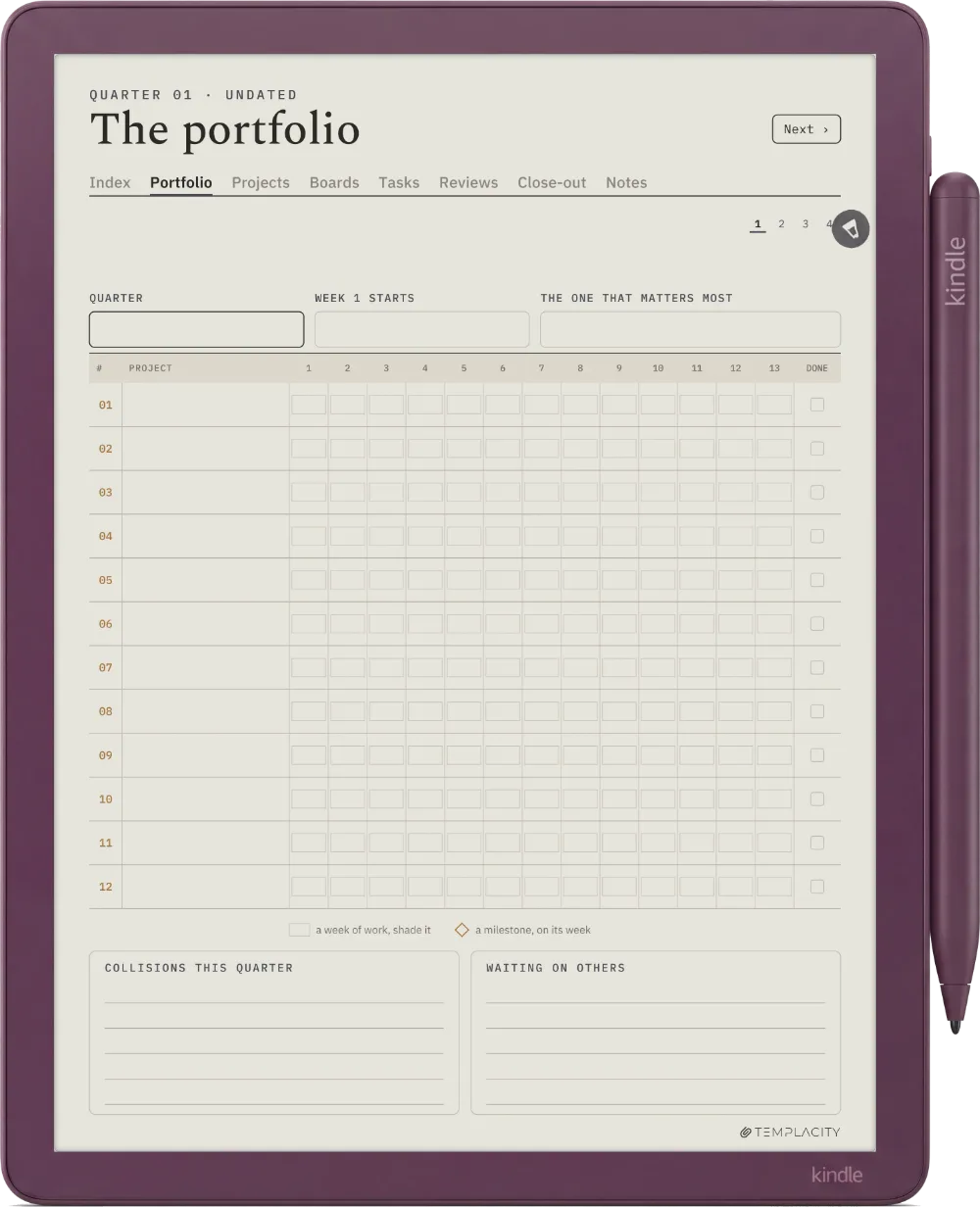
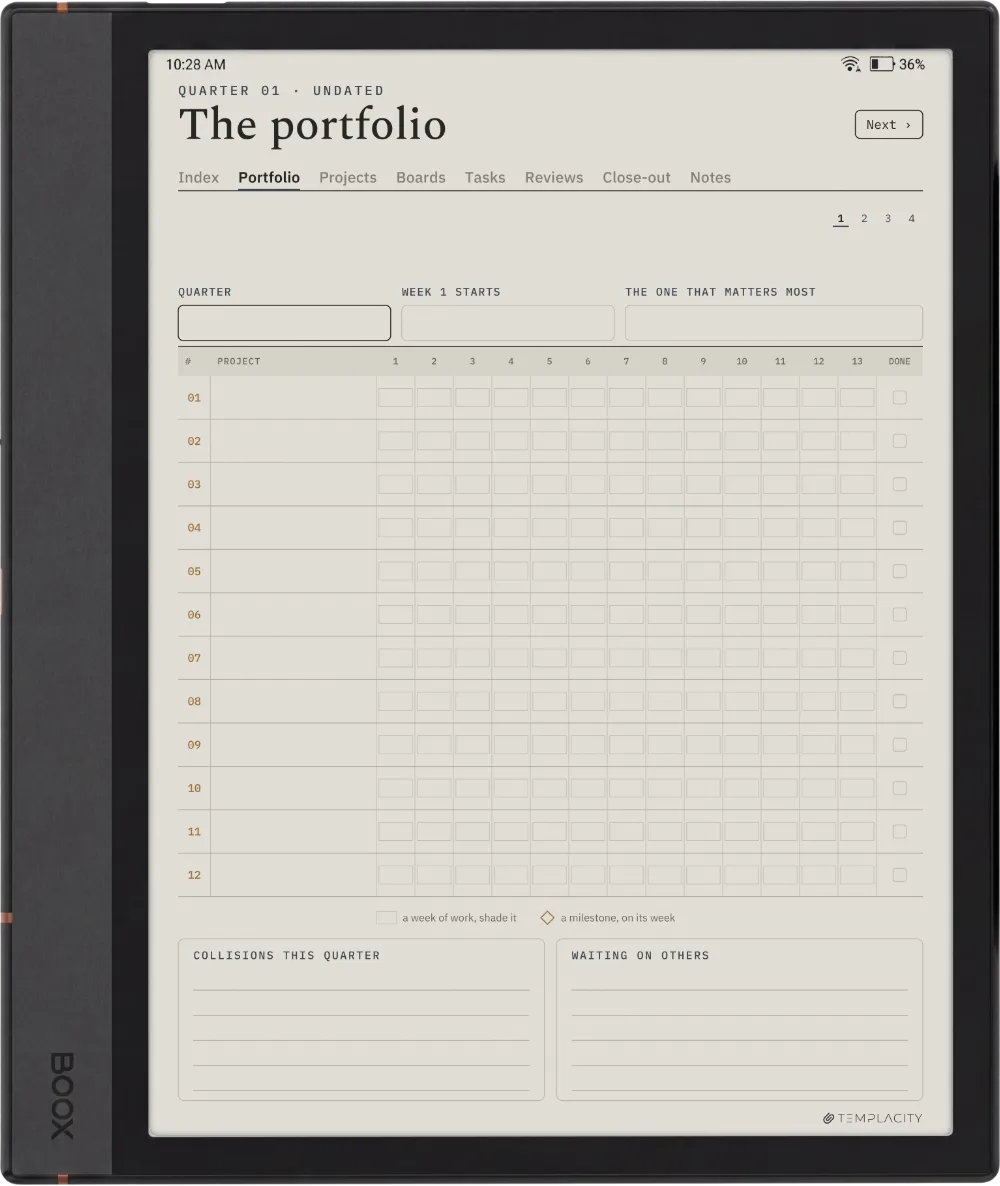
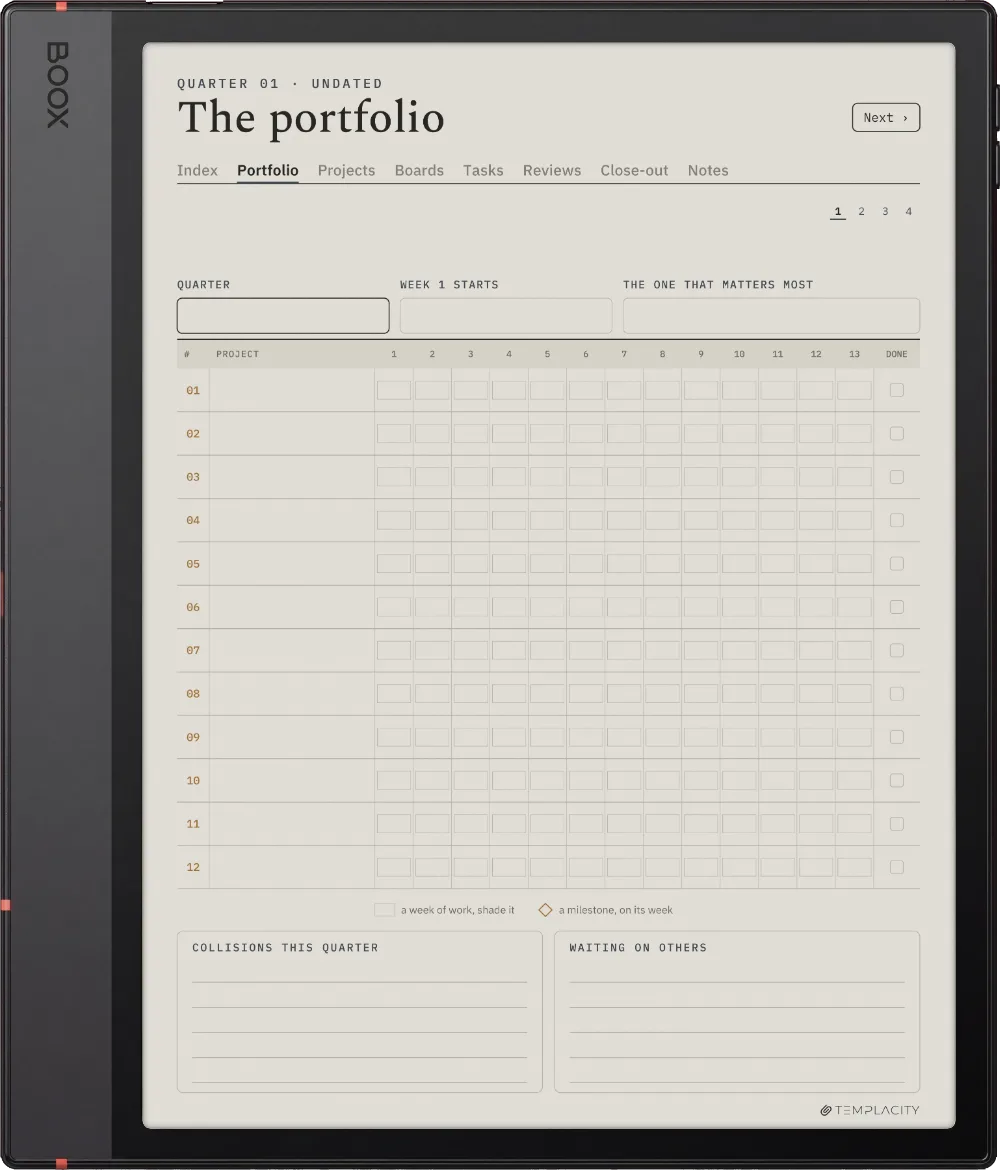
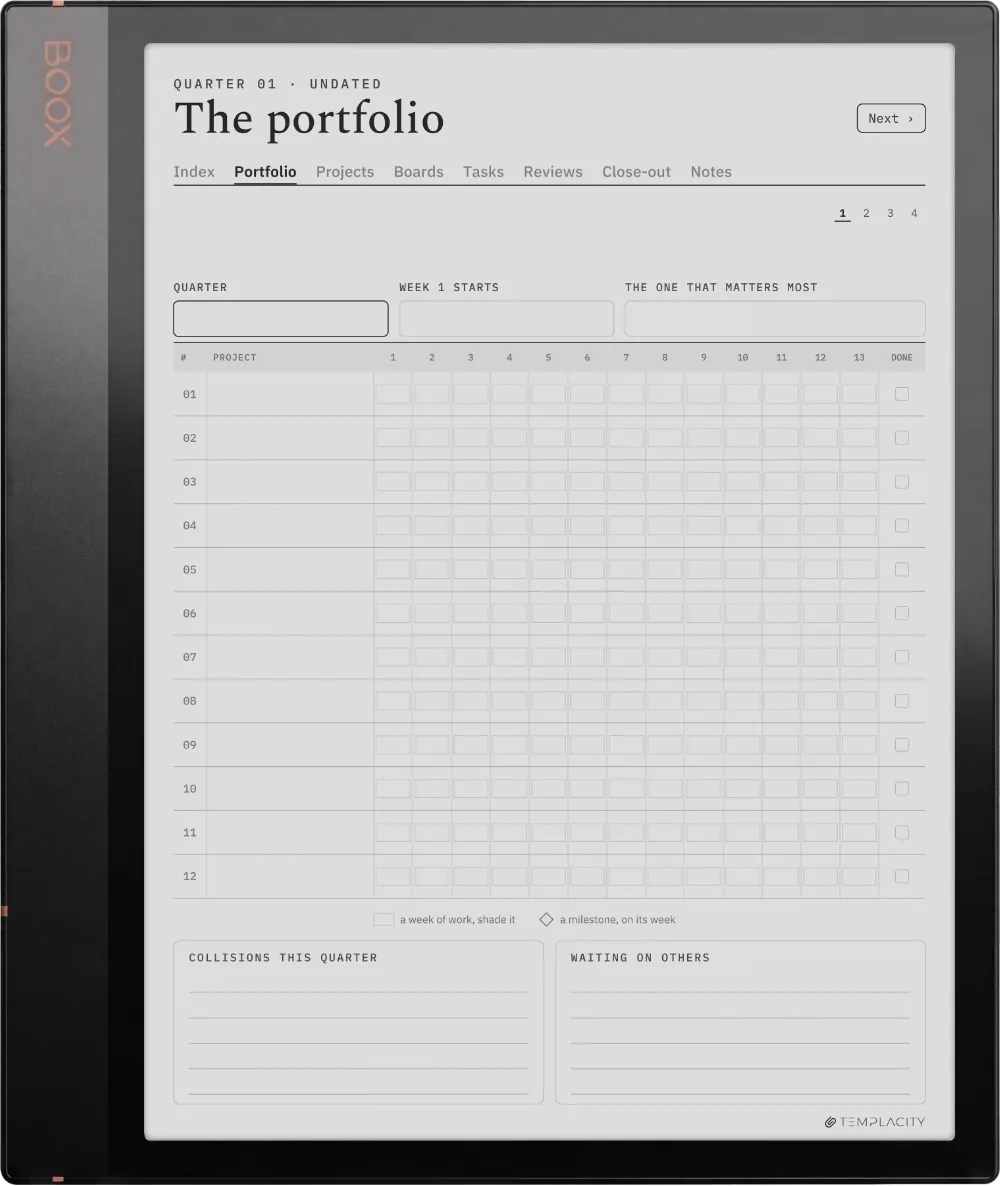
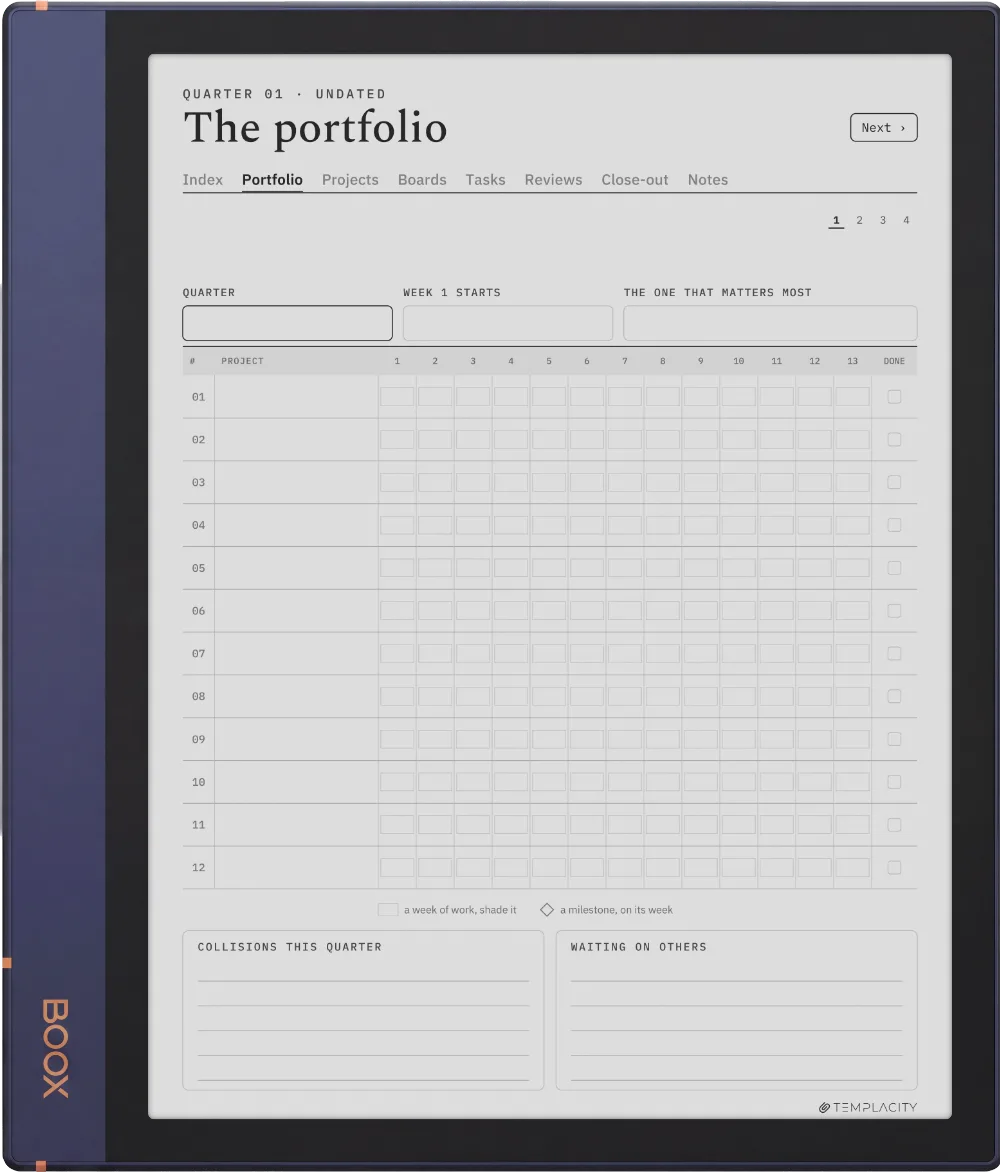
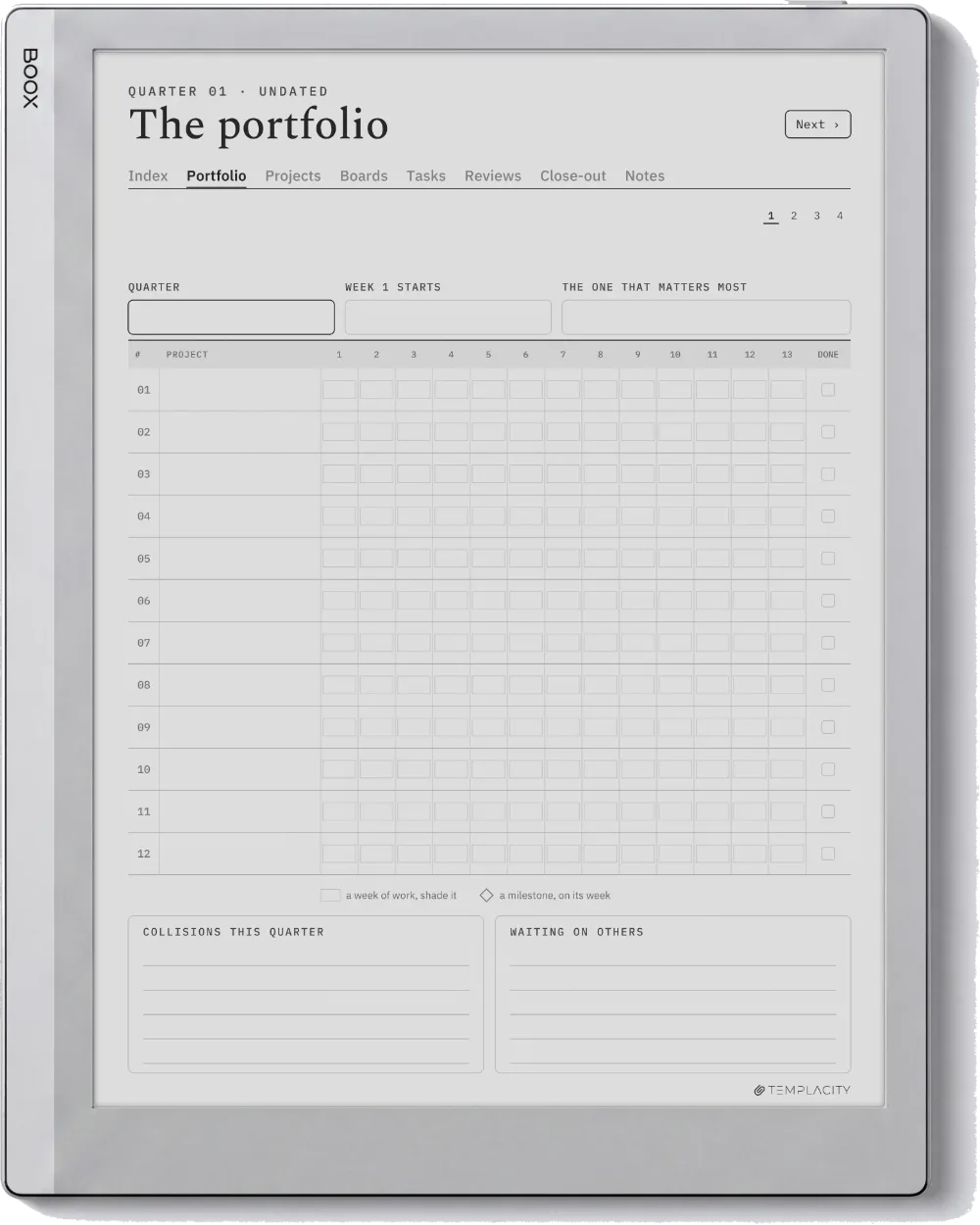
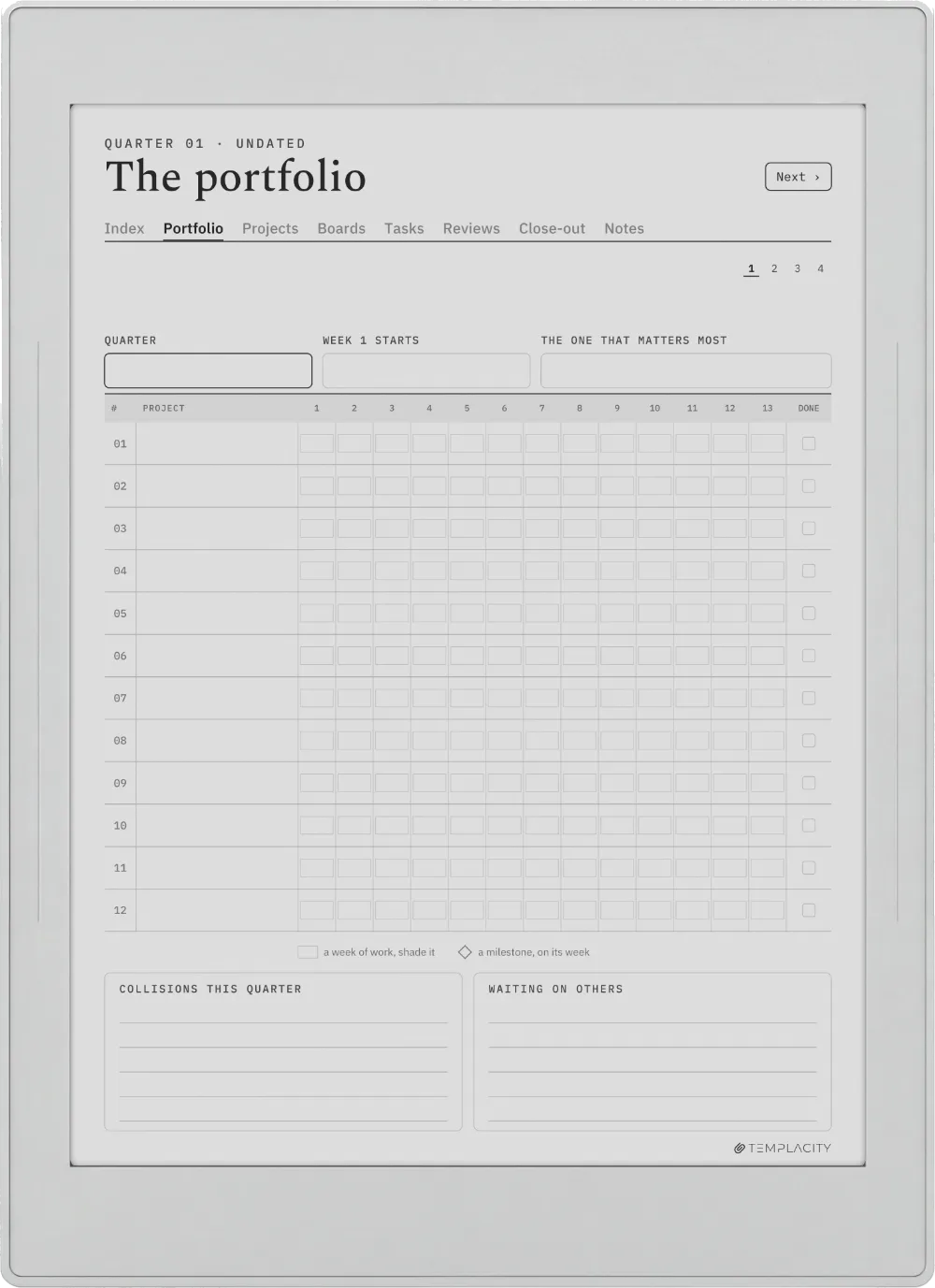
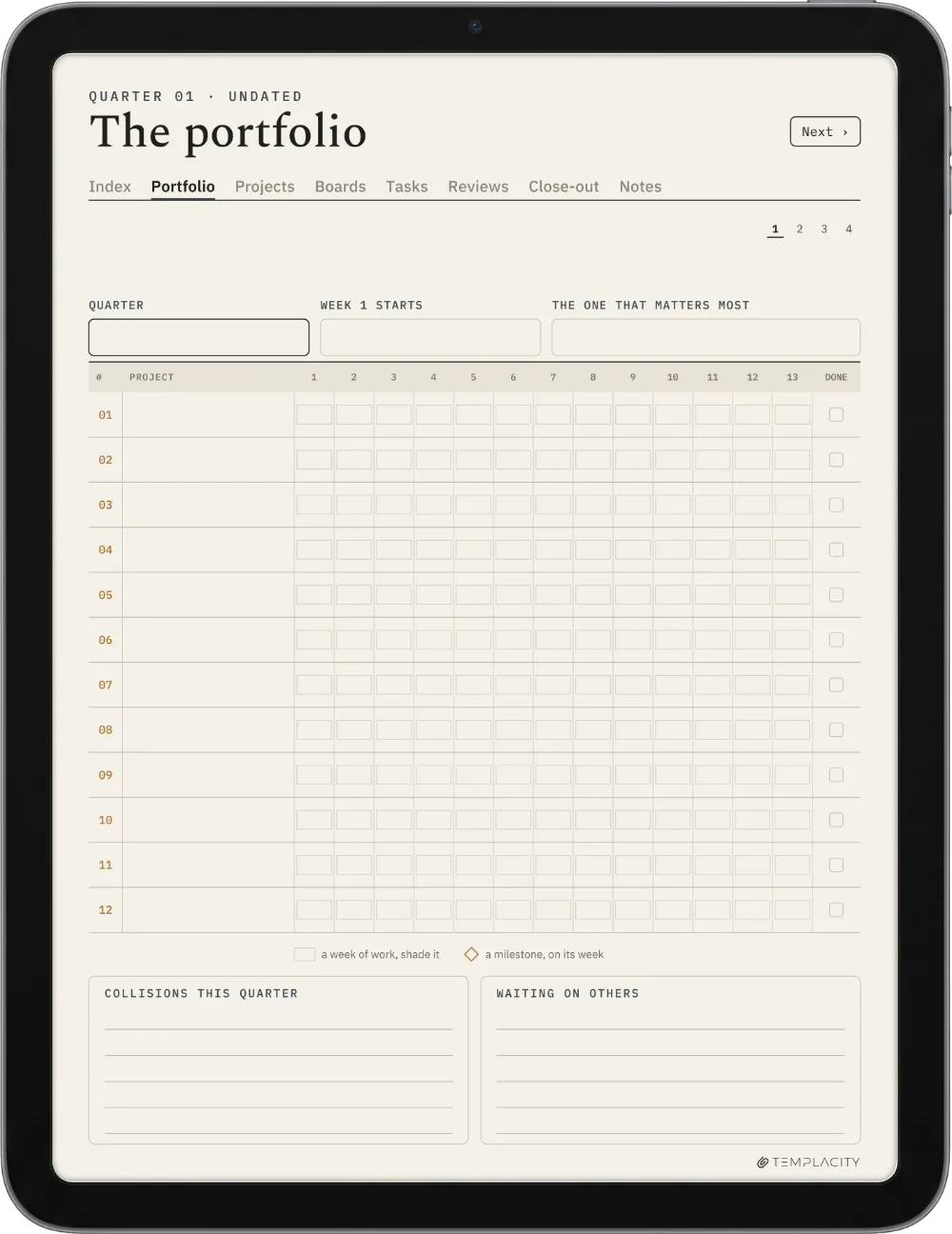
Up to twelve projects on a thirteen-week timeline, so overlaps and gaps show before they cost you a week.
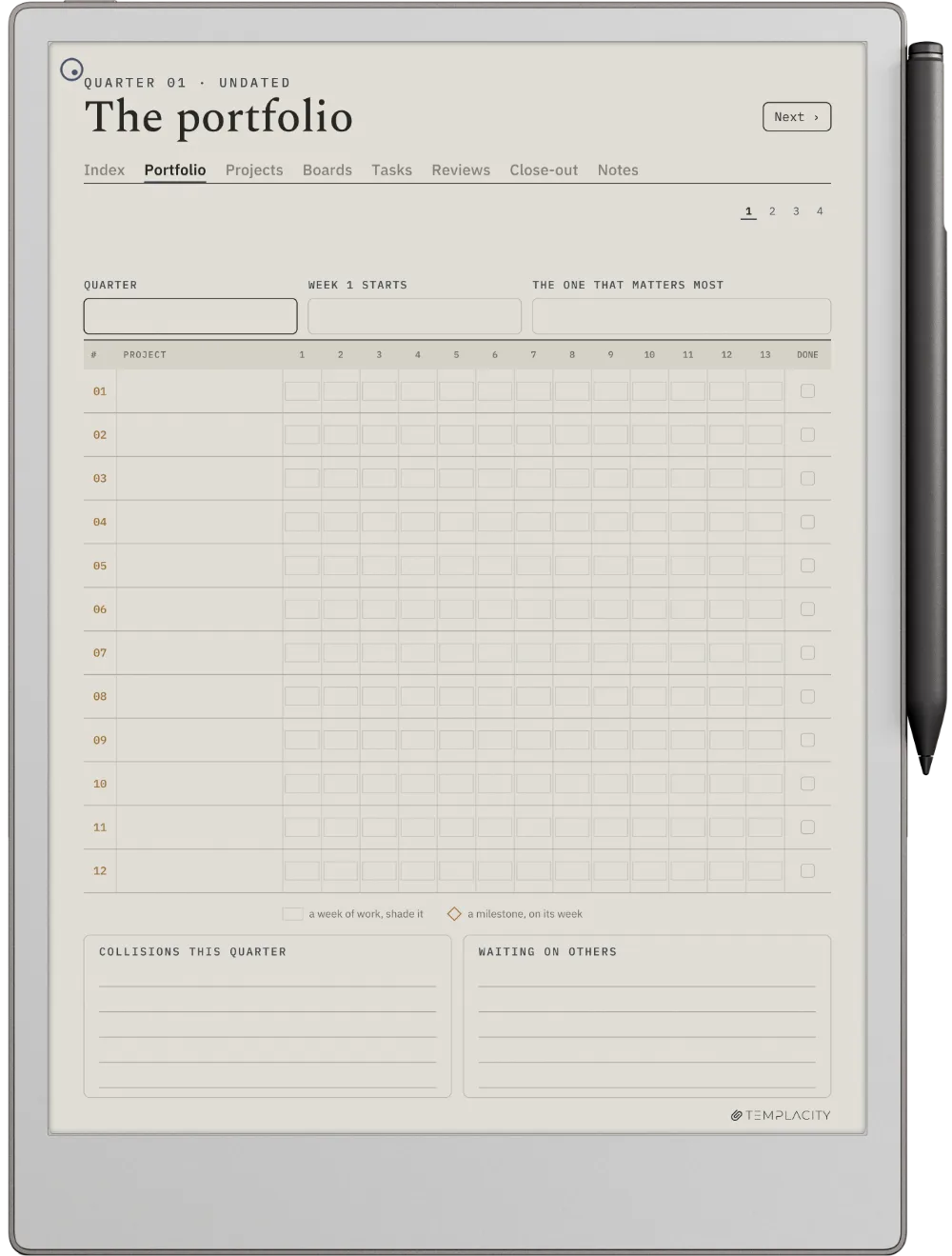
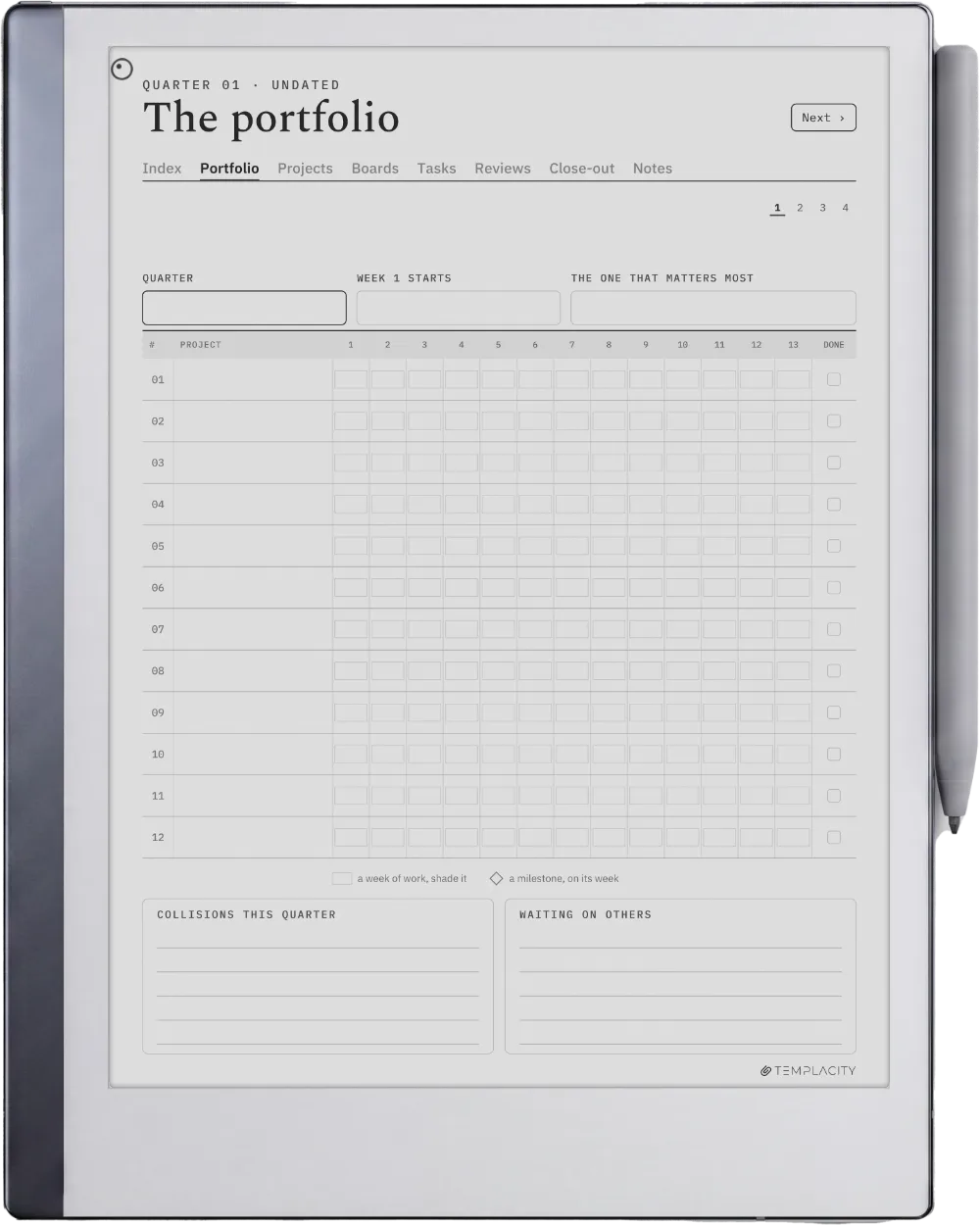
The Planner The Portfolio
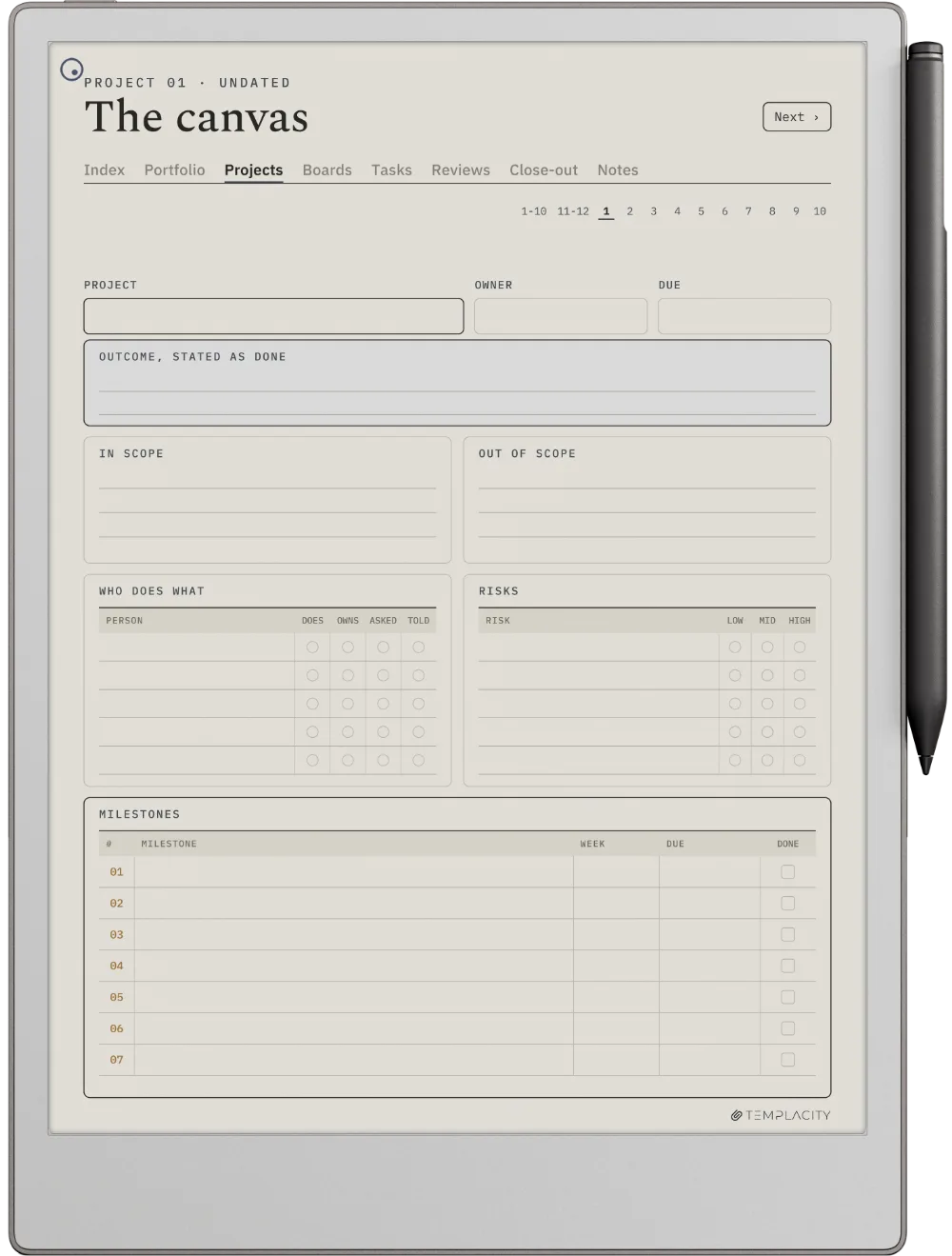
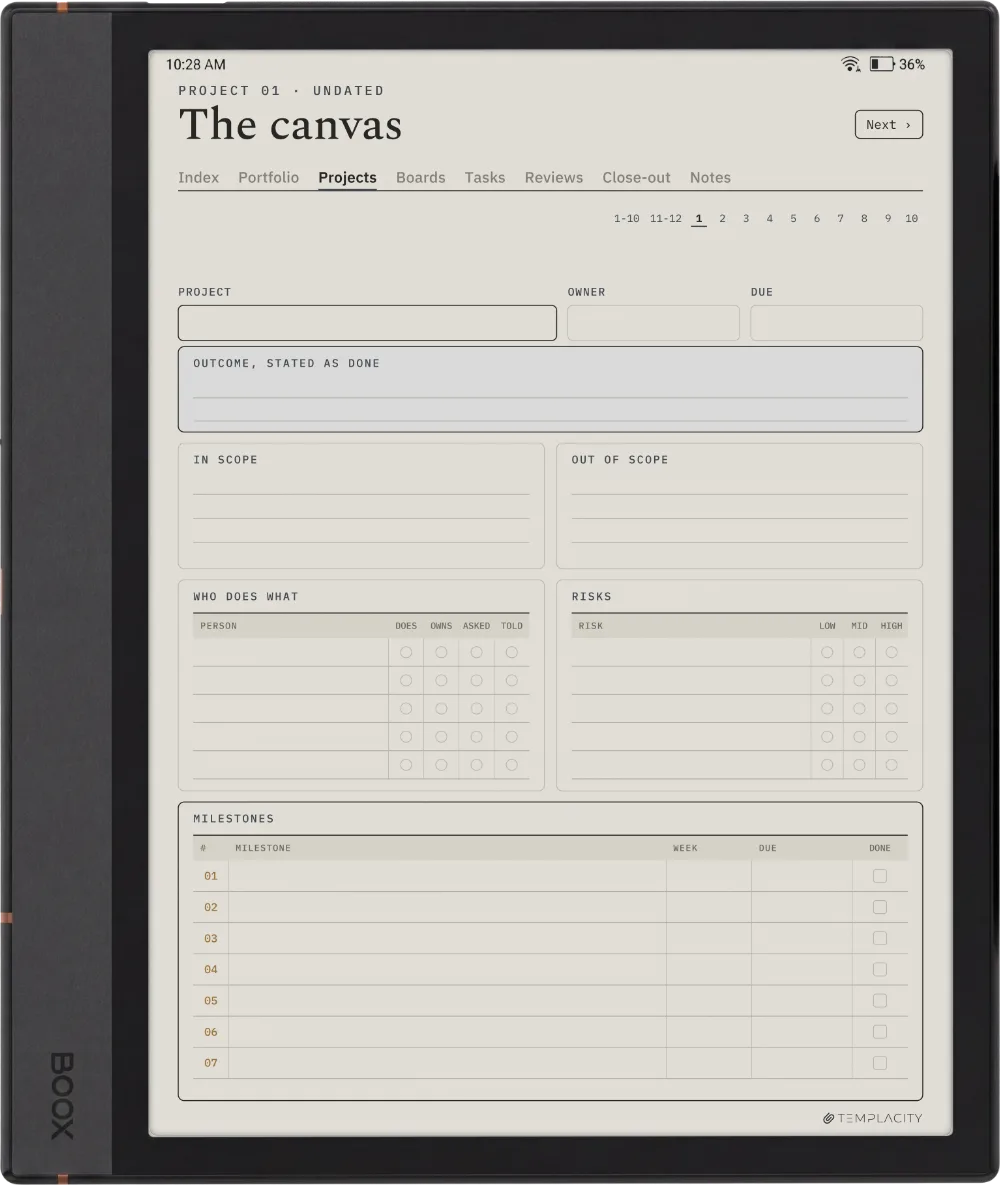
The Canvas

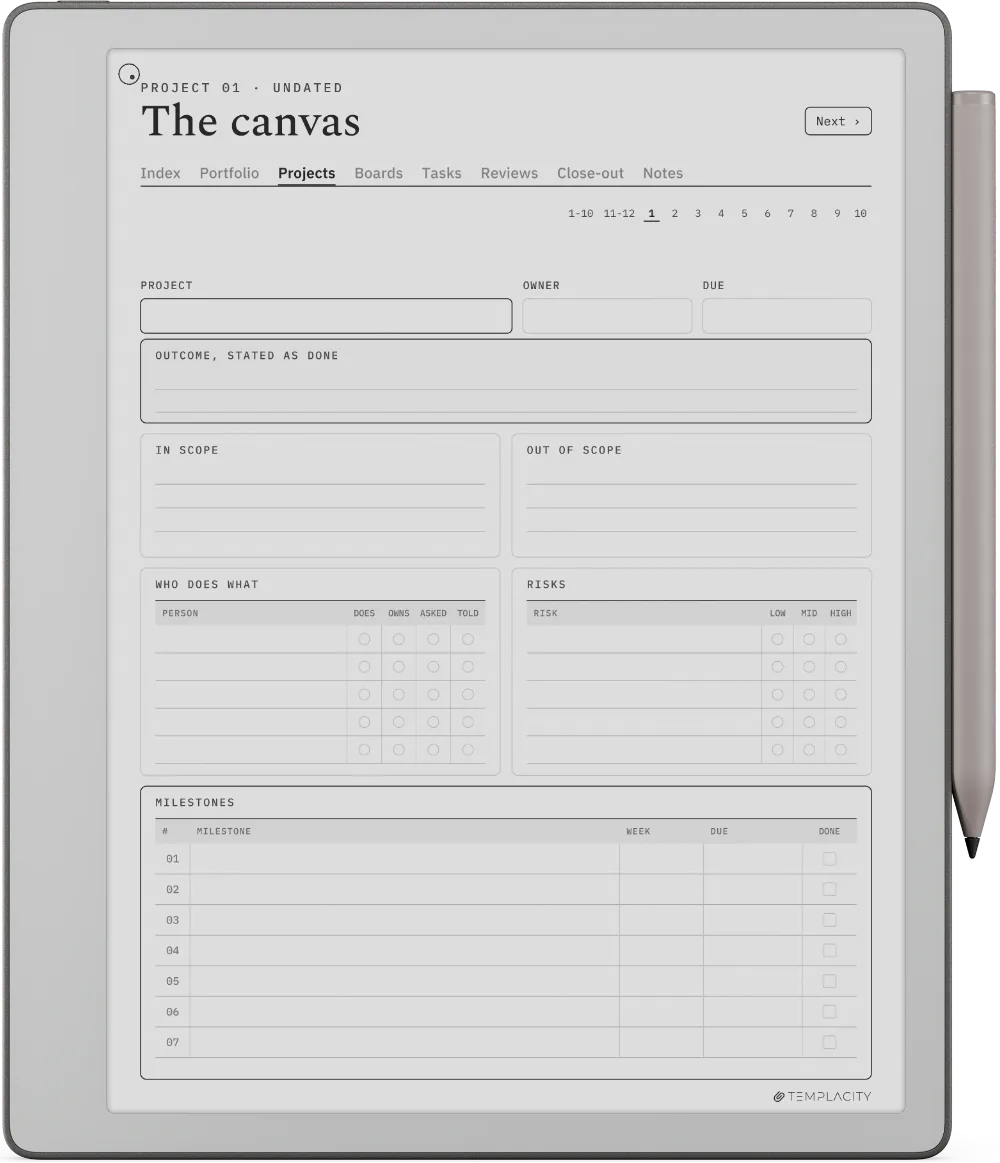
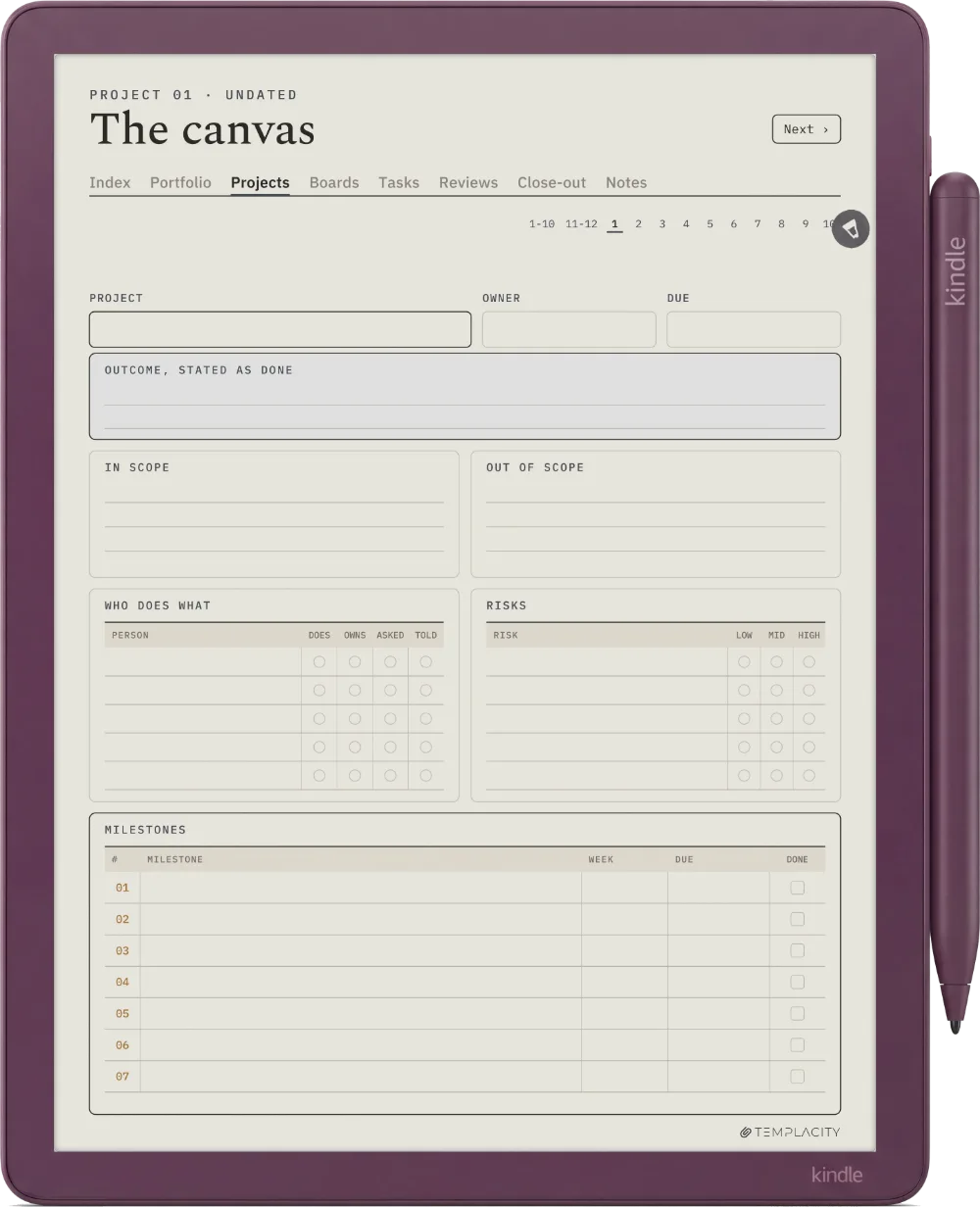
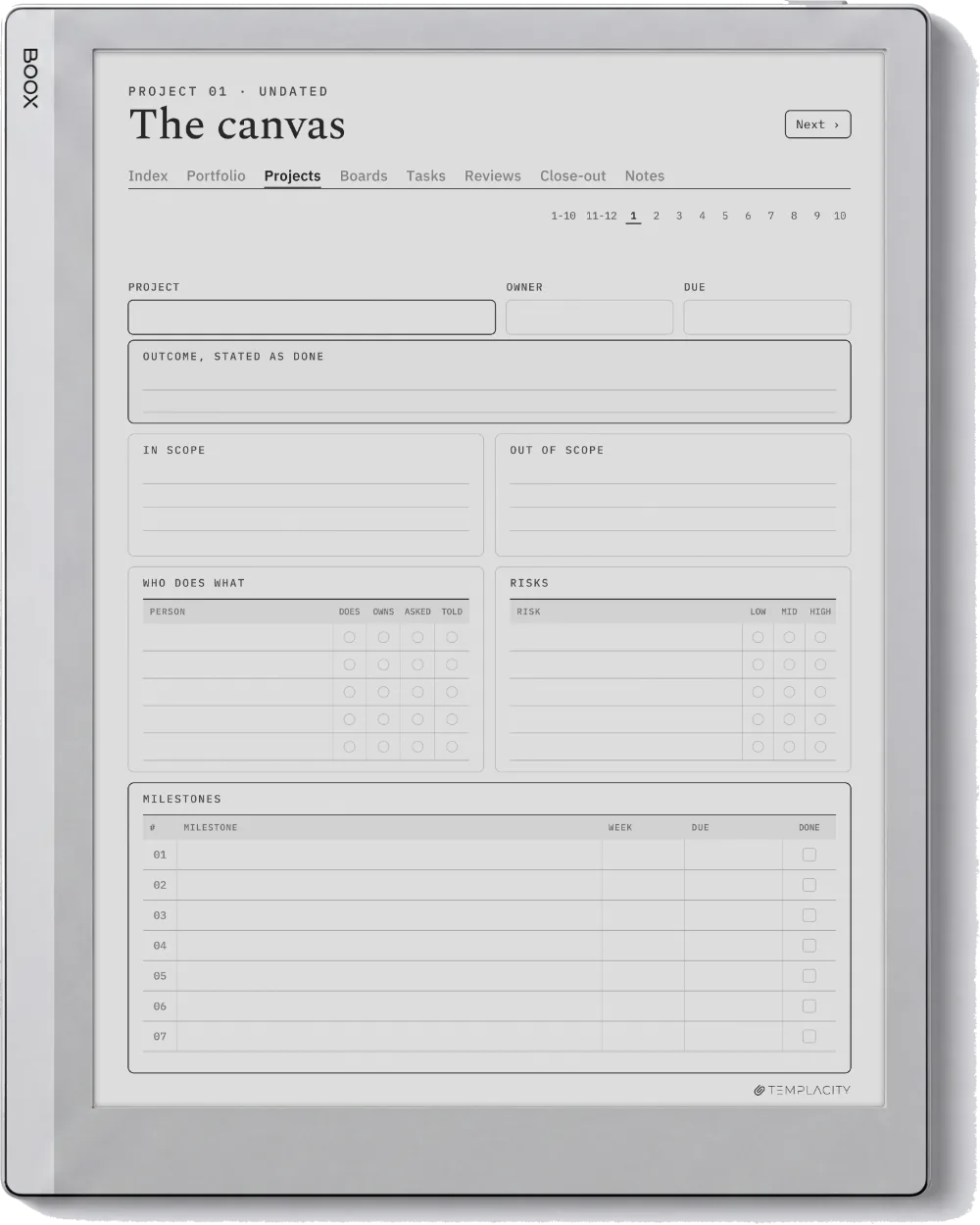
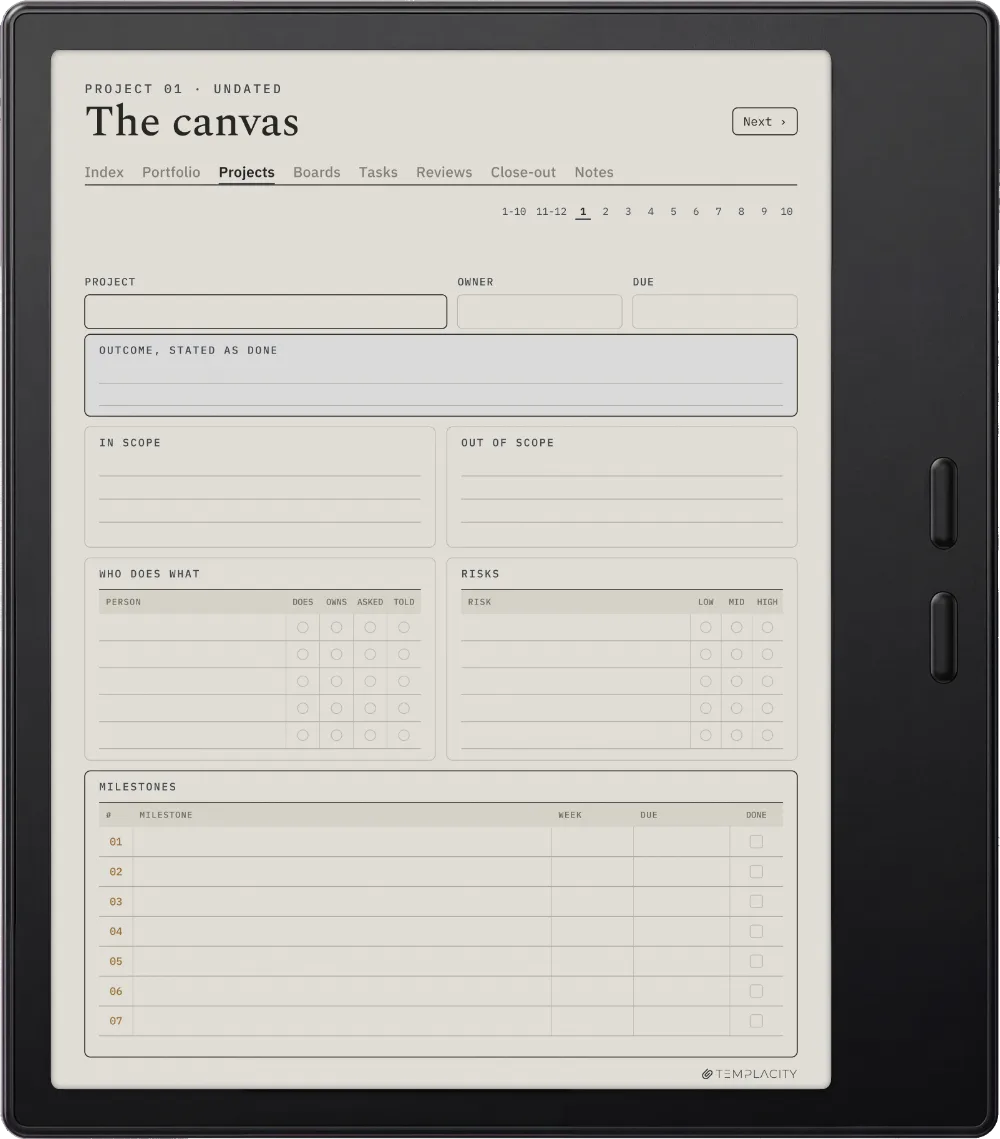
Write the project before you start it.
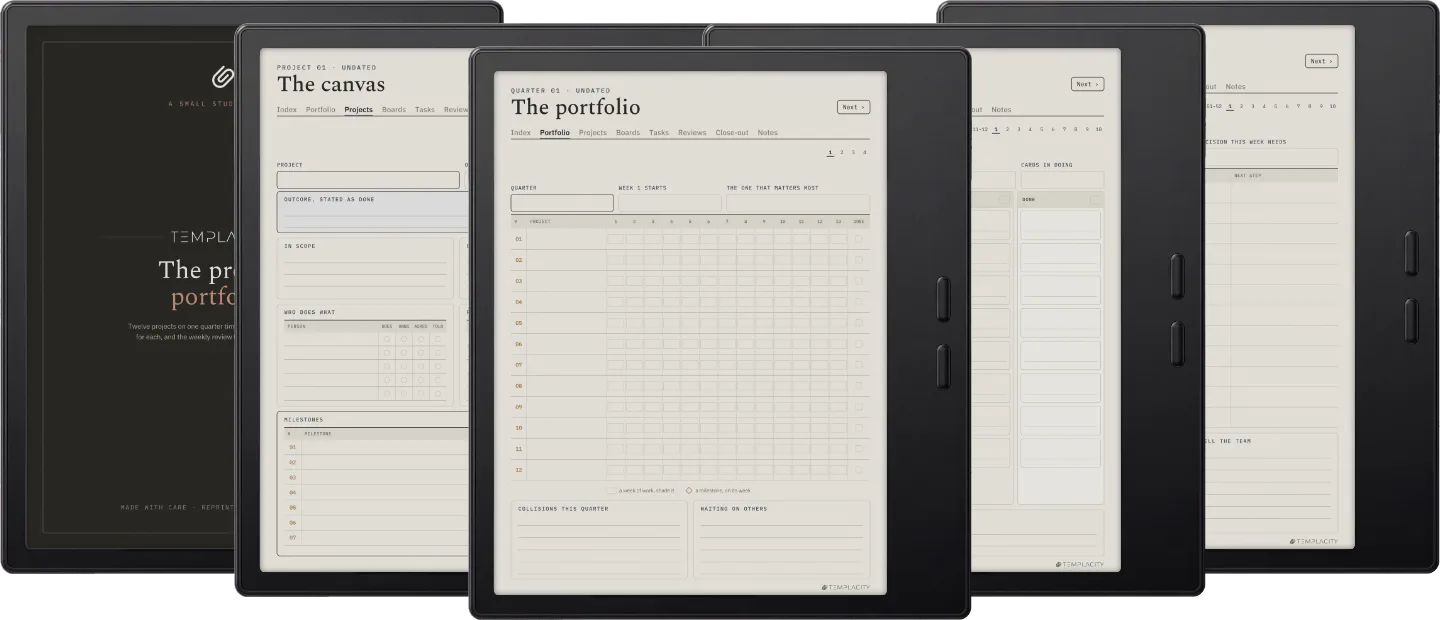
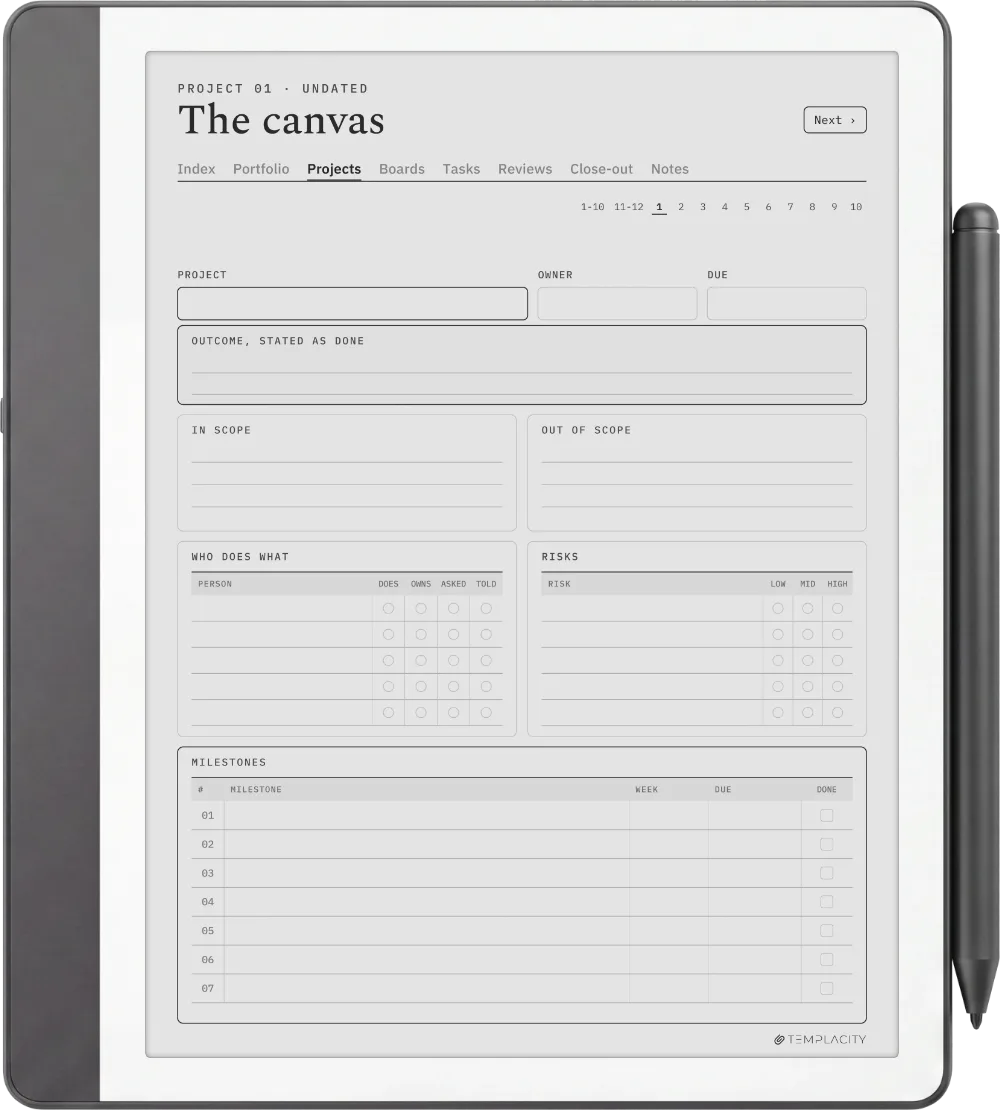
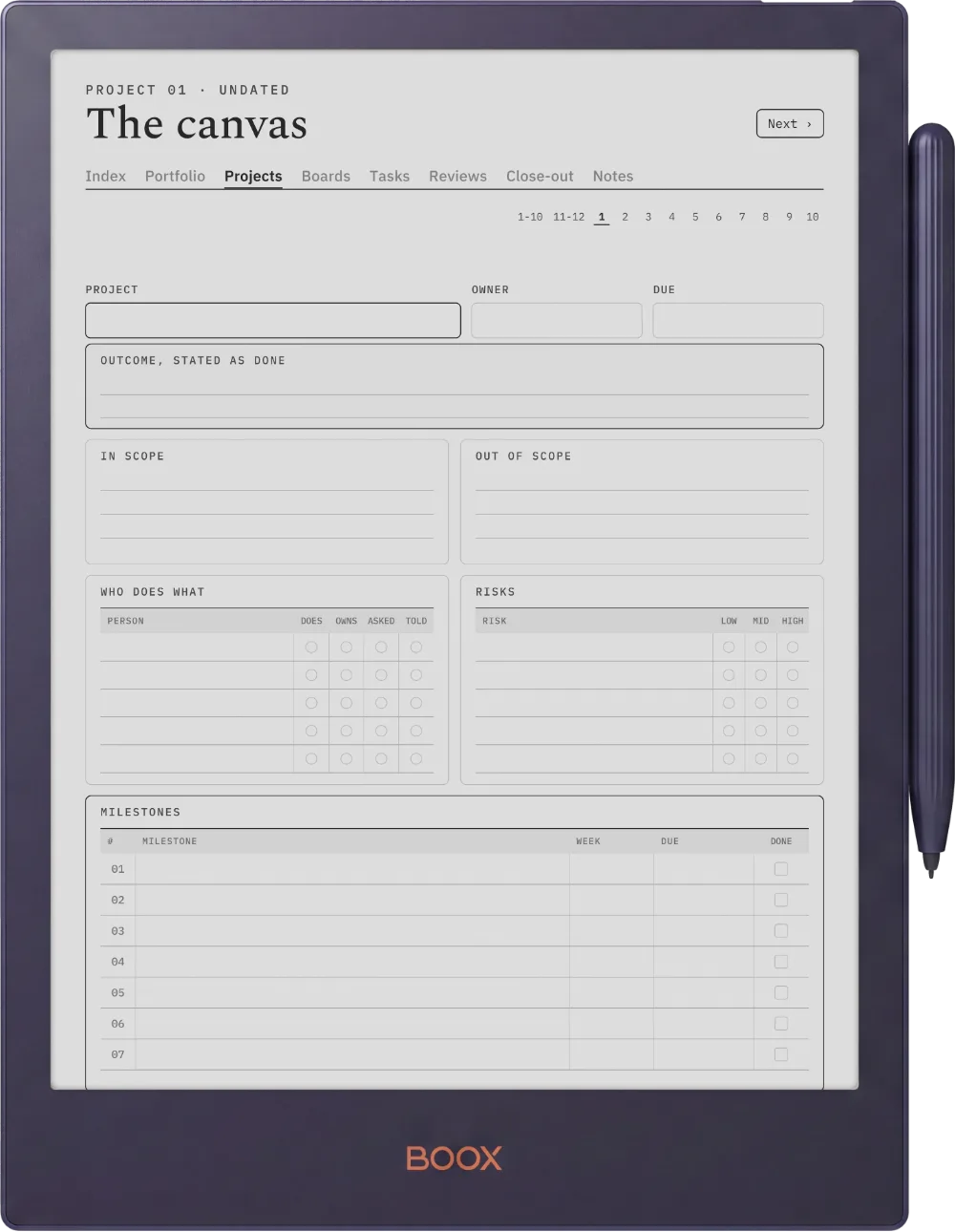
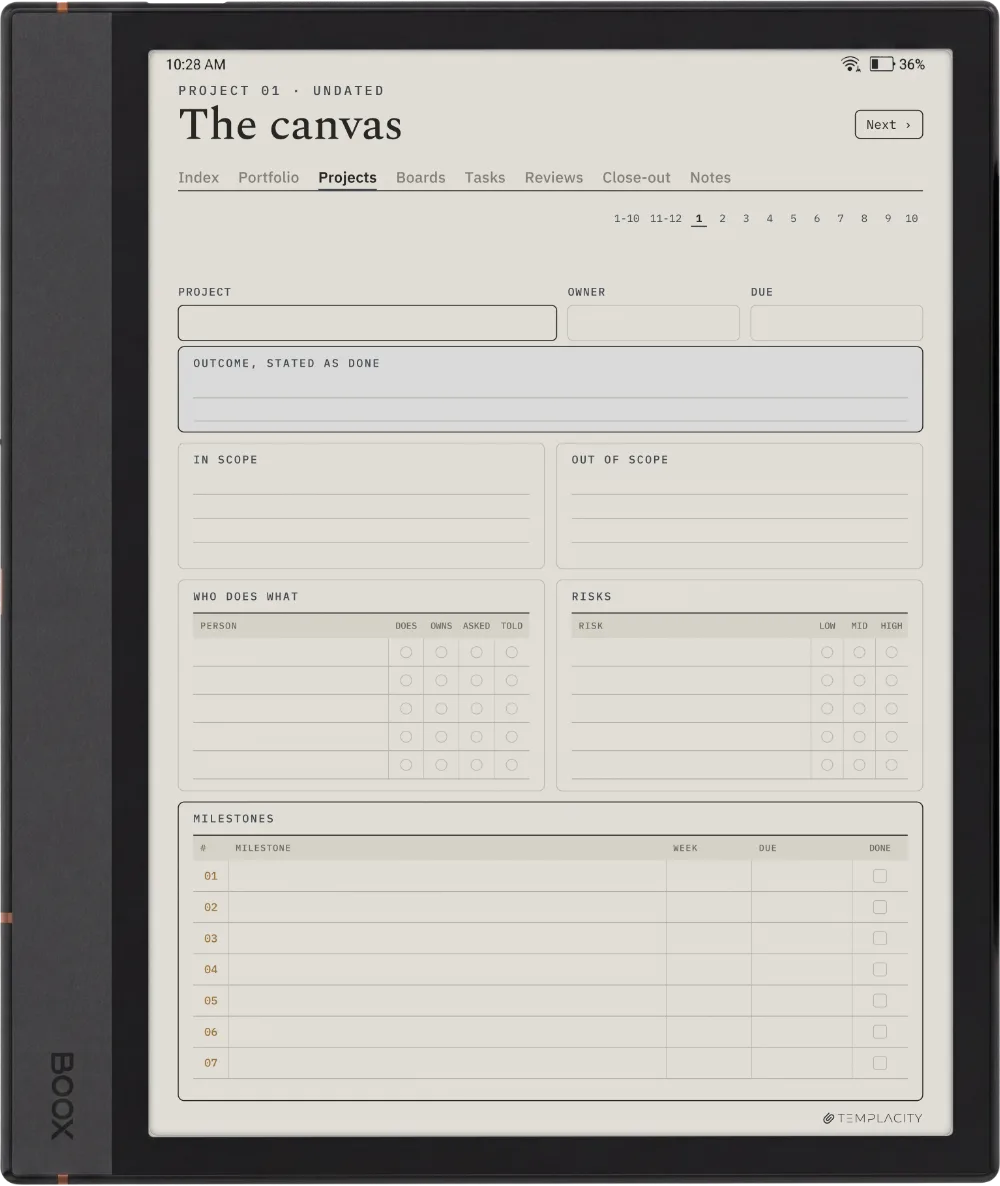
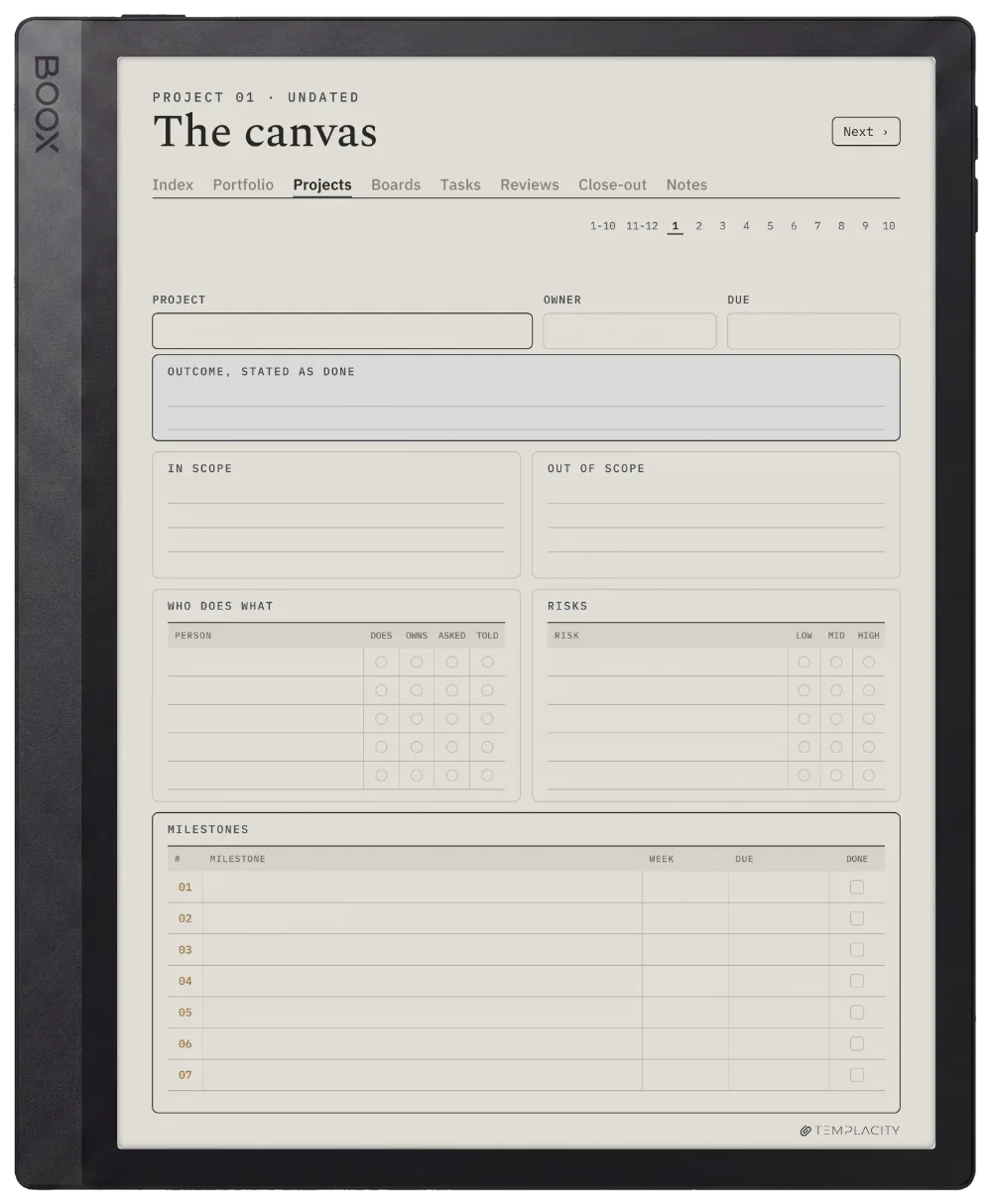
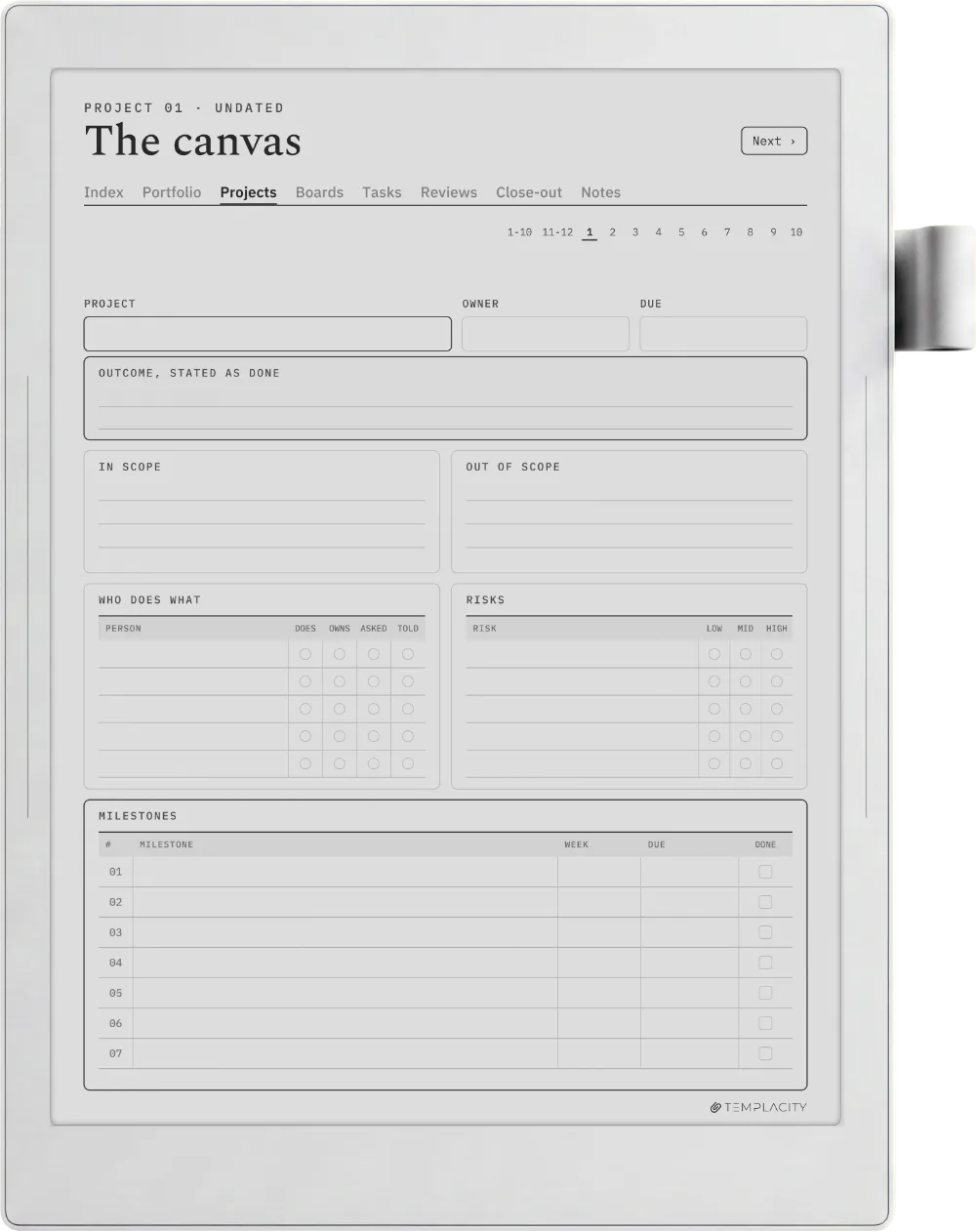
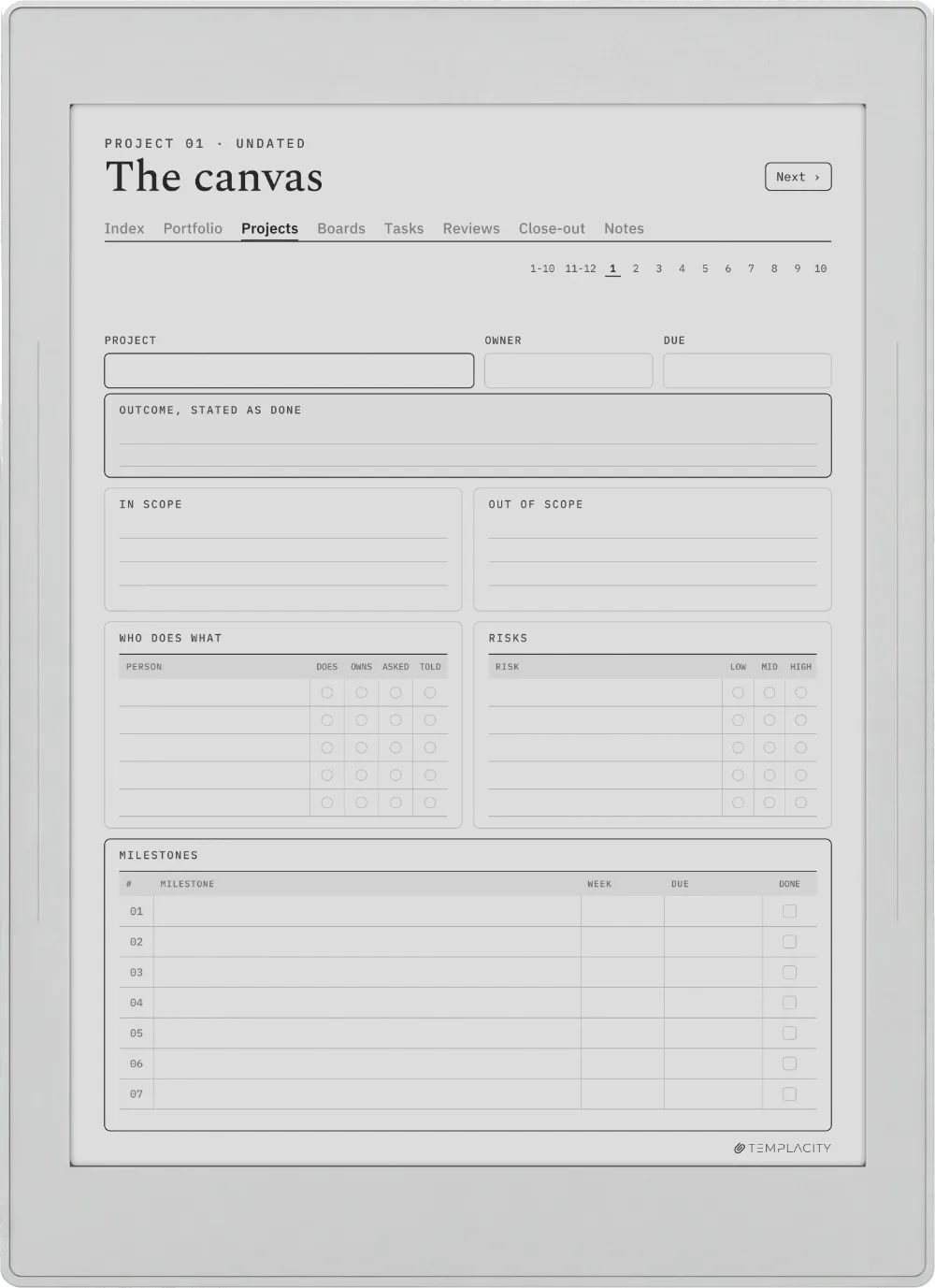
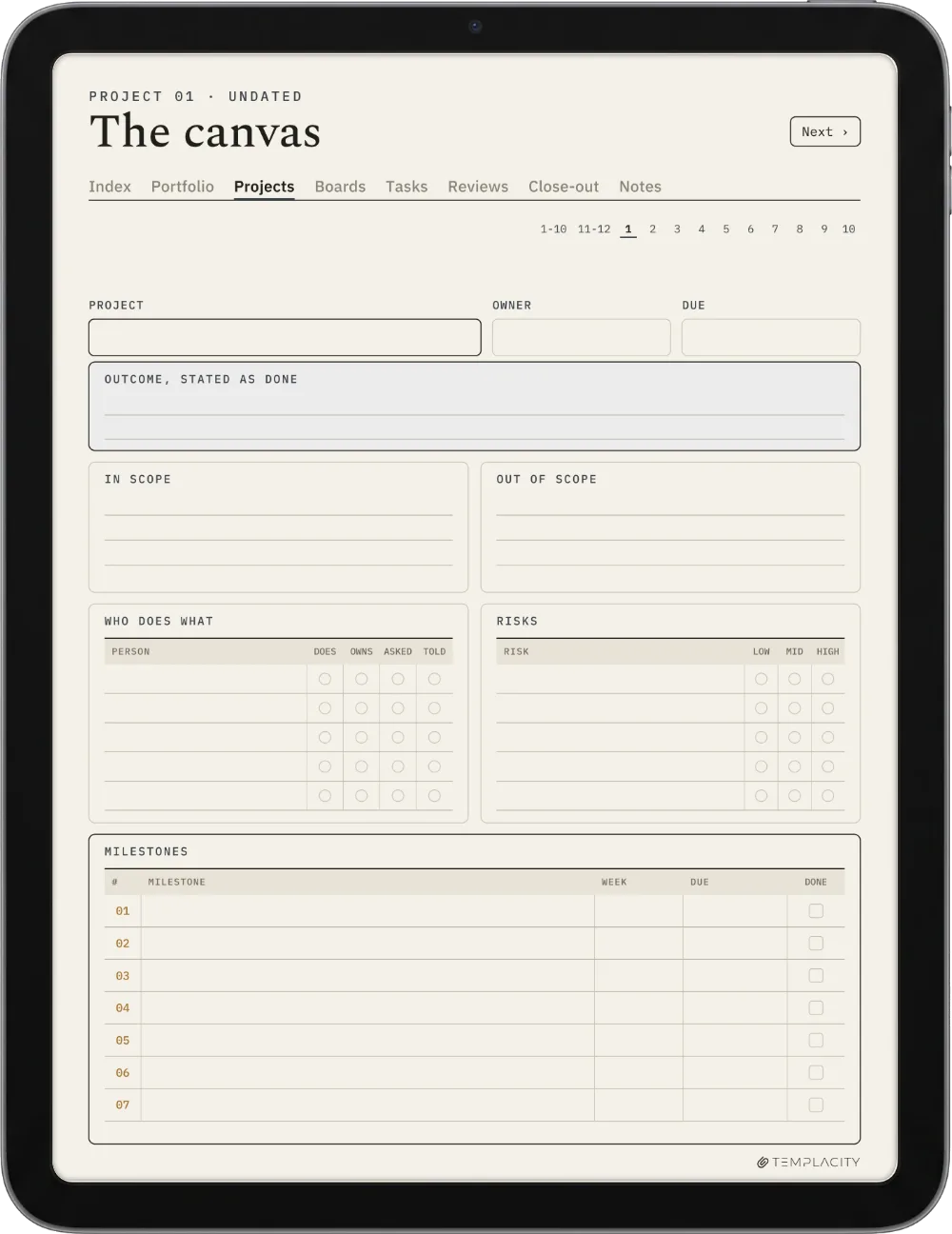
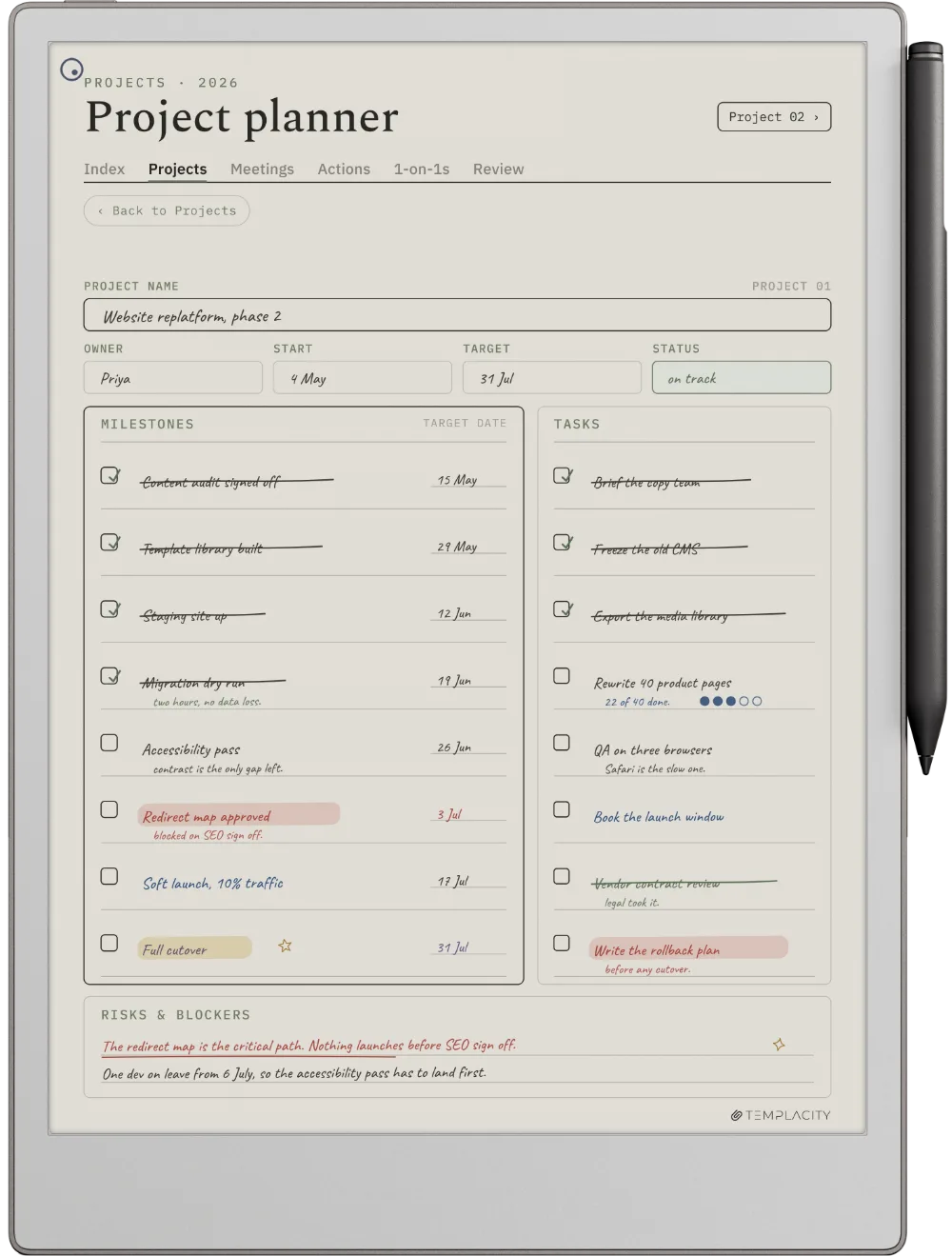
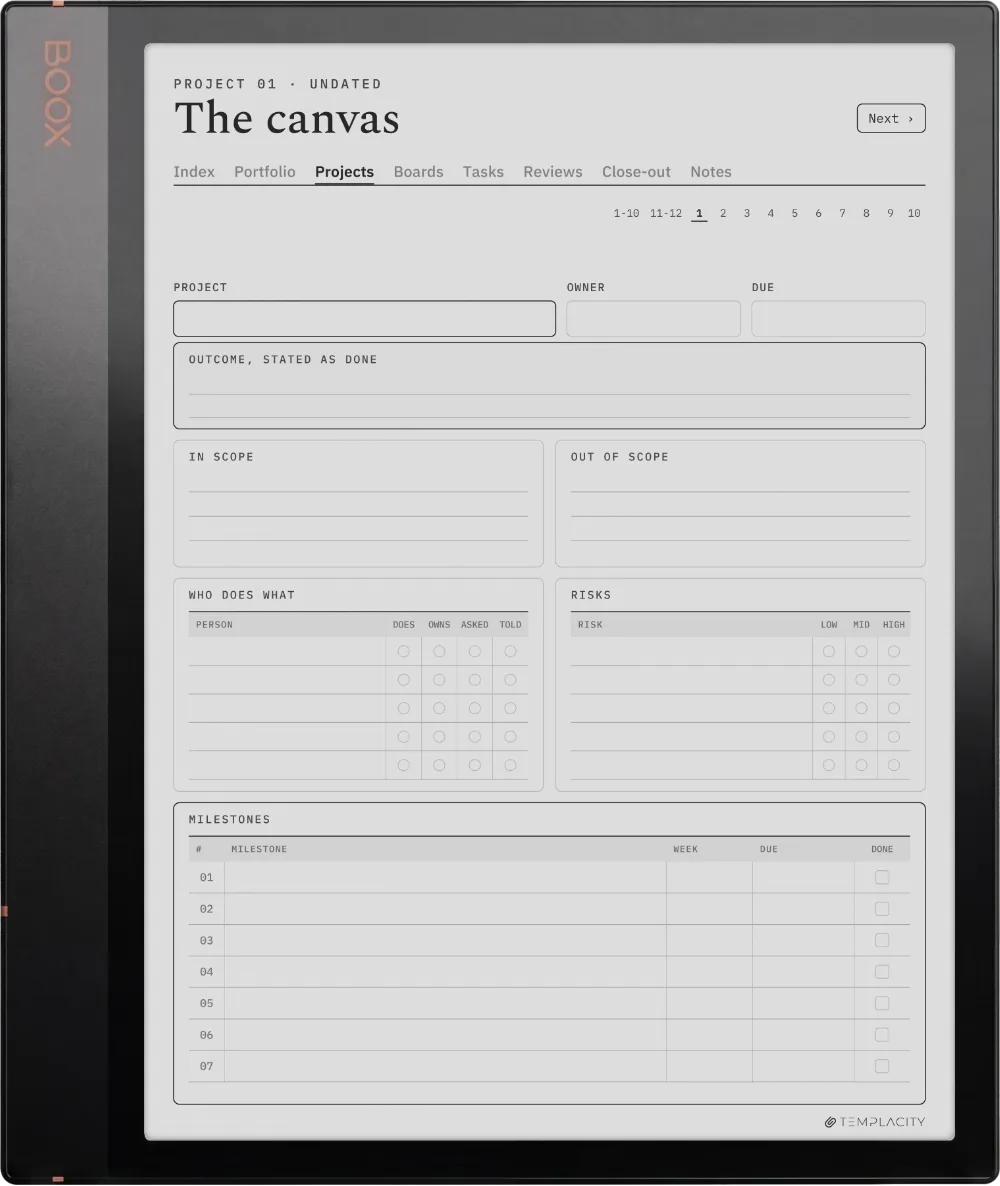
One page per project: the outcome, who it is for, the risks and what done looks like.

The Planner The Canvas
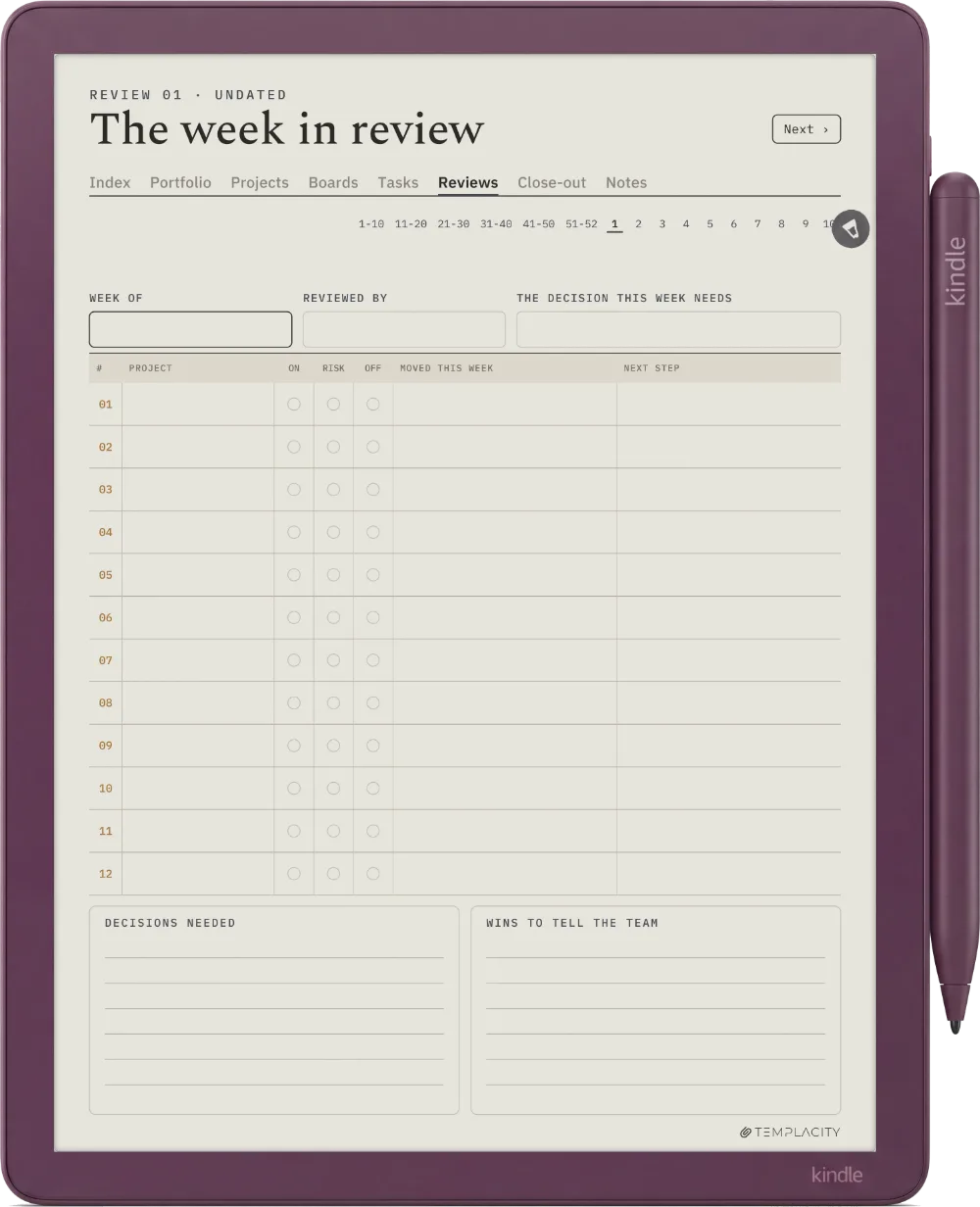
The Review

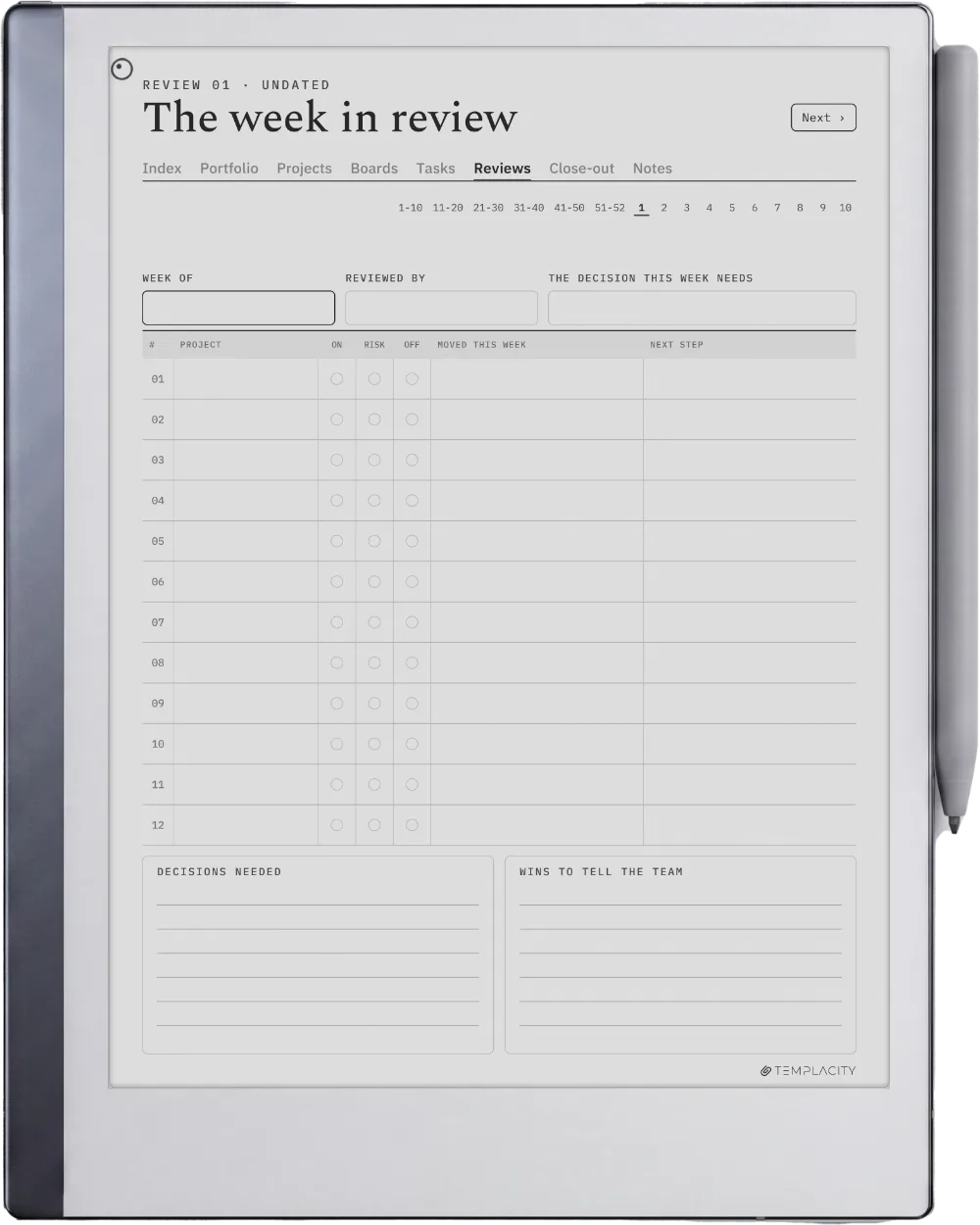
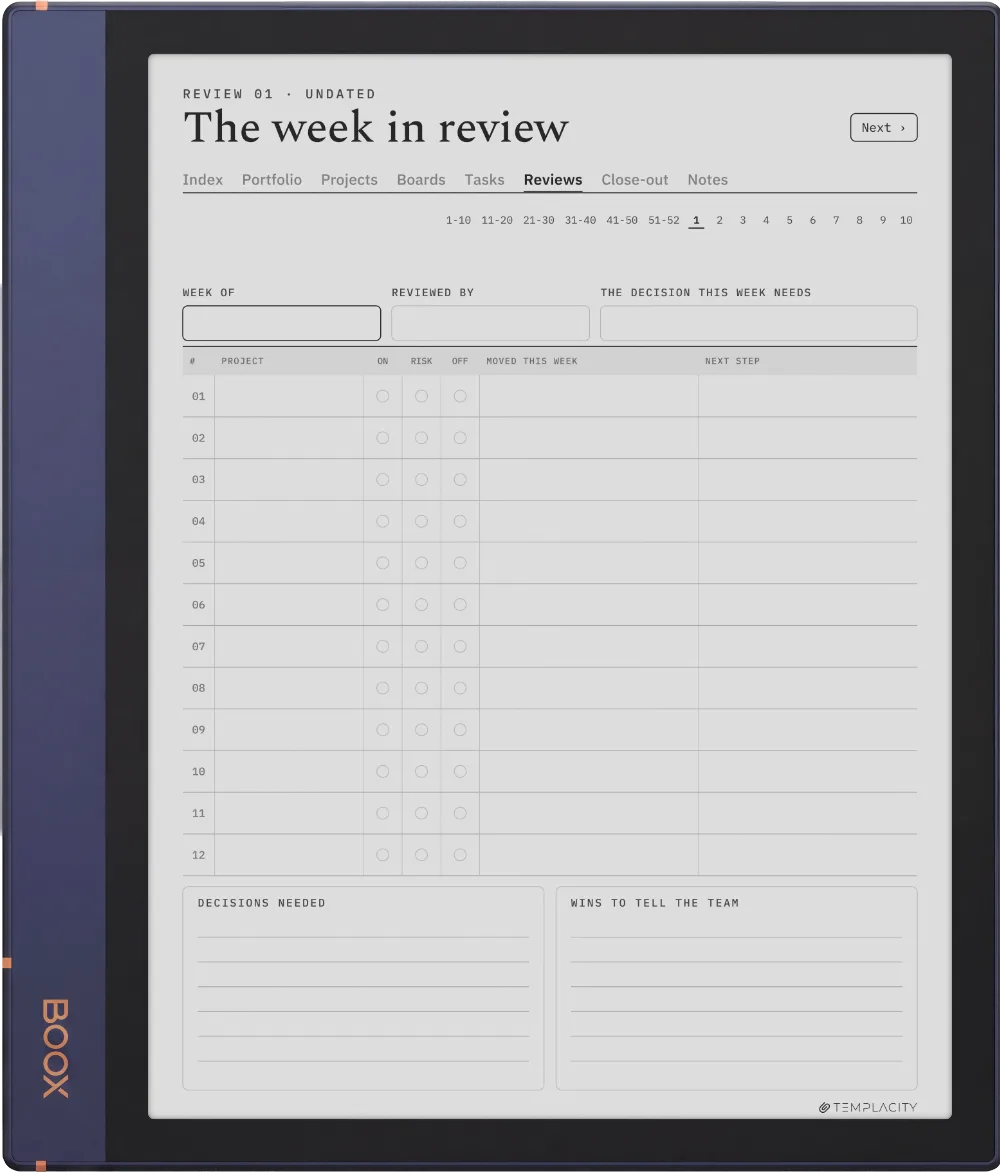
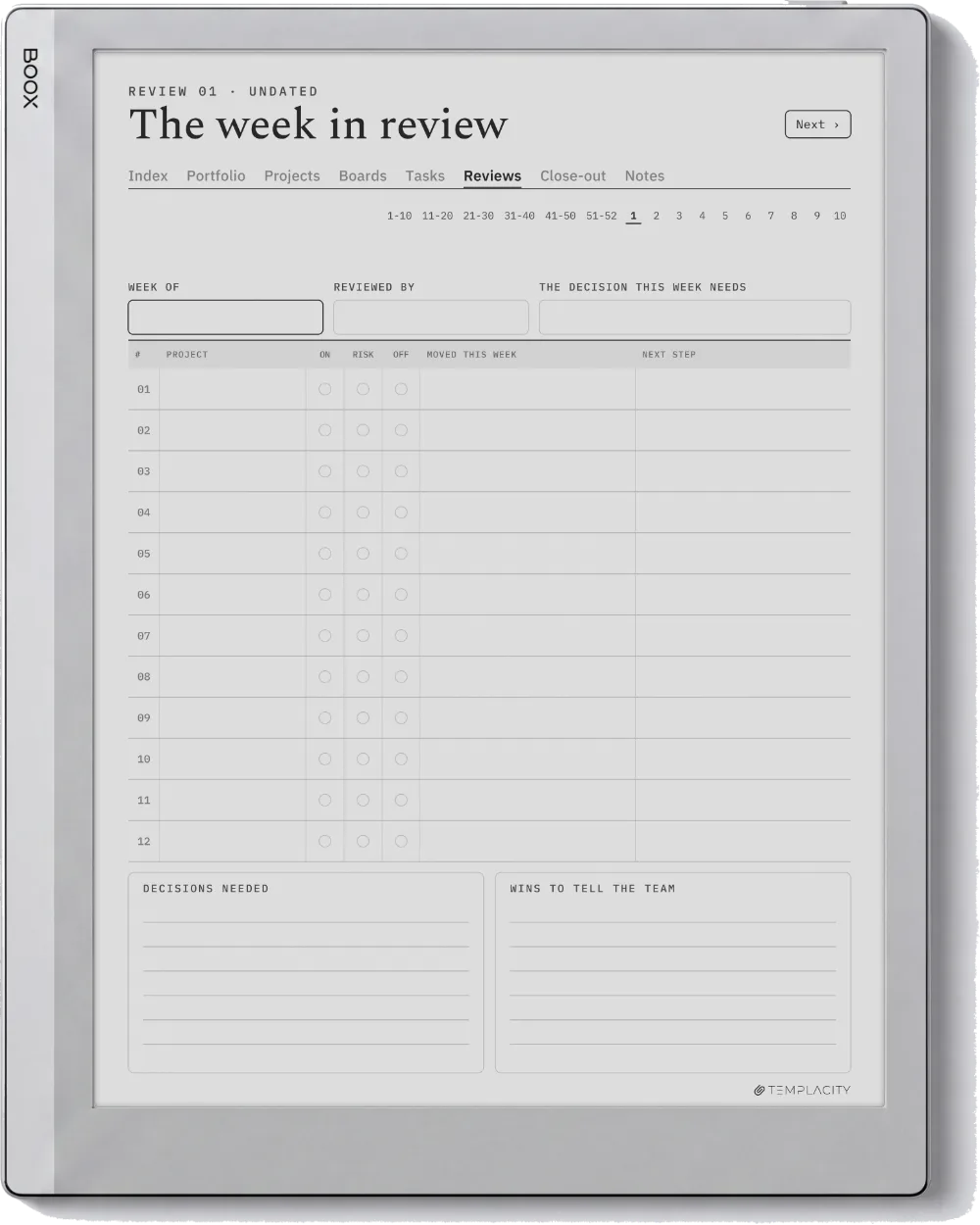
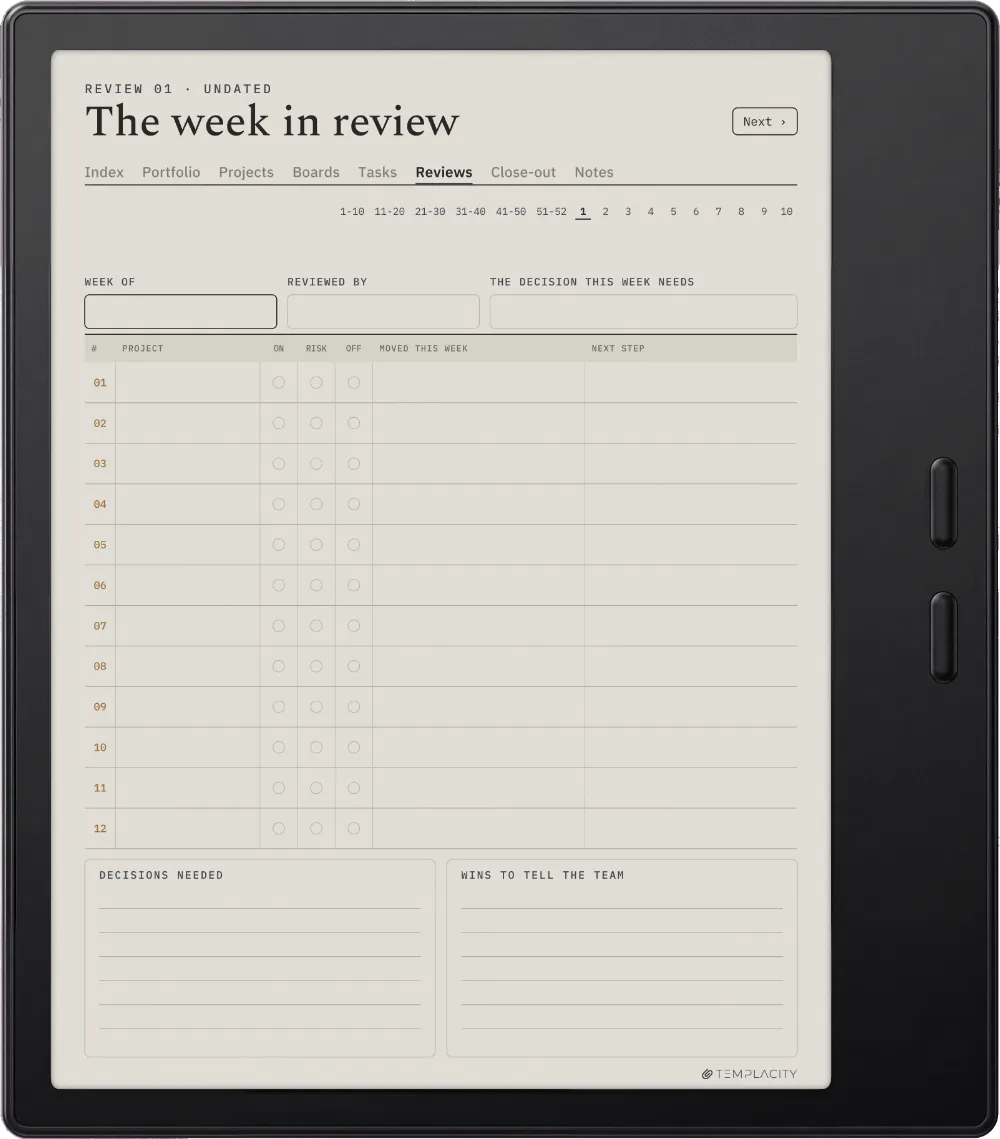
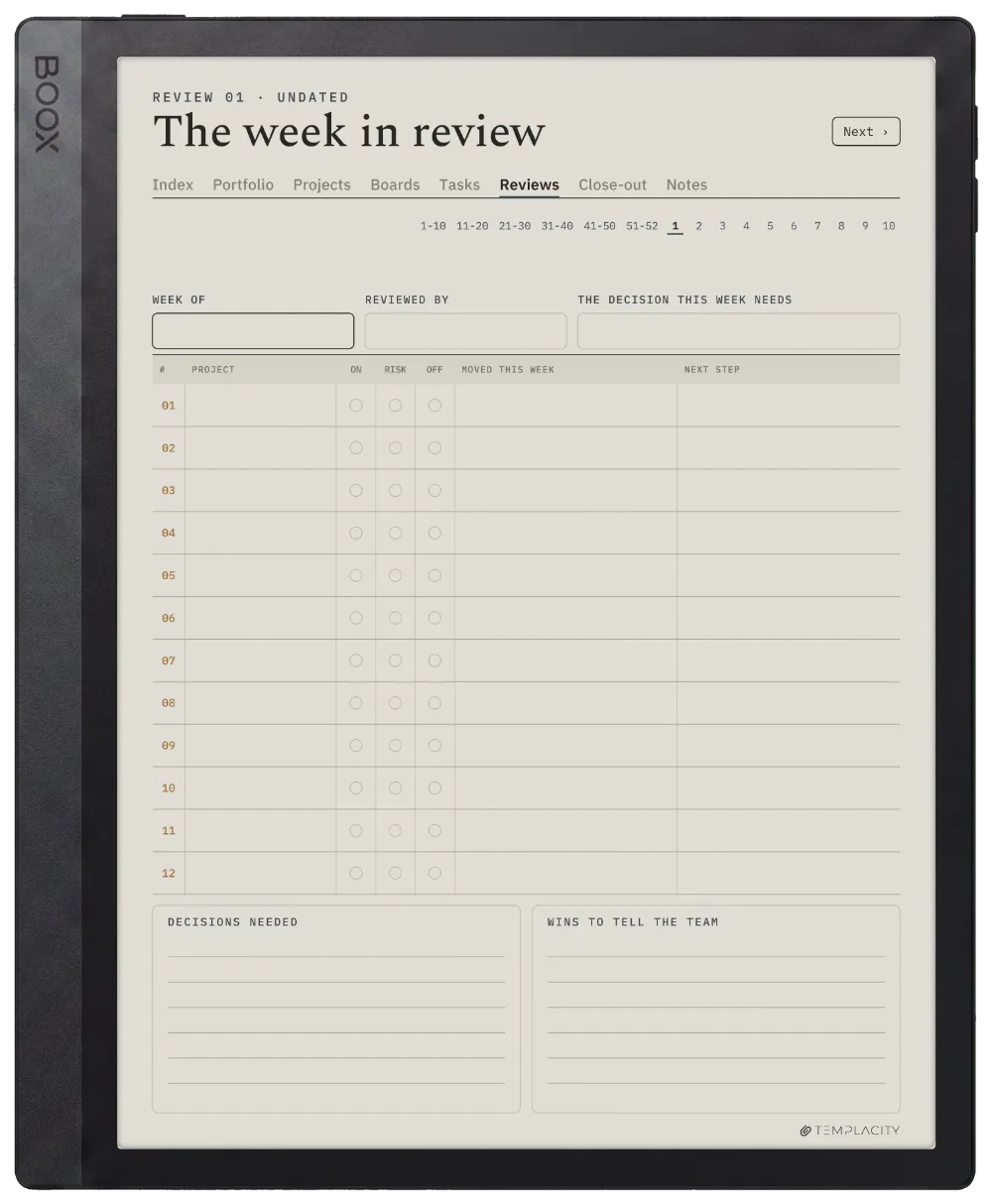
Ten minutes a week, across all of it.

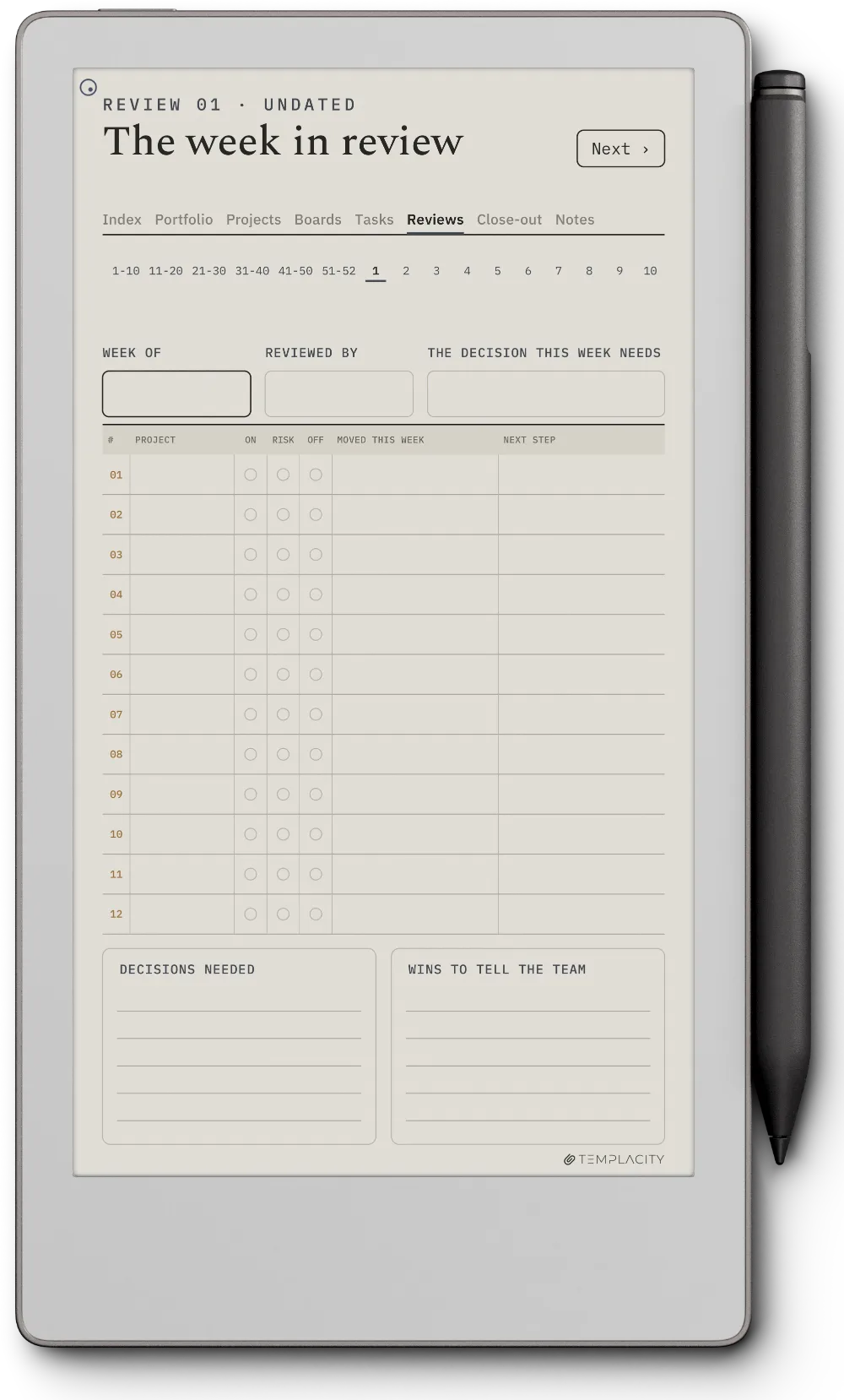
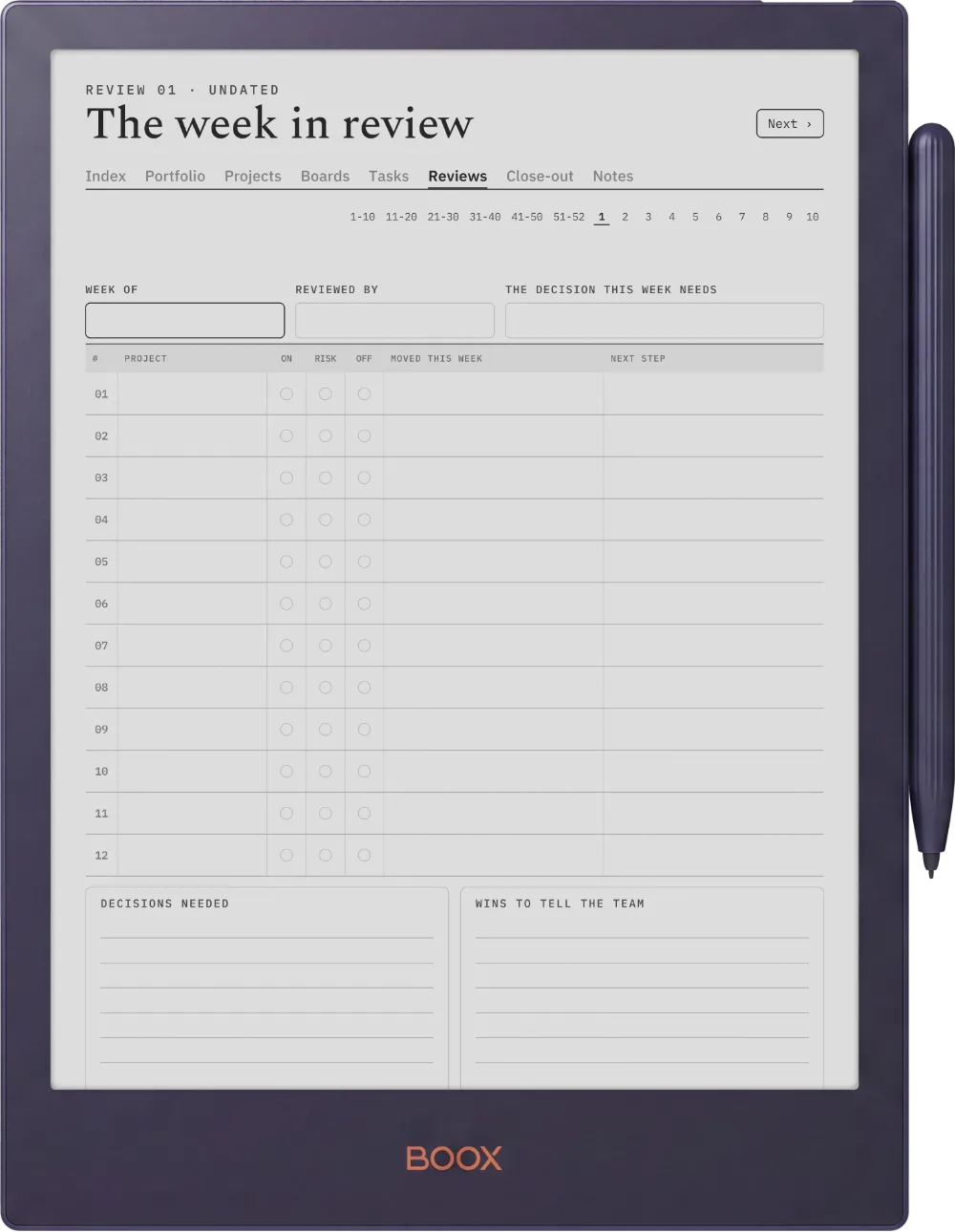
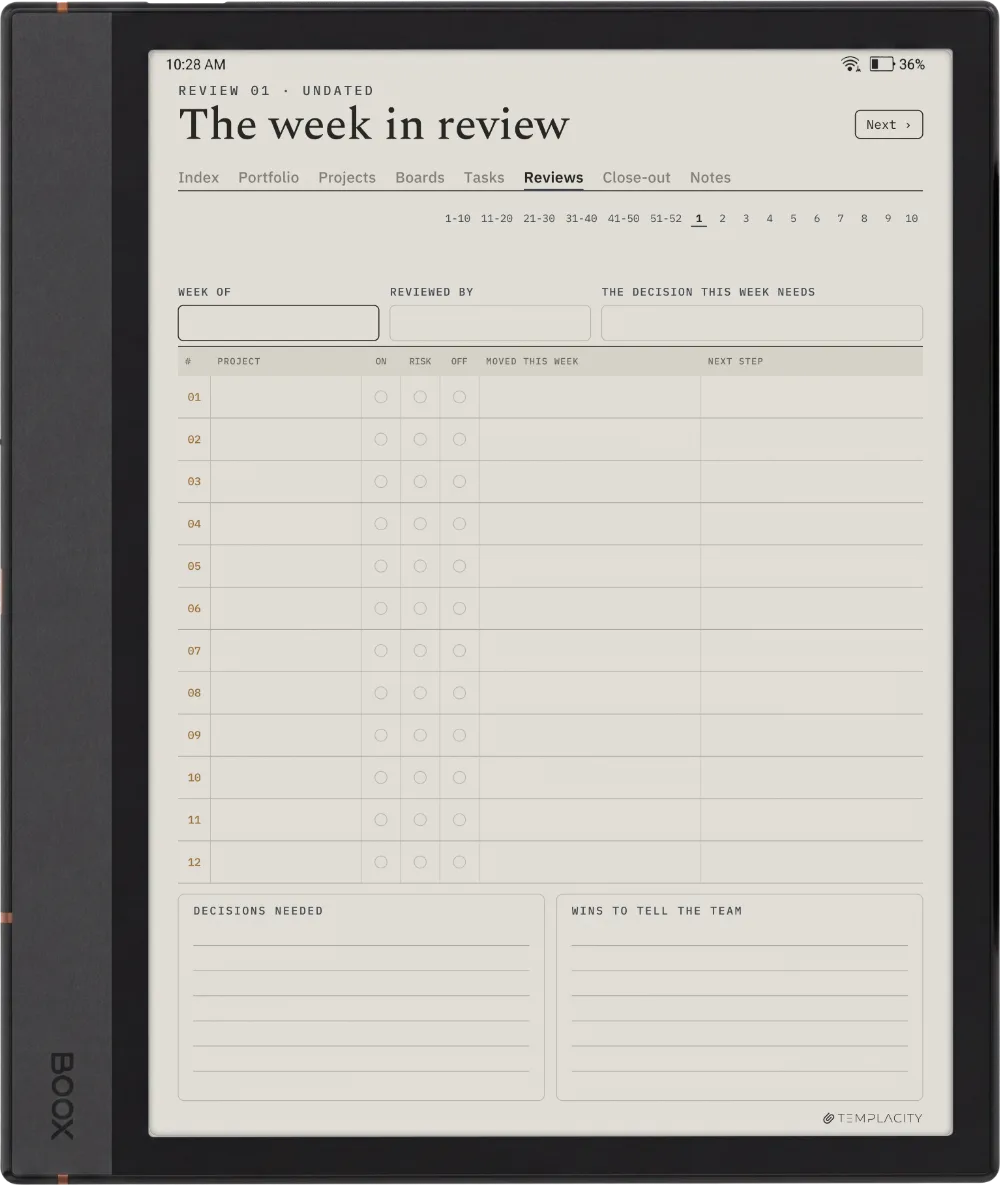
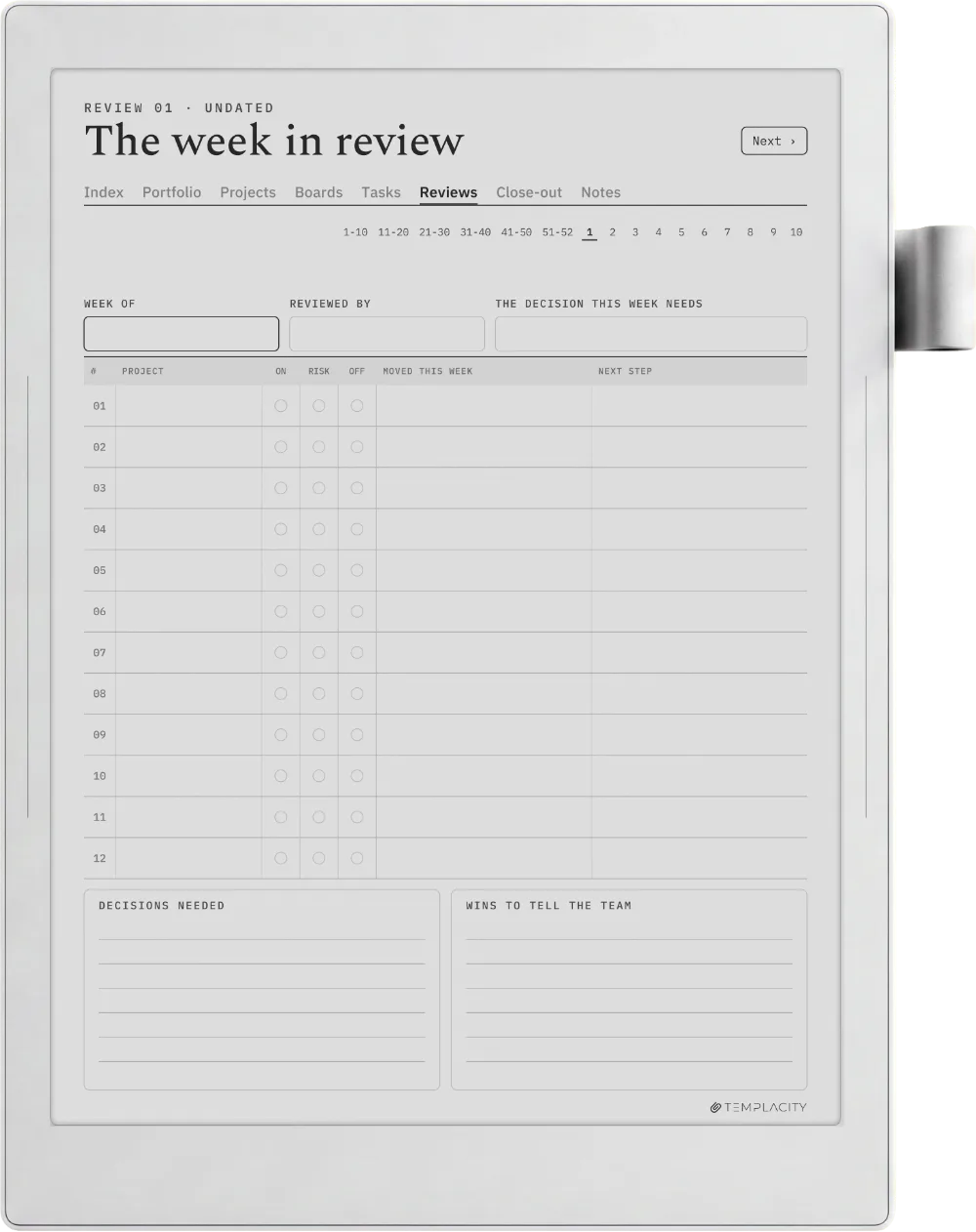
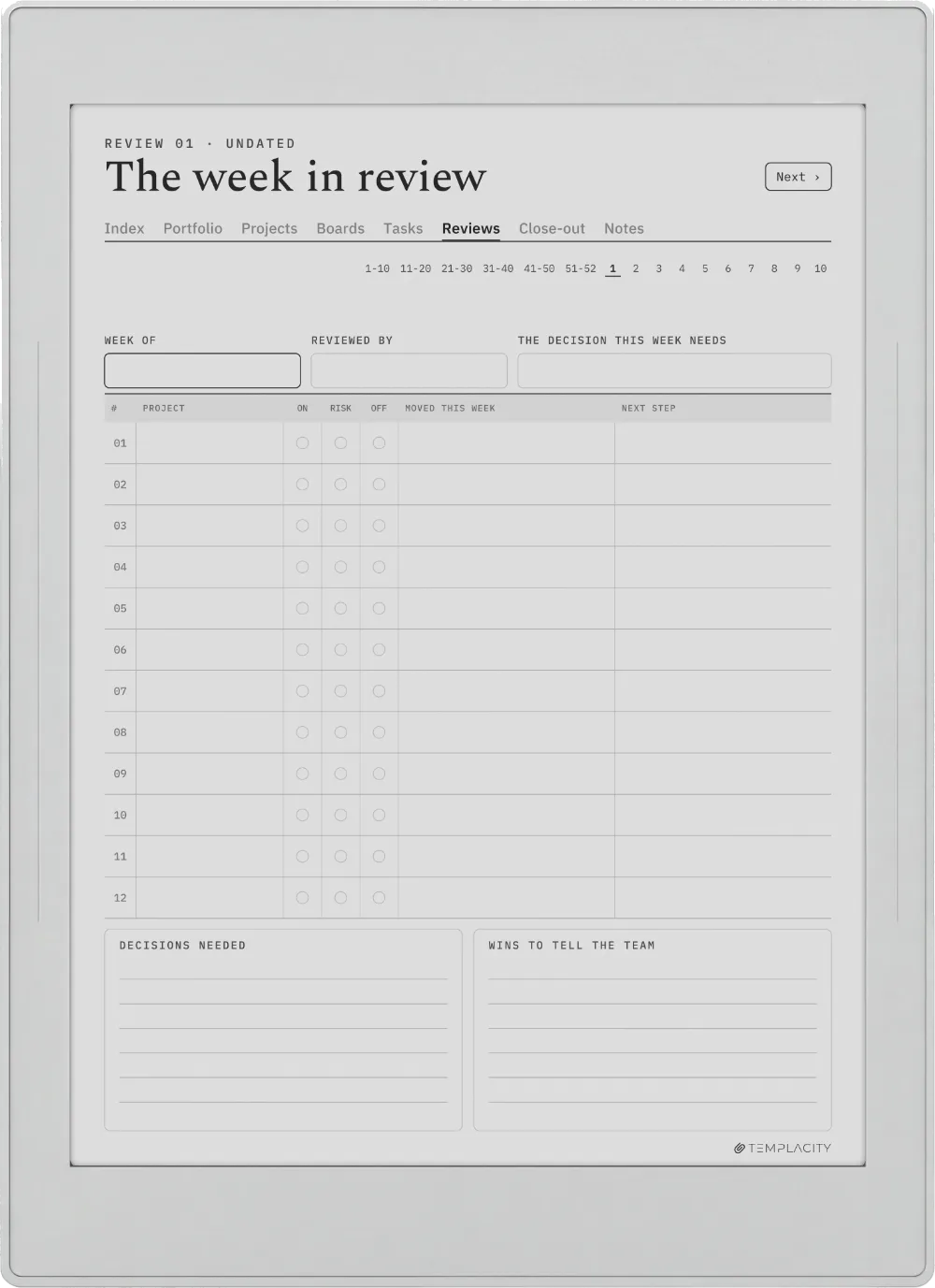
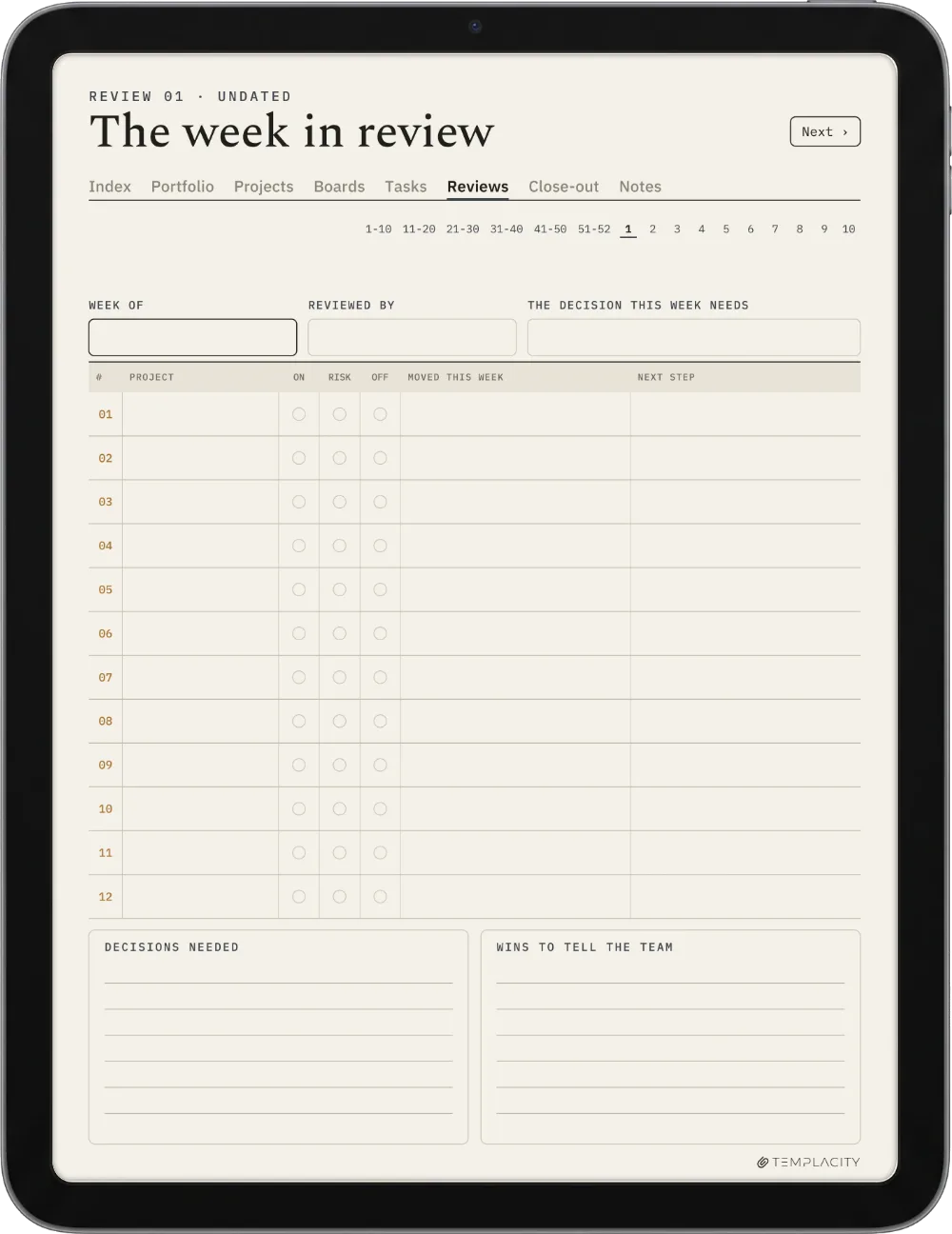
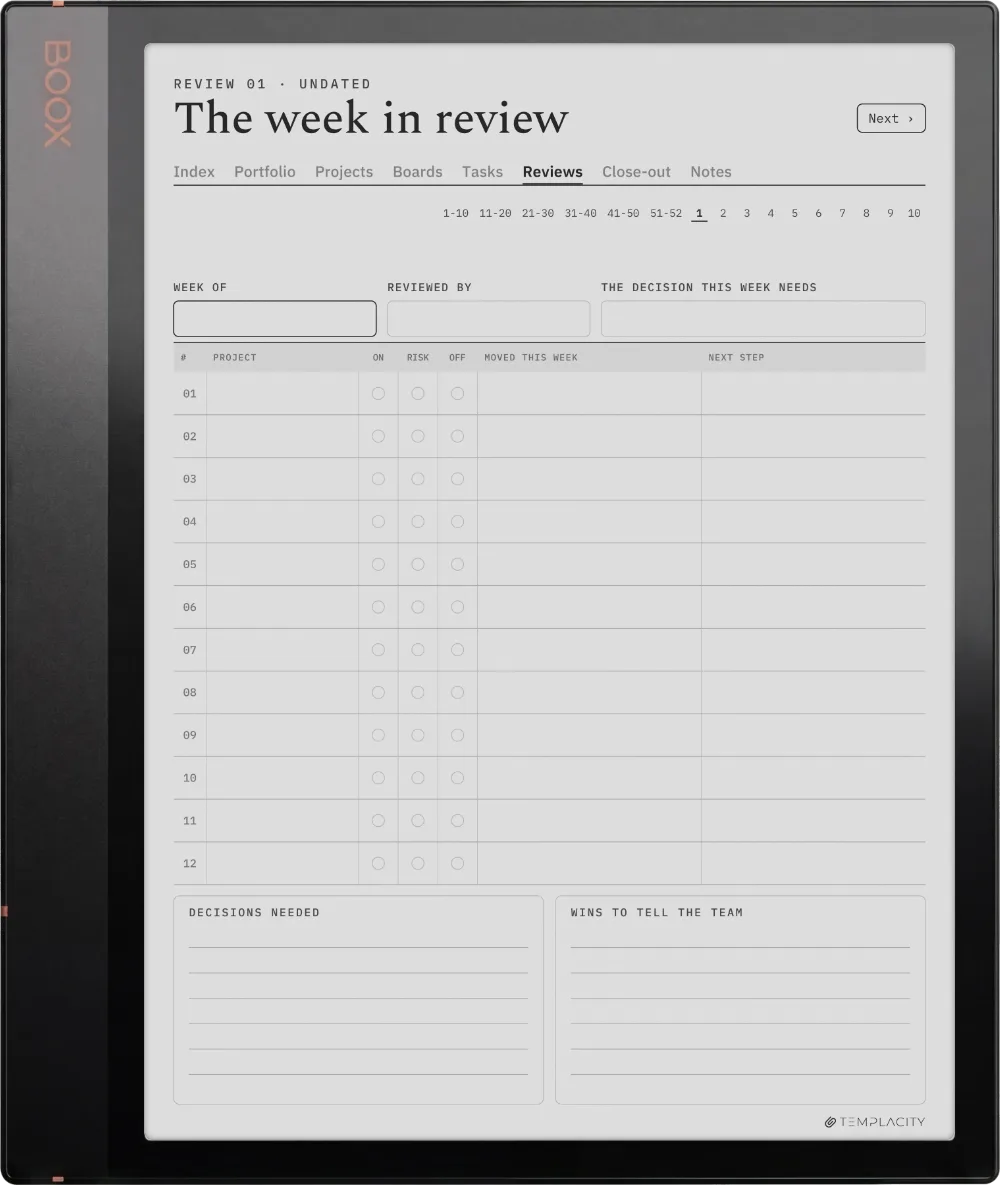
Fifty-two weekly reviews that look at the whole portfolio at once, not one project at a time.

The Planner The Review
The Planner on the reMarkable Paper Pro
№ 04 · Tuned for the Paper Pro

Drawn for the reMarkable Paper Pro.

11.8″ colour e-ink · pressure-sensitive Marker

Sized to the reMarkable Paper Pro writing surface and exported for e-ink: warm paper tone, hairline grids and pen-weighted rule lines, with real room for your pen.

The Planner on the reMarkable 2
№ 04 · Tuned for the reMarkable 2

Drawn for the reMarkable 2.

10.3″ monochrome e-ink · paperfeel Pen

Sized to the reMarkable 2 writing surface and exported for e-ink: warm paper tone, hairline grids and pen-weighted rule lines, with real room for your pen.

The Planner on the reMarkable Paper Pure
№ 04 · Tuned for the Paper Pure

Drawn for the reMarkable Paper Pure.

10.3″ monochrome e-ink · paperfeel Pen

Sized to the reMarkable Paper Pure writing surface and exported for e-ink: warm paper tone, hairline grids and pen-weighted rule lines, with real room for your pen.

The Planner on the reMarkable Paper Pro Move
№ 04 · Tuned for the Paper Pro Move

Drawn for the reMarkable Paper Pro Move.

7.3″ colour e-ink · pressure-sensitive Marker

Sized to the reMarkable Paper Pro Move writing surface and exported for e-ink: warm paper tone, hairline grids and pen-weighted rule lines, with real room for your pen.

The Planner on the Kindle Scribe
№ 04 · Tuned for the Scribe

Drawn for the Kindle Scribe.

10.2″ or 11″ monochrome e-ink · Premium Pen

Sized to the Kindle Scribe writing surface and exported for e-ink: warm paper tone, hairline grids and pen-weighted rule lines, with real room for your pen.

The Planner on the Kindle Scribe Colorsoft
№ 04 · Tuned for the Colorsoft

Drawn for the Kindle Scribe Colorsoft.

11″ colour e-ink · Premium Pen

Sized to the Kindle Scribe Colorsoft writing surface and exported for e-ink: warm paper tone, hairline grids and pen-weighted rule lines, with real room for your pen.

The Planner on the Boox Note Air4 C
№ 04 · Tuned for the Note Air4 C

Drawn for the Boox Note Air4 C.

10.3″ colour e-ink · Android · BOOX Pen

Sized to the Boox Note Air4 C writing surface and exported for e-ink: warm paper tone, hairline grids and pen-weighted rule lines, with real room for your pen.

The Planner on the Boox Note Air5 C
№ 04 · Tuned for the Note Air5 C

Drawn for the Boox Note Air5 C.

10.3″ colour e-ink · Android · BOOX Pen

Sized to the Boox Note Air5 C writing surface and exported for e-ink: warm paper tone, hairline grids and pen-weighted rule lines, with real room for your pen.

The Planner on the Boox Note Air3 C
№ 04 · Tuned for the Note Air3 C

Drawn for the Boox Note Air3 C.

10.3″ colour e-ink · Android · BOOX Pen

Sized to the Boox Note Air3 C writing surface and exported for e-ink: warm paper tone, hairline grids and pen-weighted rule lines, with real room for your pen.

The Planner on the Boox Note Air 3
№ 04 · Tuned for the Note Air 3

Drawn for the Boox Note Air 3.

10.3″ monochrome e-ink · Android

Sized to the Boox Note Air 3 writing surface and exported for e-ink: warm paper tone, hairline grids and pen-weighted rule lines, with real room for your pen.

The Planner on the Boox Note Air2
№ 04 · Tuned for the Note Air2

Drawn for the Boox Note Air2.

10.3″ monochrome e-ink · Android

Sized to the Boox Note Air2 writing surface and exported for e-ink: warm paper tone, hairline grids and pen-weighted rule lines, with real room for your pen.

The Planner on the Boox Go 10.3
№ 04 · Tuned for the Go 10.3

Drawn for the Boox Go 10.3.

10.3″ monochrome e-ink · Android

Sized to the Boox Go 10.3 writing surface and exported for e-ink: warm paper tone, hairline grids and pen-weighted rule lines, with real room for your pen.

The Planner on the Boox Go Color 7 (Gen II)
№ 04 · Tuned for the Go Color 7

Drawn for the Boox Go Color 7 (Gen II).

7″ colour e-ink · Android

Sized to the Boox Go Color 7 (Gen II) writing surface and exported for e-ink: warm paper tone, hairline grids and pen-weighted rule lines, with real room for your pen.

The Planner on the Boox Note5
№ 04 · Tuned for the Note5

Drawn for the Boox Note5.

10.3″ monochrome e-ink · Android

Sized to the Boox Note5 writing surface and exported for e-ink: warm paper tone, hairline grids and pen-weighted rule lines, with real room for your pen.

The Planner on the Boox Note Max
№ 04 · Tuned for the Note Max

Drawn for the Boox Note Max.

13.3″ colour e-ink · Android

Sized to the Boox Note Max writing surface and exported for e-ink: warm paper tone, hairline grids and pen-weighted rule lines, with real room for your pen.

The Planner on the Boox Tab Ultra C Pro
№ 04 · Tuned for the Tab Ultra C Pro

Drawn for the Boox Tab Ultra C Pro.

10.3″ colour e-ink · Android · BOOX Pen

Sized to the Boox Tab Ultra C Pro writing surface and exported for e-ink: warm paper tone, hairline grids and pen-weighted rule lines, with real room for your pen.

The Planner on the Supernote Manta
№ 04 · Tuned for the Manta

Drawn for the Supernote Manta.

10.7″ monochrome e-ink · Ratta ceramic nib

Sized to the Supernote Manta writing surface and exported for e-ink: warm paper tone, hairline grids and pen-weighted rule lines, with real room for your pen.

The Planner on the Supernote Nomad
№ 04 · Tuned for the Nomad

Drawn for the Supernote Nomad.

7.8″ monochrome e-ink · Ratta ceramic nib

Sized to the Supernote Nomad writing surface and exported for e-ink: warm paper tone, hairline grids and pen-weighted rule lines, with real room for your pen.

The Planner on the iPad
№ 04 · Tuned for the iPad

Drawn for the iPad.

Goodnotes on iPad · Apple Pencil · full colour

Imports straight into Goodnotes on the iPad and keeps its 3:4 page shape, so it opens full-bleed: links turn pages in read mode, the Apple Pencil writes in edit mode.

№ 05 · How it lands on your device

Three steps, less than a minute.

i.

Download.

Instant download after purchase. Also in your account, forever.
ii.

Send to device.

Email it, drop it in the desktop app, or sync via the cloud.

iii.

Open and write.

Opens at the Index. Tap to the day, week or month you need.

№ 06 · What you actually get

One file, drawn for your device.

Format
Hyperlinked PDF
Dating
Undated. Four numbered quarters and 52 numbered weeks, so it starts whenever your projects do.
Portfolio
Up to 12 projects on a thirteen-week timeline, four quarters
Projects
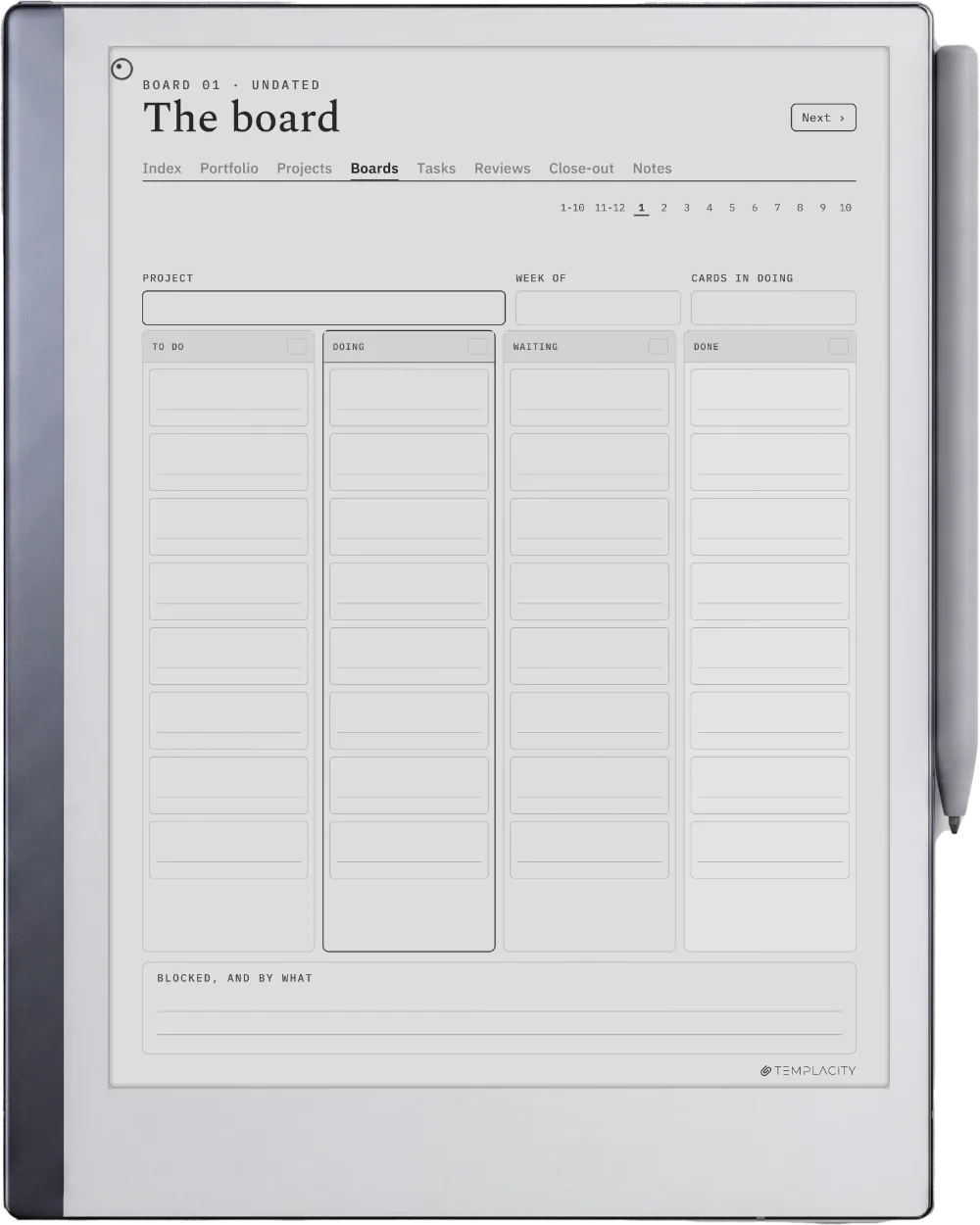
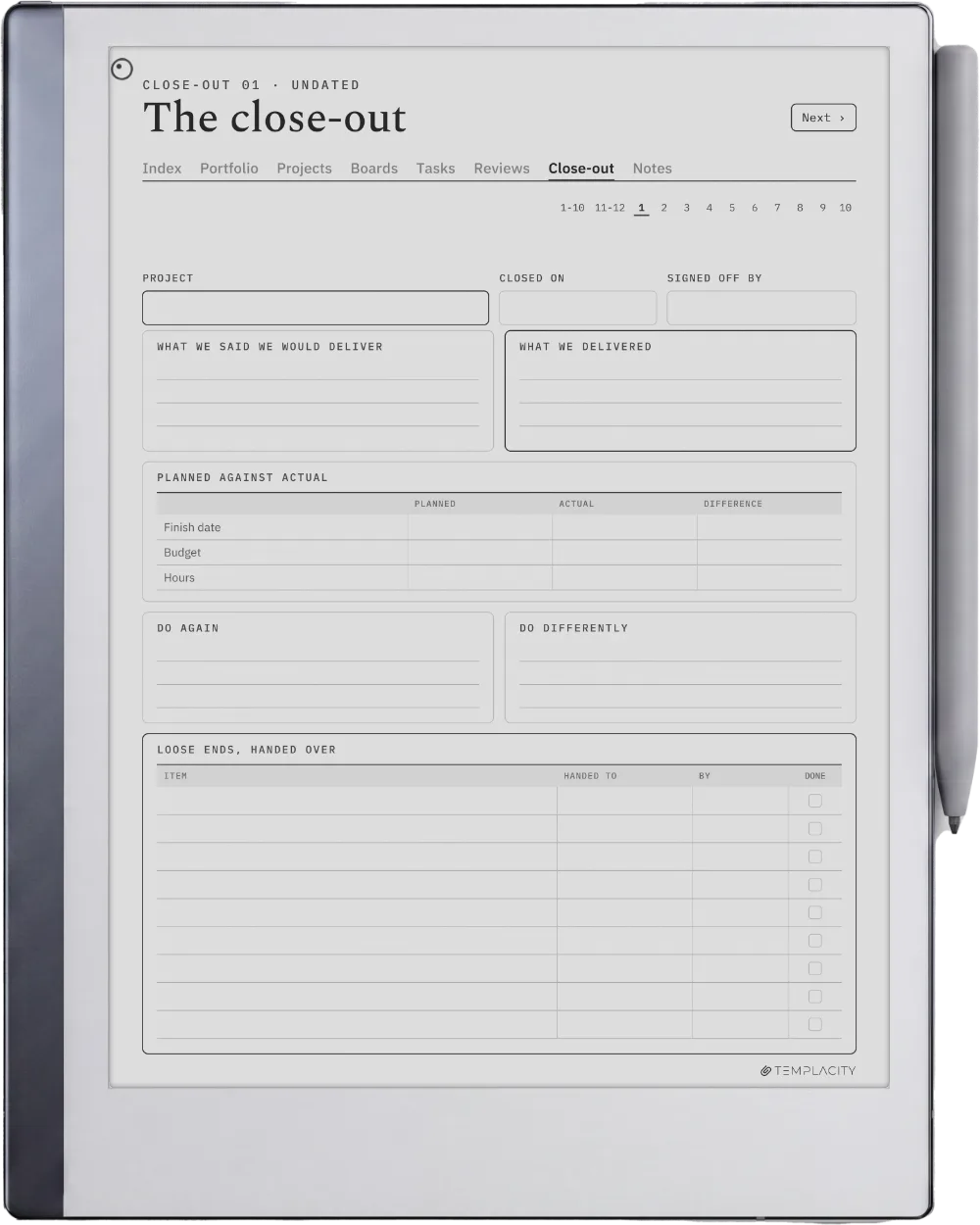
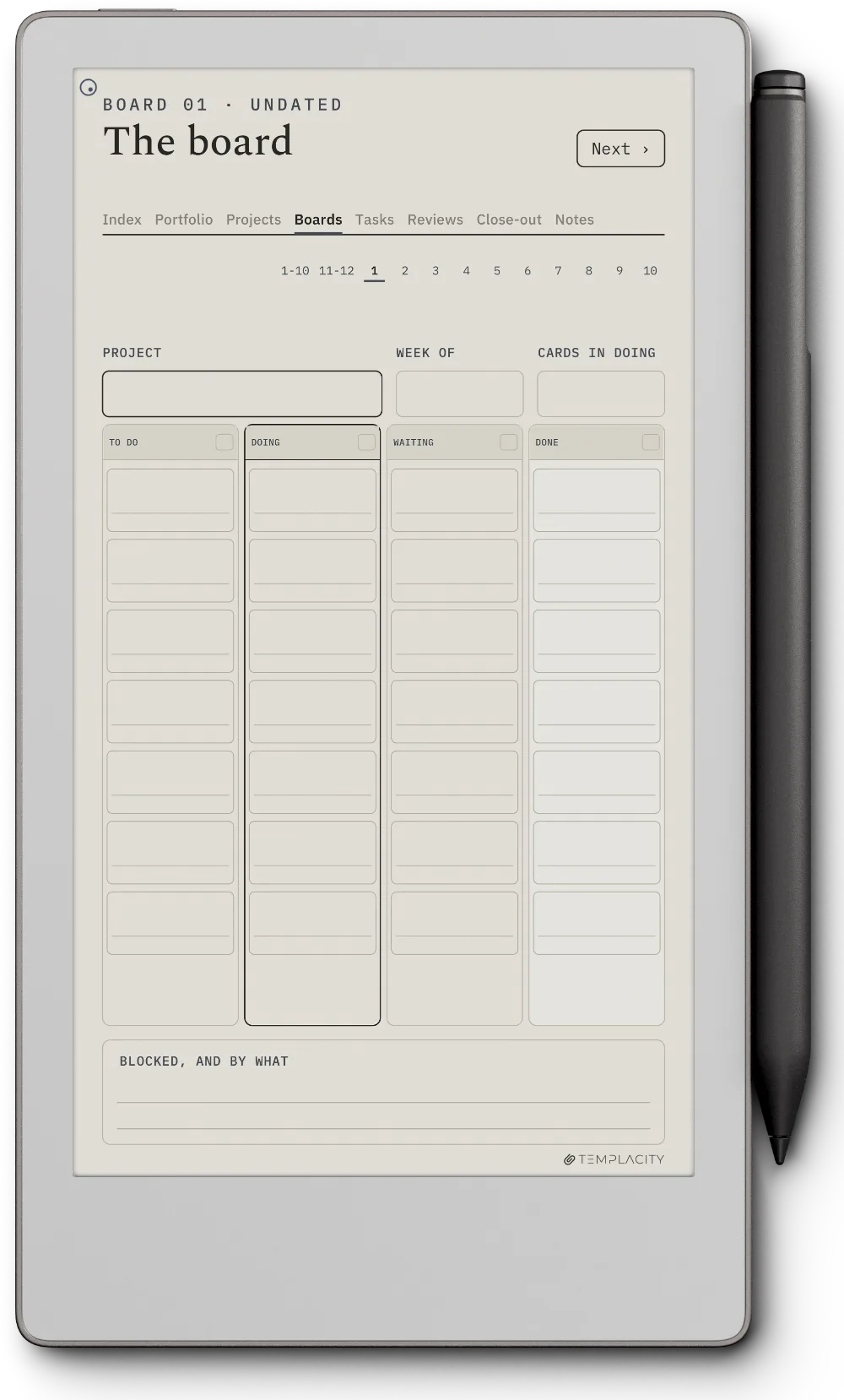
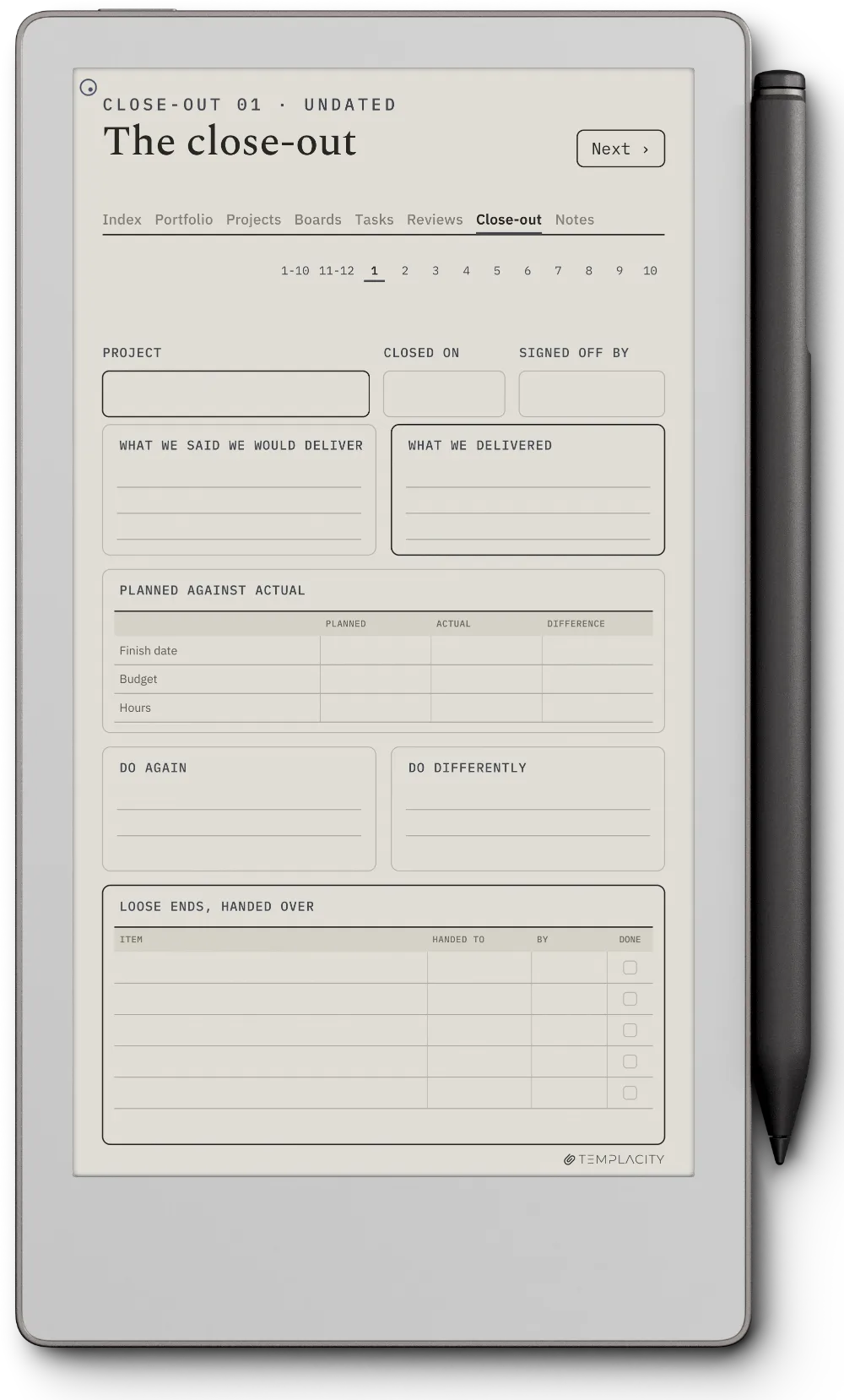
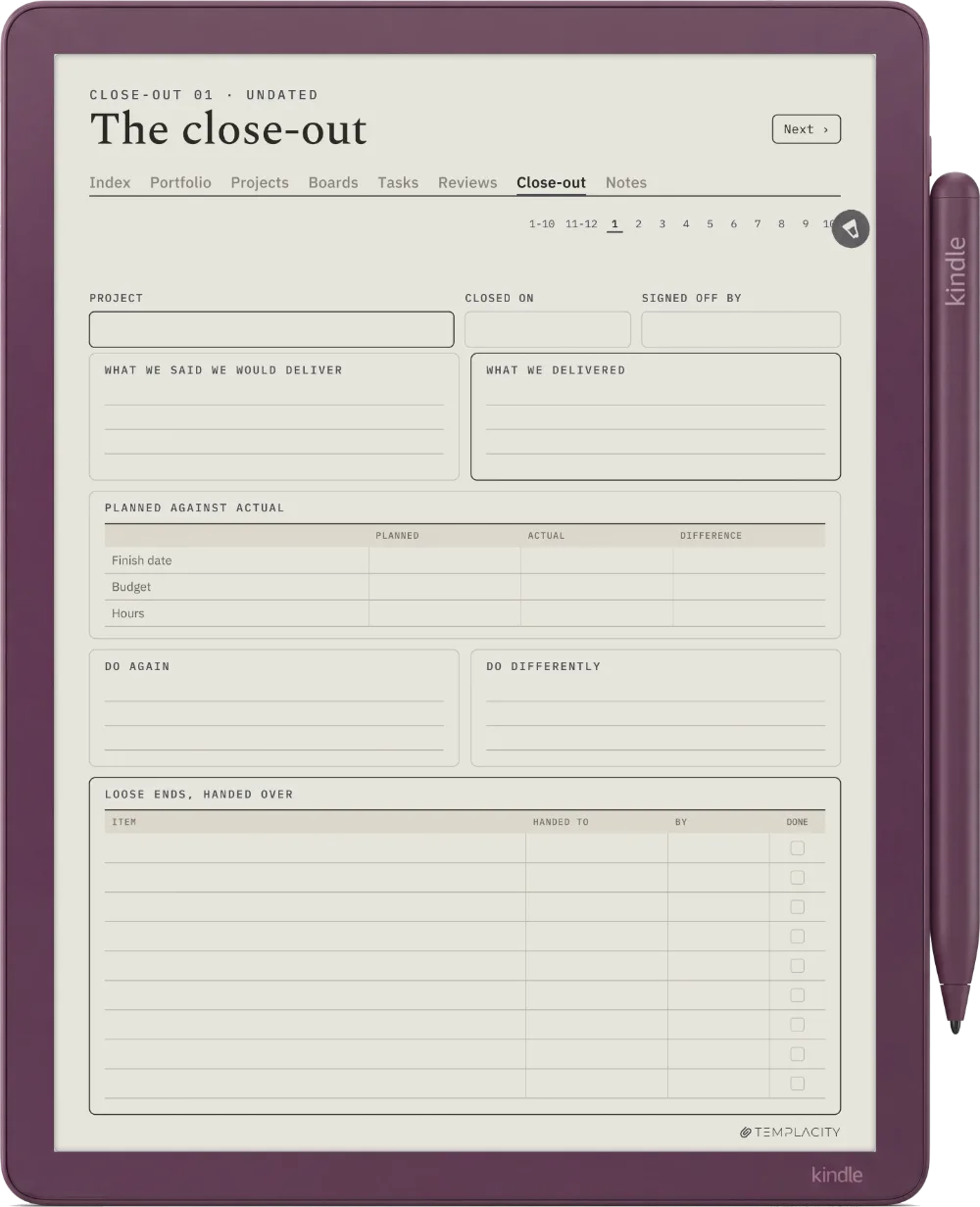
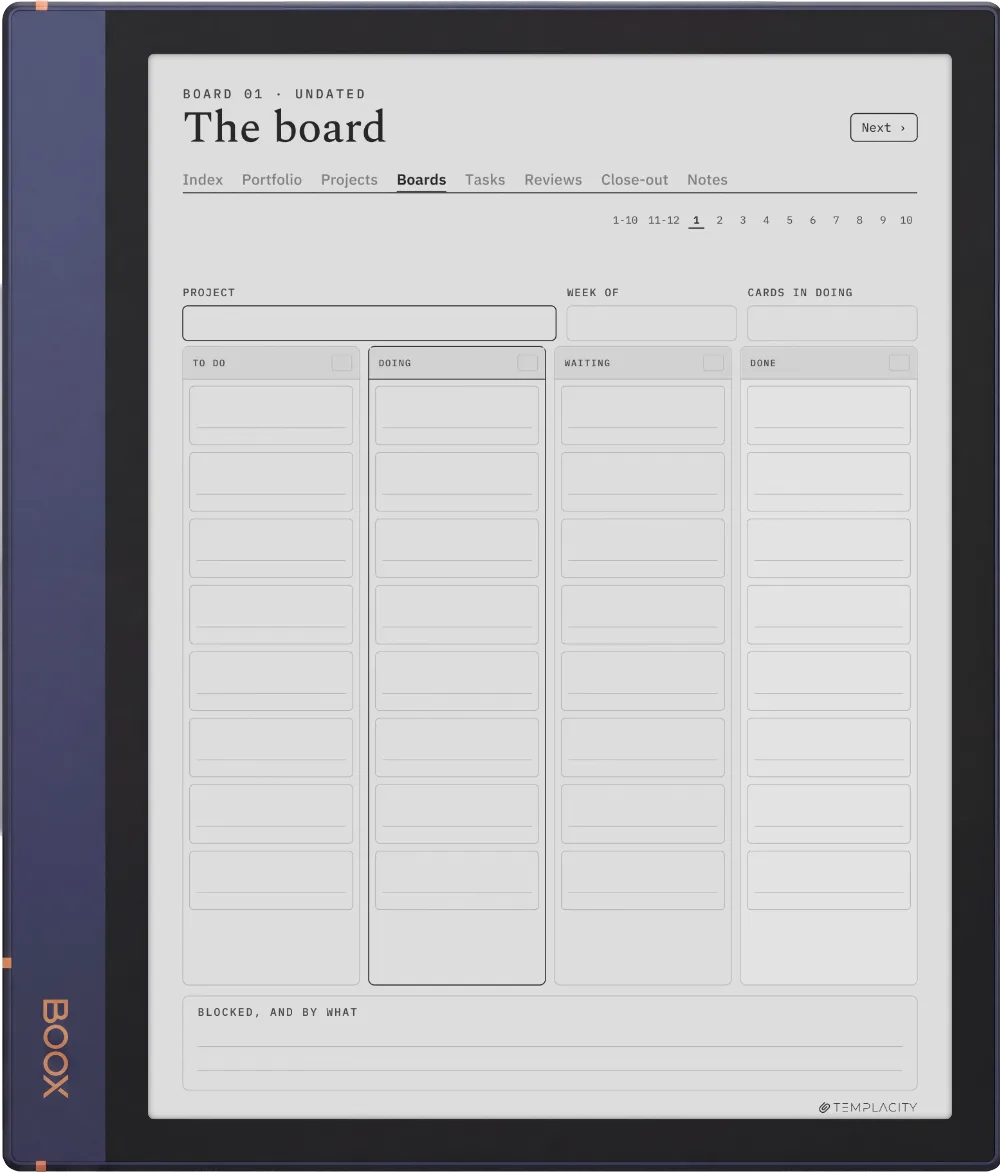
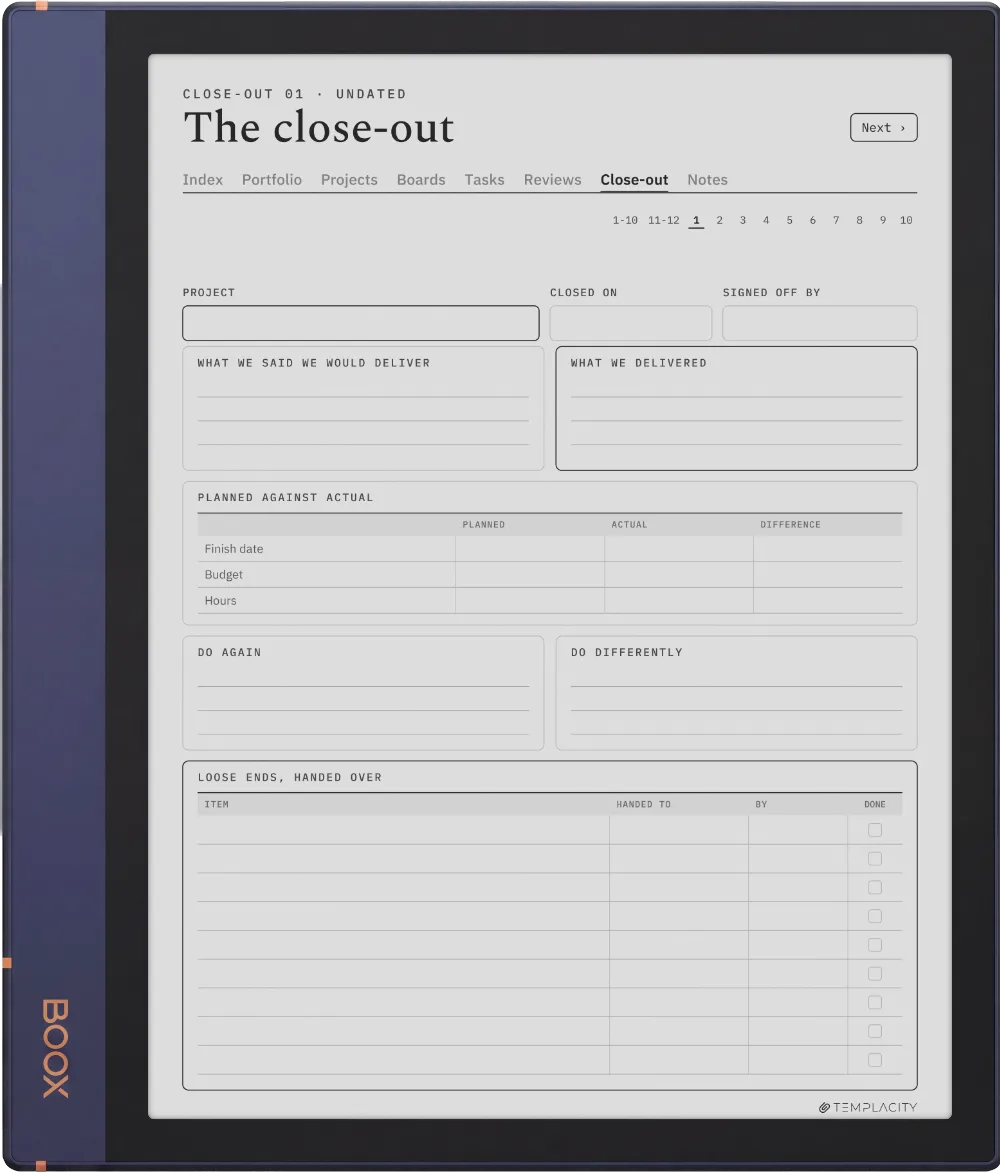
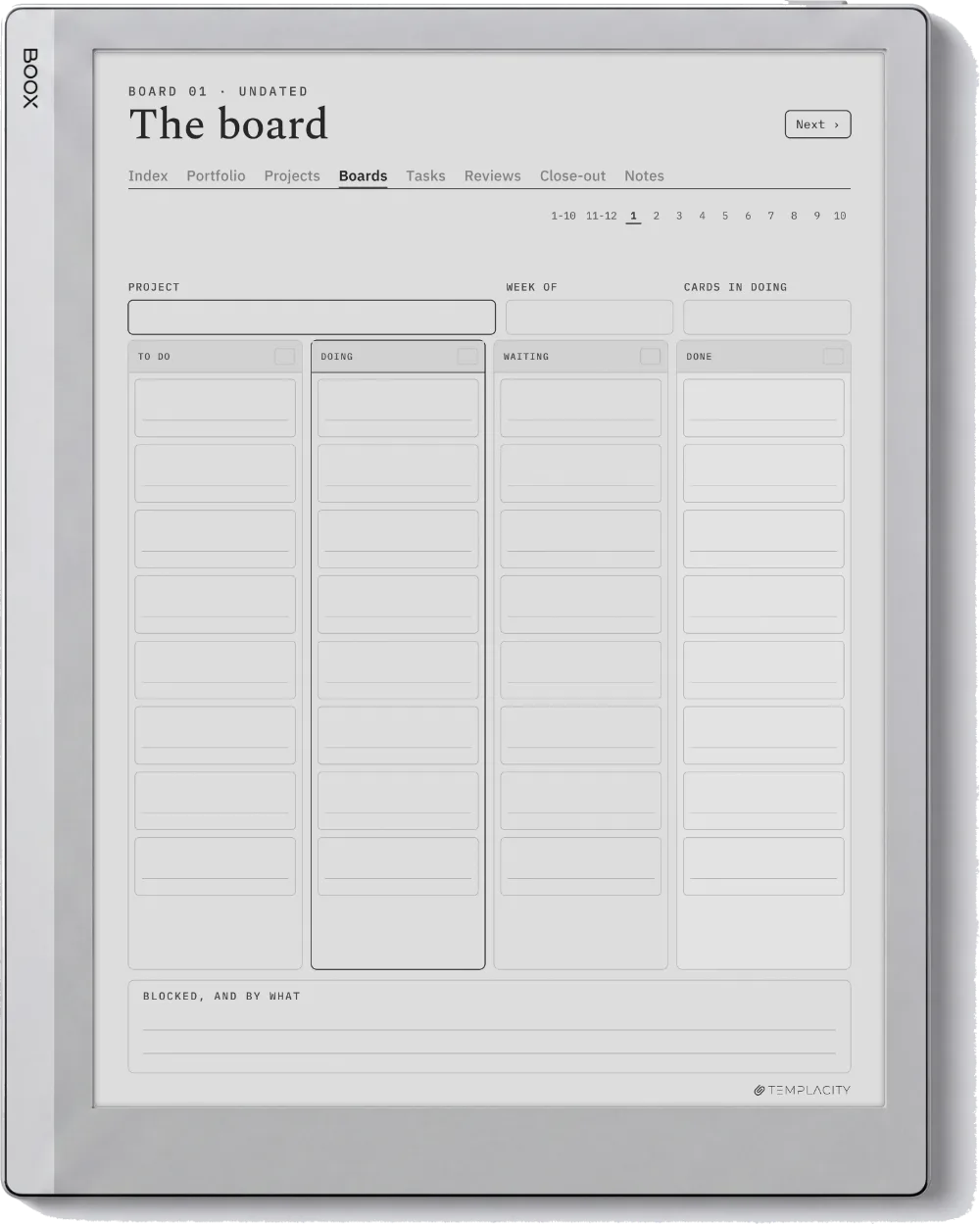
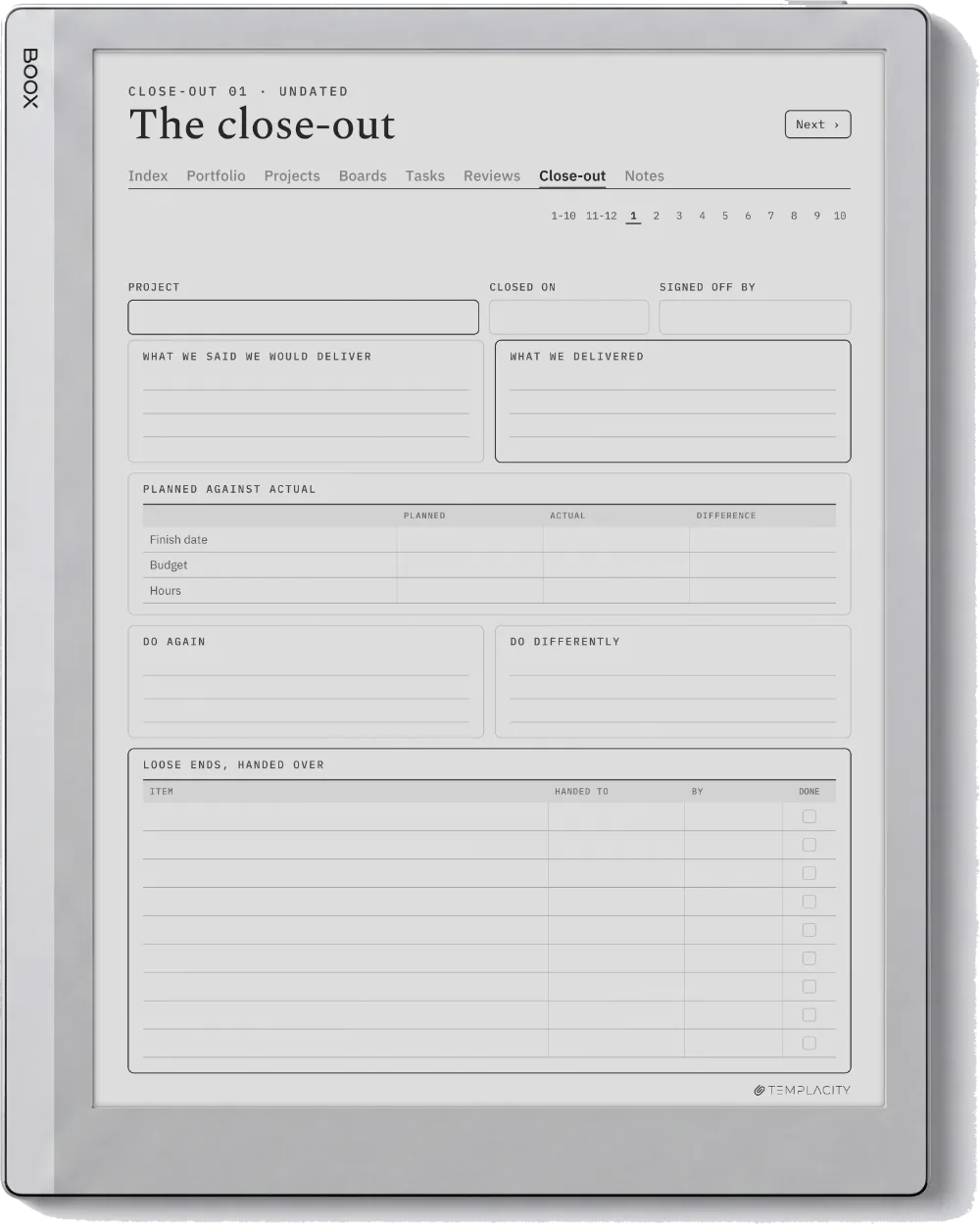
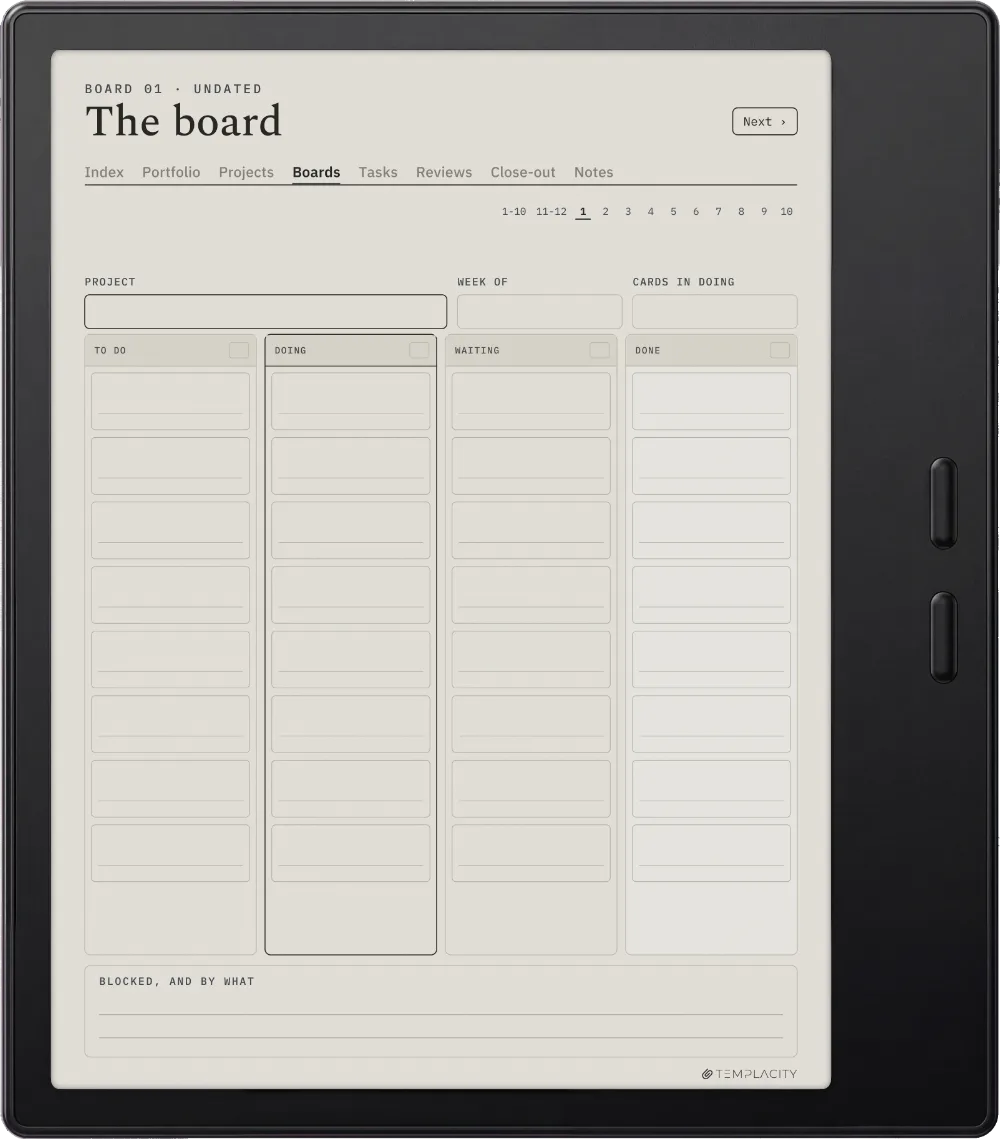
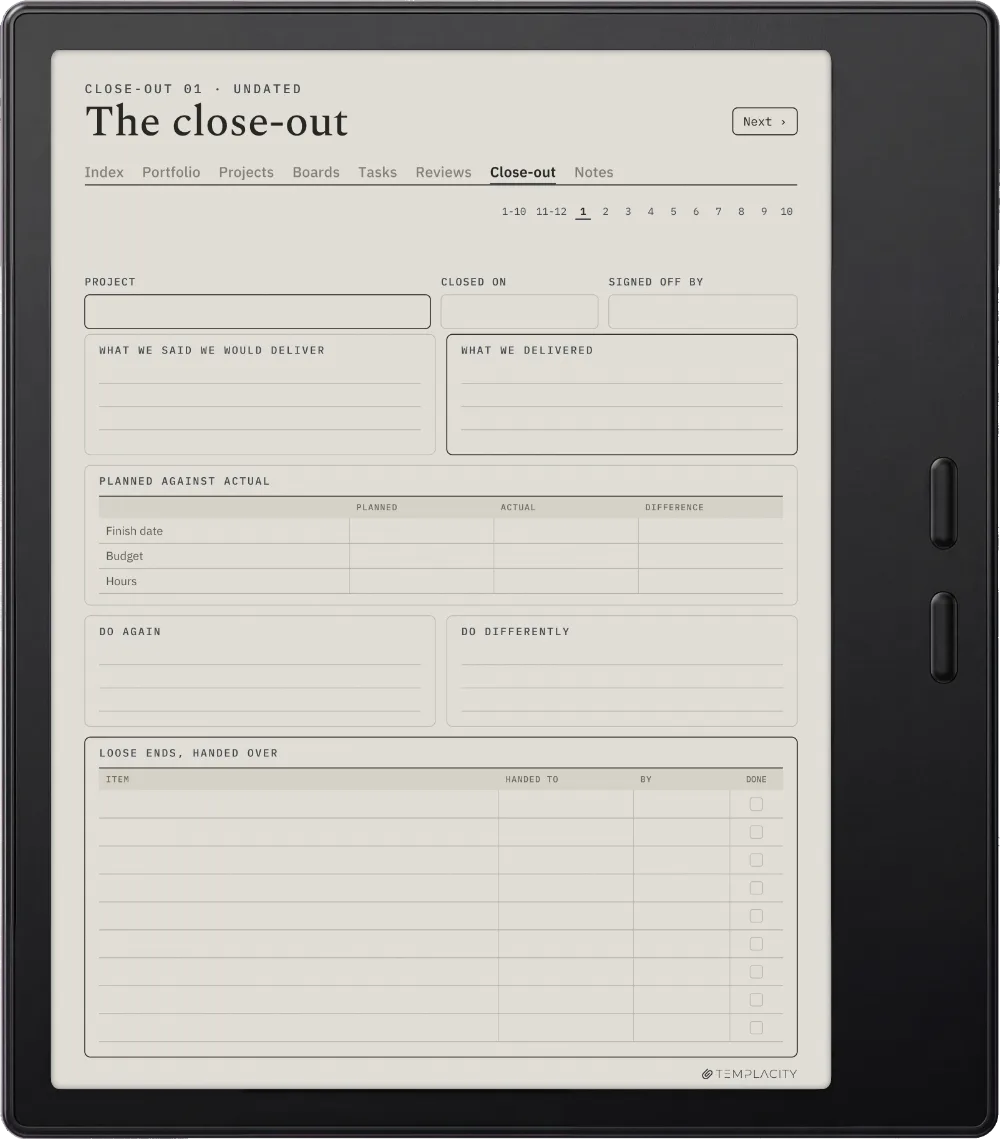
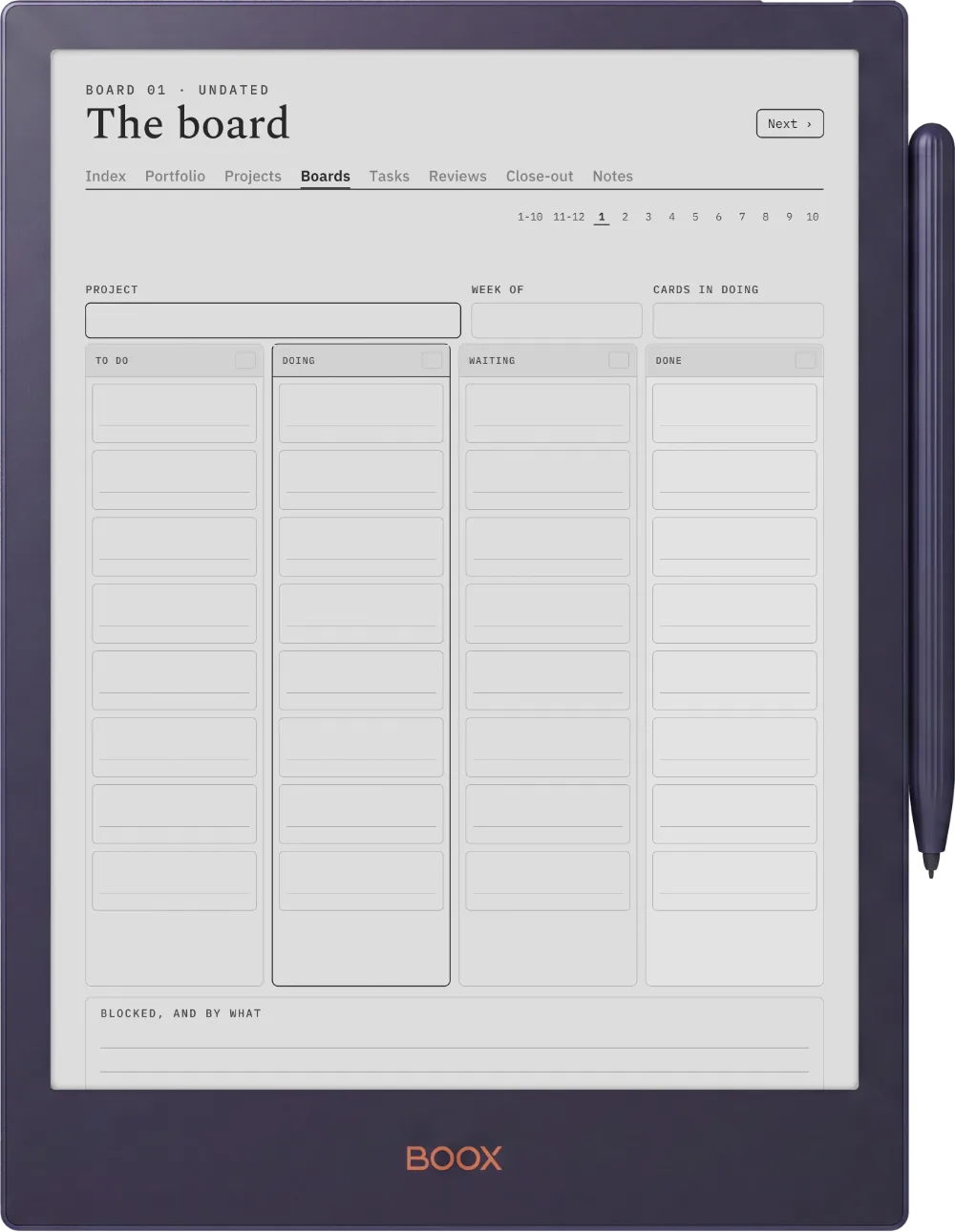
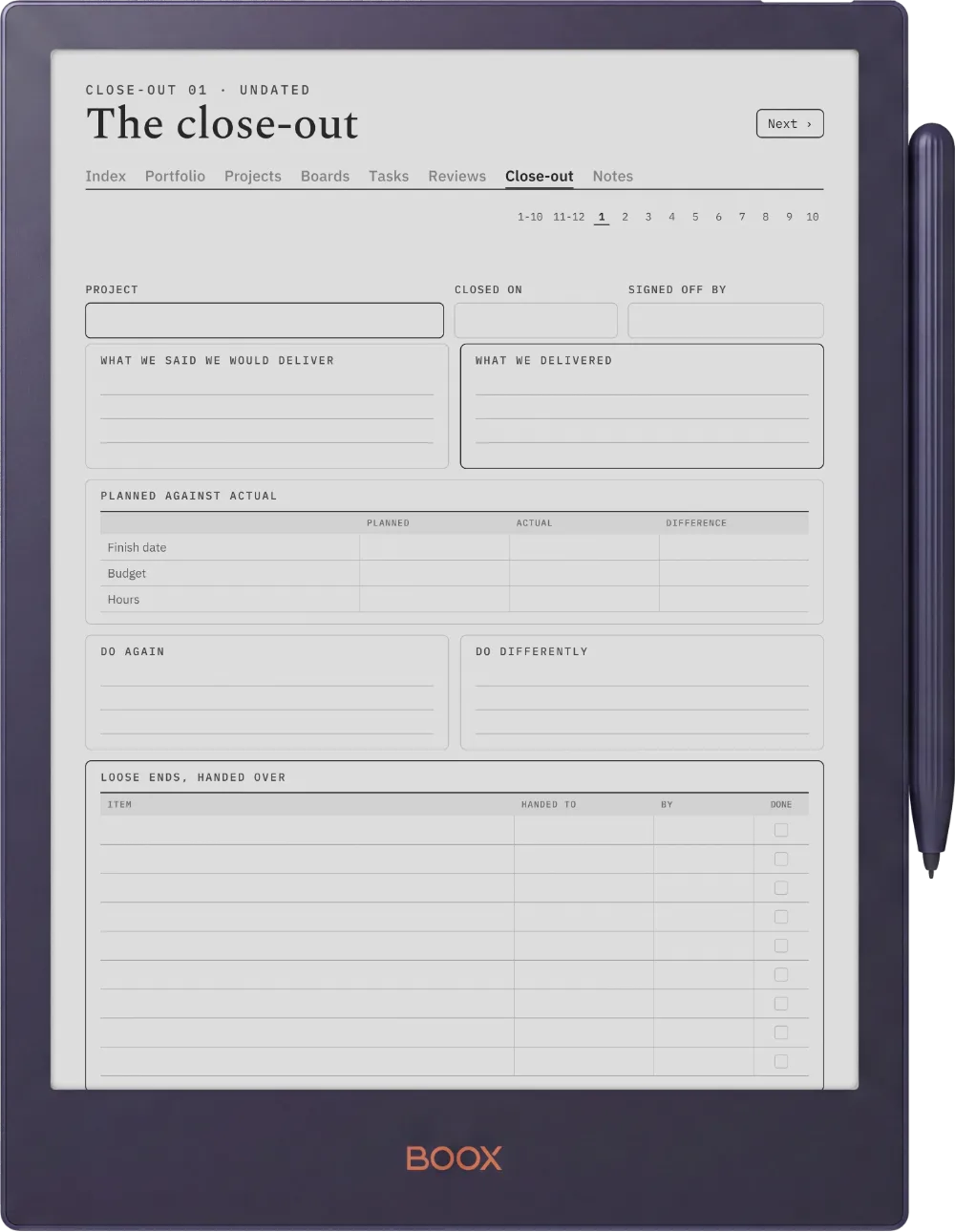
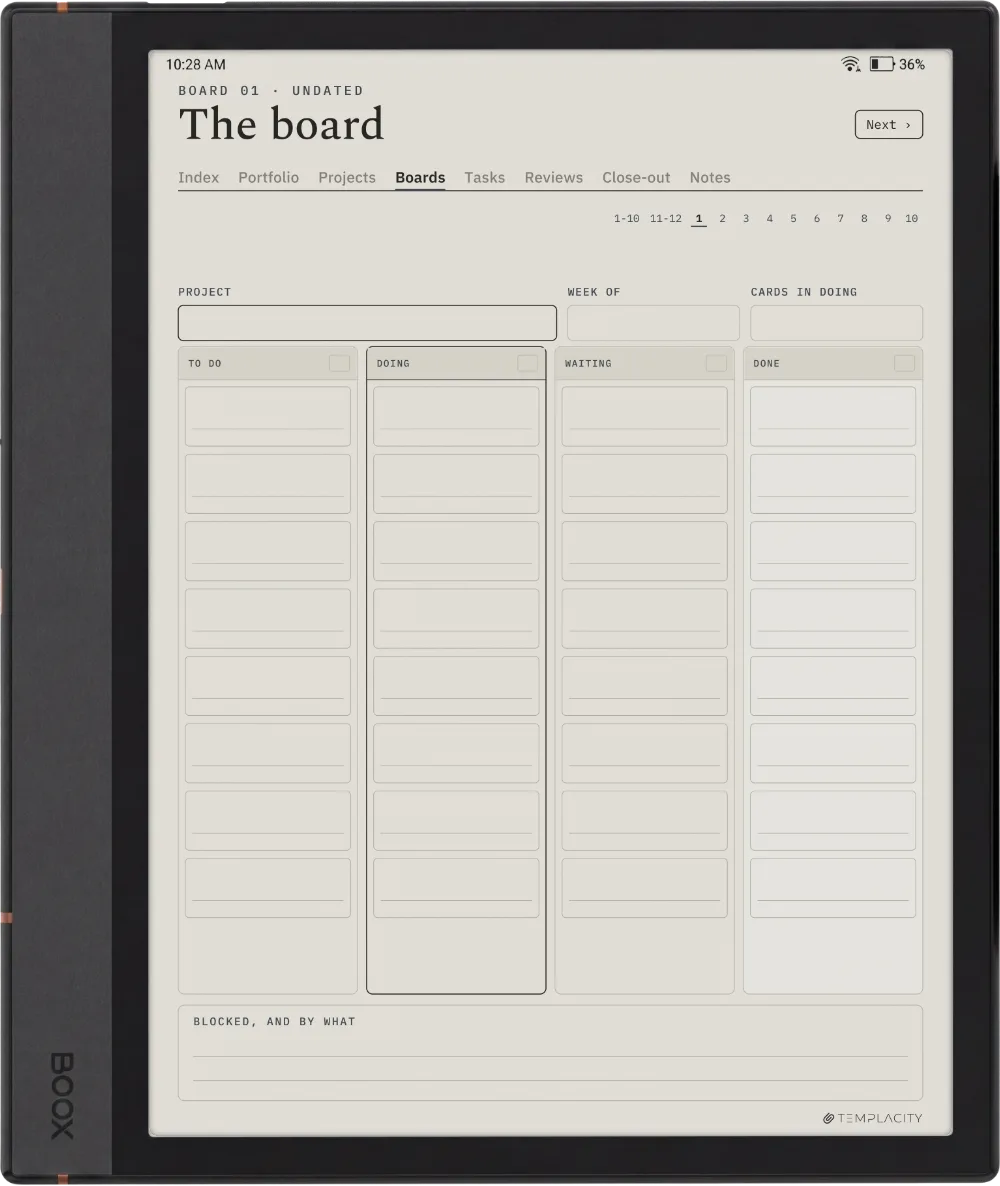
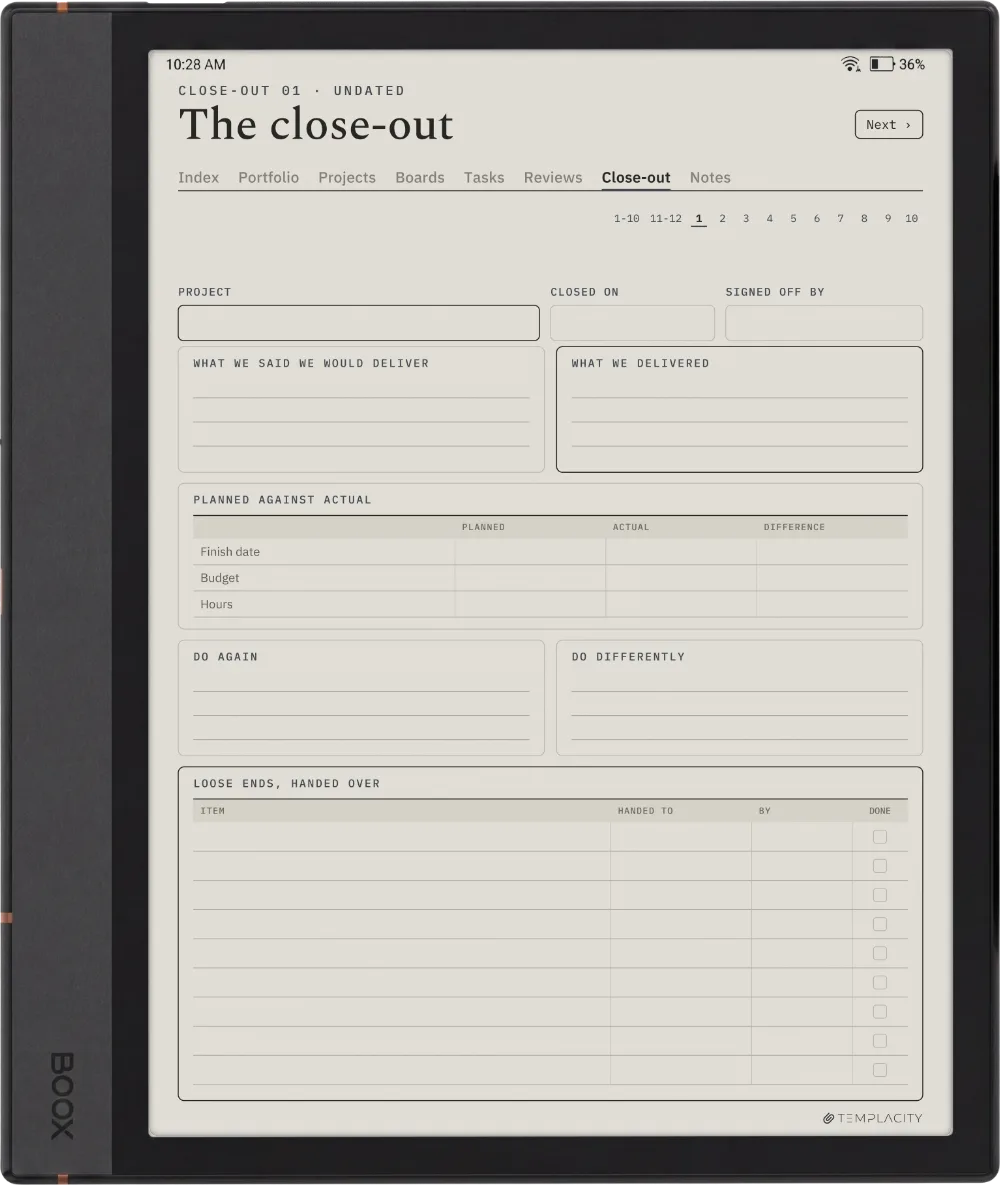
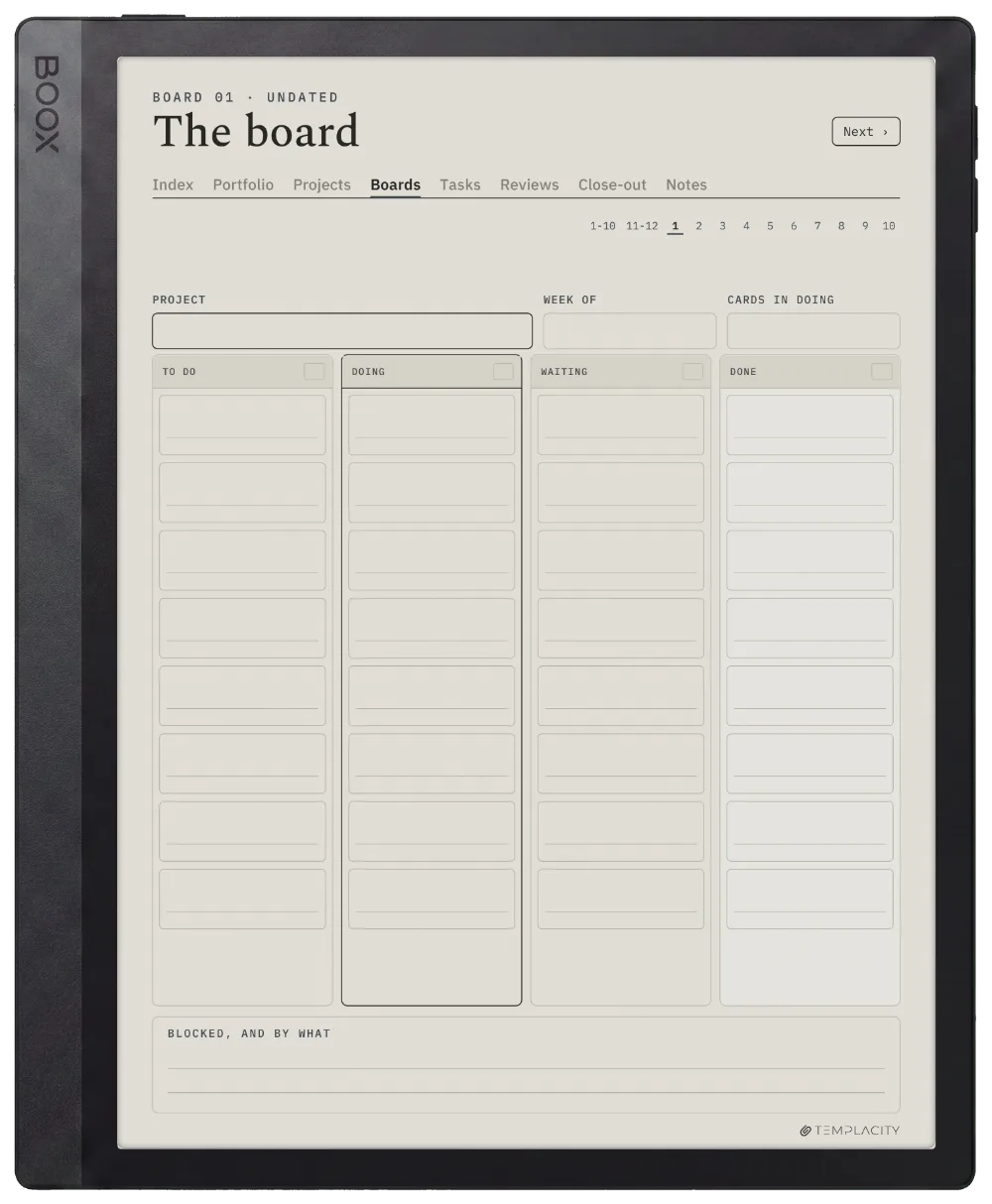
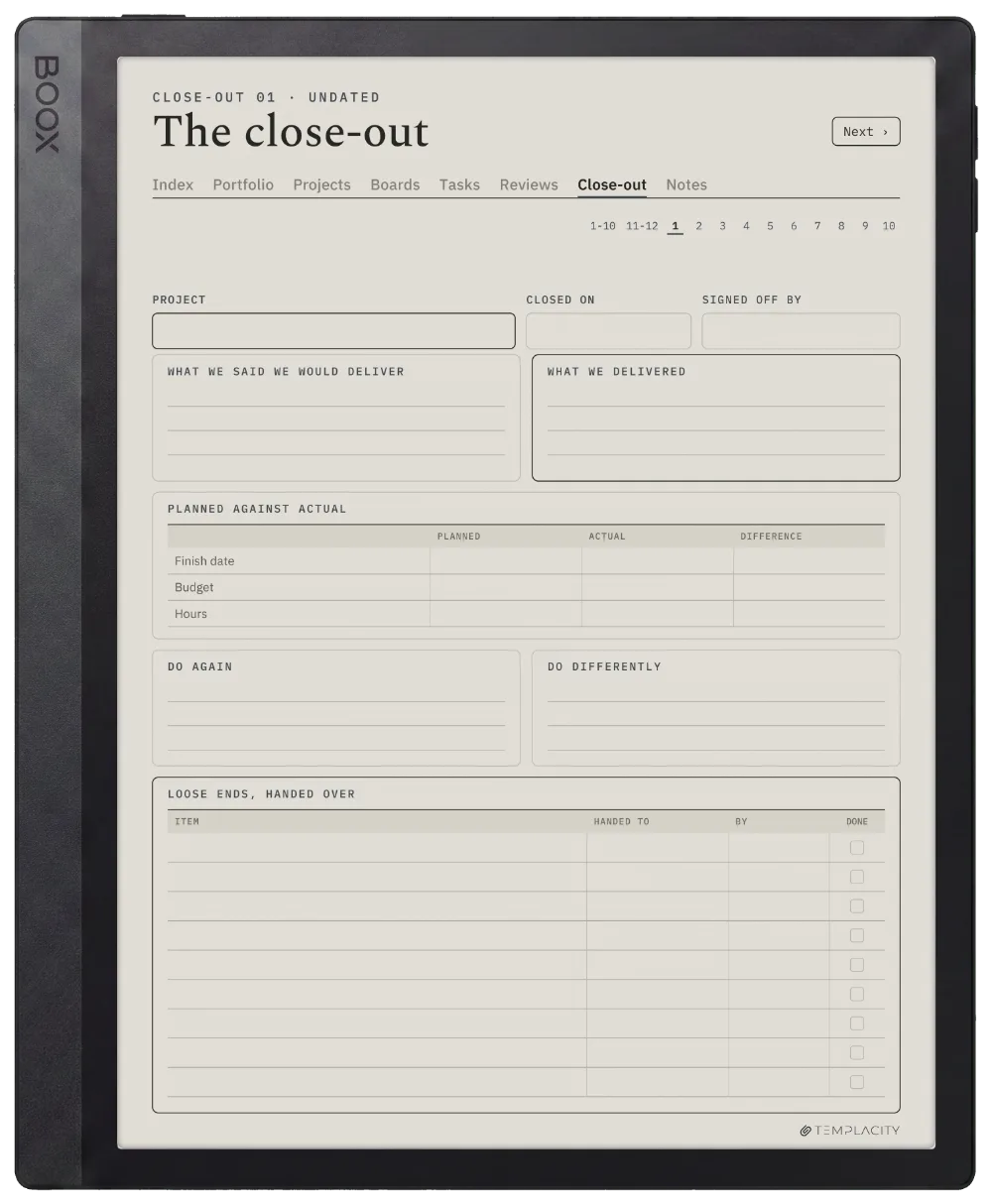
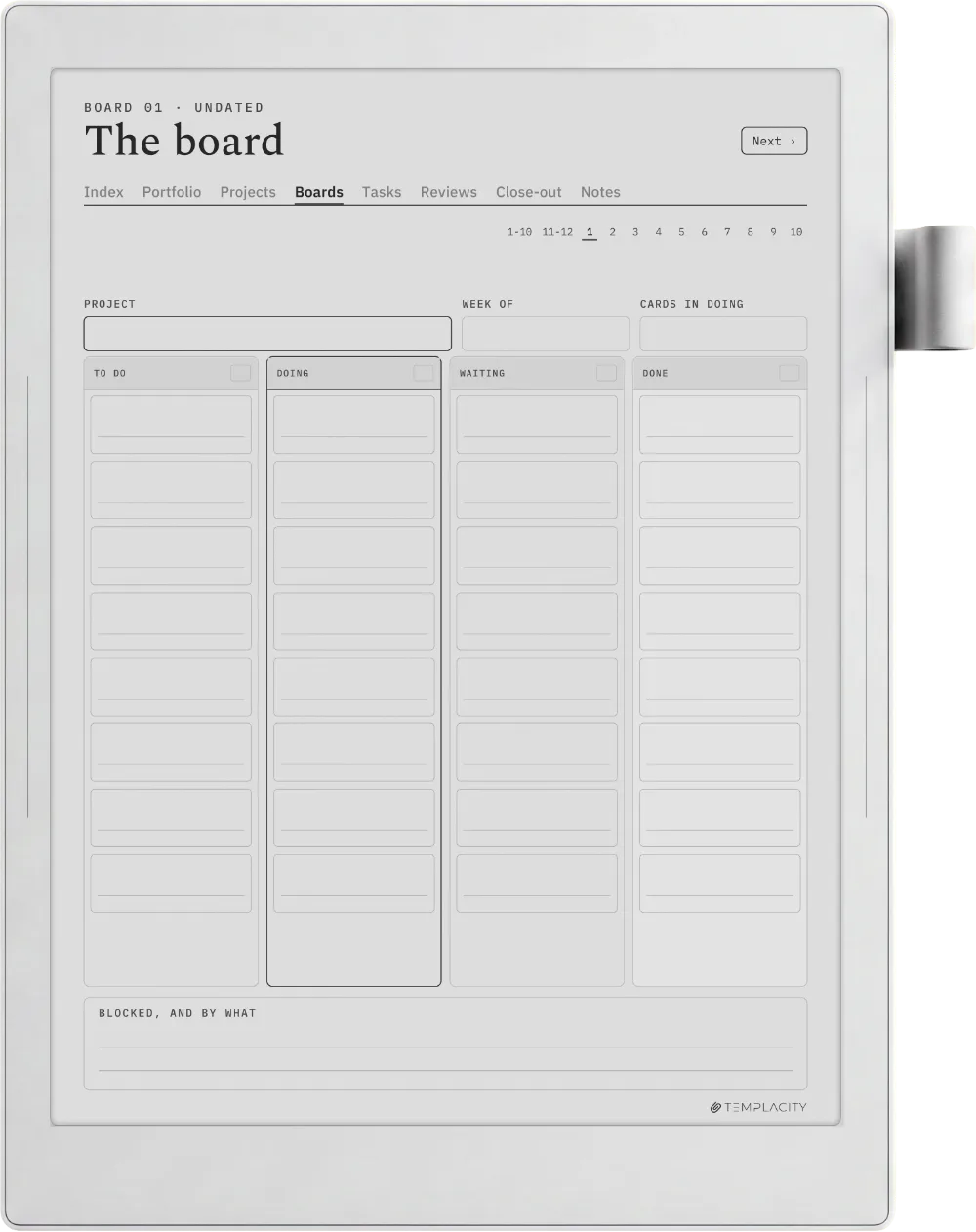
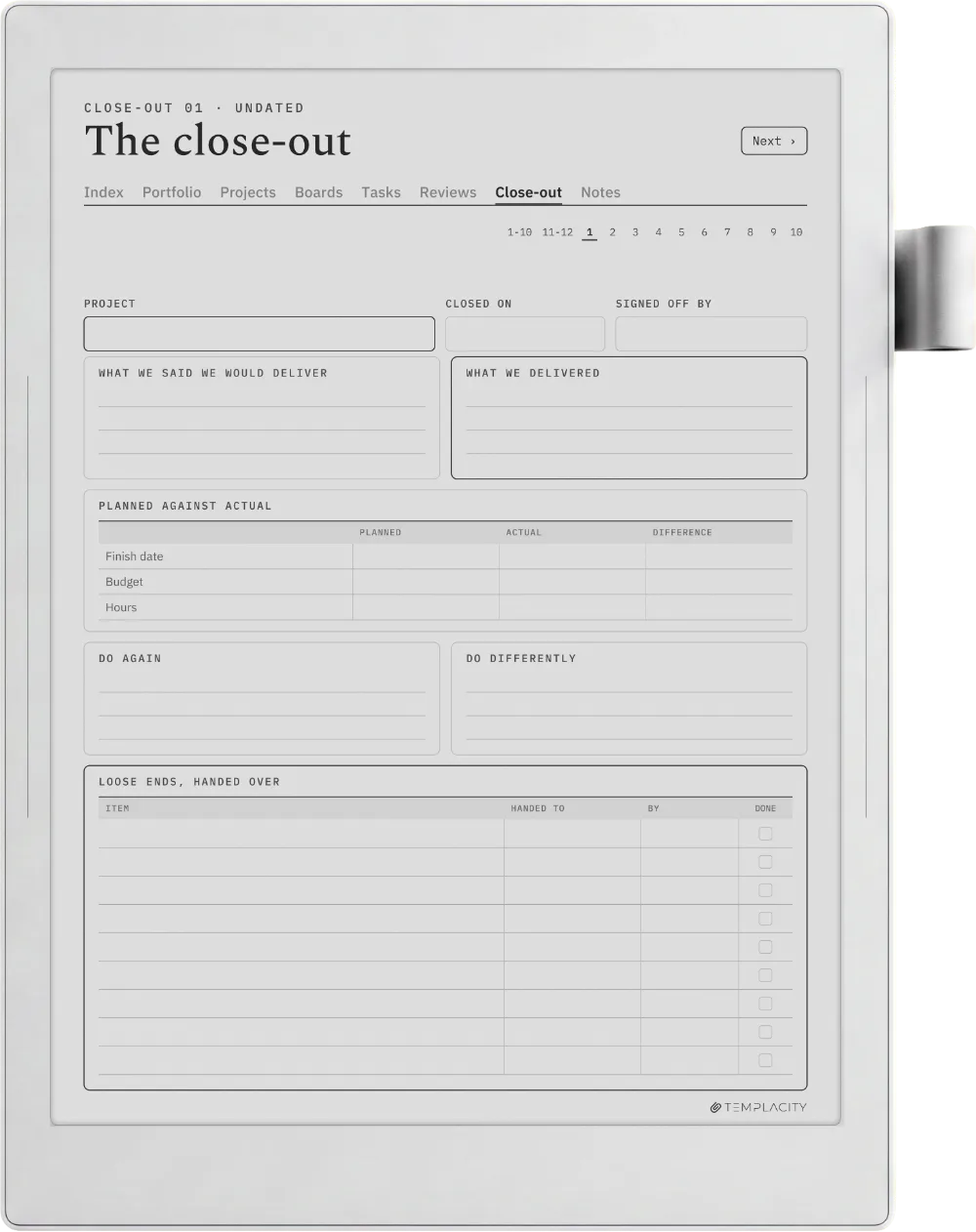
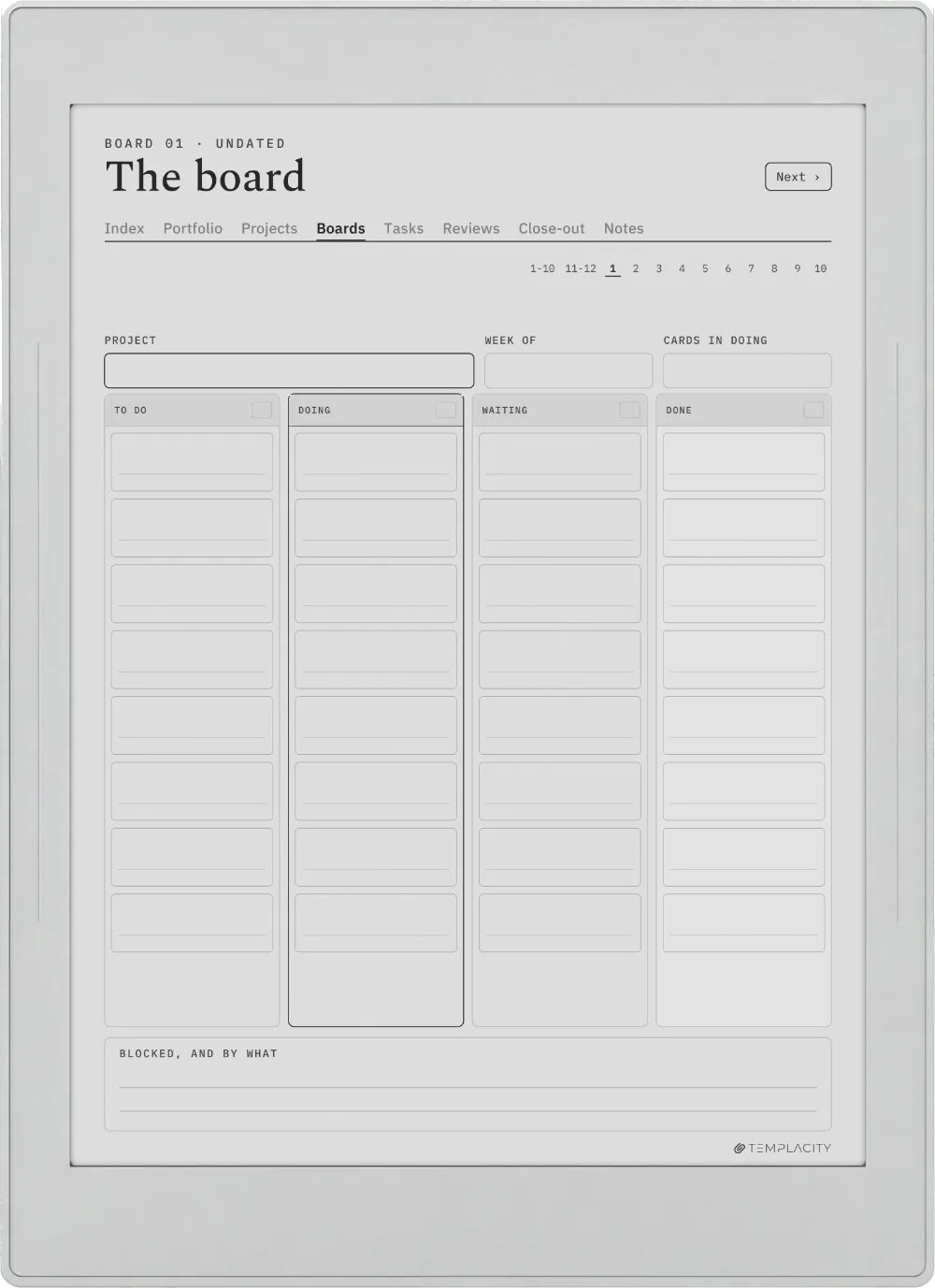
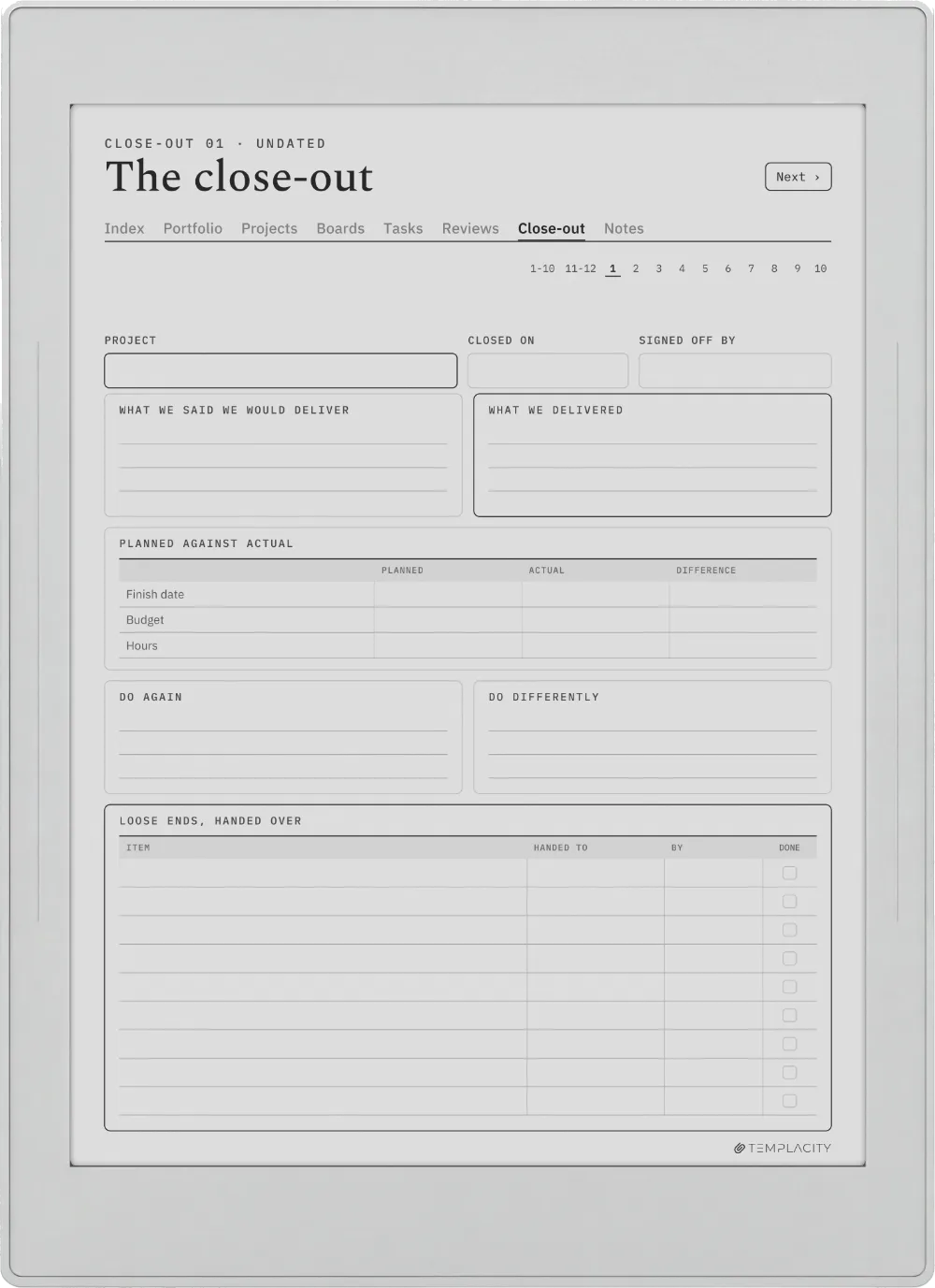
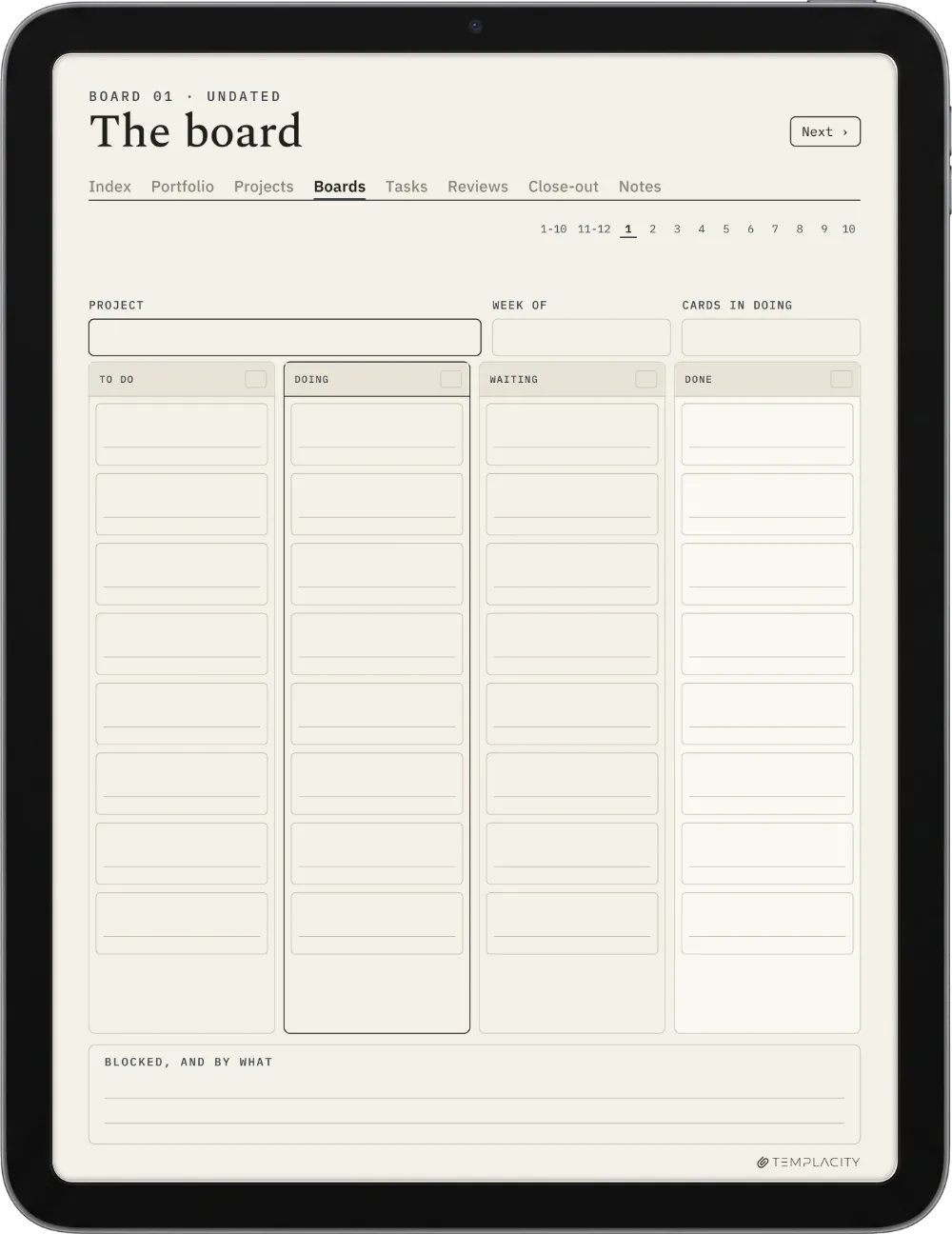
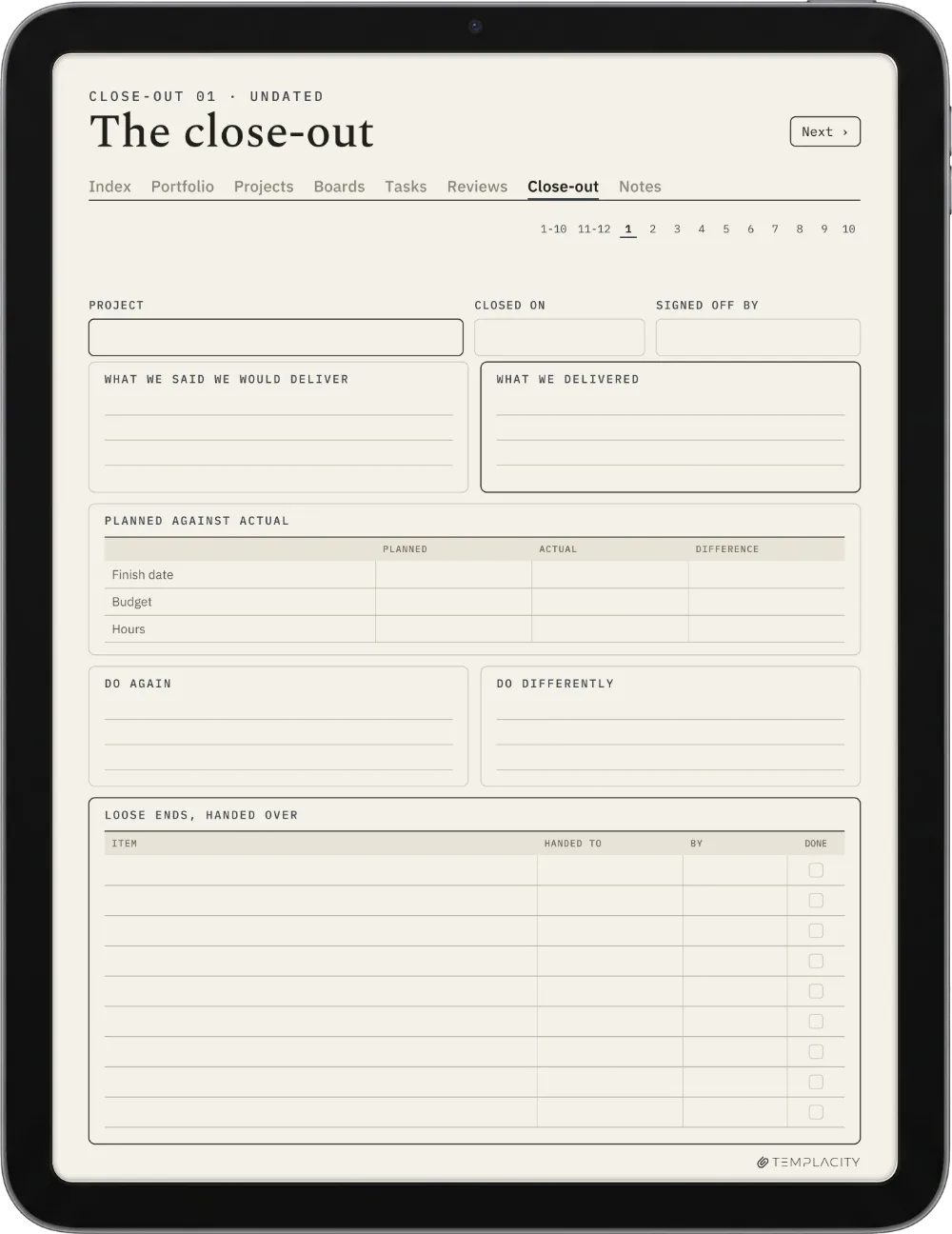
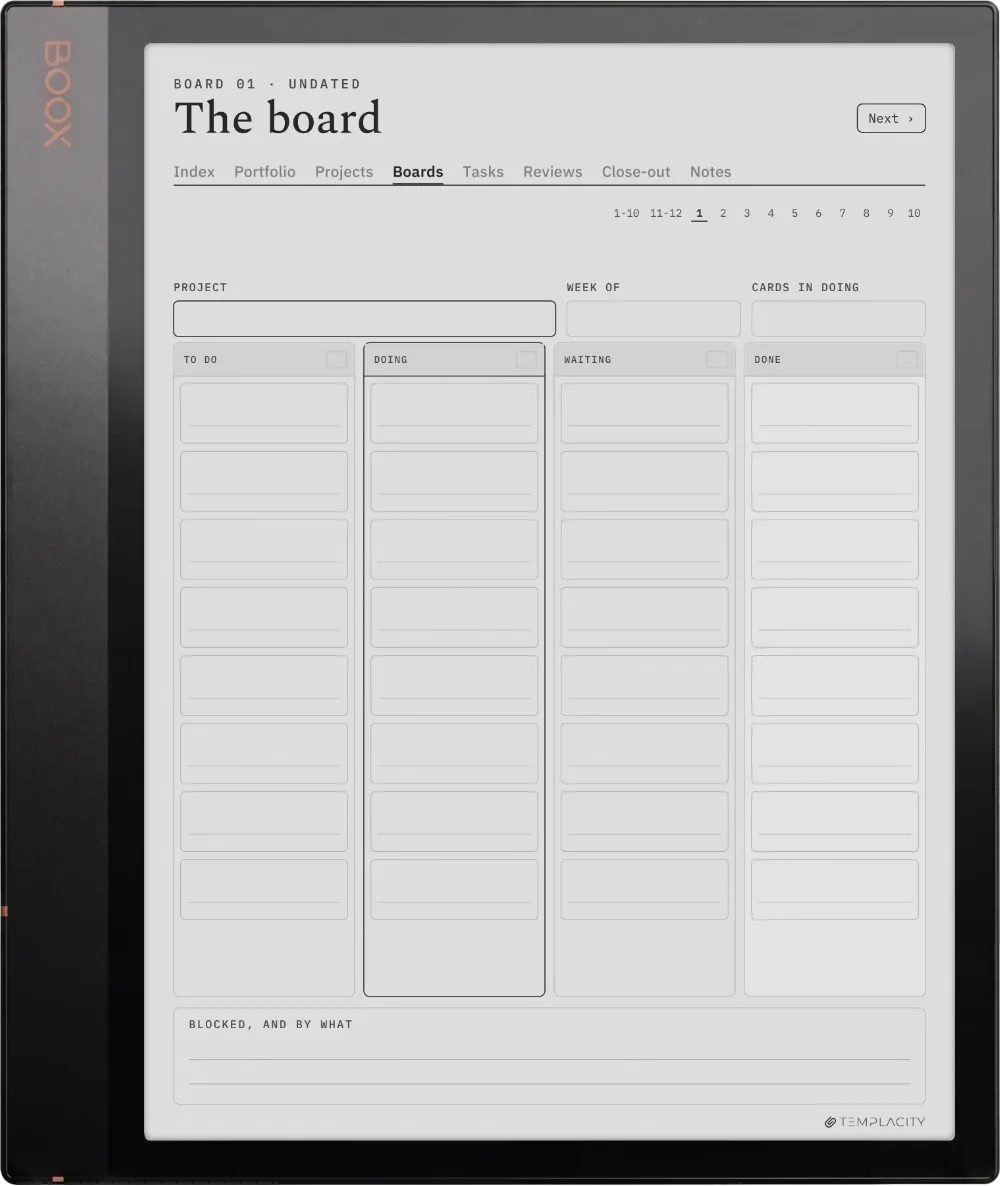
A canvas, a four-column board and a close-out page for each
Tasks
36 task lists
Reviews
52 weekly reviews
Guide
A filled how-to-use guide, so you see each page working before you write in it
Pages
158
Languages
English
Delivery
Instant download · permanent link in your account
№ 07 · Last word

Start the quarter with all of it in view.

158 hyperlinked pages: 4 quarter timelines, 12 canvases, 12 boards, 36 task lists, 52 weekly reviews, 12 close-outs and 20 pages of notes. Pick your device above.

We built the planner we wanted. Quiet, dated, and connected, so the year stops living in a stack of loose pages.

From the studio, on why we made it
№ 99 · Questions

Things you’ll want to know.

Will this work on my device?
Yes. It is a hyperlinked PDF sized to the writing surface, and it works across reMarkable, Kindle Scribe, Boox, Supernote and Goodnotes on iPad, 19 models in all. Pick your device above to see it on yours.
What languages are available?
One: English. Choose yours with the language selector above and the PDF you receive is written in it. Same file, same price, in every language.
Is it dated?
No. Quarters and weeks are numbered rather than dated, so it starts whenever you do and never goes out of date.
How many projects does it hold?
Twelve at a time, each with its own canvas, board and close-out, and all twelve on the quarter timeline together.
How is it different from the Digital Work Planner?
The Digital Work Planner runs your days and weeks. This book runs your projects: what each one is for, where it stands, and what the next one should learn from it. They are built to sit side by side.
What languages is it in?
English for now.
Is this a one-time purchase?
One-time. You keep the files. No subscription, no renewals.
Do I tap the links with the pen or a finger?
A fingertip. Tabs, index rows and page links are followed by tapping them, and on a reMarkable the Marker draws rather than navigates, so a tab tapped with the pen leaves a mark on the page instead of turning it. Tap with a finger and it works every time.
Will it show up under Templates on my Scribe?
No, and no bought planner can: the Templates list on a Kindle Scribe is closed to files you add yourself, on every model. Yours arrives as a hyperlinked PDF and lives in your Library beside your books and documents, which is where you open it and write on it. Send it across with Send to Kindle so the links and the colour survive, and keep your download as the master: the Scribe cannot duplicate PDF pages on the device, so when you want a clean one you send a renamed copy over again.
№ · The planner family

The rest of the family.

The same connected chassis, cut for another job. Step up to the full system, or add a companion planner.

№ · Reviews

Be the first to say something.

Nobody has written about this one yet. If it is on your device, yours is the first thing the next person reads.

Read by a person before it goes up, usually within a day. Your email stays with us and never appears on the page.

Instant download.

Your file is in your account the moment you check out, yours to re-download any time. A receipt lands in your inbox, too.

One-time purchase.

No subscription, no annual renewal, no upgrade nags. Pay once and the file is yours.

Quiet, secure checkout.

Stripe. Apple Pay. No spam, no “partners,” no reselling your details. Receipt, file, done.