Raise the money. Run the work. Answer the board.
The budget and grant tracker, the event budget and planner, the staff schedule and timesheet and the marketing plan, together for ₩160,000 instead of ₩223,000. Every one in Google Sheets and Excel, blank and filled with an example.
- Google Sheets
- Excel .xlsx
- Blank + filled example
Instant download. Permanent link in your account.
Instant download. Permanent link in your account. Yours forever, no subscription.
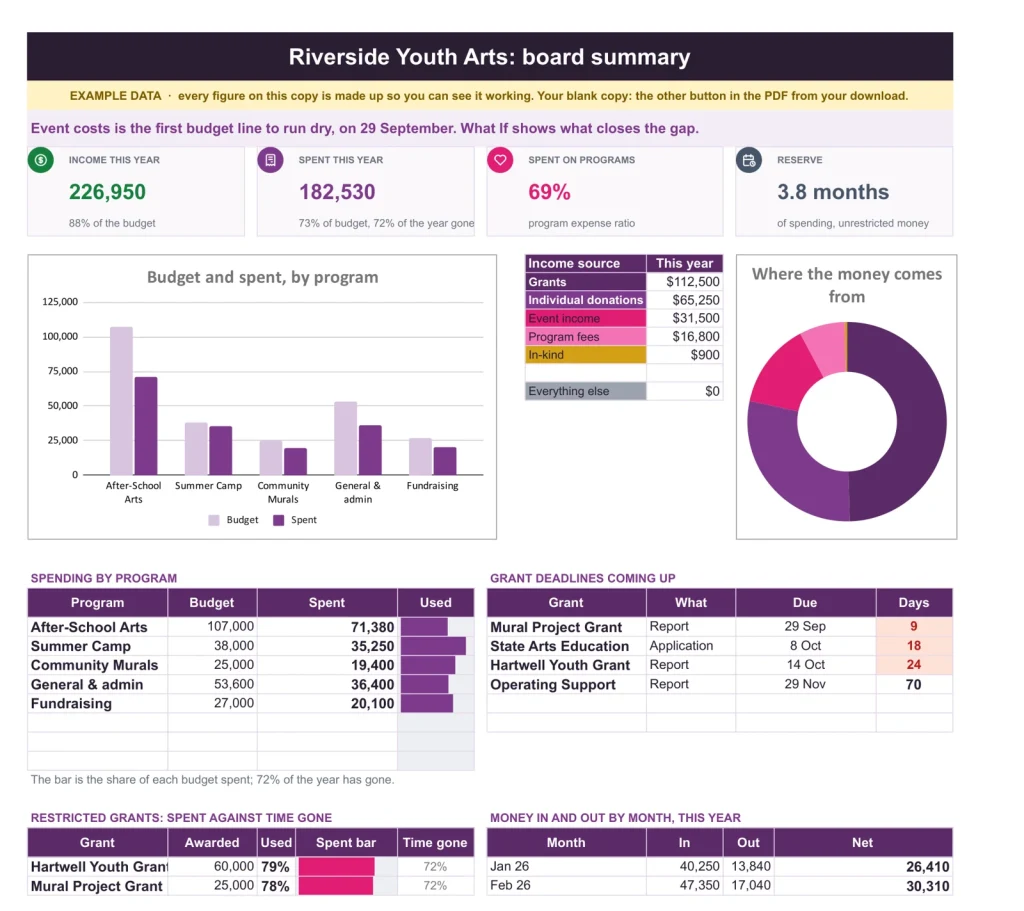
From the budget and grant tracker: spending against budget, program expense ratio and months of reserve, on one page for the board.
Marketing Plan & Budget
Know which appeal paid for itself.
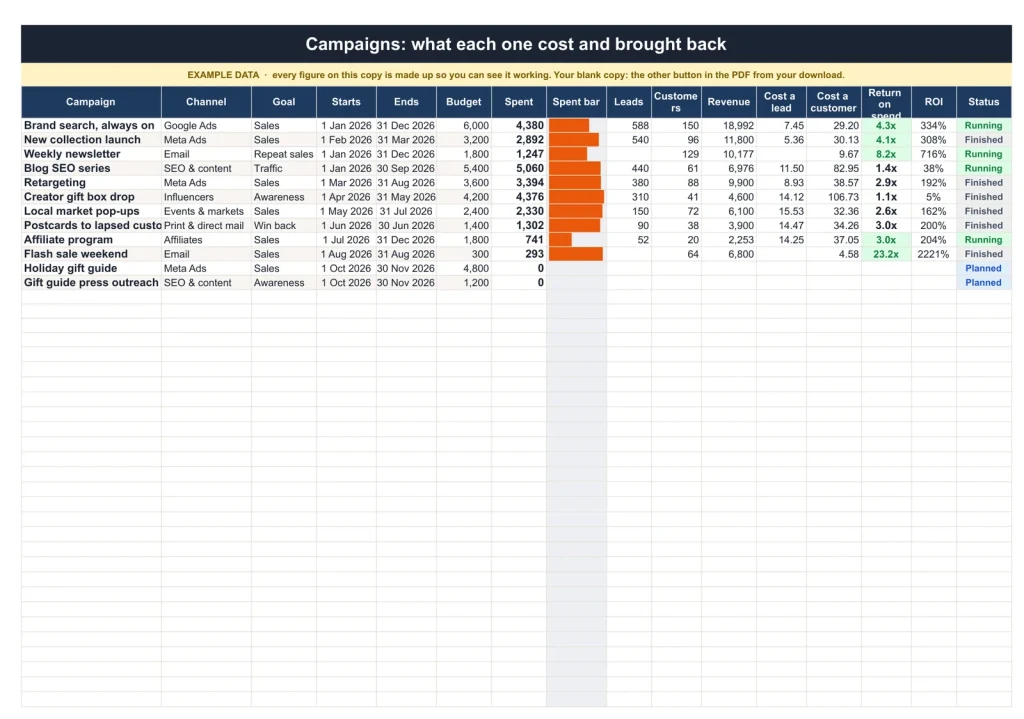
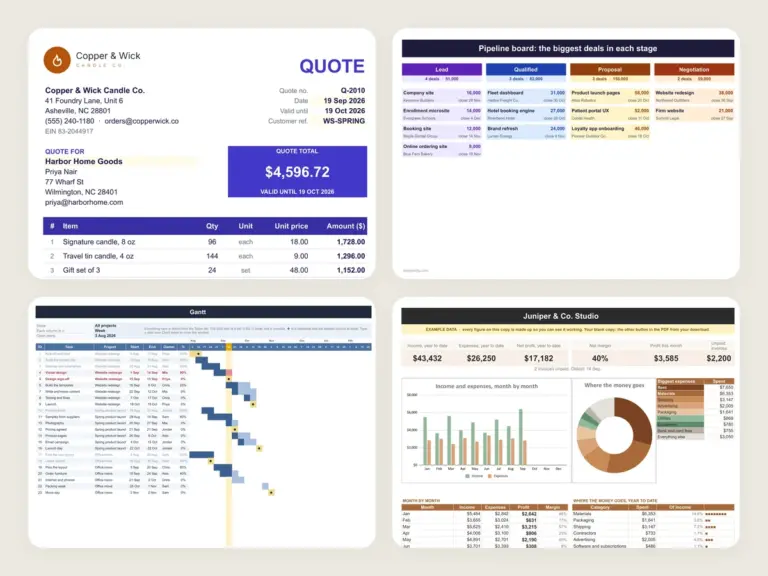
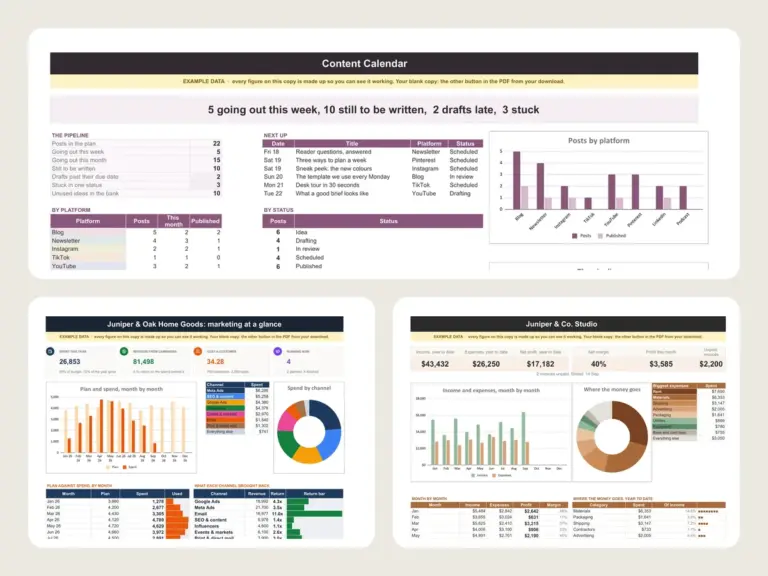
Each campaign gets its channel, goal, dates and budget, and every charge goes on the Spend Log against it. Add what each one brought in and it works out cost per lead, return on spend and ROI; anything under 1x turns red on the Dashboard.
Event Budget & Planner
Sell out the gala, bring it in on budget.
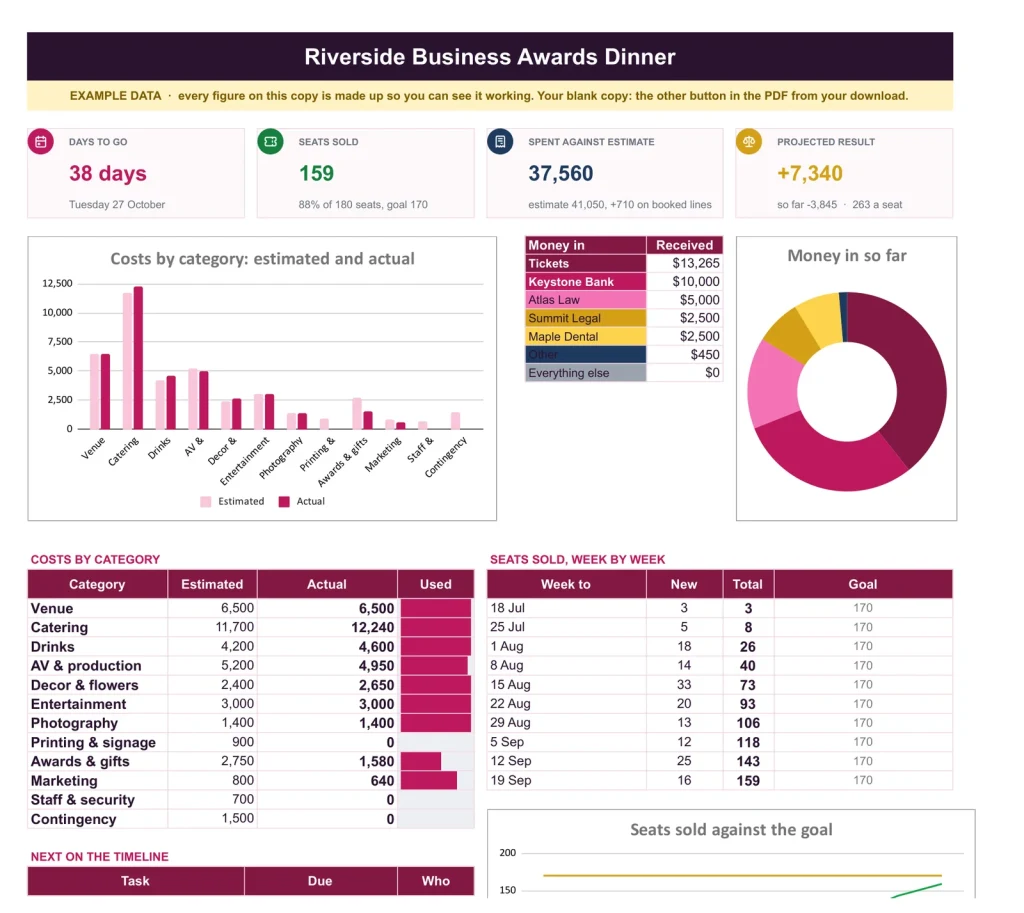
Every cost line has an estimate and an actual, and Vendors tracks each deposit and balance with its due date. Ticket income is the sum of paid tickets on Attendees, never typed, so the guest list and the budget always agree. Move the event date and every task's due date follows.
Staff Schedule & Timesheet
Everyone on the rota, every hour counted.
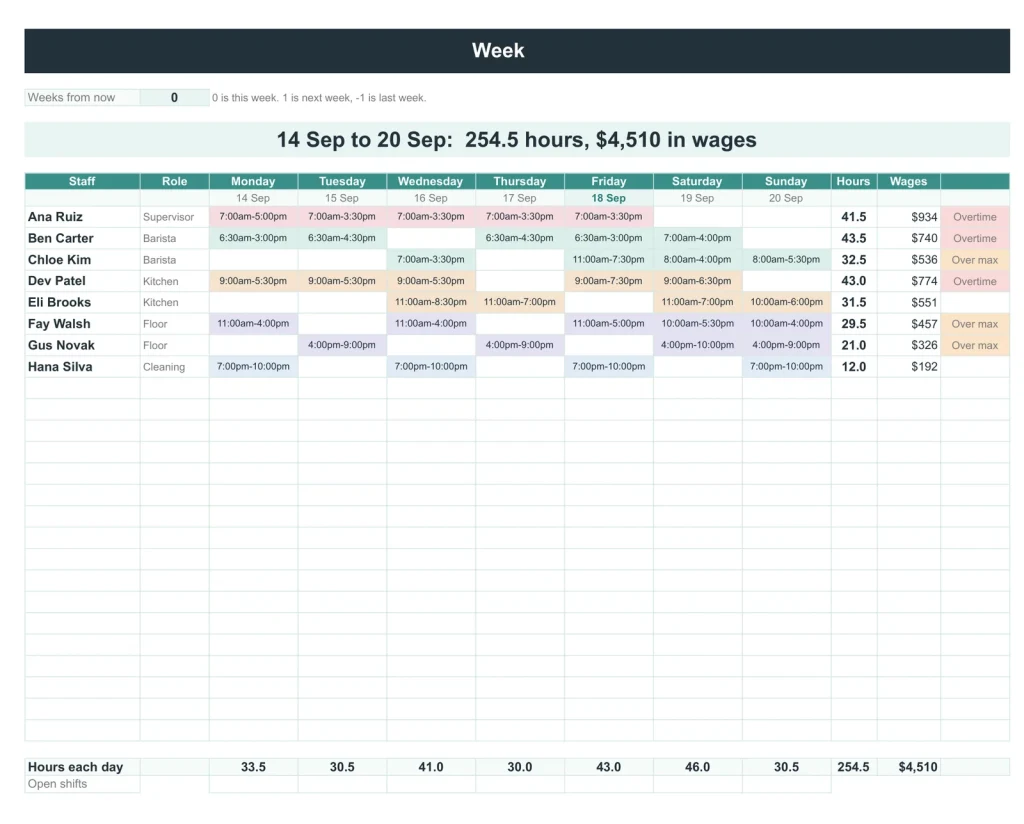
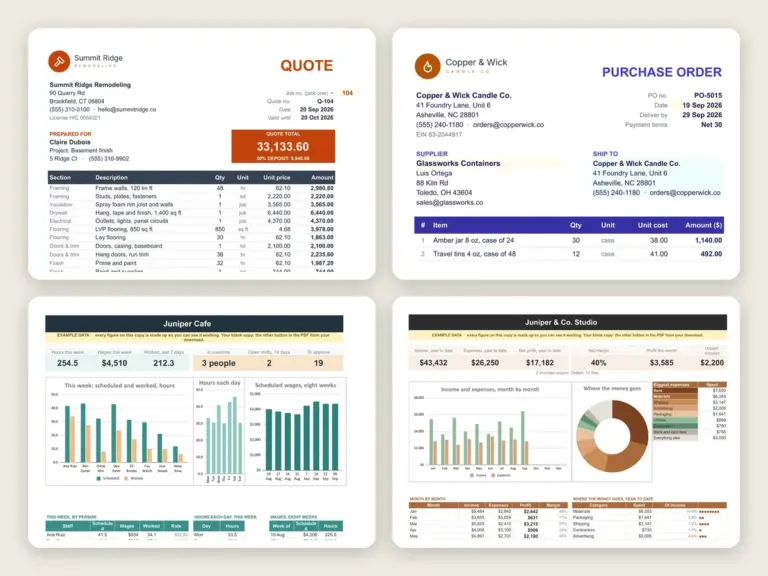
One row per shift, and Week turns the list into a rota coloured by role. Leave the person blank and it is an open shift. Timesheet sets the hours actually worked against the schedule, and Pay Period gives regular and overtime hours and gross pay for the people you pay.
Nonprofit Budget & Grant Tracker
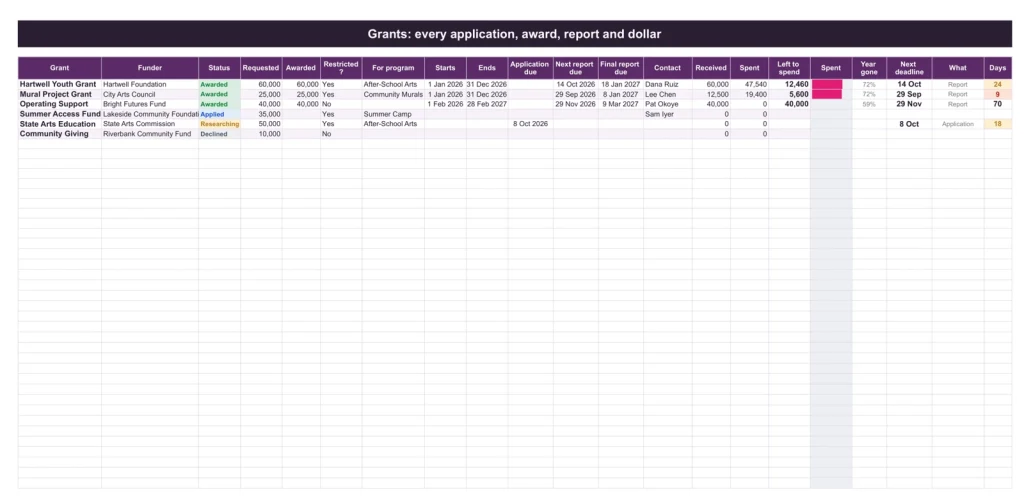
Every restricted dollar accounted for.
Tag a spend to a grant's fund and the Grants tab counts it, so spend-down and the next report deadline are always current. The Board Summary puts income and spending against budget, the program expense ratio and months of reserve on one page, using the Program, Admin and Fundraising split of Form 990.
You do the work. The four sheets keep track.
You type
- Your programs, funds and grants, once
- Each charge, gift and ticket as it happens
- Shifts, and the hours people really worked
- Campaign budgets and what each brought in
It works out
- Grant spend-down and the next deadline with days to go
- The program expense ratio and months of reserve
- Ticket income, seats sold and the event’s projected result
- Overtime, pay per period, and return on spend by channel
Google Sheets or Excel. You do not have to choose.
The download carries both: the Sheets copy link and the native .xlsx. Every formula is chosen to work identically in the two, and we test the round trip on every build.
A link, not a file to babysit.
Buy it once
₩160,000, no subscription. Your order email and your account both carry the download, permanently.
Copy it into your Drive
One click and it is yours, in your own Google account, forever. We keep no access to your copy and nothing in it phones home.
Start in the example
The filled copy shows every tab already working. Poke it, break it, then open your blank and type your own.
The questions we actually get
Is there a year printed in it?
No. No year is printed anywhere in the files, so it starts the day you do and keeps working next year.
Does it work in Excel?
Yes. The same workbook comes as native .xlsx files, one blank and one filled with an example, checked in Excel with every formula recalculated.
Do I need spreadsheet skills?
No. Every formula is already built. Open the example copy first to see every tab working, then type into your blank one.
What exactly do I receive?
A small PDF with your links: the Google Sheets copy links, blank and filled example, and the native Excel files of both. Buying once covers your personal use in both apps, forever.
Are these the same files as the four sold separately?
Yes. Each sheet comes exactly as it is sold on its own page: the Google Sheets copy links and native Excel files, blank and filled with an example. Nothing is cut down for the kit.
Does the schedule work for volunteers?
Yes. Add volunteers on Staff like anyone else and give them shifts: they show on the Week rota, open shifts show who is still needed, and the Timesheet records the hours they gave. Pay figures follow the hourly rate you give each person, so they only matter for paid staff.
From the first appeal to the board meeting.
Four spreadsheets in Google Sheets and Excel for ₩160,000 no subscription.
Get the kit · ₩160,000Not the sheet you need? See every spreadsheet template or ask at Templacity Hall.
Be the first to say something.
Nobody has written about this one yet. If it is on your device, yours is the first thing the next person reads.
Instant download.
Your file is in your account the moment you check out, yours to re-download any time. A receipt lands in your inbox, too.
One-time purchase.
No subscription, no annual renewal, no upgrade nags. Pay once and the file is yours.
Quiet, secure checkout.
Stripe. Apple Pay. No spam, no “partners,” no reselling your details. Receipt, file, done.


