Start here
Two pens that write the same line, and a third one in the 2026 box
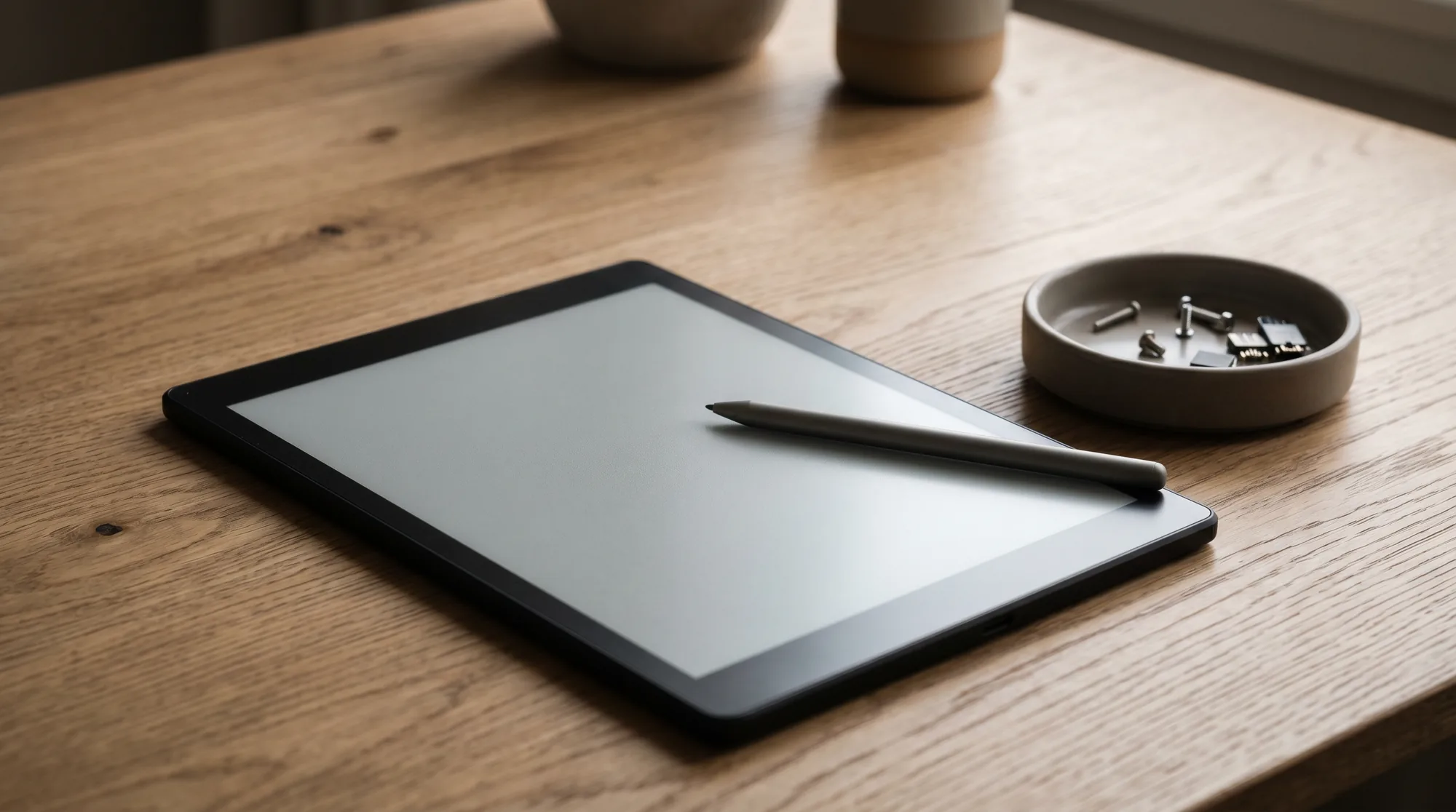
The Kindle Scribe Premium Pen question has a short answer and a longer one. The short answer: both Scribe pens Amazon has sold write identically, because the writing end is the same passive stylus with the same tips. What the Premium Pen adds sits at the other end and on the barrel: an eraser you use by flipping the pen over, and a button you hold to switch tools. Amazon’s own pen guide lists exactly those two things as the Premium Pen’s controls, and nothing else.
The longer answer is that the Basic Pen belongs to the original 2022 Scribe, when Amazon let you pick either pen at checkout. From the 2024 generation on, the Premium Pen came in every box, and the 11-inch generation that shipped in December 2025 comes with a pen Amazon simply calls the Kindle Scribe Pen: redesigned grip, same eraser end, same shortcut button, still nothing to charge. So a buyer today never actually faces the Basic Pen versus Premium Pen choice. An owner of a 2022 Scribe with the plain pen does, and a spare-pen shopper faces a different one: which of the two pens Amazon sells fits the tablet on the desk.
This post walks all three: what the eraser and the button are worth in daily use, which pen is in which box, and what each costs on its own. We read every price and feature on amazon.com on 19 October 2026, and we say plainly where Amazon’s own pages stop short.
Side by side
Kindle Scribe Premium Pen vs Basic Pen, side by side
Those two columns are the whole of the classic comparison, and only two rows differ. There is a third column now, because the 11-inch Scribe and Scribe Colorsoft ship with a pen that is neither of these. Amazon’s listing for it is titled Kindle Scribe Pen, describes a reshaped grip, the same flip eraser and a refined shortcut button, and adds one trick the older pens lack: on the Colorsoft, a click reaches the colour tools. The table below puts all three next to each other.
| Basic Pen2022 | Premium Pen$79.99 | Kindle Scribe Pen$84.99 | |
|---|---|---|---|
| Writing end | Same passive stylus | Same passive stylus | Same passive stylus, new grip |
| Built-in eraser | No | Top end | Top end |
| Shortcut button | No | Yes | Yes, refined |
| Colour tools on a click | No | No | Scribe Colorsoft only |
| Charging | Never | Never | Never |
| In the box with | 2022 Scribe (option) | 2024 Scribe, 10.2-inch | 2026 Scribe and Colorsoft, 11-inch |
| Sold alone, amazon.com | Not found | $79.99 | $84.99 |
One naming trap before going further. Amazon’s own pages are loose with the word: the 2026 pen’s listing still says the box “includes a Kindle Scribe Premium Pen”, and the Colorsoft bundles describe the included pen as a Premium Pen too. In practice there are two pens Amazon sells today, the $79.99 Tungsten one that first appeared in October 2024 and the $84.99 redesigned one, and a Basic Pen that we could not find as an Amazon-made listing at all in three searches of amazon.com. If a seller offers you a “Basic Pen” today, it is either second-hand or a third-party stylus.
The eraser
What the flip-to-erase end changes in practice
With the Basic Pen you erase the way you do on any tablet without an eraser end: open the toolbar, pick the eraser, rub out the stroke, pick your pen again. Undo catches a slip you notice straight away, so that costs nothing on either pen. The eraser earns its keep on the correction you make a minute later, the crossed-out word in a paragraph of meeting notes or the figure you rewrite in a budget line.
On the Premium Pen the same correction is one motion. Amazon’s guide describes it exactly: flip the pen so the eraser faces the screen, press down firmly, then rub back and forth over the strokes. You never leave the page and never touch the toolbar. It does not change what erasing does. It changes how often you bother, because a correction that costs nothing gets made and one that costs two taps gets left as a scribble.
That is why the eraser sorts readers by what they do on the tablet rather than by budget. Someone drafting, sketching or keeping notes they will tidy later is correcting all day, and the flip saves dozens of small interruptions. Someone who mostly reads, highlights and writes a line in a margin barely erases at all, and for them the eraser end is a feature they will touch once a week. If you are in the second group and happy with a 2022 Scribe and its plain pen, nothing in this post should push you to spend $79.99.
The button
The shortcut button is the half people underrate
The eraser gets the attention, but the button is the control that changes the feel of a long writing session. Amazon’s help page puts it in one line: if your stylus pen has a shortcut button, press and hold it to use a secondary tool. You pick that tool once, under Settings, Pen settings, Shortcut button, and from then on the button is a momentary switch. Hold it and the pen is a highlighter, or an eraser, or a different pen style; let go and it is your pen again.
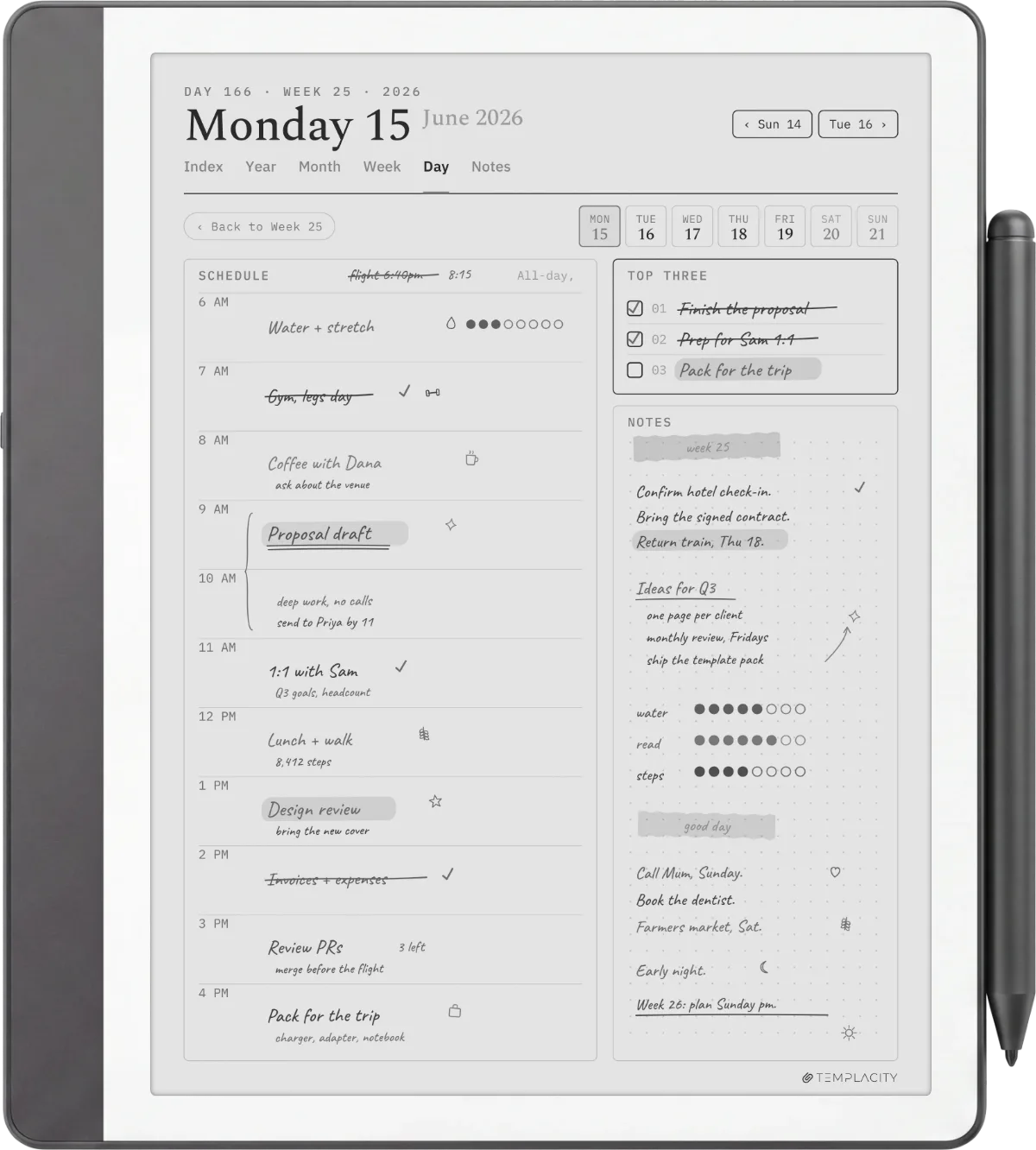
On a page like the planner above, where you write in one weight and mark priorities in another, the button is the difference between a page you annotate as you go and one you annotate afterwards. The Premium Pen’s listing names its options as highlight, erase, or a pen type between pen, fountain pen, marker and pencil; the 2026 pen’s listing lists the same set with the highlighter first. Neither pen lets you stack two shortcuts, so the setup choice is a real one: most note-takers put the highlighter on it, and anyone who already has the flip eraser rarely wastes the button on erasing again.
A correction that costs nothing gets made, and one that costs two taps gets left as a scribble.The eraser
What the button does not do is matter to a reader. If the Scribe is mainly a Kindle with a pen on the side, the shortcut button is a thing you will press by accident twice and then forget about. Our Kindle Scribe pen tips guide covers the part of the pen that every owner does deal with, the nibs, which wear the same on all three pens and swap with the small ring tool in the box.
Which box
Which pen comes with which Kindle Scribe
This is the row of the comparison that has moved most, and it is the one that decides whether you have any decision at all. Amazon’s two current Scribe listings both say the same thing about the pen in the box: included, never needs charging, built-in eraser and shortcut button. The older 10.2-inch Scribe, which Amazon still sells at $399.99, says “includes Premium Pen” in its title. Only the original 2022 model ever shipped with a Basic Pen, and only when you chose it.
| ScreenSize | Pen in the boxAmazon’s wording | Priceamazon.com | |
|---|---|---|---|
| Kindle Scribe, 2022 | 10.2 inches | Basic Pen or Premium Pen, chosen at checkout | No longer sold new |
| Kindle Scribe, 2024 | 10.2 inches | “Includes Premium Pen” | $399.99, 16 GB |
| Kindle Scribe, 2026 generation | 11 inches | “Pen included”, eraser and shortcut button | $499.99, 32 GB |
| Kindle Scribe Colorsoft | 11 inches | “Pen included”, eraser and shortcut button | $629.99, 32 GB |
The honest gap is cross-generation compatibility. Both of Amazon’s pen listings say the pen is compatible with Kindle Scribe and will not work on any other Kindle, and neither names a generation. The pens are passive, so there is no pairing to break, but we will not tell you a 2024 Premium Pen behaves identically on an 11-inch Scribe when Amazon does not say so. The safe rule for a spare is to buy the pen Amazon lists alongside your model: the $79.99 Premium Pen for a 10.2-inch Scribe, the $84.99 Kindle Scribe Pen for an 11-inch one. The 2026 pen’s colour click only means anything on a Colorsoft anyway. For what else changed between the generations, our new Kindle Scribe vs old comparison covers the screen, speed and software side.
The money
Free in the box, $79.99 or $84.99 after
Because every new Scribe already includes the eraser-and-button pen, the only people paying for one are replacing a lost or broken pen, or upgrading a 2022 Scribe from its Basic Pen. On amazon.com on 19 October 2026 the Premium Pen, in Tungsten, is $79.99, and the Kindle Scribe Pen is $84.99. Both come with five replacement tips and the tip tool, so a new pen is also a nib restock.
What an eraser-and-button pen costs you, by route (US dollars, amazon.com, October 2026)
Set against the tablet, $79.99 is a fifth of the 10.2-inch Scribe’s price and a sixth of the 11-inch one’s, which is why the upgrade only makes sense for a 2022 owner who corrects constantly. There is no cheaper official route: Amazon sells no Basic Pen on its own that we could find, and no refurbished pen. The third-party styluses that fill the search results are a different product with their own feel and nib supply, and outside the scope of a post about Amazon’s two pens. If the pen is the only thing wrong with an otherwise good 2022 Scribe, $79.99 is the whole bill; if the panel is what you have outgrown, the 2026 Scribe lineup already has the better pen in the box.
The call
Which one to buy
If you are buying a Kindle Scribe today, there is no pen decision to make: every model Amazon sells new ships with a pen that has the eraser end and the shortcut button, and the Kindle Scribe Premium Pen vs Basic Pen question is one you have already skipped. Spend the thinking on the tablet instead, and on a cover with a pen loop, which our Kindle Scribe cases guide sorts by how they hold the pen.
If you own a 2022 Scribe with the Basic Pen, buy the Premium Pen if you write and correct on it most days; the flip eraser pays for itself in interruptions you stop noticing. Keep the plain pen if the Scribe is mainly a reader, because the toolbar eraser does the same job one tap slower and $79.99 buys a lot of books. And if you are replacing a lost pen on an 11-inch Scribe or a Colorsoft, skip the Premium Pen entirely and buy the Kindle Scribe Pen Amazon lists for that generation, which is the one in your original box.
The same two-pen question exists on the other side of the e-ink aisle, where reMarkable sells a plain Marker and an eraser-ended Marker Plus for a $50 step at checkout; our Marker vs Marker Plus comparison reaches a similar verdict for similar reasons. The rest of the Scribe’s add-ons, from folios to stands, are in the Kindle Scribe accessories guide.
FAQ
Common questions, answered briefly
What is the difference between the Kindle Scribe Premium Pen and the Basic Pen?
Does the Kindle Scribe come with the Premium Pen?
How much is the Kindle Scribe Premium Pen on its own?
Does the Premium Pen need charging?
Will a Premium Pen work on the 11-inch Kindle Scribe?
If yours isn’t above, drop the question in the comments and we’ll add it.
People also ask
Other questions, briefly answered
If you have written with both pens, we would rather hear that than another spec sheet: tell us in the comments which one you kept, and whether it was the eraser or the button that decided it.