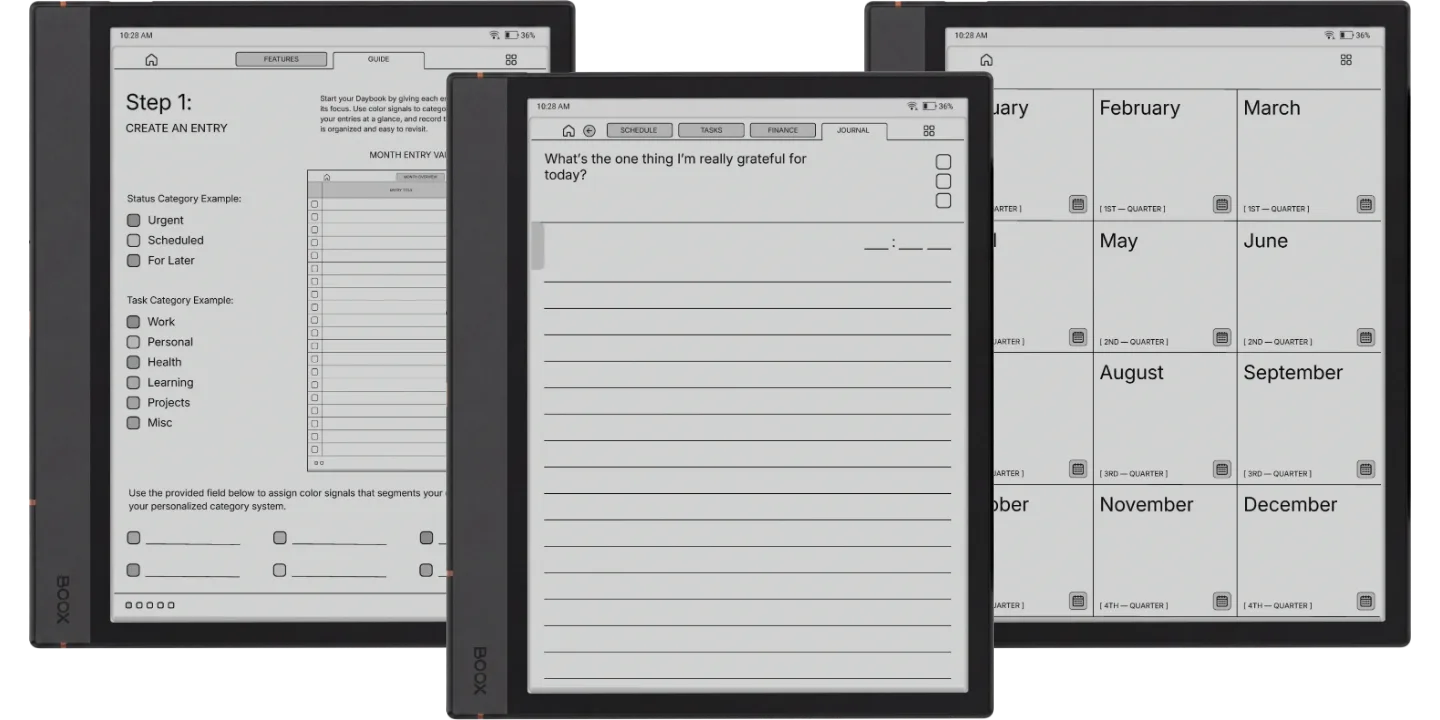
The Boox Go 10.3 Daybook Planner is for people who keep a daybook on a Go 10.3: the day’s schedule, tasks, spending and a short journal line, linked. Each entry is four linked pages, 40 a month and 480 a year, in a 2026 and a 2027 book with a Monday or Sunday start.
The four pages of an entry
- Schedule: every hour from 5am to 10pm.
- Tasks: one core task, three key tasks and five minor ones.
- Finance: a planned budget, each purchase with its category and amount, then the total spent and what you saved or went over.
- Journal: the one thing you are grateful for today, with the time you wrote it.
The calendars are dated; the entries are not. You title and date an entry when you start it, and each month opens with a two-page overview listing its entries, so a day you skip leaves no blank page behind.
On the Go 10.3
The Go 10.3’s 10.3-inch screen is 3:4 like the page, so nothing is cropped or shrunk, and on its monochrome display the blue accent reads as a soft grey, which keeps the page quiet. Send it with BooxDrop at push.boox.com or over USB and open it in NeoReader, the built-in PDF reader, where every tab and link works. A Quick Start guide for Boox comes in the download. For a dated hourly page every day instead, see the Go 10.3 Daily Planner.
On a Palma it letterboxes: the phone-shaped screen shows the page across its width with bands above and below, so pick a 3:4 Boox for this one.