Why templates
Why saved messages beat typed ones
An Airbnb message template is not about saving keystrokes; it is about answering in four minutes instead of four hours. Response rate and speed feed the same algorithm that ranks your listing in search, and guests deciding between two similar places routinely book the host who answered first. A good template library means the fast answer is also the careful one: the version of you that remembered to mention parking, quiet hours, and the door code, every time, at any hour.
Airbnb’s host tools support saved replies natively, so the workflow is: edit each template below once for your property, save it, then add one guest-specific line before sending. That last step matters. Templates answer the logistics; the personalized line (“the farmers market you asked about runs Saturday mornings”) is what shows a human pressed send. Airbnb’s hosting resources make the same point about message quality feeding review scores.
The map
Seven messages, mapped to the stay
| Message | Send when | The job it does |
|---|---|---|
| 1. Inquiry reply | Within the hour, any hour | Win the booking race |
| 2. Pre-booking message | Before accepting a request | Screen politely, set expectations |
| 3. Booking confirmation | Within a day of booking | Reduce pre-trip questions |
| 4. Check-in instructions | 48 hours before arrival | Kill the day-of panic message |
| 5. Mid-stay check | Morning after night one | Catch problems before reviews do |
| 6. Checkout reminder | Evening before departure | Protect the turnover schedule |
| 7. Review pair | Within 48 hours after checkout | Earn the review, return the favor |
Five of the seven can be automated with scheduled messages in the host tools; the inquiry reply and the pre-booking message need a human eye because they vary with what the guest wrote. The templates below are ordered the same way the table runs.
The library
The templates, ready to paste
1. Inquiry reply
The job here is speed plus the three answers every inquiry secretly contains: availability, check-in, parking. Resist the urge to oversell; one honest descriptive sentence converts better than three glowing ones.
2. Pre-booking message (covered in depth below)
The closing question is the screen. Guests with normal plans answer it without thinking; the rare problem booking usually goes quiet instead. More on this one in its own section below.
3. Booking confirmation
This message exists to prevent the eleven scattered questions that otherwise arrive across the next month. Hosts who keep a proper house manual can lean on it here and answer most trips in one send.
4. Check-in instructions
“Message me first” is the line hosts forget, and it is the one that saves ratings: it routes the broken-lamp complaint to you instead of to the review. Schedule this one for 48 hours out, not day-of, so travelers without data roaming have it saved.
5. Mid-stay check
Three sentences, sent once, the morning after night one. Longer versions feel like hovering; skipping it entirely means the lukewarm shower shows up in the review instead of in a message you could have answered.
6. Checkout reminder
Two asks, maximum. Checkout lists with seven chores are the single most-cited complaint in guest reviews of otherwise good stays. Everything beyond two tasks belongs in your cleaner’s checklist, not the guest’s.
7. The review pair
Send it after you have actually written their review, not before, so the claim is true. The review-request line works because it is specific and reciprocal rather than begging. The companion templates for writing and answering reviews get their own section below.
The screen
The pre-booking message, in depth
The pre-booking message is the only template doing risk work, which is why it earns a longer look. Its three jobs: confirm the guest read what they are booking, surface the two rules that cause most disputes, and ask one open question. The structure is compliment-free and accusation-free; you are not interrogating anyone, you are describing the place accurately and watching how the reply lands.
What not to put in it: demands for ID beyond what the platform verifies, guest-count interrogations (the booking form already asked), or a wall of rules. The full rule set belongs in your listing and your house rules template; the pre-booking message quotes the two that matter and links the rest by reference. Hosts running Instant Book can adapt the same text as a first scheduled message, where it does the expectation-setting half of the job even though the screening half is moot.
The pre-booking message is not an interrogation. It describes the place accurately and watches how the reply lands.The screen
Reviews
Review templates: writing them and answering them
For the reviews you write, one honest sentence beats three generic ones: “[Guest first name] communicated clearly, left the place tidy, and followed the house rules; would gladly host again.” That is the entire template, and because every claim in it is checkable, it reads as credible to the next host who screens them.
For answering reviews of your listing, the public reply is written for future guests, not for the reviewer. Positive review: one warm sentence of thanks, no essay. Critical review: thank, own the specific issue, state the fix, stop. “Thanks for flagging the slow drain; it was repaired the following week” does more for your next booking than any defense ever has. Never litigate a guest dispute in a review reply; that exchange has a separate channel and the public thread always makes the host look worse.
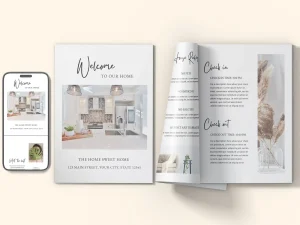
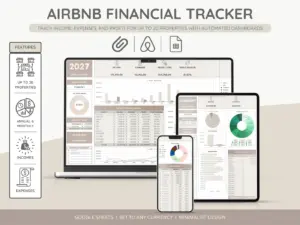
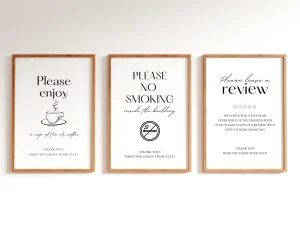
Everything you hand a guest, matched and priced to move together.
Edit the seven once, save them into your host tools tonight, and the next inquiry gets the four-minute answer. If a message you rely on is missing from the library, paste your version in the comments; the best reader templates get folded into this post with credit. For what guests read after they book, our welcome book guide picks up where the messages stop.
FAQ
Common questions, answered briefly
What should an Airbnb message template include?
Can you automate Airbnb messages?
What is a good pre-booking message on Airbnb?
How do you ask a guest for a review?
Should hosts respond to negative reviews?
Messages live in the app, so our Airbnb app update overview is worth a skim for what changed in the latest release.
If yours isn’t above, drop the question in the comments and we’ll fold it in.
People also ask