What size should your PDF be for an e-ink tablet?
Almost every e-ink writing tablet is exactly 3:4. A4 is 1:1.414 and US Letter is 1:1.294. Neither is 3:4, which is why a normal page leaves bars on your screen. Below is the exact page size for every device, and a checker that tells you what your own file will do.
Nothing is uploaded. The checker reads your file inside your browser and it never leaves the device you are sitting at. No email, no account, no limits.
Every device, and the page that fits it edge to edge.
Sizes in PDF points, which is what design tools ask for. Millimetres alongside for print. Sort any column; filter to narrow it down.
30 of 30 devices
| Shape | |||||
|---|---|---|---|---|---|
| reMarkable 4 | |||||
| reMarkable Paper Pro | PDF page 509.34 × 679.13 pt 179.69 × 239.58 mm | Shape 3:4 | Screen11.8″ | Resolution1620 × 2160 | PPI229 |
| reMarkable 2 | PDF page 447.29 × 596.39 pt 157.79 × 210.39 mm | Shape 3:4 | Screen10.3″ | Resolution1404 × 1872 | PPI226 |
| reMarkable Paper Pure | PDF page 447.29 × 596.39 pt 157.79 × 210.39 mm | Shape 3:4 | Screen10.3″ | Resolution1404 × 1872 | PPI226 |
| reMarkable Paper Pro Move | PDF page 260.18 × 462.55 pt 91.79 × 163.18 mm a different shape, files do not carry over | Shape 9:16 | Screen7.3″ | Resolution954 × 1696 | PPI264 |
| Amazon 2 | |||||
| Kindle Scribe | PDF page 446.4 × 595.2 pt 157.48 × 209.97 mm | Shape 3:4 | Screen10.2″ | Resolution1860 × 2480 | PPI300 |
| Kindle Scribe Colorsoft | PDF page 475.2 × 633.6 pt 167.64 × 223.52 mm | Shape 3:4 | Screen11″ | Resolution1980 × 2640 | PPI300 / 150 |
| Onyx Boox 14 | |||||
| Boox Note Air4 C | PDF page 446.4 × 595.2 pt 157.48 × 209.97 mm | Shape 3:4 | Screen10.3″ | Resolution1860 × 2480 | PPI300 / 150 |
| Boox Note Max | PDF page 576 × 768 pt 203.2 × 270.93 mm | Shape 3:4 | Screen13.3″ | Resolution2400 × 3200 | PPI300 |
| Boox Note Air3 | PDF page 446.4 × 595.2 pt 157.48 × 209.97 mm | Shape 3:4 | Screen10.3″ | Resolution1860 × 2480 | PPI300 |
| Boox Note Air3 C | PDF page 446.4 × 595.2 pt 157.48 × 209.97 mm | Shape 3:4 | Screen10.3″ | Resolution1860 × 2480 | PPI300 / 150 |
| Boox Note Air5 C | PDF page 446.4 × 595.2 pt 157.48 × 209.97 mm | Shape 3:4 | Screen10.3″ | Resolution1860 × 2480 | PPI300 / 150 |
| Boox Note Air2 | PDF page 445.32 × 593.76 pt 157.1 × 209.47 mm | Shape 3:4 | Screen10.3″ | Resolution1404 × 1872 | PPI227 |
| Boox Note Air2 Plus | PDF page 445.32 × 593.76 pt 157.1 × 209.47 mm | Shape 3:4 | Screen10.3″ | Resolution1404 × 1872 | PPI227 |
| Boox Note5 | PDF page 445.32 × 593.76 pt 157.1 × 209.47 mm | Shape 3:4 | Screen10.3″ | Resolution1404 × 1872 | PPI227 |
| Boox Go 10.3 | PDF page 446.4 × 595.2 pt 157.48 × 209.97 mm | Shape 3:4 | Screen10.3″ | Resolution1860 × 2480 | PPI300 |
| Boox Go 10.3 (Gen II) | PDF page 446.4 × 595.2 pt 157.48 × 209.97 mm | Shape 3:4 | Screen10.3″ | Resolution1860 × 2480 | PPI300 |
| Boox Go 10.3 (Gen II) Lumi | PDF page 446.4 × 595.2 pt 157.48 × 209.97 mm | Shape 3:4 | Screen10.3″ | Resolution1860 × 2480 | PPI300 |
| Boox Go Color 7 (Gen II) | PDF page 303.36 × 403.2 pt 107.02 × 142.24 mm a hair off 3:4, no practical difference | Shape ~3:4 | Screen7″ | Resolution1264 × 1680 | PPI300 / 150 |
| Boox Tab Ultra C | PDF page 446.4 × 595.2 pt 157.48 × 209.97 mm | Shape 3:4 | Screen10.3″ | Resolution1860 × 2480 | PPI300 / 150 |
| Boox Tab Ultra C Pro | PDF page 446.4 × 595.2 pt 157.48 × 209.97 mm | Shape 3:4 | Screen10.3″ | Resolution1860 × 2480 | PPI300 / 150 |
| Supernote 4 | |||||
| Supernote Manta (A5 X2) | PDF page 460.8 × 614.4 pt 162.56 × 216.75 mm | Shape 3:4 | Screen10.7″ | Resolution1920 × 2560 | PPI300 |
| Supernote Nomad (A6 X2) | PDF page 336.96 × 449.28 pt 118.87 × 158.5 mm | Shape 3:4 | Screen7.8″ | Resolution1404 × 1872 | PPI300 |
| Supernote A5 X | PDF page 447.29 × 596.39 pt 157.79 × 210.39 mm | Shape 3:4 | Screen10.3″ | Resolution1404 × 1872 | PPI226 |
| Supernote A6 X | PDF page 336.96 × 449.28 pt 118.87 × 158.5 mm | Shape 3:4 | Screen7.8″ | Resolution1404 × 1872 | PPI300 |
| iFLYTEK 2 | |||||
| iFLYTEK AINOTE 2 | PDF page 460.8 × 614.4 pt 162.56 × 216.75 mm | Shape 3:4 | Screen10.65″ | Resolution1920 × 2560 | PPI300 |
| iFLYTEK AINOTE Air 2 | PDF page 353.86 × 471.81 pt 124.83 × 166.44 mm | Shape 3:4 | Screen8.2″ | Resolution1440 × 1920 | PPI293 |
| Kobo 2 | |||||
| Kobo Elipsa 2E | PDF page 445.32 × 593.76 pt 157.1 × 209.47 mm | Shape 3:4 | Screen10.3″ | Resolution1404 × 1872 | PPI227 |
| Kobo Sage | PDF page 345.6 × 460.8 pt 121.92 × 162.56 mm | Shape 3:4 | Screen8″ | Resolution1440 × 1920 | PPI300 |
| Apple 2 | |||||
| iPad (11-inch, A16) | PDF page 447.27 × 643.64 pt 157.79 × 227.06 mm a different shape, files do not carry over | Shape 41:59 | Screen10.86″ | Resolution1640 × 2360 | PPI264 |
| iPad mini (A17 Pro) | PDF page 328.64 × 500.5 pt 115.94 × 176.56 mm a different shape, files do not carry over | Shape ~2:3 | Screen8.3″ | Resolution1488 × 2266 | PPI326 |
No device matches that. Try clearing a filter.
Why no standard paper size fits any of them
Width divided by height. A 3:4 screen is 0.7500. Nothing in common use is close enough to avoid bars.
| Page | Size (pt) | Ratio | On a 3:4 screen |
|---|---|---|---|
| A4 | 595.28 x 841.89 | 0.7071 | 5.7% of the screen wasted |
| US Letter | 612 x 792 | 0.7727 | 2.9% of the screen wasted |
| A5 | 419.53 x 595.28 | 0.7048 | 6.0% of the screen wasted |
| US Legal | 612 x 1008 | 0.6071 | 19.0% of the screen wasted |
| A 3:4 page | the sizes above | 0.7500 | Nothing wasted. Fits edge to edge. |
Drop in a PDF. See exactly how it lands.
Your file is read in this browser tab and never sent anywhere. We look at the page box, compare it to the screen you pick, and draw the result at true proportions.
A single blank page at the exact size for the device above, with the safe margins marked. Use it as a canvas in any design tool.
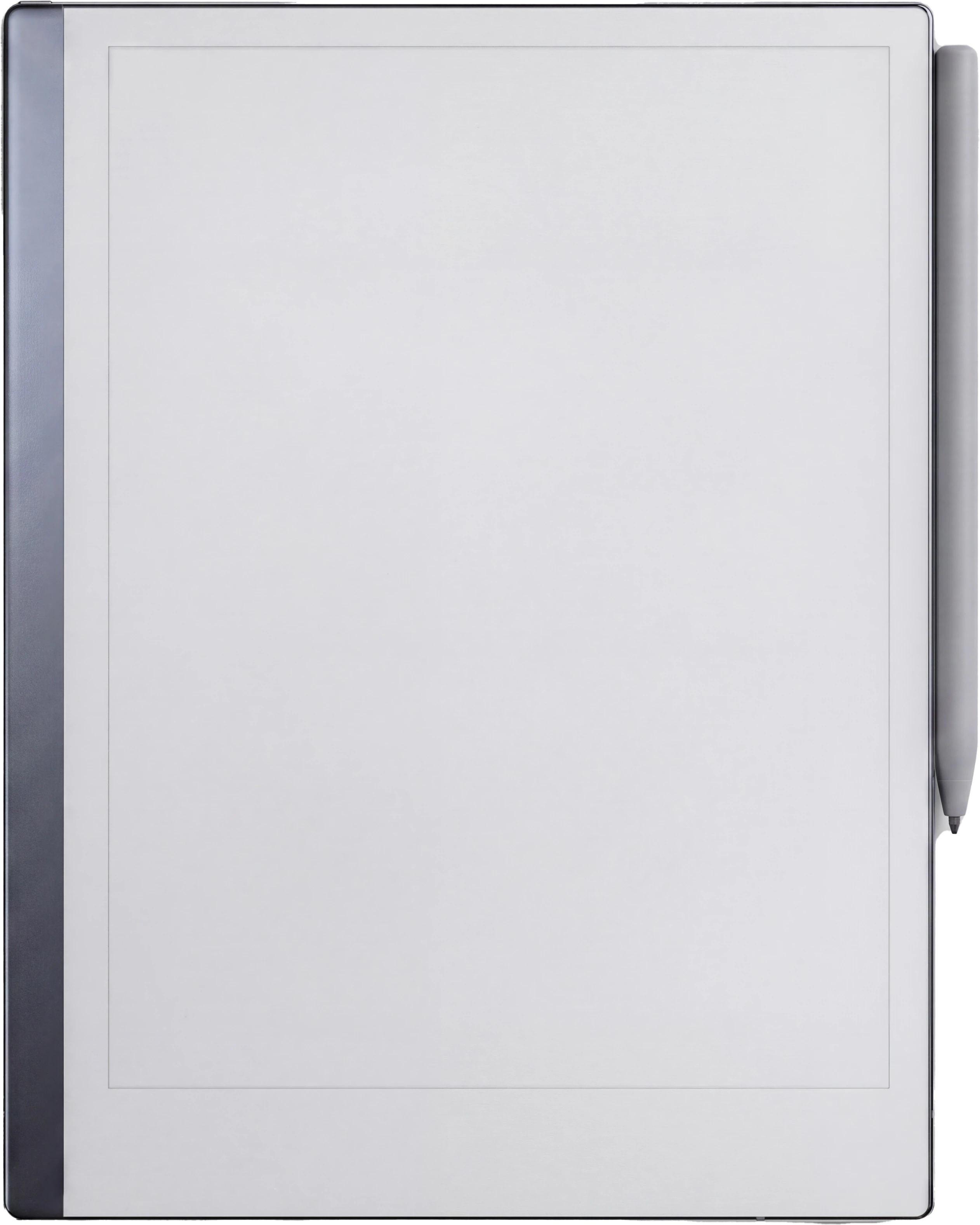

Pick a device and drop a file in. Until then, here is what the empty screen is shaped like.
- Your page
- not read yet
- Device page
- not read yet
- Screen used
- not read yet
- Pages
- not read yet
How we get these numbers.
The arithmetic
Screen pixels divided by pixel density gives inches. Inches times 72 gives PDF points, times 25.4 gives millimetres. Every derived figure in the table is computed from the panel spec rather than typed in by hand, and each row’s diagonal is checked back against the maker’s marketed figure.
Points, not pixels
We publish the physical page, so 12pt type measures 12pt on the actual glass. You can instead build a page whose point dimensions equal the pixel count, which some people prefer for aligning hairlines to exact pixels, but it makes every font size in the document read about four times too large. Both are in the data if you want them.
Where it comes from
No manufacturer publishes a template size specification. Not reMarkable, not Supernote, not Boox, not Amazon. So every number in circulation is third party, including ours. Each row names its source and the date we last checked it, and says whether it is a maker figure or a community measurement.
The raw data
Free to use, quote and build on. If you want the table as JSON rather than HTML, it is at /wp-json/templacity/v1/devices. A credit link back here is welcome but not required.
Source and confidence for every row
| Device | Source | Confidence | Checked |
|---|---|---|---|
| reMarkable Paper Pro | reMarkable technical specifications | Maker spec | 2026-08-02 |
| reMarkable 2 | reMarkable technical specifications | Maker spec | 2026-08-02 |
| reMarkable Paper Pure | reMarkable technical specifications | Maker spec | 2026-08-02 |
| reMarkable Paper Pro Move | reMarkable technical specifications | Maker spec | 2026-08-02 |
| Kindle Scribe | Amazon Kindle Scribe device specifications | Maker spec | 2026-08-02 |
| Kindle Scribe Colorsoft | Amazon Kindle Scribe device specifications | Maker spec | 2026-08-02 |
| Boox Note Air4 C | Onyx Boox product specifications | Maker spec | 2026-08-02 |
| Boox Note Max | Onyx Boox product specifications | Maker spec | 2026-08-02 |
| Boox Note Air3 | Onyx Boox product specifications | Maker spec | 2026-08-02 |
| Boox Note Air3 C | Onyx Boox product specifications | Maker spec | 2026-08-02 |
| Boox Note Air5 C | Onyx Boox product specifications | Maker spec | 2026-08-02 |
| Boox Note Air2 | Onyx Boox product specifications | Community measured | 2026-08-02 |
| Boox Note Air2 Plus | Onyx Boox product specifications | Community measured | 2026-08-02 |
| Boox Note5 | Onyx Boox product specifications | Community measured | 2026-08-02 |
| Boox Go 10.3 | Onyx Boox product specifications | Maker spec | 2026-08-02 |
| Boox Go 10.3 (Gen II) | Onyx Boox product specifications | Community measured | 2026-08-02 |
| Boox Go 10.3 (Gen II) Lumi | Onyx Boox product specifications | Community measured | 2026-08-02 |
| Boox Go Color 7 (Gen II) | Onyx Boox product specifications | Maker spec | 2026-08-02 |
| Boox Tab Ultra C | Onyx Boox product specifications | Maker spec | 2026-08-02 |
| Boox Tab Ultra C Pro | Onyx Boox product specifications | Maker spec | 2026-08-02 |
| Supernote Manta (A5 X2) | Supernote product specifications | Maker spec | 2026-08-02 |
| Supernote Nomad (A6 X2) | Supernote product specifications | Maker spec | 2026-08-02 |
| Supernote A5 X | Supernote product specifications | Community measured | 2026-08-02 |
| Supernote A6 X | Supernote product specifications | Community measured | 2026-08-02 |
| iFLYTEK AINOTE 2 | iFLYTEK product specifications | Community measured | 2026-08-02 |
| iFLYTEK AINOTE Air 2 | iFLYTEK product specifications | Community measured | 2026-08-02 |
| Kobo Elipsa 2E | Kobo product specifications | Community measured | 2026-08-02 |
| Kobo Sage | Kobo product specifications | Community measured | 2026-08-02 |
| iPad (11-inch, A16) | Apple technical specifications | Maker spec | 2026-08-02 |
| iPad mini (A17 Pro) | Apple technical specifications | Maker spec | 2026-08-27 |


