What matters
What a working airbnb expense tracker has to do
Three jobs. First, capture every host expense the moment it happens (the cleaner paid, the toilet paper bought, the plumber called). Second, categorise by tax line items so year-end is a screenshot. Third, allocate by property if you run more than one unit.
The tools below all do those three jobs. They differ in friction, cost, and where the bottleneck shows up.
The shortlist
Six airbnb expense tracker setups, ranked by friction
1. Phone-photo to a shared spreadsheet
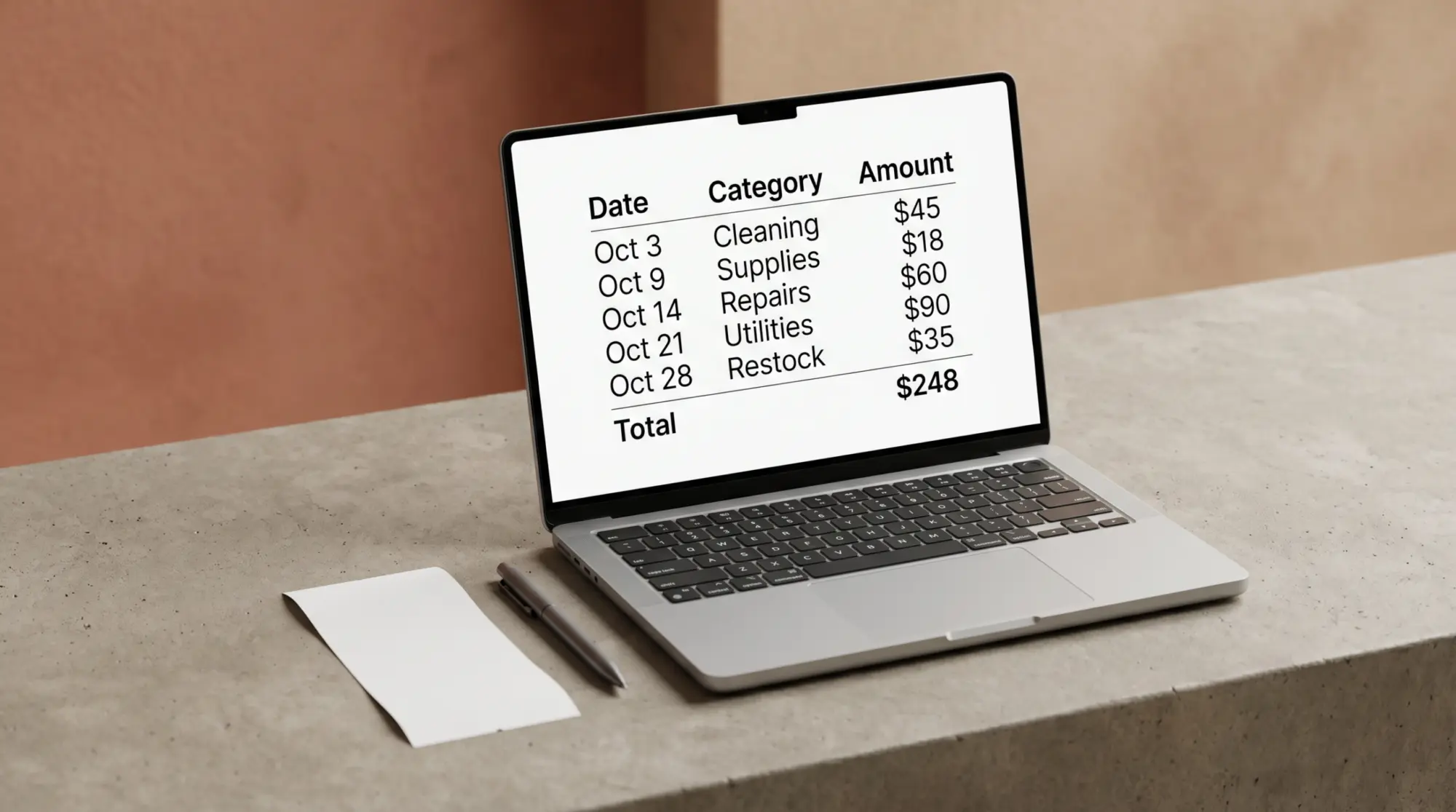
The setup most hosts settle into. Receipt arrives, photo to a folder, drop a row in the Google Sheet (or Excel on OneDrive) with date, vendor, amount, category, property. Two minutes per receipt. The spreadsheet is the source of truth; the photo folder is the audit trail.
Best for: one to five unit hosts who already live in a sheet. Friction: low. Cost: $0.
2. Dedicated expense app (Expensify, Stessa, Hurdlr)
Photo the receipt, the app OCRs it, you tag the category. Stessa is the rental-specific option; Hurdlr handles mileage well; Expensify is the general-purpose one. All three export to a CSV your accountant can use.
Best for: hosts who hate spreadsheets, or who have heavy mileage to log. Friction: low once set up. Cost: $5-30/month.
3. A dedicated business credit card
Underrated. Run every host expense through one card, download the year-end statement, categorise once. The card statement is your expense tracker. Pair it with the spreadsheet (setup 1) for the few cash expenses.
Best for: hosts who want minimal in-month work. Friction: none in-month, two hours at year-end. Cost: $0-95/year annual fee.
4. Accounting software (QuickBooks, Xero, Wave)
Bank feed connects, transactions categorise themselves, reports generate. Wave is the free option; QuickBooks is the most accountant-supported. The downside is setup time (a weekend) and the discipline to clear the uncategorised queue weekly.
Best for: hosts running three or more units, or anyone whose accountant insists. Friction: moderate. Cost: $0-30/month. Units let on long leases rather than by the night belong in a rent roll instead, one row per unit with rent due and rent received.
5. Accountant portal (your CPA’s shared folder)
The host throws every receipt at the CPA’s portal; the CPA categorises monthly or quarterly. No host-side tracking work. The trade-off: you pay for the bookkeeping time, and you don’t see your numbers in-month.
Best for: hosts who want zero spreadsheet time and have the cash for it. Friction: none for the host. Cost: $150-400/month for the bookkeeping.
6. A paper notebook
We’re not joking. The hosts we know with the cleanest books have a small notebook in the kitchen drawer. Every expense gets a line. Transcribe to the spreadsheet weekly. The friction at entry is so low the host actually does it.
Best for: single-unit hosts who don’t trust apps. Friction: low at entry, moderate in transcription. Cost: $3 for the notebook.
The best airbnb expense tracker is the one the host actually opens when the receipt arrives. Adoption wins over sophistication every time.


Everything you hand a guest, matched and priced to move together.
Picking
How to pick between them
| You are | The right setup |
|---|---|
| One unit, do your own taxes | Spreadsheet + business card (setups 1 and 3 combined) |
| One unit, heavy mileage to property | Hurdlr or another app with mileage tracking (setup 2) |
| Two to five units | Spreadsheet + business card, transition to accounting software once you have a bookkeeper |
| Six+ units | QuickBooks or Xero, full bookkeeper engagement (setup 4 + 5) |
| “I will not use an app” | Notebook + weekly transcription to spreadsheet (setup 6 + 1) |
The wrong question is “which is best.” The right question is “which one will I still be using in November.”
The Airbnb Superhost Bundle is live, and the host spreadsheet inside it ships with the twelve-category dropdown and a per-property allocation column, so setup 1 above takes about ten minutes to stand up. The spreadsheet is also sold on its own from the spreadsheet template page if the signs and the welcome book are no use to you.
If you’ve landed on a setup that works and want to share what stuck, drop it in the comments. The host community gets sharper when the workflows get shared.
Building a tracker from scratch works fine, though if you’d rather start from a ready-made workbook, our Airbnb Google Sheets template has the categories and the running math already wired up; our Airbnb host spreadsheet has the same categories already wired in.
FAQ
Common questions, answered briefly
What’s the best airbnb expense tracker for one-unit hosts?
Are there free airbnb expense tracker apps?
How often should an airbnb host update the expense tracker?
Can one airbnb expense tracker handle multiple properties?
Do I need an airbnb expense tracker if I have a bookkeeper?
If yours isn’t above, drop the question in the comments and we’ll fold it in.
People also ask