Missing a template? Request it →
reMarkable Paper Pro Move Weekly PlannerreMarkable Paper Pro Move Weekly Planner
reMarkable template

reMarkable Paper Pro Move Weekly Planner

A weekly planner for the reMarkable Paper Pro Move: the week on one tall page, a memo behind every day, a weekly review. 2026 and 2027, Monday or Sunday start.

$29.00
Cover colour
Language
  • Made for the reMarkable Paper Pro Move
  • Instant digital download
  • Re-download any time from your account

What you’re getting

Sized to the paper

Drawn for the reMarkable writing surface, weighted for the Marker.

Hyperlinked navigation

Tap any section to jump. No menu paging.

Distraction-free design

Quiet typography, no decoration. Fits the reMarkable focus mode.

Instant download

PDF in your account the moment payment clears.

The Weekly Planner 554 pages

The week, at a glance.

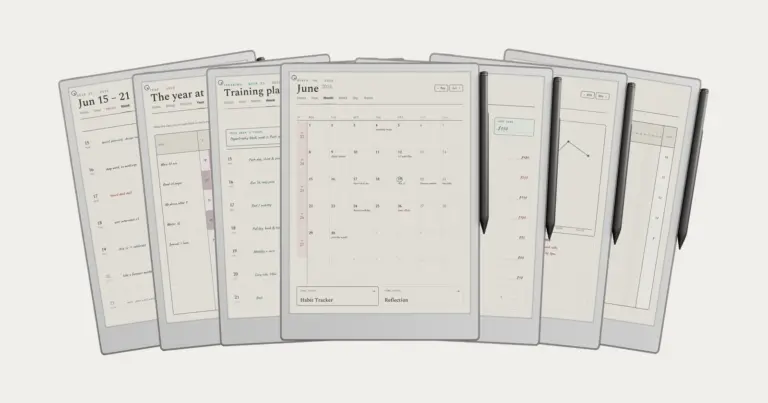
Dated 2026 + 2027, Monday or Sunday start. One page per week, seven dot-grid day rows, hyperlinked across months. Built so the year doesn't disappear behind the day.

  • i. One page per week, seven day rows
  • ii. Monday or Sunday start
  • iii. Hyperlinked across months and years
reMarkable Paper Pro Move Weekly Planner The Weekly Planner page 1reMarkable Paper Pro Move Weekly Planner The Weekly Planner page 1
reMarkable Paper Pro Move Weekly Planner The Weekly Planner page 2reMarkable Paper Pro Move Weekly Planner The Weekly Planner page 2
reMarkable Paper Pro Move Weekly Planner The Weekly Planner page 3reMarkable Paper Pro Move Weekly Planner The Weekly Planner page 3
reMarkable Paper Pro Move Weekly Planner The Weekly Planner page 4reMarkable Paper Pro Move Weekly Planner The Weekly Planner page 4
reMarkable Paper Pro Move Weekly Planner The Weekly Planner page 5reMarkable Paper Pro Move Weekly Planner The Weekly Planner page 5
reMarkable Paper Pro Move Weekly Planner The Weekly Planner page 6reMarkable Paper Pro Move Weekly Planner The Weekly Planner page 6

About this template

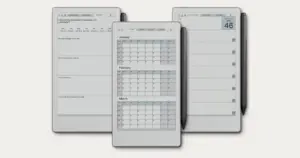
The Move Weekly Planner is for people who keep a reMarkable Paper Pro Move in a bag and plan the week on it: seven days on one tall page, three goals at the top, and a dot-grid page behind each day. Every week of 2026 and 2027 is dated, each year with a Monday or Sunday start.

Ten pages a week

  • Weekly calendar: three boxes for the week’s goals and a dotted row for each day.
  • Weekly memo: a larger grid for mapping ideas and breaking a goal into steps.
  • Assessment: rate each day, then what went well, what you learned and what you are leaving behind.
  • Seven day memos: a dot-grid page behind every day, one tap from its row on the calendar.

Quarter pages at the front link to every week; annual and month calendars sit at the back. 554 linked pages per year.

Cut for the Move

The pages are drawn for the Move’s 7.3-inch 9:16 screen, so the seven day rows stack down its length rather than being squeezed from a 10-inch page, and the accent shows in colour. Import with the reMarkable desktop app and tap tabs with a fingertip. A Quick Start guide for reMarkable comes with it. On another reMarkable, the reMarkable 2, Paper Pure and Paper Pro share a 3:4 Weekly Planner of their own.

Tuned for reMarkable

reMarkable templates fit the paper-like writing surface exactly. Every line, every margin, every link is built for the reMarkable focus mode: quiet typography, no decoration, just the structure you need.

№ · Bought together

Add the rest of the set.

Weekly Planner This item · $29
All four, the full set $49 was $116

All four goes in as the Set at $49, not four separate items. You keep $67.

№ · Questions

Common questions.

Which reMarkable is it for?
The Paper Pro Move only. The pages are cut to its 7.3-inch 9:16 screen. The reMarkable 2, Paper Pure and Paper Pro share a 3:4 screen and their own Weekly Planner.
Is it dated?
Yes. Every week of 2026 and of 2027 is dated, each year in its own file, with weeks starting Monday or Sunday. Nothing to buy again in January.
What is in the download?
Four PDFs in the colour you pick: 2026 and 2027, each with weeks starting Monday or Sunday, plus a Quick Start guide for reMarkable. Each planner is 554 pages.
Should I get the Daily or the Weekly?
The Daily gives every day its own hourly page and is built around yearly and quarterly goals. The Weekly shows the whole week on one page with a memo page behind each day. If your days are full of appointments, Daily; if you plan by the week, Weekly.
How do I get it onto my Move?
Download it from your Templacity account, then import the PDF in the reMarkable desktop app with the Import button or by dragging it in. Importing is free, with no Connect subscription, and the file syncs to the Move once the tablet is paired.
How do I follow the links?
Tap them with a fingertip. On a reMarkable the Marker writes rather than navigates, so a tab touched with the pen leaves a mark instead of turning the page.
Will it show up in my reMarkable's Templates menu?
No. reMarkable does not support custom templates, so it opens as a PDF document, which is also what keeps the tabs and links working.
Is this a one-time purchase?
Yes. You pay once and keep the files, with no subscription. They appear in your Templacity account as soon as payment clears, and we email a backup link.
What if it doesn't work for me?
Digital downloads are non-refundable once delivered, but if you have any problem with the file itself, email us and we'll make it right.
№ · Reviews

Be the first to say something.

Nobody has written about this one yet. If it is on your device, yours is the first thing the next person reads.

Read by a person before it goes up, usually within a day. Your email stays with us and never appears on the page.

Instant download.

Your file is in your account the moment you check out, yours to re-download any time. A receipt lands in your inbox, too.

One-time purchase.

No subscription, no annual renewal, no upgrade nags. Pay once and the file is yours.

Quiet, secure checkout.

Stripe. Apple Pay. No spam, no “partners,” no reselling your details. Receipt, file, done.