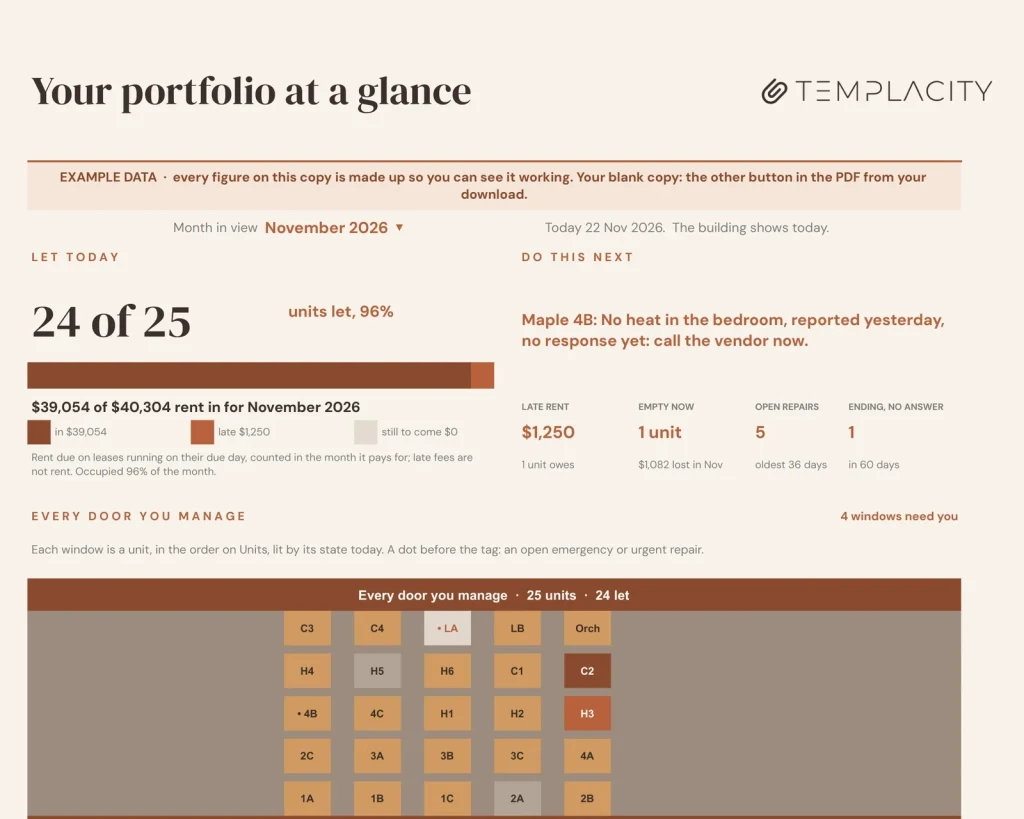
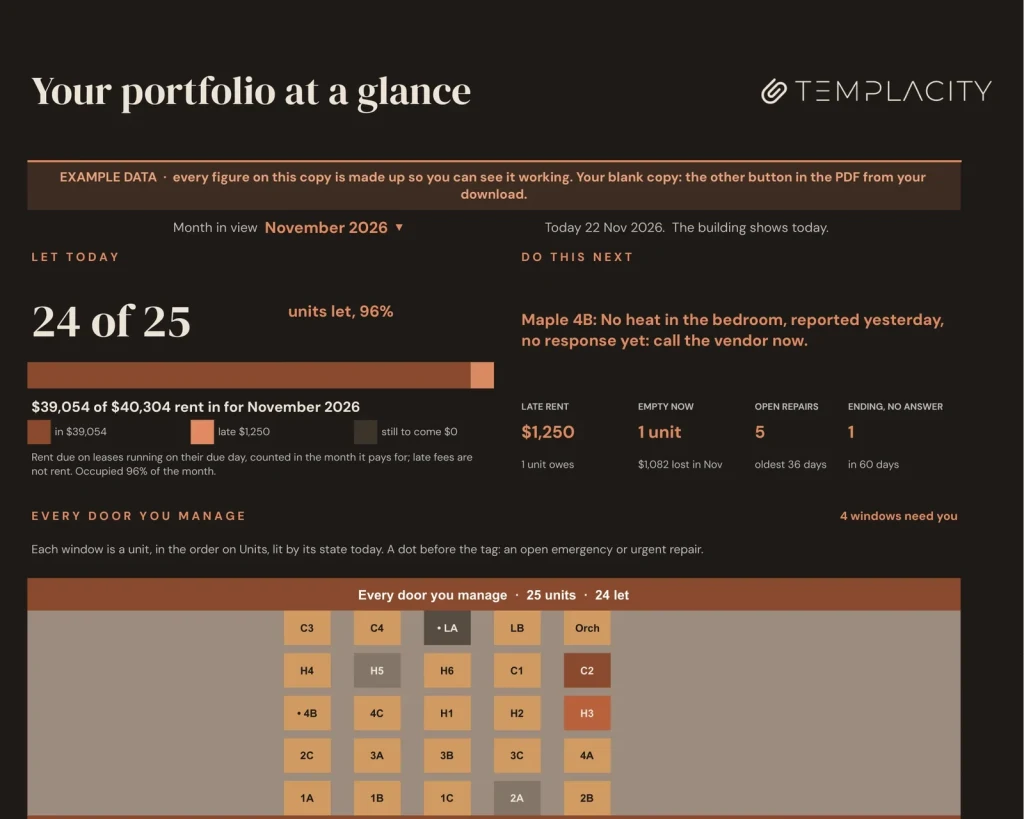
The dashboard: units let, rent in against rent due, every door as a lit window, who owes and what sits empty.
Every building you run, and what each owner is owed.
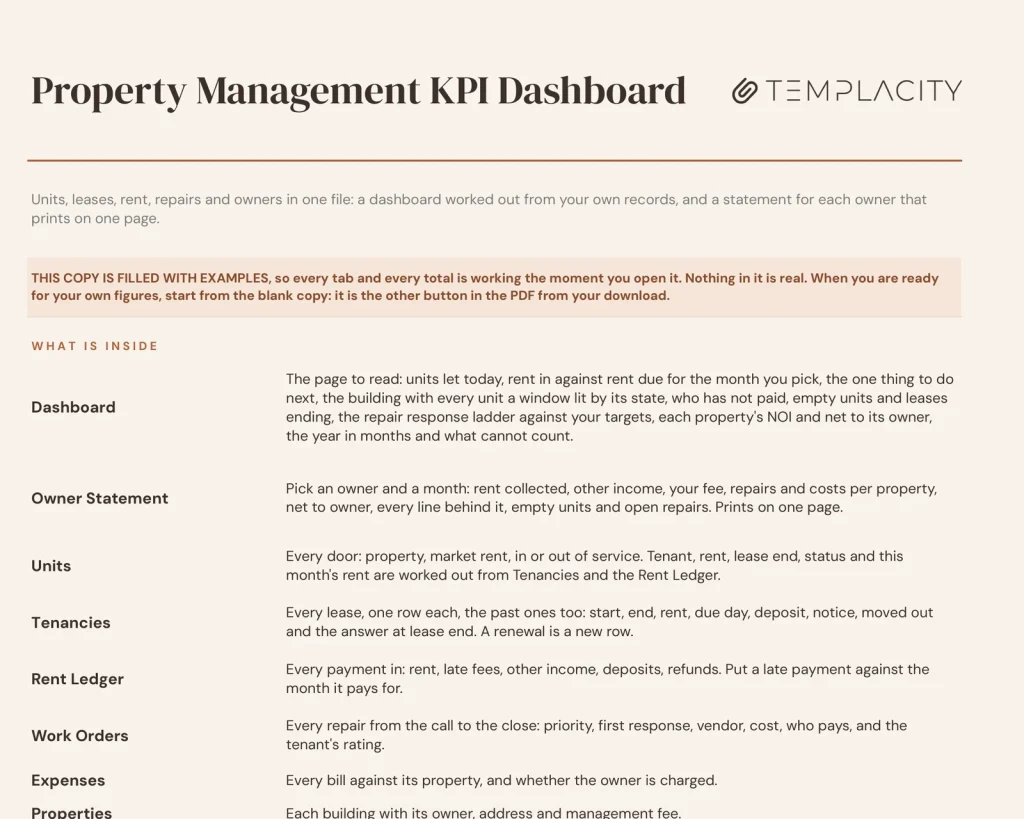
Log units, leases, rent, repairs and bills. The dashboard draws every door as a lit window and says who has not paid and what sits empty; the Owner Statement works each owner down to net to owner.
- Google Sheets
- Excel .xlsx
- Leeg + voorbeeld
Taal
Direct downloaden. Vaste link in je account.
Direct downloaden. Blijvende link in je account. Voor altijd van jou, geen abonnement.
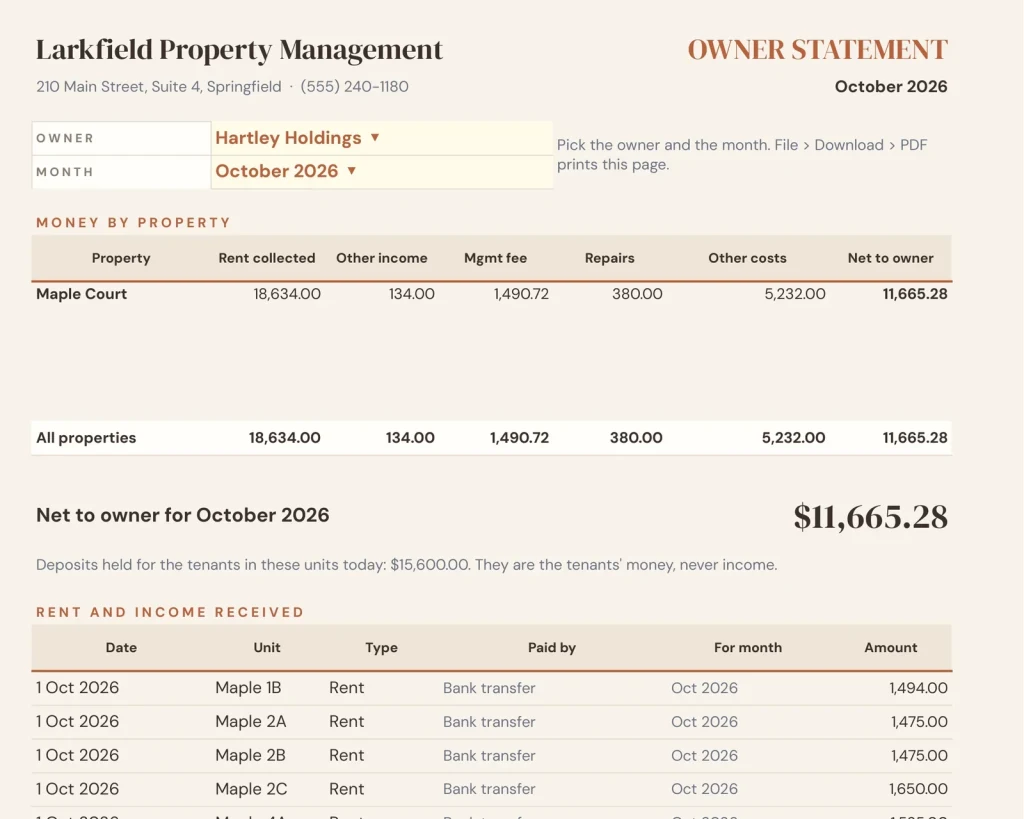
Owner Statement
One statement per owner.
Pick an owner and a month: rent collected, other income, your fee, repairs and costs per property, down to net to owner, with every line behind it. Prints on one page.
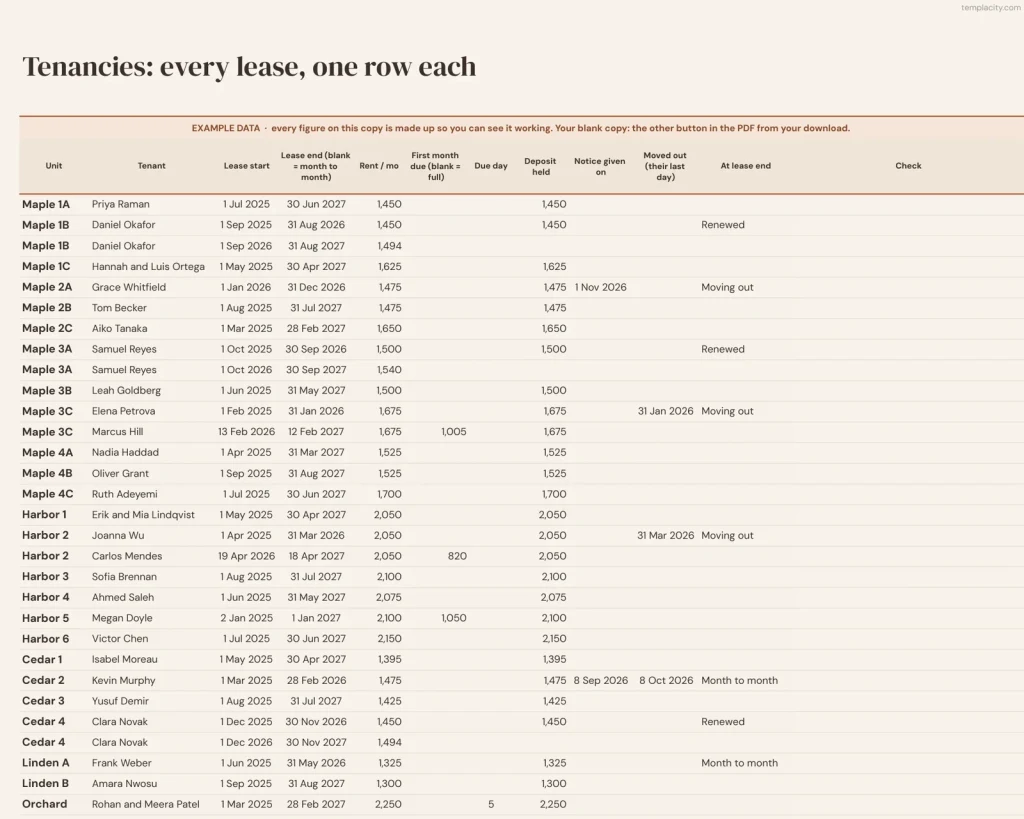
Tenancies
Past leases count too.
Every lease, one row each, the past ones too, so vacancy days, turnover and the renewal rate are worked out, not typed. A renewal is a new row.
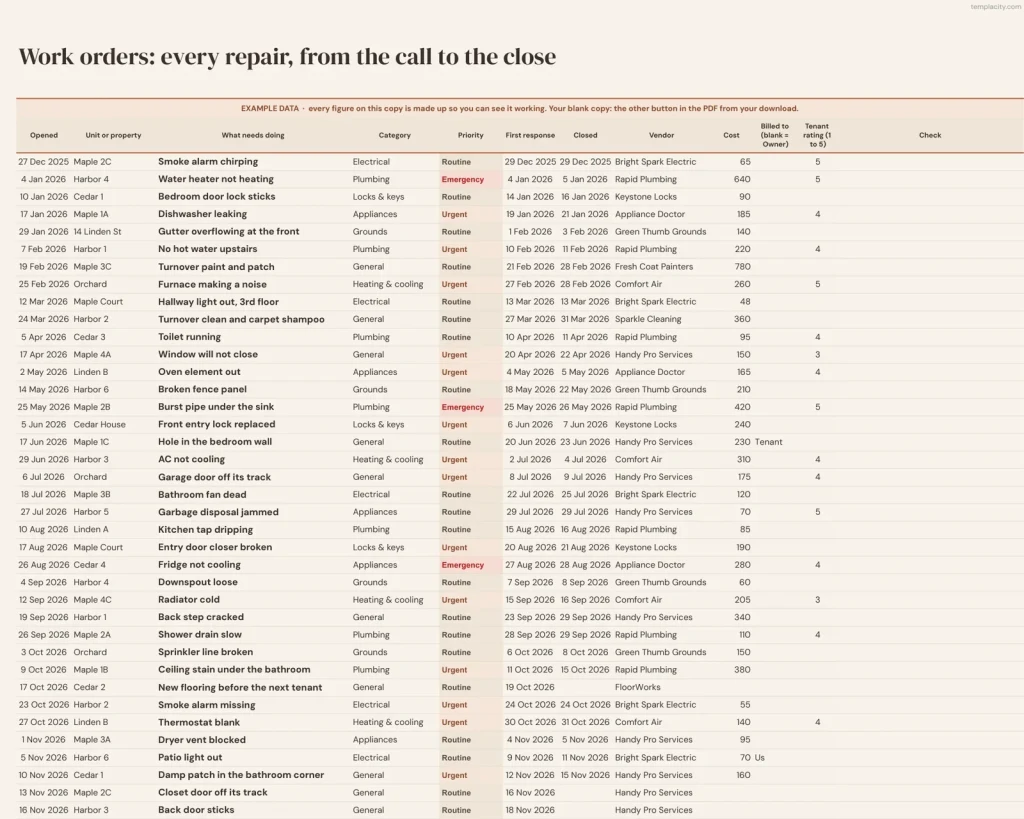
Work Orders
Every repair, against the clock.
From the call to the close: priority, first response, vendor, cost and who pays, each timed against the response targets you set.
Rent Ledger
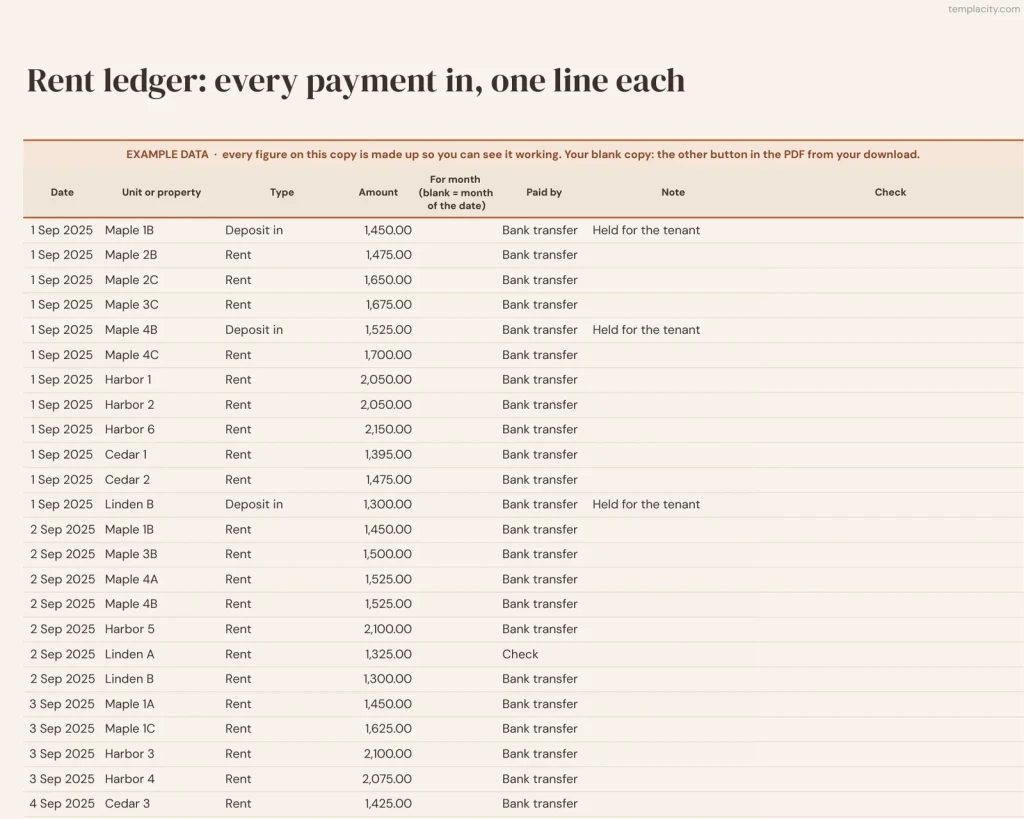
Every payment in, one line each.
Rent, late fees, other income, deposits and refunds. A late payment goes against the month it pays for.
En de rustige
Your doors, your bills and where to start, with a Night edition in Google Sheets.
Thema's
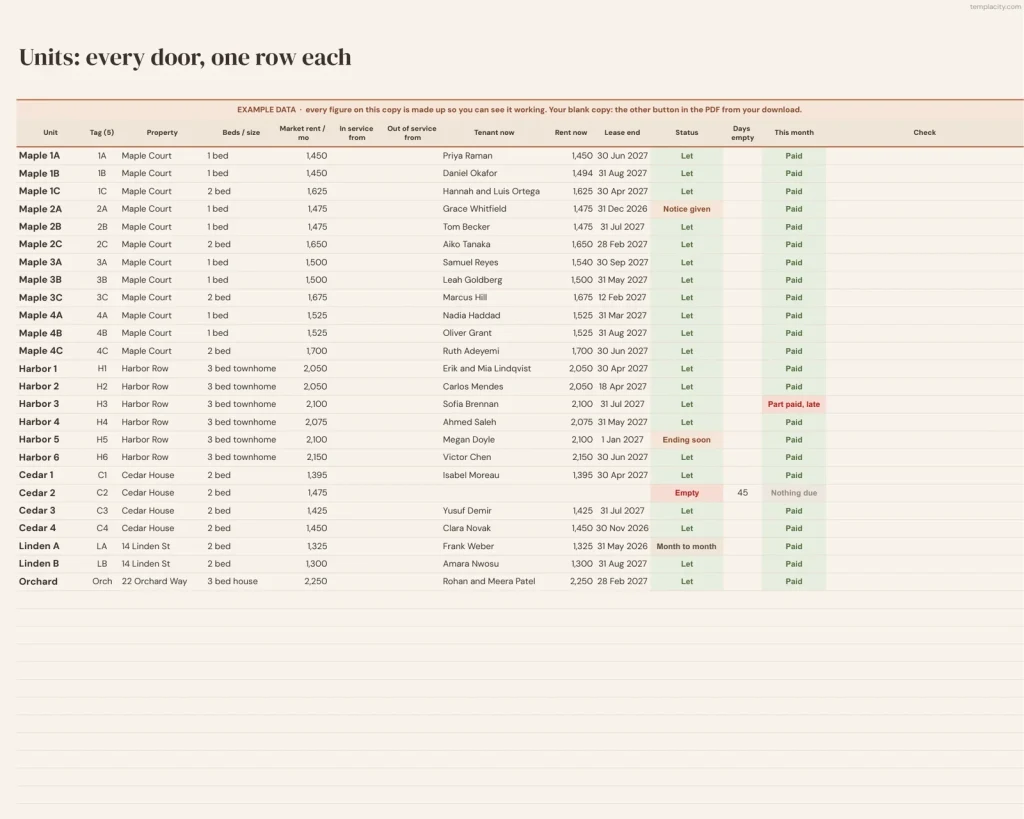
Every door with its property and market rent; tenant, rent, lease end and status are worked out for you.
Uitgaven
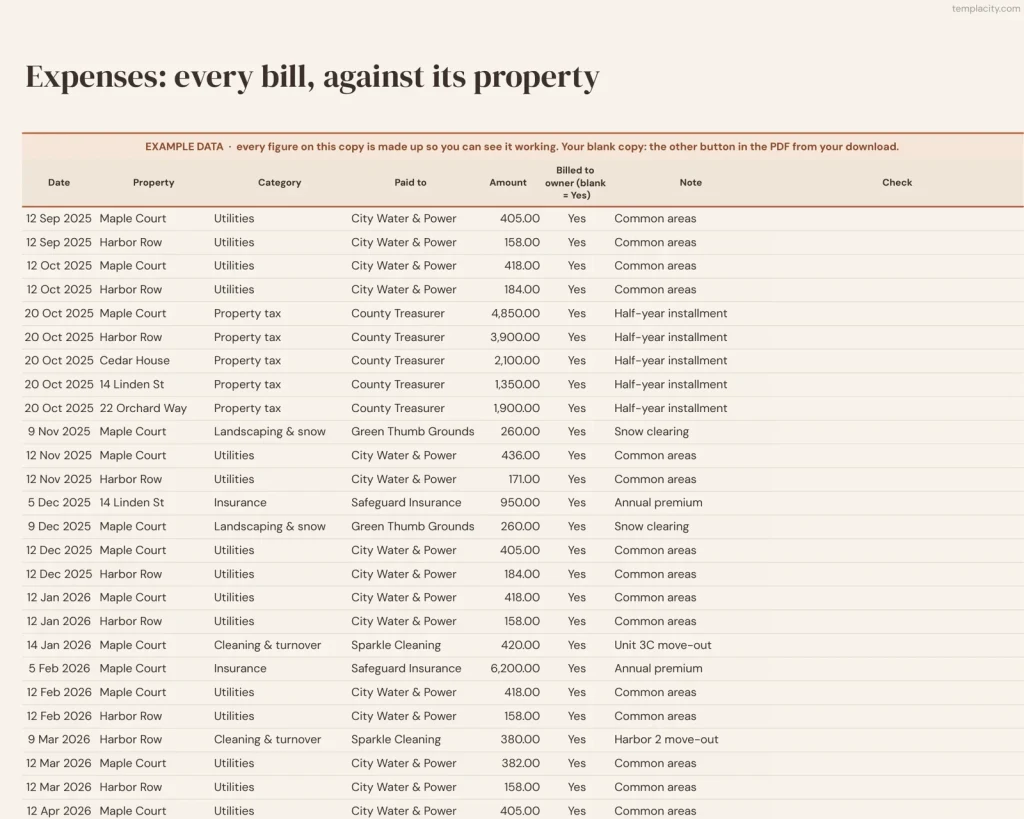
Every bill against its property, and whether the owner is charged.
Begin hier
Elk tabblad in één regel, daarna de volgorde om ze in te vullen. Het eerste tabblad dat je opent en de enige uitleg die je nodig hebt.
Licht of donker
Elke Google Sheets-kopie krijg je twee keer: een lichte editie en een donkere editie voor donkere schermen. Dezelfde tabbladen, dezelfde formules; houd de versie waar je het liefst naar kijkt. De Excel-bestanden zijn alleen licht.
You log the doors. It runs the numbers.
Jij typt
- Your owners, buildings and units, once
- Each lease and each payment as it comes
- Every repair and every bill
Het rekent uit
- Who has not paid, unit by unit
- Each owner’s statement, down to net to owner
- Vacancy days, turnover and the renewal rate
- Repairs timed against your targets
Google Sheets of Excel. Je hoeft niet te kiezen.
De download bevat beide: de kopieerlink voor Sheets en de echte .xlsx. Elke formule is zo gekozen dat hij in beide hetzelfde werkt, en we testen de omzetting heen en terug bij elke versie.
Een link, geen bestand om op te passen.
Koop het één keer
₩ 66.000, geen abonnement. Je bestelmail en je account bevatten allebei de download, blijvend.
Kopieer hem naar je Drive
Eén klik en hij is van jou, in je eigen Google-account, voor altijd. Wij hebben geen toegang tot jouw kopie en er zit niets in dat contact met ons opneemt.
Begin in het voorbeeld
De ingevulde kopie laat elk tabblad al aan het werk zien. Klik erin rond, haal hem gerust kapot, open daarna je lege kopie en typ je eigen gegevens.
De vragen die we echt krijgen
Is this the landlord spreadsheet?
No, its twin. You own the buildings: the Verhuurbeheer voor verhuurders. You run them, for yourself or for owners: this one, with an owner statement for each owner and repairs timed against your targets.
Staat er een jaartal in?
Nee. Nergens in de bestanden staat een jaartal, dus hij begint op de dag dat jij begint en werkt volgend jaar gewoon door.
Werkt het in Excel?
Yes. The same workbook comes as two .xlsx files, one blank and one filled with an example, checked in Excel with every formula recalculated. Excel 2010 and later, Excel for Mac and Microsoft 365; no macros, no scripts, no add-ons.
Wat krijg ik precies?
A one-page PDF with your Google Sheets links, a blank copy and an example copy in a Light and a Night edition, and the two Excel files. Buying once covers your own use in both apps, forever.
Every door, every owner, every month.
Units, leases, rent, repairs and owner statements, in Google Sheets and Excel, with a Night edition in Google Sheets, no subscription, no year baked in.
Get the dashboard · ₩ 66.000Nog aan het twijfelen? Open het live, alleen-lezen. Niet de sheet die je zoekt? Bekijk alle spreadsheettemplates of vraag het in Templacity Hall.
Wees de eerste die iets zegt.
Hier heeft nog niemand over geschreven. Als je het op je apparaat gebruikt, is jouw review het eerste wat de volgende persoon leest.
Direct downloaden.
Je bestand staat direct na het afrekenen in je account en je kunt het altijd opnieuw downloaden. Een betaalbewijs krijg je ook in je inbox.
Eenmalige aankoop.
Geen abonnement, geen jaarlijkse verlenging, geen gezeur over upgrades. Je betaalt één keer en het bestand is van jou.
Rustig en veilig afrekenen.
Stripe. Apple Pay. Geen spam, geen “partners”, je gegevens worden niet doorverkocht. Bon, bestand, klaar.


