
Kindle Scribe OneNote Integration: Ultimate Sync Guide
Kindle Scribe OneNote Integration: Ultimate Sync Guide Productivity & Tech Mastering Your Kindle Scribe OneNote Integration Workflow For professionals who live in the Microsoft ecosystem,

For years, digital notebooks were confined to a standard A4 or letter-sized footprint. You needed a backpack or a briefcase to carry them. The release of the remarkable paper pro move completely shatters that paradigm, offering an uncompromising color E-Ink experience in a form factor that fits in your jacket pocket.
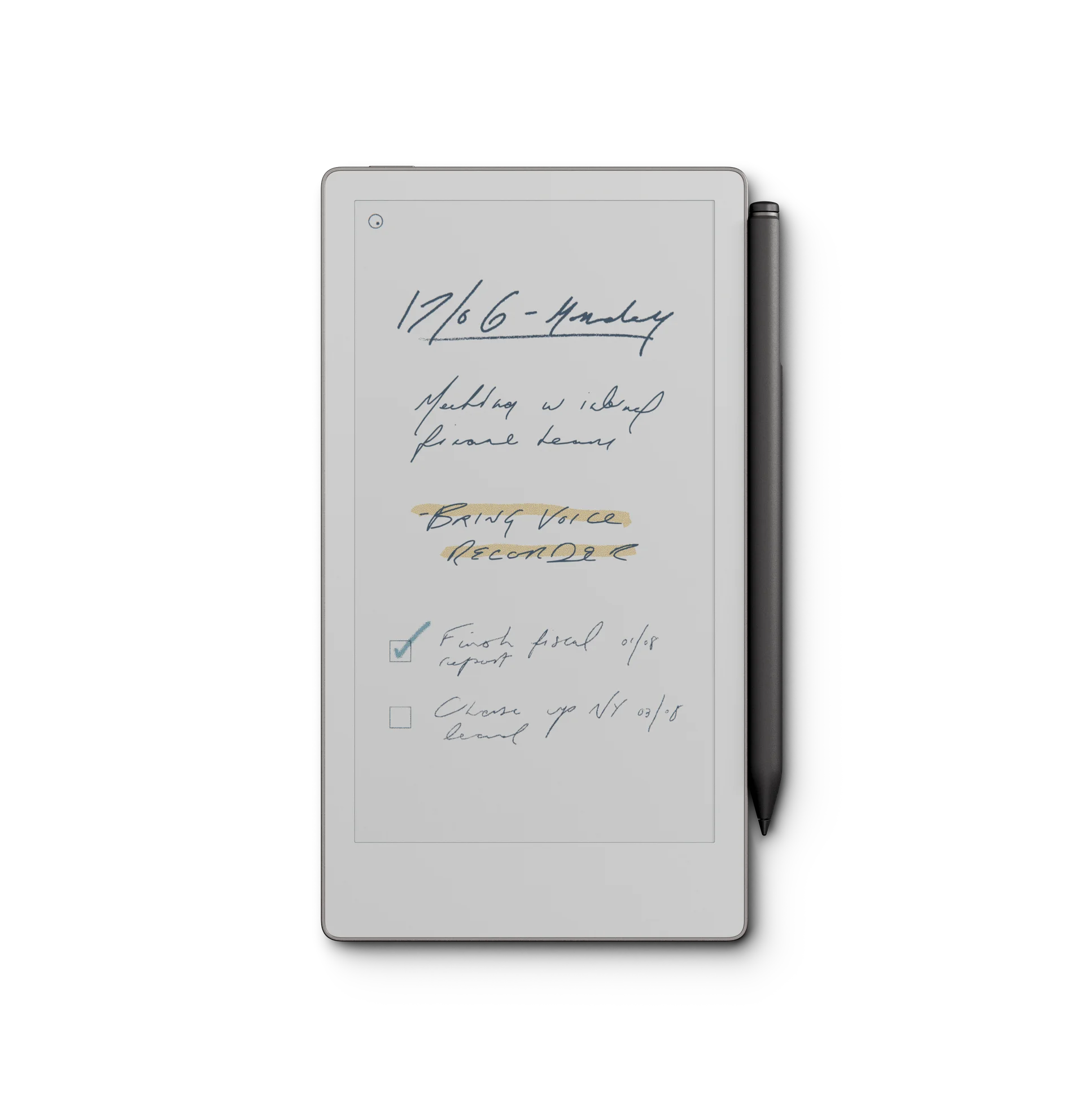
We are accustomed to measuring productivity devices by how much screen real estate they offer. A 13-inch laptop is better than an 11-inch laptop; a 10.3-inch tablet is better than a phone. But the remarkable paper pro move introduces a radical counter-argument: portability is a feature just as powerful as size. At 7.3 inches, this device is roughly the size of a standard Moleskine notebook or a thick paperback novel.
This physical footprint dictates how you use it. You don’t leave the remarkable paper pro move on your desk. You slide it into a blazer pocket, a small purse, or your jeans cargo pocket. It goes with you to the grocery store, on your morning commute, and into casual coffee meetings where pulling out a massive 11.8-inch slab of glass feels socially intrusive.
Reviewers at Wired have frequently discussed the psychological barrier of “heavy tech.” When a device is heavy and cumbersome, you think twice before grabbing it. The brilliance of the 7.3-inch form factor is that it removes all friction. It is an “always-on-you” capture device designed to intercept thoughts before they fade.
Miniaturizing technology often means sacrificing premium features. Thankfully, that is not the case here. The remarkable paper pro move inherits the exact same Gallery 3 color technology (dubed Canvas Color) found in its much larger, much more expensive sibling. You get the same ability to highlight text in yellow, draft headers in red, and organize tasks in cyan.
According to E Ink Corporation, this technology reflects ambient light, making it drastically different from the backlit LED displays of traditional smartphones. However, because this is a device designed for travel, you will inevitably find yourself in poorly lit environments—the back of a taxi, a dim airplane cabin, or your bed at night. To solve this, the device includes a built-in, adjustable front light.
When you use the remarkable paper pro move to read EPUB files or review color-coded project timelines, the screen feels like high-quality, physical printed media. It demands your focus without exhausting your eyes.
A smaller screen means you have to write smaller, but the hardware easily keeps up. The writing latency on the remarkable paper pro move is nearly imperceptible. The gap between the pen tip and the digital ink is razor-thin, and the surface friction replicates the satisfying scratch of a graphite pencil on paper.
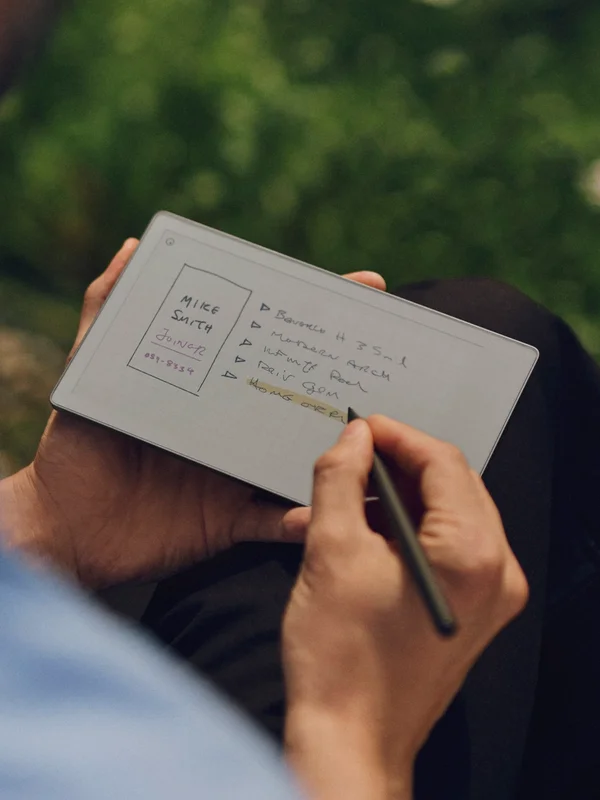
One critical advantage of this smaller size is the ergonomics of one-handed use. You can hold the tablet comfortably in your left hand while writing with your right, much like a reporter’s notepad. For professionals who conduct on-site inspections—architects, real estate agents, or warehouse managers—the remarkable paper pro move is a revelation. You no longer need to find a table to balance your 10.3-inch tablet.
While the hardware is exceptional, the software experience requires a bit of user intervention to truly shine. Out of the box, you will be tempted to sync your existing A4-sized PDF planners to your new 7.3-inch screen. This is a massive mistake. When you shrink an A4 document down, the text becomes microscopic, forcing you to constantly pinch-and-zoom to navigate.
To unlock the true potential of the remarkable paper pro move, you must use templates natively designed for its specific aspect ratio and resolution. Because the screen is smaller, touch targets (like hyperlink tabs on a digital planner) need to be larger to accommodate your fingertips. A well-designed template minimizes UI clutter and maximizes the available writing canvas.
By loading specialized remarkable paper pro move layouts onto your device, you turn it into a frictionless inbox. You can tap a large, color-coded tab with your thumb, jump to your daily to-do list, and use the MyScript handwriting recognition engine to convert your cursive notes into typed text before you even get back to your desk.
We believe in candid reviews. While the remarkable paper pro move is brilliant, it is not without compromises designed to achieve its diminutive size.
| Feature | Specification | Real-World Impact |
|---|---|---|
| Screen Size | 7.3 inches | Ultimate portability; fits in standard pockets. |
| Display Tech | Canvas Color E-Ink | Highlighting and semantic organization made easy. |
| Illumination | Adjustable Glow Light | Readable in complete darkness. |
The remarkable paper pro move is a highly opinionated piece of technology. It is not trying to be a laptop replacement or a media consumption hub. It is a dedicated, distraction-free capture tool that removes the friction between your brain and the page.
If you already own an 11.8-inch device that lives on your office desk, the Move is the perfect companion device for your commute. If you are a digital minimalist looking for a single device to replace your Moleskine journal, your Kindle, and your daily planner, this is the holy grail. For further reading on device syncing ecosystems, you can consult the official reMarkable knowledge base.
Remember, the iPad is for doing; the E-Ink tablet is for thinking. And the best device for thinking is the one you actually have with you when inspiration strikes.
Your 7.3-inch screen demands a native layout. Stop pinching and zooming to read your daily schedule. Get our completely re-engineered 2026 Template Bundle, designed exclusively with massive touch targets and color optimization for the remarkable paper pro move.
Shop the 2026 Move Bundle →