How to add a note to airbnb calendar notes (2025) Summer Update? Quick Fix
After the Summer 2025 Airbnb update, many hosts are asking: “Where did the Airbnb Calendar Notes feature go?”

Ecosystem Type
Open Architecture
App Support
Google Play Store
Top Manufacturer
Onyx Boox
For years, adopting digital paper meant choosing isolation. Devices like the reMarkable intentionally locked users into proprietary operating systems to enforce a “distraction-free” philosophy. However, modern professionals often cannot afford to be completely disconnected from their team’s centralized tech stack. By choosing an E Ink Tablet Android configuration, you effectively bridge the gap between the tactile, eye-saving comfort of an analog notebook and the hyper-connected reality of the modern corporate workspace.
In this comprehensive, 1,500-word analysis, we will thoroughly dissect the technical architecture powering these open-ecosystem devices. We will explore how proprietary GPU refresh modes minimize screen ghosting within third-party apps, compare high-resolution monochrome models against Kaleido 3 color filters, and provide a definitive roadmap for setting up a highly optimized E Ink Tablet Android workflow. Whether you require access to Microsoft OneNote, Slack, or secure cloud drives, understanding the underlying technology ensures your transition to digital paper is completely seamless.
Technical Deep Dive: The defining characteristic of an E Ink Tablet Android device is native, certified access to Google Mobile Services (GMS). This means the device communicates directly with Google’s servers, allowing you to download and authenticate applications via the official Play Store. This bypasses the dangerous and clunky “sideloading” process of installing unverified APK files required by older, Chinese-market e-readers.
Workflow Application: This certification transforms the tablet into a universal remote for your career. If your entire agency utilizes Asana for task tracking and Google Drive for file hosting, an E Ink Tablet Android model allows you to install those exact native apps. You are no longer restricted to formatting your notes into a PDF and emailing them to yourself; you can type or dictate directly into your company’s live database.
Technical Deep Dive: Standard e-readers utilize low-power 1.0 GHz dual-core processors and 1GB of RAM, as flipping a static page requires virtually no computational overhead. Conversely, a premium E Ink Tablet Android utilizes Qualcomm octa-core processors and between 4GB to 6GB of RAM. Android 12 and 13 are background-heavy operating systems that require substantial memory to keep multiple productivity applications suspended without crashing the user interface.
Workflow Application: This increased processing capability ensures that opening a massive, 1,000-page hyperlinked planner does not crash the device. It allows you to utilize split-screen modes natively built into the Android framework. You can open a complex legal PDF on the left side of the screen and keep your Google Keep application active on the right, taking notes seamlessly without ever minimizing a window.
Technical Deep Dive: The biggest hurdle for any E Ink Tablet Android is the screen refresh rate. Android apps feature smooth animations, scrolling menus, and pop-ups that look terrible on standard e-paper, resulting in heavy “ghosting” (faint shadows of previous images). To combat this, manufacturers like Onyx Boox developed dedicated hardware GPUs—like the “Boox Super Refresh” (BSR) chip—which aggressively clear the screen’s microcapsules at up to 15 frames per second.
Workflow Application: Because of these dedicated GPUs, you can comfortably browse visually heavy websites or scroll through an endless Slack channel. While you wouldn’t want to watch a 4K movie on it, the BSR technology makes navigating standard Android apps feel shockingly fast, completely neutralizing the sluggish input lag that plagued earlier generations of digital paper devices.
Technical Deep Dive: For professionals needing visual organization, the newest E Ink Tablet Android models utilize E Ink Kaleido 3 displays. This technology places a Color Filter Array (CFA) over a standard monochrome backplane. It renders 4,096 distinct pastel hues. Because the color relies on a physical filter, the color resolution is typically 150 PPI, while the underlying black-and-white text remains at a razor-sharp 300 PPI.
Workflow Application: If you import a specialized planner, an E Ink Tablet Android equipped with Kaleido 3 allows you to color-code your calendar. Financial tasks in green, urgent meetings in red. This visual hierarchy leverages your brain’s rapid color-processing ability, turning a static list of black-and-white text into a dynamic, instantly scannable management dashboard.
Technical Deep Dive: Not everyone requires color. A traditional monochrome E Ink Tablet Android device uses an uninterrupted Carta 1200 or 1300 display. Without a color filter layer between your eyes and the ink microcapsules, the screen appears noticeably whiter, the contrast ratio is superior, and typography renders with absolute laser-printer crispness at a uniform 300 PPI.
Workflow Application: Academic researchers, authors, and lawyers frequently prefer monochrome variants. When your entire career revolves around parsing 40-page technical documents or reading microscopic footnotes, the absolute maximum contrast ratio provided by a black-and-white E Ink Tablet Android is the best defense against severe ocular fatigue during long workdays.
Technical Deep Dive: Almost all premium E Ink Tablet Android models include dual-tone front lighting. Unlike LCD tablets (like iPads) that blast light from behind the pixels directly into your retinas, these devices utilize edge-mounted LEDs that project light *across* the surface of the screen via a microscopic light guide. This provides illumination without the harsh glare or blue-light toxicity associated with OLED monitors.
Workflow Application: You can independently adjust the cool (blue/white) and warm (amber) LEDs. Setting the screen to a warm, amber glow mimics the ambient light of a bedside lamp. This ensures that you can review your schedule or read a business book at 11 PM without disrupting your circadian rhythm or suppressing your body’s natural melatonin production.
Technical Deep Dive: The tactile interaction on an E Ink Tablet Android relies on a digitizer layer built by Wacom. This Electro-Magnetic Resonance (EMR) technology powers the stylus without requiring batteries or Bluetooth pairing. To achieve a “paper-like” feel, manufacturers apply a specialized matte texture directly to the glass screen to increase the physical coefficient of friction against the nib.
Workflow Application: Writing on an Android e-paper device typically feels like using a premium gel pen on smooth, high-quality notebook paper. It allows for incredibly fast, fluid strokes. If you take rapid meeting minutes, this smooth friction prevents hand cramping over long sessions, making it highly practical for heavy corporate note-taking.
Technical Deep Dive: A crucial caveat to understand regarding an E Ink Tablet Android setup is localized optimization. While the native, pre-installed note-taking app will feature near-zero latency (where the ink flows perfectly with the pen tip), third-party apps downloaded from Google Play (like Evernote or Microsoft OneNote) are not inherently coded to bypass the standard Android screen refresh protocols.
Workflow Application: If you write directly inside the OneNote Android app, you will likely notice a slight lag between your pen movement and the digital line appearing. To bypass this, professionals utilize the device’s native note app—which is optimized for speed—and simply configure the tablet’s settings to automatically export their handwritten files as flattened PDFs directly into their preferred cloud drive.
Technical Deep Dive: Native reading applications on these devices are exceptionally robust. They utilize advanced vector rendering to ensure that when you zoom in on a PDF, your handwritten annotations scale perfectly without pixelating. Furthermore, because it is an E Ink Tablet Android, you can utilize built-in OCR (Optical Character Recognition) to convert your cursive handwriting into searchable, typed text in milliseconds.
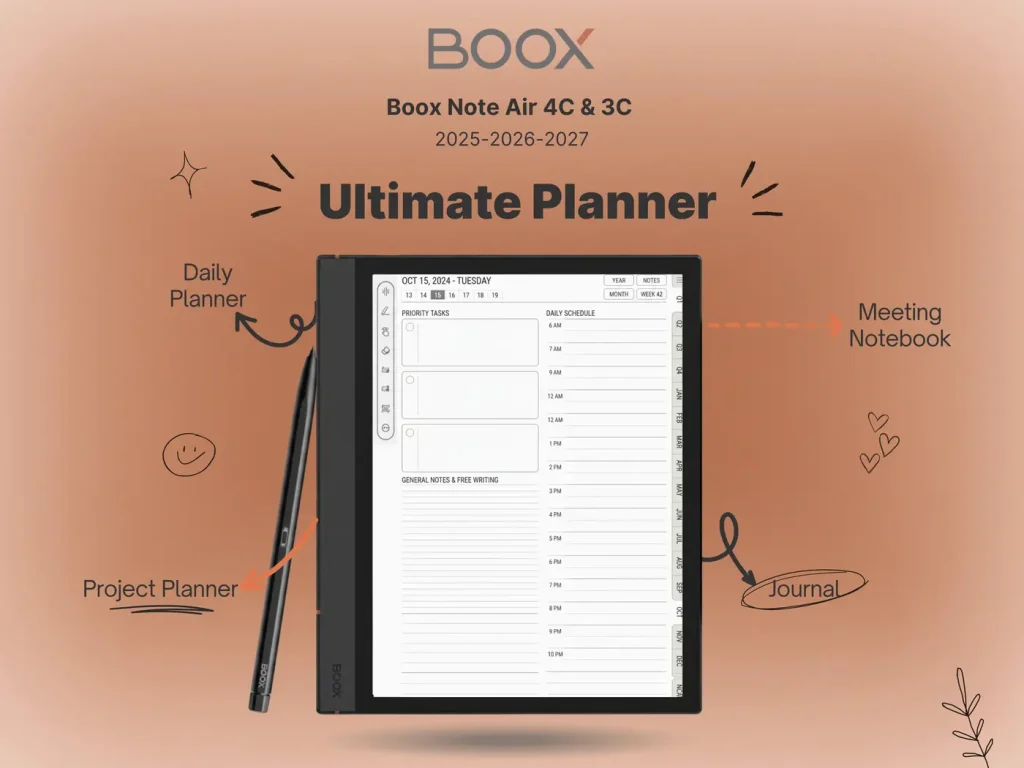
Workflow Application: Import a hyperlinked template file, and the device transforms into a digital command center. You can highlight text, write margin notes on a contract, and instantly share the annotated PDF via email using the standard Android sharing menu. For an in-depth look at how these workflows compare to closed systems, read our The Honest Review: Boox Note Air 4C vs reMarkable Paper Pro analysis.
| Writing Environment | Latency Performance | Best For |
|---|---|---|
| Native Notes App | Ultra-Low (<15ms) | Daily journaling, rapid meeting minutes. |
| Native PDF Reader | Ultra-Low (<15ms) | Annotating custom templates, reading books. |
| Third-Party Apps (OneNote) | Moderate (Noticeable) | Typing with keyboards, organizing data. |
An E Ink Tablet Android is powerful enough to handle 80% of standard administrative tasks. Follow this workflow map to set up your device as a true laptop alternative.
Technical Deep Dive: Because an E Ink Tablet Android utilizes standard mobile protocols, it recognizes external keyboards natively. The high-speed BSR refresh modes ensure that as you strike a key, the letter appears on the screen instantaneously. This transforms the 10.3-inch or 13.3-inch tablet into an ultra-lightweight, glare-free typewriter.
Workflow Application: For authors, screenwriters, and journalists, this setup is a revelation. You can take the tablet to a bright, sunlit park and type an entire chapter without squinting against LCD glare. The device provides the distraction-light environment necessary for deep creative writing, while retaining the cloud connectivity needed to save your draft safely.
Technical Deep Dive: Many corporate environments utilize Mobile Device Management (MDM) software (like Microsoft Intune) to enforce security policies. Devices running proprietary Linux systems simply cannot install these profiles. An E Ink Tablet Android, however, can natively download and authenticate enterprise security certificates, VPNs, and multi-factor authentication applications directly from Google Play.
Workflow Application: If your IT department explicitly prohibits transferring company PDFs to unverified third-party clouds, an Android e-paper device is your only compliant option. You can log into your official corporate OneDrive directly on the device, ensuring sensitive legal or financial data never leaves your company’s highly encrypted ecosystem.
Technical Deep Dive: Onyx Boox is the undisputed leader in the E Ink Tablet Android market. Their Note Air series (currently the Note Air 3C and 4C) features a razor-thin aluminum chassis, Kaleido 3 color displays, and heavily customized Android firmware that specifically optimizes third-party apps for the e-paper screen via deep contrast-control menus.
Workflow Application: The 10.3-inch Note Air series is the “Goldilocks” device. It is large enough to view full PDFs and templates comfortably, but light enough to hold during an hour-long commute. For a comprehensive ranking of how these models stack up against the broader market, explore our definitive Best E Ink Tablet 2025: Top Picks for Professionals guide.
Technical Deep Dive: Bigme has emerged as a strong alternative competitor. They frequently implement the newest Android versions (often shipping with Android 13 or 14) and integrate heavy AI functionalities natively into their OS, including live voice-to-text translation and automated meeting summarization algorithms directly built into their recording apps.
Workflow Application: If you are an executive who spends hours in boardrooms, a Bigme E Ink Tablet Android serves as an incredible digital secretary. You can lay the device on the table, hit record, and let the AI generate a transcript while you simultaneously write strategic notes on the screen, creating a highly comprehensive, dual-format meeting log.
Technical Deep Dive: Not everyone requires a massive clipboard size. Devices like the Boox Page or the Go Color 7 utilize the exact same Android architecture but compress it into a 7-inch form factor. These devices weigh less than 200 grams and are designed primarily for rapid consumption and quick note-taking rather than heavy document review.
Workflow Application: The smaller E Ink Tablet Android format is perfect for medical professionals rounding wards or inventory managers auditing warehouses. It easily slides into a lab coat pocket, providing instant access to complex Android databases and check-lists without the bulk of a full-sized 10-inch tablet.
Adopting an E Ink Tablet Android configuration is the most pragmatic choice for professionals who refuse to compromise their digital connectivity. By utilizing the Google Play Store, specialized BSR refresh technology, and robust processing power, devices like the Onyx Boox series seamlessly blend the tactile focus of an analog notepad with the operational horsepower of a modern laptop. It is the definitive tech stack for 2026.
Unlock the full potential of your high-powered tablet. Our professional template bundles are perfectly scaled for 10.3-inch displays, providing a hyperlinked, beautifully structured environment for all your project tracking needs.
Shop the Android Template BundlesAfter the Summer 2025 Airbnb update, many hosts are asking: “Where did the Airbnb Calendar Notes feature go?”
The Airbnb Off-Platform Fees policy, updated in May 2025, directly impacts how hosts handle pricing, communication, and payments. If you’re still asking whether it’s okay

The Airbnb Tour de France search trend is rising fast, and for good reason. The 2025 Tour de France will begin in Lille and end