What the planner is
What the Key2Success Digital Planner is
The Key2Success Digital Planner is a hyperlinked PDF planner system built by Branden Bodendorfer, sold as a yearly license through key2success.com, and designed to work across reMarkable, iPad with Goodnotes, Boox, and Surface devices. The system is GTD-influenced: it opens with goal-setting and life-area front matter, runs through quarter, month, week, and day layouts, and closes with habit, review, and project pages. The Key2Success Digital Planner sits in a different category from the dated PDFs you find on Etsy. It is a packed, opinionated system that asks the user to work through the front matter before the daily pages do anything useful.
Two things shape every honest read of this product. First, it is cross-platform by design, which means it does not optimize for the reMarkable’s specific pen-feel or button shortcuts the way a reMarkable-only planner can. Second, it is sold as an annual content drop, not a one-time purchase. Both calls are defensible, and both compound differently depending on how you actually plan.
Review on reMarkable
Key2Success planner review: how it works on reMarkable
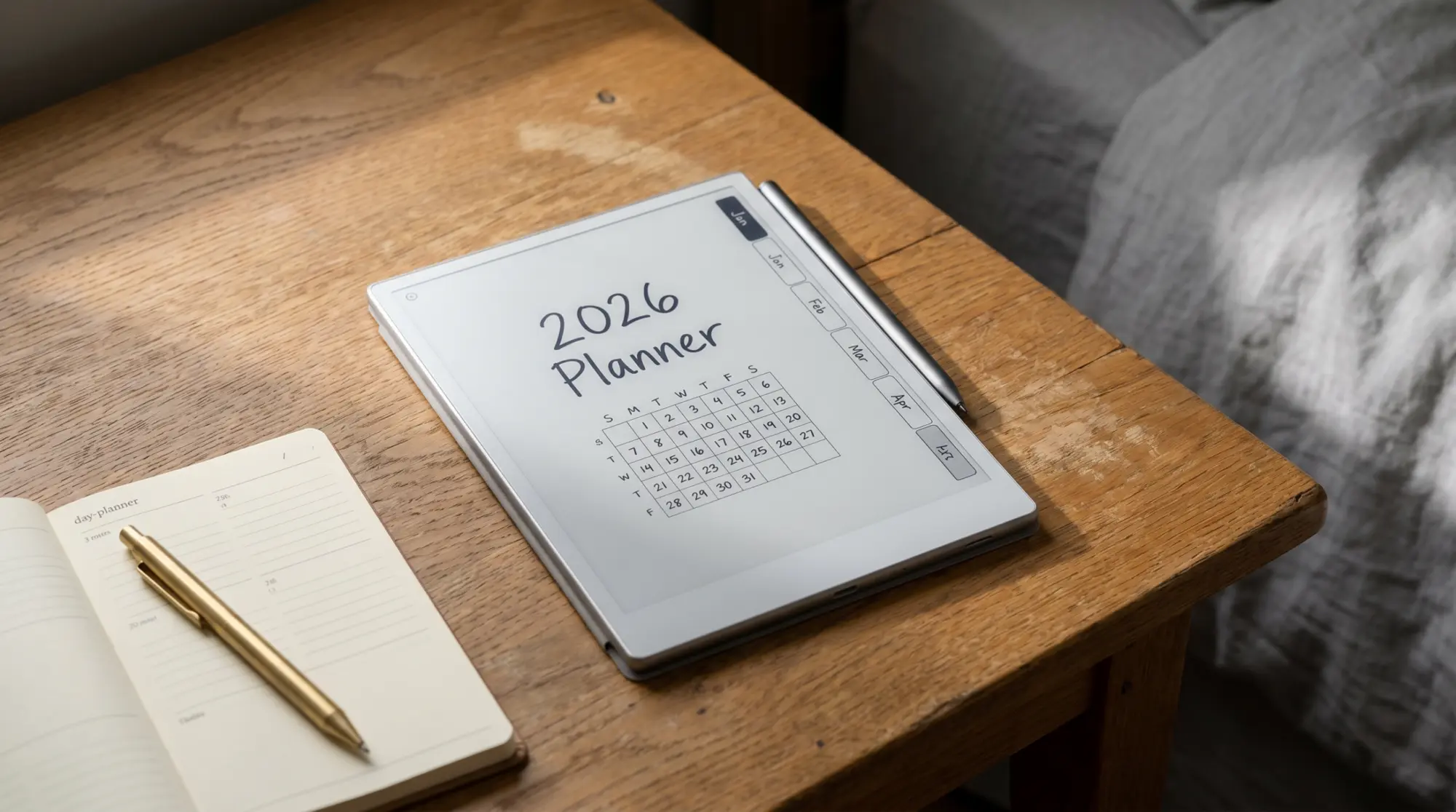
On a reMarkable 2 or Paper Pro, the Key2Success planner imports as a single PDF with internal links. The day, week, month, quarter, and year pages all link to each other through small navigation buttons at the corners of each page. Tap a date on the monthly view and the daily for that date opens. Tap “back to month” in the daily corner and you return. The navigation pattern works; the reMarkable handles internal PDF links reliably, and the planner’s tap targets are sized large enough that the Marker registers them without a second swipe.
The writing experience inside the planner is fine. Lines hold, the Marker tracks at the standard 21 ms latency the reMarkable 2 ships at, and the planner’s gridded pages give you a column structure that survives messy handwriting. Most Key2Success planner review threads on r/RemarkableTablet land at the same place: the planner does what it says it does on the reMarkable, and the friction is structural, not technical.
The structural friction is page density. The Key2Success system runs to roughly a thousand hyperlinked pages once you count the daily, weekly, and front-matter spread for a year. That is a feature for buyers who want every page available. It is a tax on the reMarkable’s refresh rate when paging through, and it is a navigation challenge for users who only use the weekly and monthly pages day to day.
2024 vs current
Key2Success planner 2024 vs the current version
Buyers searching for “Key2Success planner 2024” specifically are usually one of two readers: the user who bought the 2024 license and is deciding whether to renew, or the bargain hunter looking for a discounted older version. Both should know how the annual content model works.
Each year Key2Success ships a new dated version with refreshed page layouts and, often, additional systems pages (a new review framework, a new habit grid, a new project template). The 2024 version remains usable indefinitely; reMarkable does not phase out the file. The renewal cost buys you the new dated daily pages and whatever new systems pages drop with that year’s release. If you used 60% of the 2024 pages, the renewal calculation is whether the new pages and the dated daily forms are worth another full subscription year.
Standalone purchase of the 2024 version specifically is no longer the default sale path on key2success.com. Current sales bundle the latest version with prior-year templates as references. If the 2024 layout you wanted is the one that matched your habits, the bundled current sale still gives you access; if you wanted the specific 2024 dated daily pages, those are no longer the active product. The buyer who wants the 2024 system at 2024 pricing has effectively missed that window.
Where it falls short
Where Key2Success falls short for reMarkable users
The three trades worth naming, in order of how often we hear them surface in reMarkable community threads.
The yearly subscription compounds. A reMarkable is built to last five years of daily use; the Carta panel, the chassis, and the software updates support that lifecycle. A planner subscription paid every year against that five-year base means the cumulative planner cost can pass the cost of the device on a long-enough timeline. Whether that is a fair trade depends on whether the annual content drop genuinely adds value for your specific planning style, which the buyer has to decide year over year.
Page density punishes selective users. If your real planning rhythm is a weekly review on Sunday and a daily glance on weekdays, you are using maybe 8 to 12 pages of the planner per month. Key2Success ships you a hyperlinked archive built for users who run daily journals, quarterly reviews, project sheets, life-area tracking, habit grids, and gratitude pages all in one. The pages you do not use are not free; they are taps you scroll past and refreshes the device has to handle.
The system is opinionated. Branden Bodendorfer’s planning framework borrows from Stephen Covey, David Allen, and Hal Elrod, and the planner reflects that. The result is a system that works well for users who buy into the underlying GTD-and-life-area approach, and works less well for users who want a quieter, more layout-led planner. Neither posture is wrong; they just produce different tools.
Three-way compare
Key2Success vs Templacity vs native reMarkable: the honest read
Most reMarkable users who shop the Key2Success Digital Planner are weighing three options without naming all three out loud. The third option (native reMarkable Methods, which are free and built-in) is the one the comparison threads usually skip. Here is the honest three-way read.
| What you get | Key2Success | Templacity bundle | Native reMarkable Methods |
|---|---|---|---|
| Cost model | Yearly license | One-time | Free, built-in |
| Pages in the bundle | ~1,000 hyperlinked | ~30 focused | ~12 Methods layouts |
| Goal + review front matter | Extensive | Light (project sheet) | None |
| Habit and tracking pages | Yes | Yes | None |
| Dated vs undated | Annually dated | Undated, reusable | Undated |
| Designed for reMarkable specifically | Cross-platform | reMarkable-tuned | Native |
| Best for | Comprehensive system buyers | Selective writers | Minimal-overhead users |
The honest read of the three: Key2Success wins on content depth and built-in systems, the bundle wins on lifetime cost and reMarkable-specific fit, native Methods win on zero-friction setup if your planning is light. The choice is not which one is better; it is which trade pattern matches how you actually plan.
What we liked
- Comprehensive goal-setting and review front matter that most reMarkable planners skip entirely.
- Hyperlinked navigation that works reliably on the reMarkable 2 and Paper Pro.
- Annual content drop adds new systems pages without forcing a relearn of the layout.
- Cross-platform file plays cleanly on iPad and Boox if you ever leave the reMarkable.
What we did not
- Yearly subscription compounds against a reMarkable’s 5-year useful life.
- Roughly a thousand pages of hyperlinked content; selective users will only open a quarter of it.
- Designed cross-platform, not reMarkable-tuned. Doesn’t take advantage of Pen-only shortcuts or the device’s gridded paperfeel templates.
The pros and cons sit on top of the pricing trade more than any single feature call. Buyers who use 70% of the planner’s pages get fair value from the yearly model. Buyers who use 20% are paying for shelf-space.
The choice is not which one is better. It is which trade pattern matches how you actually plan.From the three-way read
Which is the long way around saying the planner reviews well for some readers and badly for others, and the only way to know which one you are is to be honest about the pages you would actually open every Sunday.
Verdict
The Key2Success Digital Planner verdict
FAQ
Common questions, answered briefly
How much does the Key2Success Digital Planner cost?
Does the Key2Success planner work on the reMarkable Paper Pro?
Is the Key2Success planner 2024 version still available?
Do you have to buy Key2Success every year?
Is there a cheaper alternative to Key2Success for reMarkable?
If your question is not above, drop it in the comments. The FAQ is the first place we fold in questions readers actually ask, and the planner space changes year over year as Key2Success ships new content drops and reMarkable refreshes its devices.
People also ask